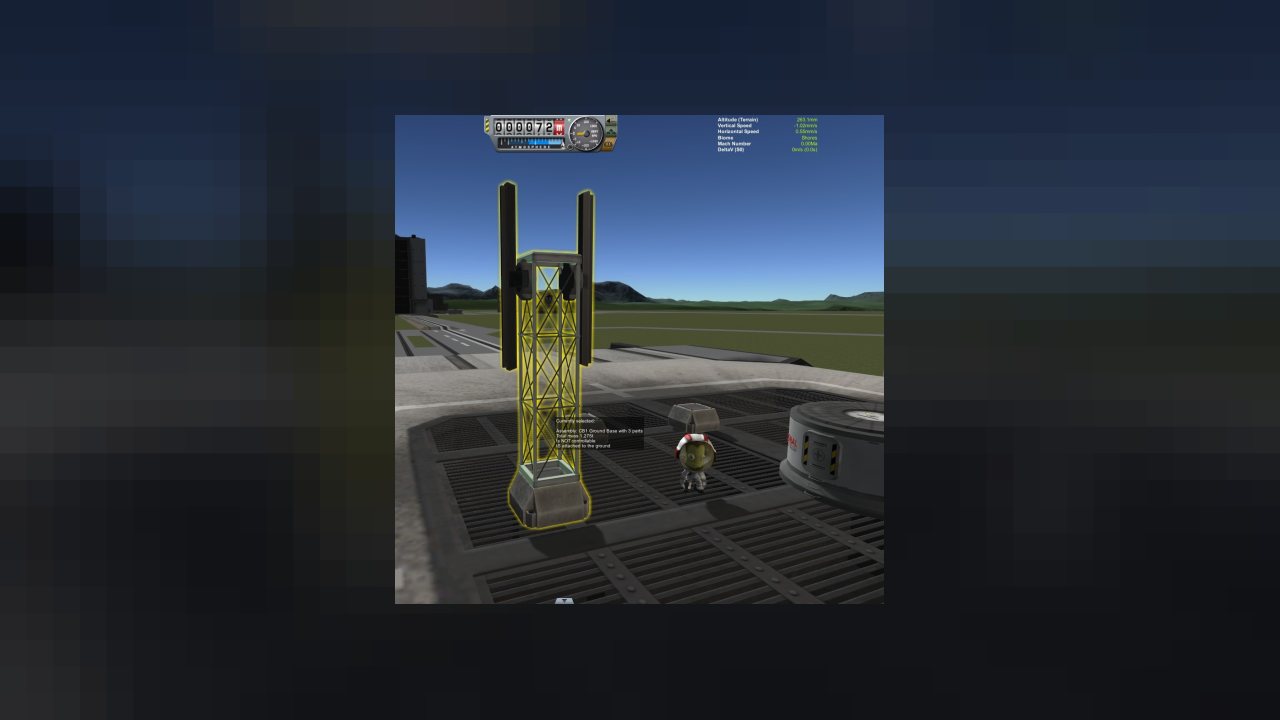
The stock game doesn't care much about the camera stabilization when you switch between the vessels. You can walk in EVA, enter a pod, and end up with a camera looking in the sky. Or you may want to take a closer look at some part of your big station, but the camera focus is bound to the station's center of mass, and the part of the interest is far away form it.
This mod can help you solving these troubles! With EVS:
- ...the camera will stop jumping around randomly. There are two modes of stabilization that allow preserving the view in the scene (switch with F7)...
- ...you're able to focus the view on any part of any vessel with a simple mouse click (with O hold, it's configurable)...
- ...a new active vessel can be selected by simply holding ALT (configurable) and clicking on the vessel you like...
- ...the basic info of a vessel can be quickly seen by simply hovering over it (with ALT hold)...
And this mod speaks 4 major languages in case of some of your kerbals are picky in this sense.
Demo media
- VIDEO: Mod overview + tutorial
- VIDEO: The part focus feature
Languages supported
Русский
Italiano
Español
简体中文
Français
Support
You can support this and the other of my mods on Patreon. This is where I post my ideas, prototypes and the features development progress.
Other useful mods for EVA
If you want doing EVA comfortably, you really should consider adding these mods as well:
- Kerbal Inventory System (KIS). Now you can build and upgrade vessels in EVA!
- Kerbal Attachment System (KAS). Need to link two vessels? Just send out your kerbals EVA! Don't forget to update their inventories, though.
- Surface Mounted Lights. Too dark for EVA on the other side of the moon? Problem solved with these ambient lights!
How to install
- Recommended:
- Install and run CKAN.
- Search for "Easy Vessel Switch" or just "EVS", then install the mod.
- Occasionally run CKAN client to update EVS (and other mods) to the latest version.
- If you follow this path, then all the EVS dependencies will be updated automatically. It may save you a lot of time during the update.
- Manual:
- Download the ZIP archive:
- From CurseForge.
- From Spacedock.
- From GitHub.
- If you have an older version of the mod in your game, you must delete all the old files first! Do not just copy over, this will likely result in compatibility issues.
- Unzip the release archive into the game's GameData folder.
- Note, that names of the folders must be exactly like in the archive or the mod won't work.
- Verify the installation: the mod's LICENSE.md file must be located at /GameData/EVS/LICENSE.md.
Forum
Ask questions and propose suggestions on the forum.
ABOUT THIS LISTING
This page describes Easy Vessel Switch (EVS) by ihsoft. The description and screenshots are the author's own, imported from their listing on CurseForge on 25 October 2026: https://www.curseforge.com/kerbal/ksp-mods/easy-vessel-switch-evs
Mythiq.net hosts no files for it. The download button goes straight to the release file on edge.forgecdn.net, so you are downloading from the author's own host, not from a copy of ours.
The download count, rating and comments on this page start at zero and count Mythiq.net only. The source's own figures are not copied here — they measure a different site, and a number that cannot be checked against our own ledger is not worth printing.
Requirements
Game version
1.12.0
GAME VERSION
Built against KSP 1.12.0. Parts and plugins compiled for one major version routinely misbehave on another — a plugin for 1.8 can fail silently on 1.12.
DEPENDENCIES
Many part packs and plugins depend on ModuleManager, and some on each other. KSP's loading log (KSP.log in the game folder) names the missing dependency when a part does not appear; the author's page lists the usual set.
Installation
1. Download the archive with the button on this page and unzip it.
2. Move the mod's folder — the one containing the .version file or the part folders — into:
Kerbal Space Program\GameData
The path in game must read GameData\\…, not GameData\\\…
3. Start the game. Parts appear in their categories in the VAB; plugins show their own toolbars or settings screens.
4. If the mod ships a CraftNote or extras folder, leave it — some packs store example ships and textures there.
UPDATING
Delete the old folder in GameData first. Two versions of one plugin loaded together is the usual cause of duplicate parts and toolbar errors.
This release downloads from edge.forgecdn.net, not from us, so
there is no checksum to compare against. Scan the archive before you unpack it.
Tell us if something is wrong — a file that will not work, content taken from
someone else, or anything that looks unsafe. Reports go to our review team, not
to the author.
We use cookies to ensure that we give you the best experience on our website and improve your experience. By continuing to use this site you consent to such use of cookies.