Make your game look more like the trailers with Bare Bones & Stuff! Includes Bare Bones Updates!
(Bare Bones & Stuff is a compatibility pack made to combine Actions & Stuff and Bare Bones!)
Important: You'll need both Actions & Stuff and Bare Bones for Bare Bones & Stuff to work properly!
Oreville released an official Flat Texture pack for A&S Full Experience! Check it out here!
(Trailer Visuals by Aleeee was used for this video's Vibrant Visuals!)
BareBones&Stuff is compatible with Actions & Stuff 1.11 Features!
(Now Compatible with Realistic Biomes 1.3 and The Sports related stuff!!)
Alll of the content from 1.10 and 1.11 is complete!! That means that BareBones&Stuff is fully compatible with Actions&Stuff one more!! All of the textures are now finished
BareBones&Stuff also includes updates for Bare Bones when using them together!!
Compatible with Actions & Stuff Full Experience Vibrant Visuals!
Experience a world full of life like the Trailers with Bare Bones & Stuff! There's always something new to see when you're ready for adventure! Take a look at every mob and find every secret easter egg
Choose the Experience you prefer with two subpacks!
Bare Bones & Stuff: Actions&Stuff Full Experience with the style of Bare Bones!
(Animated blocks, custom armors, cute baby mobs, new look for weapons, new Vibrant Visuals skies and more)
Trailer Experience: For those who want an experience closer to the trailers!
(Vanilla models and weapons, no block or mob variants, expressive mobs, vanilla-accurate 3D items, default VV)
Dress for the occasion, Decorate your house, Build a party!
(Every single prop, easter egg nametag and the new costumes feature are available with the style of Bare Bones!)
Enjoy a world full of life with 3D Items and Animated blocks!
(3D items are a bit different between BB&S and Trailer Experience so I made unique item sprites for them!)
Enjoy skins full of life and expression in a simple and clean style just like the trailers!
Compatibility with Realistic Biomes 1.3!
(Fancy Clouds resemble the trailer ones, Bare Bones style particles, sun and moon, perfect alternative to VV!)
Compatibility with Leafier Leaves!
(Visible when holding them, compatible with VV and use a 2-3 color palette instead of just solid colors)
Compatibility with the Villager News Add-on too!
(Enjoy all of the features the pack offers with the style of Bare Bones!! Get along with Villager #9 and Villager #5, all of the cosmetics, go and meet the Mayor and a lot more!!)
A project made by Oreville Studios and Element Animations!!
Need help setting up Bare Bones & Stuff or want to ask something??
Here's a video guide on How to use Bare Bones & Stuff! Comment any question you might have!
Please follow this instructions before reviewing the pack!
Written instructions:
- Download the .mcpack and open it with Minecraft!
- Use the following order: Actions & Stuff 1.11, Bare Bones and Bare Bones & Stuff 1.11 on top!
- Use the Gear icon on the texture pack to change the subpack! (Match the A&S subpack you selected)
- Apply this order onto your Global Resources, World or Realms to make them work!
- Also make sure to put it above the Realistic Biomes RP in case of using it for it to make effect!
What's the purpose of Bare Bones & Stuff as a whole?
Have you ever seen a Minecraft trailer and wanted your game to look like that? Actions & Stuff is an amazing way to get a similar result, and using Bare Bones on top of it to make it even more accurate can make your game be almost like the Trailers! But you might notice when using A&S Custom Experience that mobs lack expressions, that your villagers aren't as lively anymore, that your 3D items are 2D once again.
That's what Bare Bones & Stuff is for! A way to make your world shine with life again giving every feature the Full Experience and Vanilla Experience from Actions & Stuff can offer a look that matches Bare Bones!
Credits:
Bare Bones & Stuff is meant to replicate the Minecraft Trailers, so a big part of the work put into it is based on the work from Element Animations and Mojang!
Pochilito! I'm the owner of Bare Bones & Stuff and the only person who works on this project! I have to thank every person in the Bare Bones Discord who constantly gave feedback to help me to fix mistakes and other issues that appeared along the way! The community is really sweet and I'm really thankful!
The renders made for Bare Bones & Stuff were made by me and Venticular, a sweet person from the BB Discord!
This compatibility texture pack is meant to be used with these texture packs and addons:
- Bare Bones a texture pack created by Robot! Go check his amazing work!
- Actions & Stuff a texture created by the talented team of Oreville Studios! Thanks for making the game so beautiful!
- Realistic Biomes an add-on that adds a lot more life to every biome in the game made by Oreville Studios too!
How did you get here?! Go find more easter eggs!
ABOUT THIS LISTING
This page describes Bare Bones & Stuff [1.12 Drop1!] by Pochilito. The description and screenshots are the author's own, imported from their listing on CurseForge on 25 October 2026: https://www.curseforge.com/minecraft-bedrock/texture-packs/barebonesnstuff
Mythiq.net hosts no files for it. The download button goes straight to the release file on edge.forgecdn.net, so you are downloading from the author's own host, not from a copy of ours.
The download count, rating and comments on this page start at zero and count Mythiq.net only. The source's own figures are not copied here — they measure a different site, and a number that cannot be checked against our own ledger is not worth printing.
Media
Pack icon
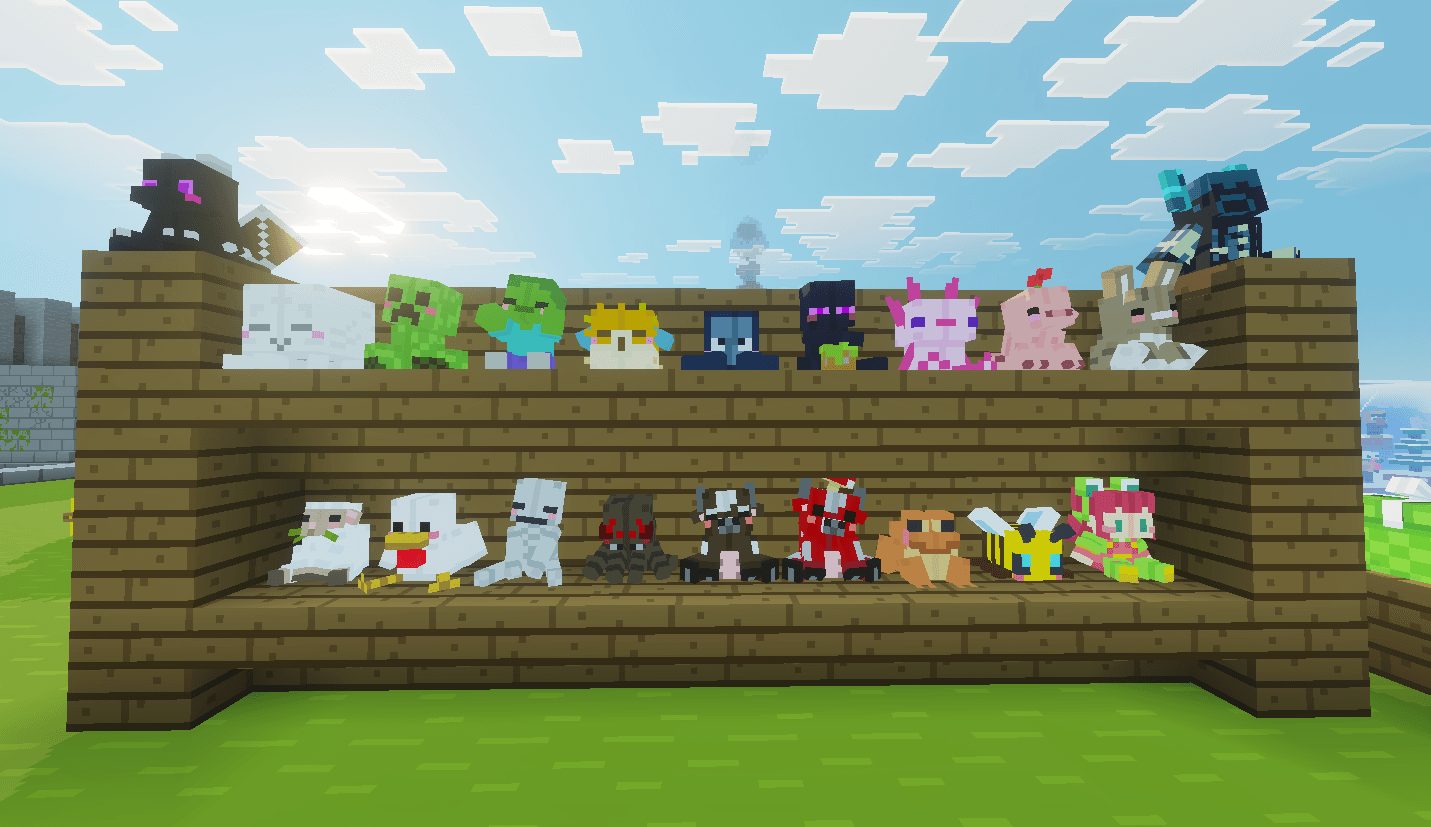
Plushies from the 1.9 update!!
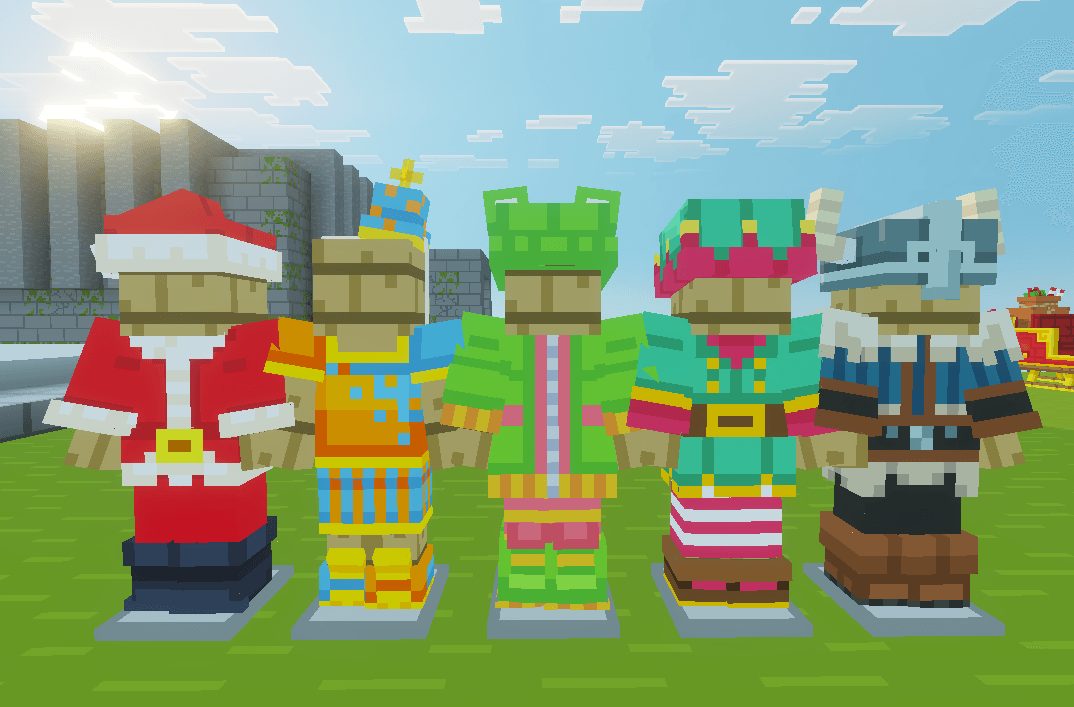
Costumes from the 1.9 update!!
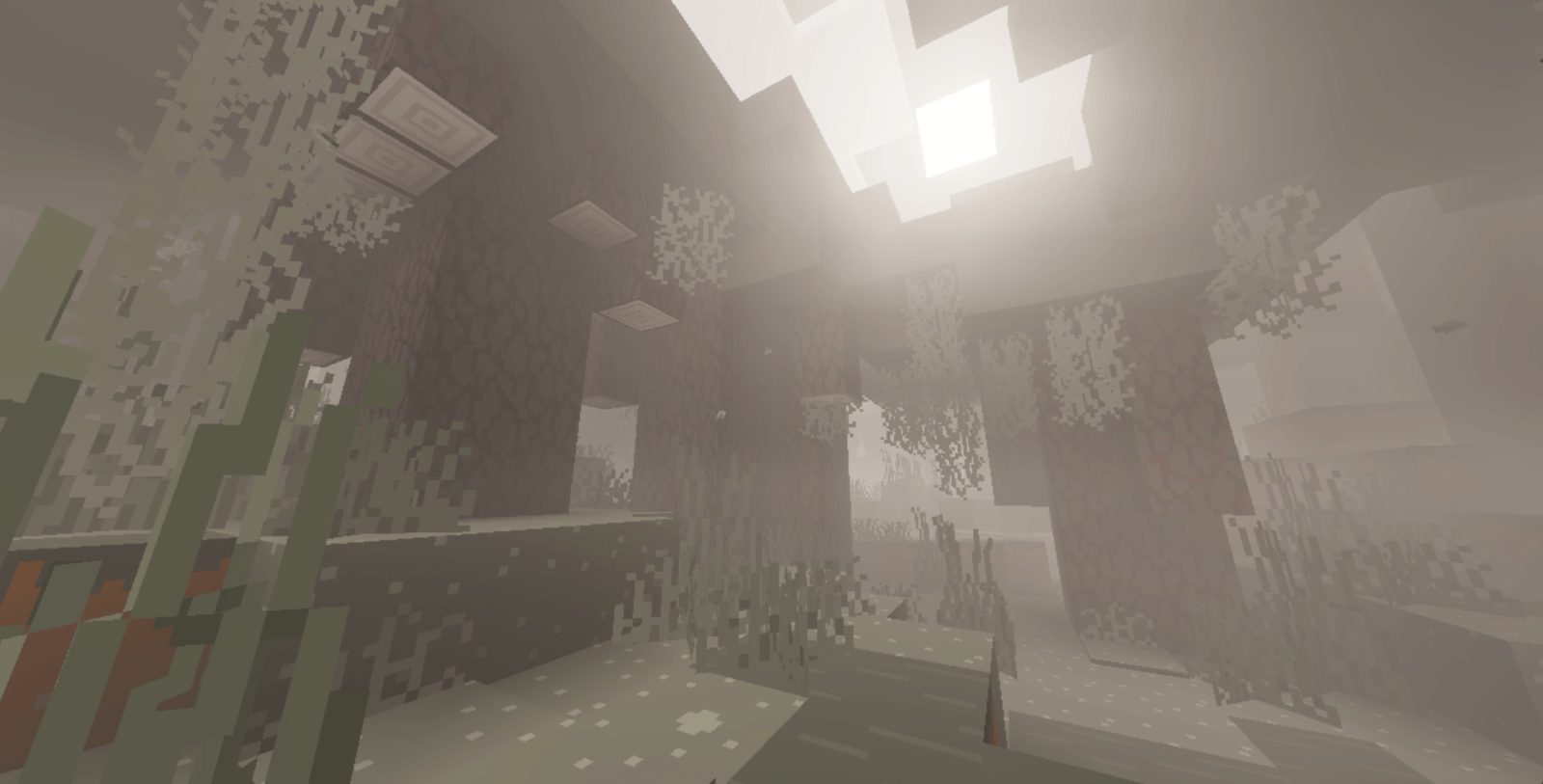
The Pale Garden with the Vibrant Visual update from 1.8!
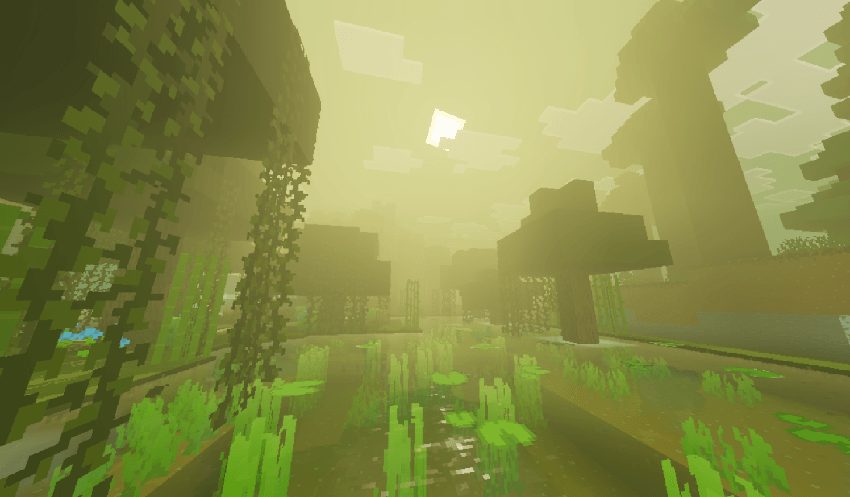
The Swamp using Vibrant Visuals from the 1.8 update!!
Requirements
Game versions
26.10
26.20
26.30
26.40
26.50
NO LOADER
Bedrock imports this file natively — no mod loader, no framework, nothing to install first. The game itself opens .mcaddon, .mcpack, .mcworld and .mctemplate files.
GAME VERSION
Listed against Minecraft Bedrock 26.10, 26.20, 26.30, 26.40, 26.50. Bedrock updates on every platform at once, and an addon built for a newer version can refuse to import on an older one — the import error names the version it wants.
PLATFORM
Works on Windows and mobile — both import these files directly. Console cannot import files, so console players receive the pack through a Realms world or a friend's world that already has it enabled.
Installation
1. Download the file with the button on this page — do NOT unzip it. Bedrock imports the file itself; an extracted folder is the one way to make this not work.
2. Windows — double-click the file, or right-click → Open with → Minecraft. The game launches and shows "Import started", then "Successfully imported".
Android — open the file from the downloads shade and choose Minecraft. iOS — share the file into Minecraft from the Files app.
3. Where it lands depends on what it is: an addon activates on a world's Behavior Packs / Resource Packs screen; a world appears under Play → Imported; a texture pack appears on the same packs screen.
4. For an addon on a new world: create the world with the pack toggled on. Some addons also need the "Holiday Creator Features" experiment until the author says otherwise.
IF THE IMPORT FAILS
The usual cause is a version gap — the file wants a newer game than is installed. Update the game and import again; the error message on the import screen names the version it expected.
This release downloads from edge.forgecdn.net, not from us, so
there is no checksum to compare against. Scan the archive before you unpack it.
Version history
BareBones&Stuff 1.12 Drop1 (Standard)Latest
20 Oct 2026 · 7.5 MB via edge.forgecdn.net · 0 downloads Download
Off-site on edge.forgecdn.net —
no checksum, because we never held this file.
Link checked by our review team on 26 Oct 2026.
Tell us if something is wrong — a file that will not work, content taken from
someone else, or anything that looks unsafe. Reports go to our review team, not
to the author.
We use cookies to ensure that we give you the best experience on our website and improve your experience. By continuing to use this site you consent to such use of cookies.

![Bare Bones & Stuff [1.12 Drop1!] cover art](/assets/img/uploads/mods/modcover_cat_bare-bones-stuff-1-12-drop1_ce33e7c3.jpg)