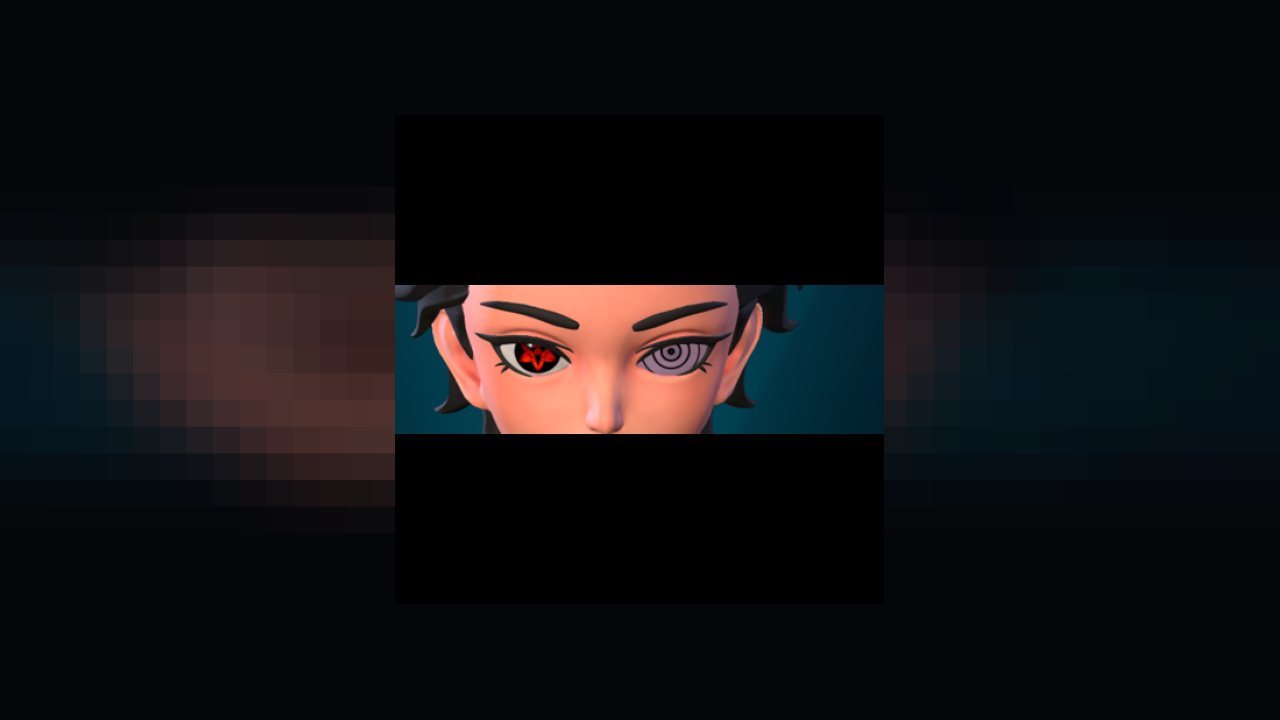
This mod adds in additional eyes and more textures used by the additional eyes. Currently 51 additional variations of eyes added to the game with full Hue support using the in-game Character Creator.
If you like this mod, also check out:
More Hairs For Character Creator
Please post requests in comment section and I will add as soon as I can.
Instructions:
Simply copy the mod files into your LogicMods folder for details in Mod Config Menu.
Or if only wanting the functionality of this mod, copy the pak file to your Mods folder.
To Do:
Create individual icons for each eye variation
Update DataTable to use eye icons instead of WIP icon for new eyes
Add more textures and materials for more eye variations
Create smaller variations of current eye variations
Additional Info:
Eye is made of 5 textures to create its structure. Structure also has 16 scalar parameters that can be adjusted but are typically left to game default.
1- EyeWhite is the static color/background of the eye based on a texture
2- EyeMask is used with the Cornea to only display the Cornea above the EyeWhite
3- Cornea is the main portion of the Eye and is adjustable using a Hue slider
4- Pupil is a detailed texture above the Cornea that is typically black or dark in color
5- Highlight is an effect on the very outside of the eye above all other textures to show a Hear or other symbol
EyeWhite is set via Parameter: BaseColor Mask
EyeMask is set via Parameter: Eye Cornea Texture
Cornea is set via Parameter: Eye Highlight Texture
Pupil is set via Parameter: Eye Pupil Texture
Highlight is set via Parameter: Eye White Texture
Each variation is added to the DataTable named "DT_CharacterCreationEyeMaterialPresetTable" as a new row beginning with ccType to prevent conflicts with new eyes added into the game later.
ABOUT THIS LISTING
This page describes More Eyes for Character Creator by William112792. The description and screenshots are the author's own, imported from their listing on CurseForge on 25 October 2026: https://www.curseforge.com/palworld/patch-pak-mods/more-eyes-for-character-creator
Mythiq.net hosts no files for it. The download button goes straight to the release file on edge.forgecdn.net, so you are downloading from the author's own host, not from a copy of ours.
The download count, rating and comments on this page start at zero and count Mythiq.net only. The source's own figures are not copied here — they measure a different site, and a number that cannot be checked against our own ledger is not worth printing.
Requirements
Game version
1.0.1
GAME VERSION
Listed against Palworld 1.0.1. Palworld updates frequently, and a pak built for an earlier build is the first thing to suspect after a patch.
CLIENT VS SERVER
Some of these mods are server-side — they are installed on the machine running the dedicated server (or the host's copy in co-op), not on every player's game. A server mod installed client-side does nothing, and vice versa; the author's page says which it is.
Installation
1. Download the archive with the button on this page and unzip it.
2. For a client pak mod, create the folder if needed and put the .pak in it:
steamapps\common\Palworld\Pal\Content\Paks\~mods
The tilde in ~mods is deliberate — it makes the engine load the folder last so the mod wins.
3. For a server mod, unzip it into the dedicated server's Pal folder and restart the server; players do not install anything.
4. UE4SS-based mods additionally need UE4SS installed into the game folder first — the author's page linked from here carries the current steps.
UPDATING
Delete the old .pak before adding the new one. Two builds of one mod loaded together is the usual cause of crashes at launch after an update.
This release downloads from edge.forgecdn.net, not from us, so
there is no checksum to compare against. Scan the archive before you unpack it.
Tell us if something is wrong — a file that will not work, content taken from
someone else, or anything that looks unsafe. Reports go to our review team, not
to the author.
We use cookies to ensure that we give you the best experience on our website and improve your experience. By continuing to use this site you consent to such use of cookies.