Archaeology UI replacement, Archaeology History and more...
🎉4 million downloads🎉
Description
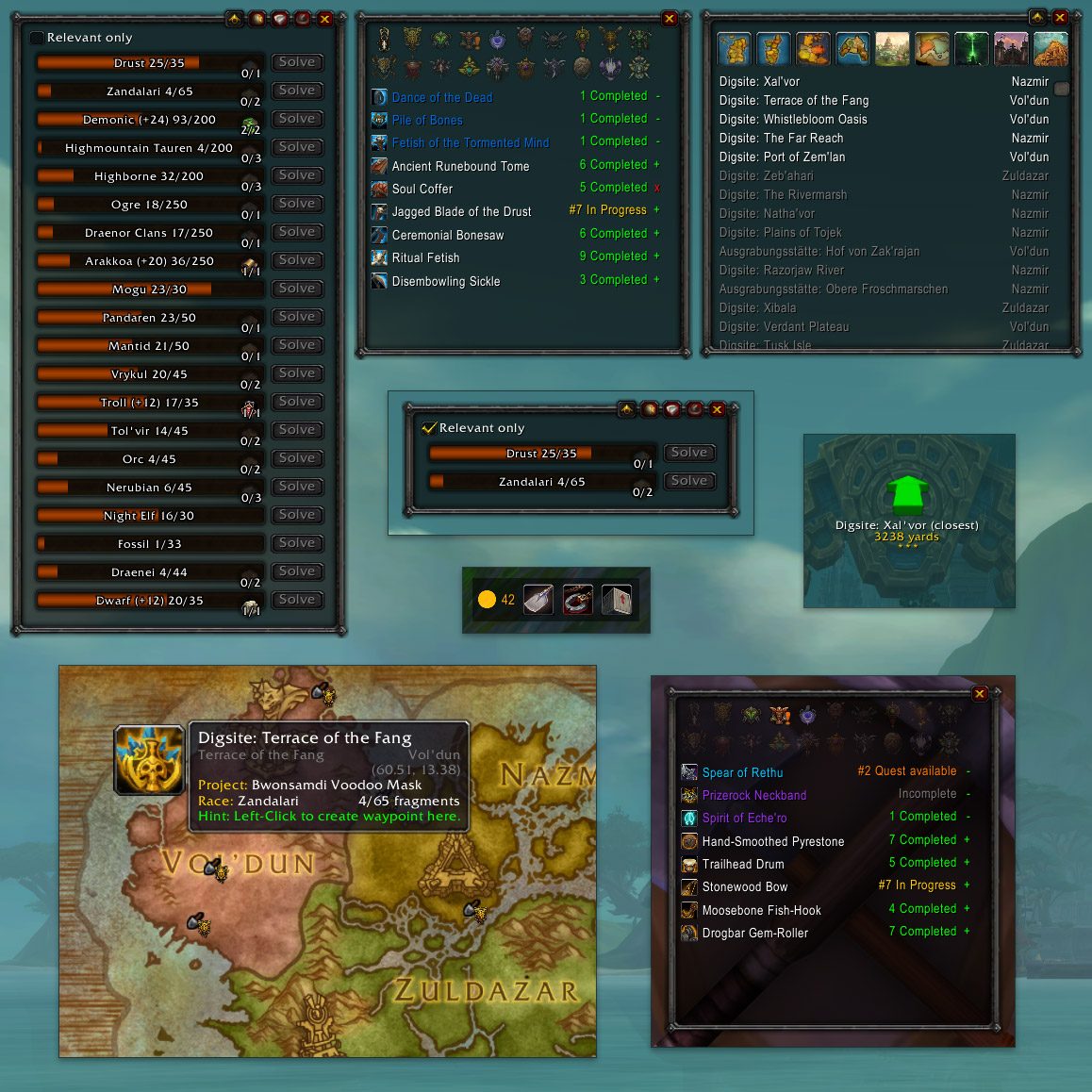
View all your artifacts progress, and solve them in one compact frame. Also you can view all your artifact history neatly sorted by race, and a list of dig sites. You can left-click the keystone button to attach keystones (or right-click to remove), or if you prefer there are options to automatically use keystones! You can monitor the artifacts progress, or how close you are to the fragment cap.
Recent changes
11.1.0
- Updated for Mainline 11.1
- 11.1.0.1 Set Addon category
- 11.1.0.1 Update zone name in translations
- 11.1.0.2 Update German translations (courtesy of Sneaker42)
- 11.1.0.3 Fix taint/error when opening world map
- 11.1.0.4 Fix map pins on Cata classic
- 11.1.0.5 Bump toc for 11.1.5
- 11.1.0.6 Added German translations (translated by AI, don't hesitate to report any mistranslations)
- 11.1.0.7 Add Mists.toc
- 11.1.0.8 Fix Companion tutorial frame
- 11.1.0.9 Fix MoP config and lua errors
- 11.1.0.10 Fix digsites lua error
- 11.1.0.10 Implement settings migration from Cata to Mop
- 11.1.0.10 Fix history window showing two active fossil artifacts
- 11.1.0.13 Fix lua error with Pandaria digsites
- 11.1.0.14 Fix conflict with Leatrix Plus (tooltip anchor issue)
- 11.1.0.16 Fix Companion lua error
- 11.1.0.17 Fix lua error when manually setting Companion position
11.0.2
- Added support for localizations, if you would like to help with translations, head over to https://curseforge.com/wow/addons/minimal-archaeology/localization
- Fix casting survey with the configured key binding on non-english clients
- "Right click to open settings" now opens the relevant options menu
- Refactored code base to make it a bit more future-proofed. Please don't hesitate reporting any errors/bugs that might come up after this.
- 11.0.2.1 Updated Chinese translations (courtesy of 萌丶汉丶纸)
11.0.0
- Updated for War Within
- 11.0.0.1 Fix waypoint creation ignoring hidden races even when the "Ignore Hidden" option is disabled
- 11.0.0.1 Fix opening Options on Mainline
- 11.0.0.2 Fix GetSpellInfo lua error
- 11.0.0.3 Fix surveying
- 11.0.0.4 Fix flight map showing hidden and special pins
10.2.13
- New Feature: Taxi Service: if enabled, waypoints will be created to the nearest flight master if the nearest digsite is farther than the user-configured distance. You can find the options in the Navigation section.
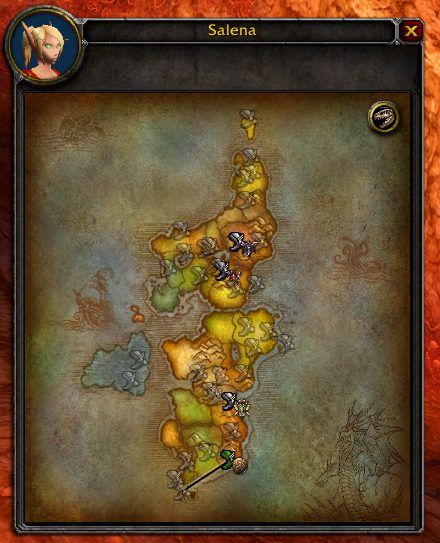
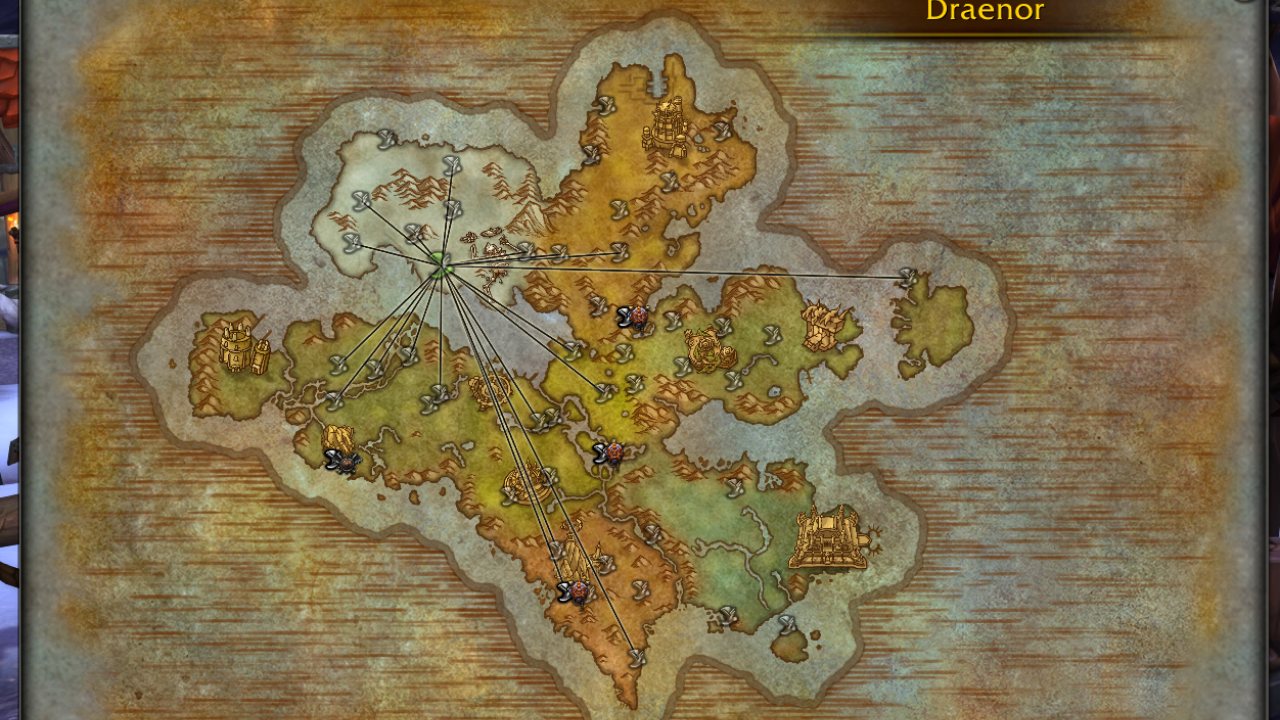
- Added digsite icons on flight maps (indicated on the nearest known flight master)
- History: artifact list is now grouped by progress (enabled by default)
- Fix multiple issues with race icons on the map
- Added HereBeDragons as a dependency, digsite distances are now returned in yards
- 10.2.13.1 Fix issue with unwanted waypoints being generated
- 10.2.13.2 Fix digsite related lua errors
- 10.2.13.2 Fix issue with digsites being undetected
- 10.2.13.2 Fix Main Window and Companion update issue in rare cases
10.2.12
- Companion: survey button now respects the same survey settings as double right click
- Companion: show cooldown on Survey button
- Extended priority list: you can now set an order for races instead of prioritizing one at a time
- Experimental New Feature: Path optimization. Path optimization tries to reduce travel times on the long run, by calculating the shortest path that touches all active digsites, also preferring sites that are closer to each other. You can enable it under developer settings, still testing, feedback is welcome!
- Fix detecting nearest digsite on Outland
- Create waypoint to digsites related to hidden races if nothing else is available
- Updated the list of patrons, thank you for the support!
- 10.2.12.1 Fix double right click surveying
- 10.2.12.2 Fix survey button being disabled when double right click is disabled
- 10.2.12.2 Fix path optimization calculation
- 10.2.12.2 Add option to hide Companion when no digsites are available on the world map
10.2.11
- Companion: implement optional artifact progress bar with optional tooltip and solve on click (enabled by default)
- Companion: add option to hide solvable artifact if it's not related to the nearest digsite
- History: implement total sold price display for race statistics (by Delrik via GitHub)
- Implement map pin scaling option
- Fix issue with auto-waypoint sometimes not selecting the closest digsite
- Fix Companion not always hiding properly in combat
- Fix Nerubian issue with digsites on Eastern Kingdoms
10.2.10
- History: implement race statistics (can be hidden)
- Companion: added optional skill bar (enabled by default)
- Fix max rank in Cata pre-patch
- Fix main window popping up the wrong time when autoShowOnCap is enabled
- Fix history refresh (mostly, blizzard API sometimes reports the wrong data)
- Fix remember window state functionality
- 10.2.10.2 Fix lua error: attempt to index field 'skillBar'
- 10.2.10.3 History: fix completed counts
- 10.2.10.4 Companion: fix keystone count when canceling solve
- 10.2.10.5 Fix lua error after solving artifacts
For past changes, visit the Changelog page on GitHub.
Companion
The Companion is a tiny little customizable frame that currently includes the following features:
- Distance tracker when surveying
- Auto-waypoint button
- Survey spell button
- Solve button for solvable artifacts
- Crate button
- Each button can be disabled manually and their order is fully customizable
The companion itself can also be fully disabled.
Upcoming features
The following features are planned for Minimal Archaeology in no particular order and without ETA:
- Detailed, customizable DataBroker tooltip
- Dig site icons on flight maps
- Option to ignore dig sites you hate
Commands
/minarch shows available commands
Useful Macros
Use this in combination with the auto-hide feature
/cast Survey
/minarch show
Feedback
Any Bug reports/Comments/Suggestions/etc are appreciated.
For feedback, please use the project's issue tracker on CurseForge.
Please open a new issue if you are experiencing bugs, and include as much detail as possible. Make sure you didn't miss the known issues section, and check open issues before you create a new one.
ABOUT THIS LISTING
This page describes Minimal Archaeology by MisterFox9. The description and screenshots are the author's own, imported from their listing on CurseForge on 24 October 2026: https://www.curseforge.com/wow/addons/minimal-archaeology
Mythiq.net hosts no files for it. The download button goes straight to the release file on edge.forgecdn.net, so you are downloading from the author's own host, not from a copy of ours.
The download count, rating and comments on this page start at zero and count Mythiq.net only. The source's own figures are not copied here — they measure a different site, and a number that cannot be checked against our own ledger is not worth printing.
Media
Flight Map - Cataclysm Classic
MinArch collage
TomTom integration settings
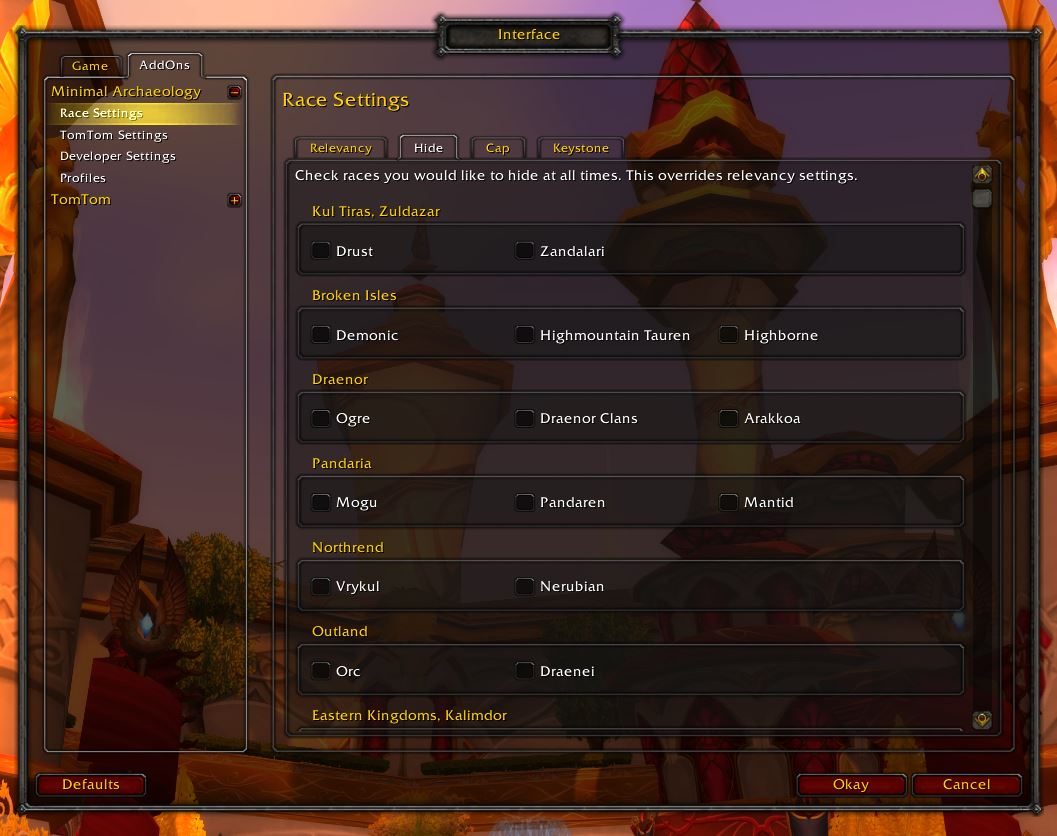
Race settings
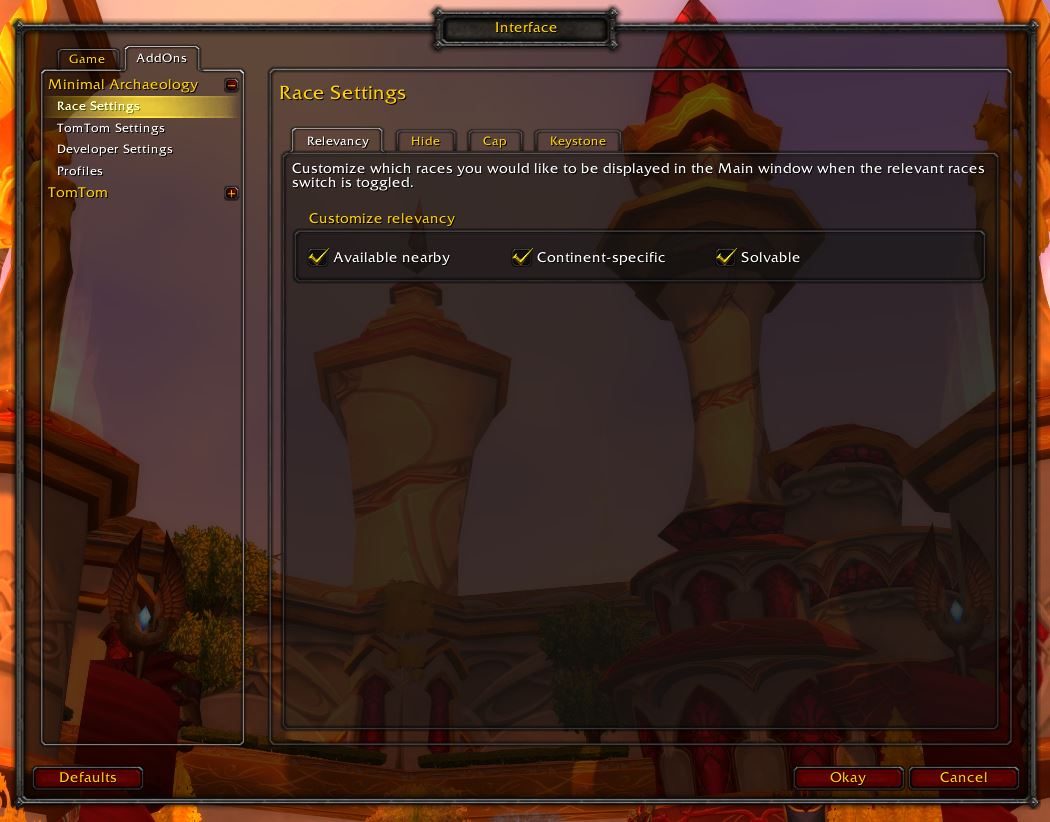
Relevancy Settings
Requirements
Game versions
4.4.2
5.5.4
12.1.5
GAME FLAVOUR
This is a Classic build. Retail and Classic run different interface APIs, and an addon built for one throws Lua errors on the other — check you are installing into the right client folder.
INTERFACE VERSION
Built against game version 4.4.2, 5.5.4, 12.1.5. After a patch, an addon that has not been updated is flagged out of date; most keep working, and the "Load out of date AddOns" checkbox on the character screen lets you try.
DEPENDENCIES
Some addons need a separate library addon (Ace3, LibStub and friends) that is not bundled. If the addon does not appear in the list in game, a missing dependency is the usual reason.
Installation
1. Quit World of Warcraft completely. The game reads the AddOns folder at launch and will overwrite settings for an addon added while it is running.
2. Download the archive with the button on this page and unzip it.
3. Move the folder — the one with the .toc file in it, not the zip's wrapper folder — into:
World of Warcraft\_classic_era_\Interface\AddOns (or _classic_ for the current Classic expansion)
4. Start the game. On the character selection screen, click AddOns and check that it is listed and enabled.
IF IT DOES NOT APPEAR
Nine times out of ten the folder is nested one level too deep. Interface/AddOns/Thing/Thing/Thing.toc will not load; Interface/AddOns/Thing/Thing.toc will.
UPDATING
Delete the old folder before unzipping the new one. Unzipping over the top leaves files behind that the new version no longer expects.
This release downloads from edge.forgecdn.net, not from us, so
there is no checksum to compare against. Scan the archive before you unpack it.
Version history
v12.1.2Latest
14 Oct 2026 · 595 KB via edge.forgecdn.net · 0 downloads Download
Off-site on edge.forgecdn.net —
no checksum, because we never held this file.
Link checked by our review team on 25 Oct 2026.
Tell us if something is wrong — a file that will not work, content taken from
someone else, or anything that looks unsafe. Reports go to our review team, not
to the author.
We use cookies to ensure that we give you the best experience on our website and improve your experience. By continuing to use this site you consent to such use of cookies.