We suggest you use the Curseforge Client to manage your Wow addons in general.
Alternatively you can always use the direct download from here or the latest GitHub release and follow the Installation Guide in the Wiki to get the latest version of Questie up and running.
If you have problems, please read the Frequently Asked Questions.
Information
- Frequently Asked Questions
- Come chat with us on our Discord server.
- You can use the issue tracker to report bugs and post feature requests (requires a Github account).
- When creating an issue please follow the templated structure to speed up a possible fix.
- If you get an error message from the WoW client, please include the complete text or a screenshot of it in your report.
- You need to enter /console scriptErrors 1 once in the ingame chat for Lua error messages to be shown. You can later disable them again with /console scriptErrors 0.
Trust us it's (Good)!
Languages
Questie comes with translations for all offical WoW Classic languages. These are:
English, German, French, Spanish, Portuguese, Russian, Chinese, Taiwanese and Korean.
If you want to help with translations then checkout the Translation folder and search for missing translations by:
[""] = false (e.g. ["deDE"] = false) and replace the false with a string of the new translation, e.g. [""] = "YourTranslation".
On top of that there is support for Ukrainian (through another addon). Following this guide you can add support for even more languages.
Contribution
- We are happy about every help and contribution we get, so feel free to submit a Pull Request on GitHub
- Additional information you might find interesting can be found here
- For questions hit us up on our Discord or open up an issue on GitHub
Donation
If you'd like to support the development of Questie by donating, you can do so via PayPal
Features
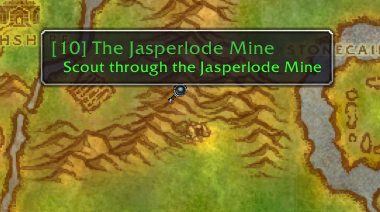
Show quests on map
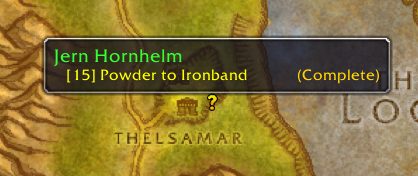
- Show notes for quest start points, turn in points, and objectives.
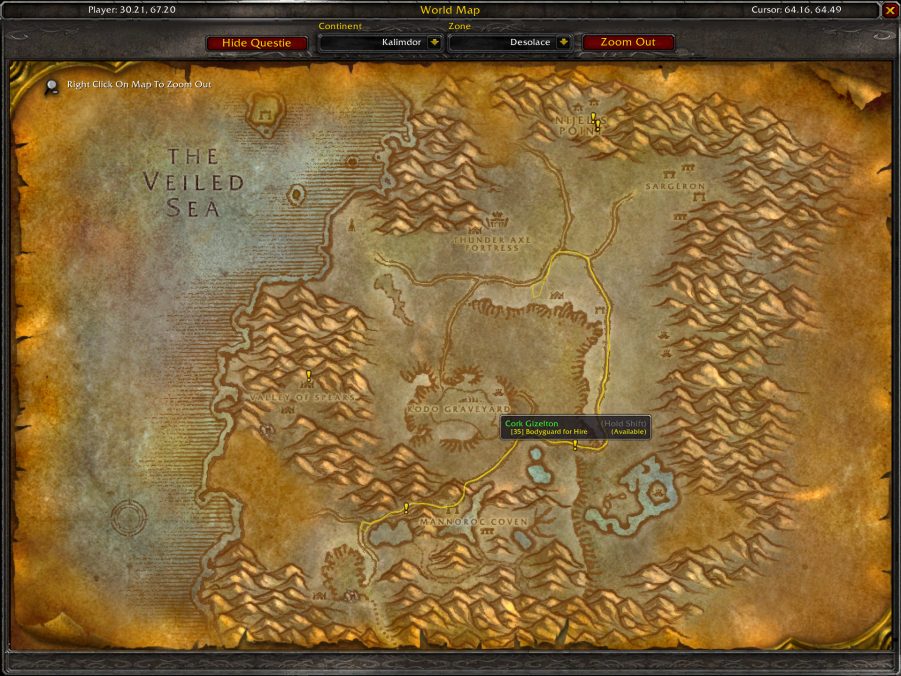
- Waypoint lines for NPCs showing their pathing.
Quest Tracker
- Automatically tracks quests on accepting
- Can show all quests from the log at once (instead of default 5)
- Left click quest to open quest log (configurable)
- Right-click for more options, e.g.:
- Focus quest (makes other quest icons translucent)
- Point arrow towards objective (requires TomTom addon)
Quest Communication
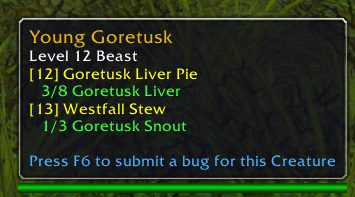
- You can see party members quest progress on the tooltip.
Tooltips
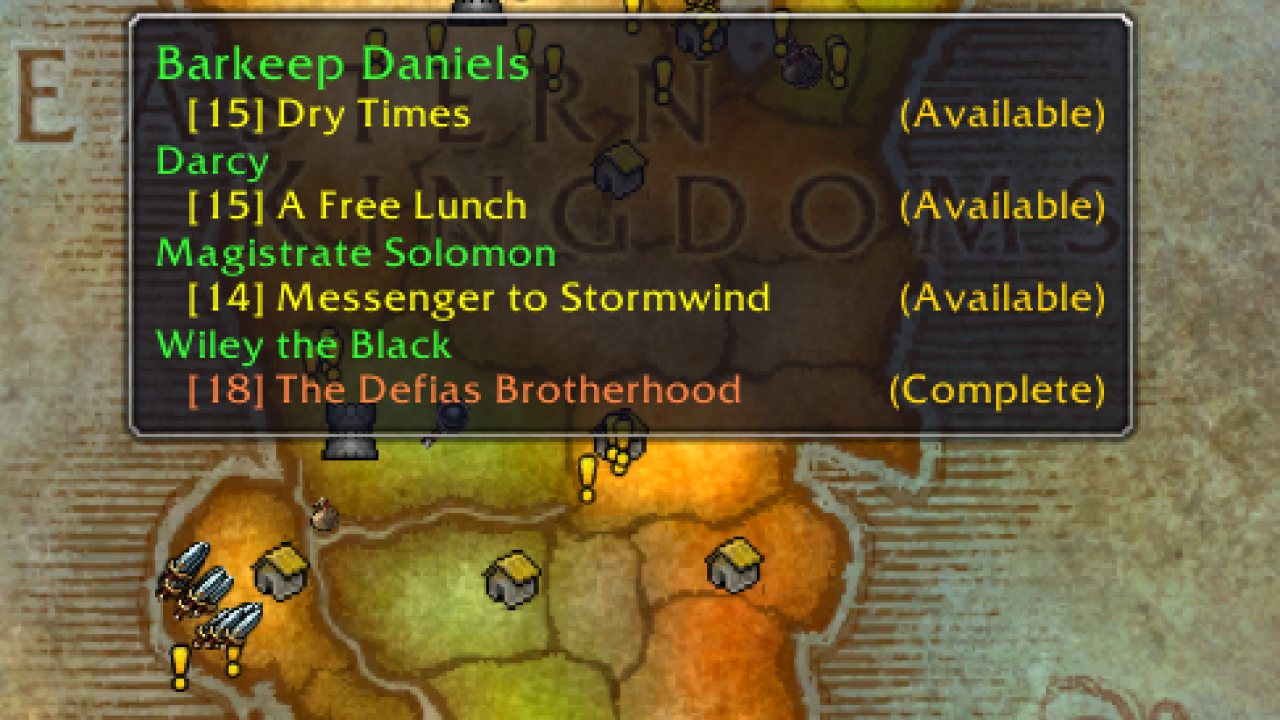
- Show tooltips on map notes and quest NPCs/objects.
- Holding Shift while hovering over a map icon displays more information, like quest XP.
Journey Log
- Questie records the steps of your journey in the "My Journey" window. (left-click on minimap button and click "My Journey" to open or type /questie journey)
Quests by Zone
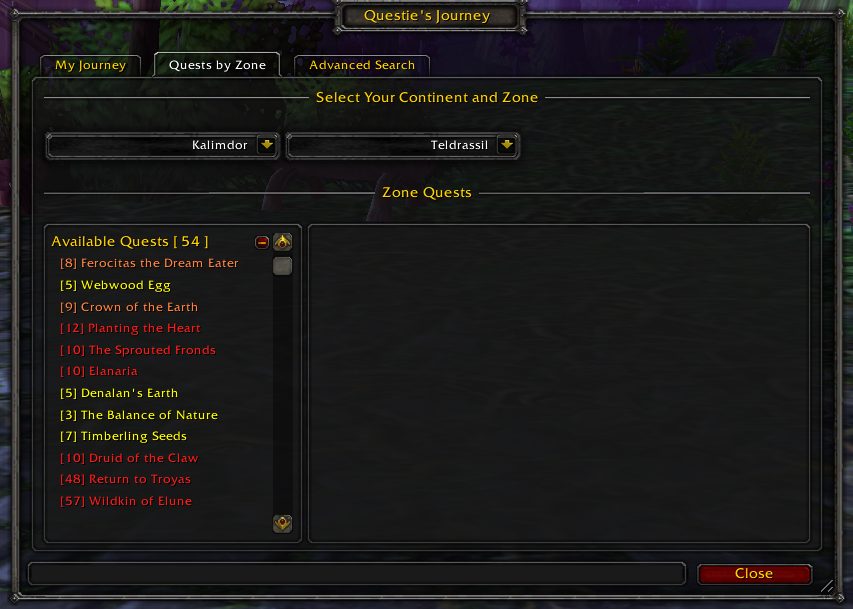
- Questie lists all the quests of a zone divided between completed and available quest. Gotta complete 'em all. (left-click on minimap button and click "Quests by Zone" to open)
Search
- Questie's database can be searched. (right-click on minimap button to open)
Configuration
- Extensive configuration options. (right-click on minimap button to open or type /questie)
ABOUT THIS LISTING
This page describes Questie by TheCrux_BB. The description and screenshots are the author's own, imported from their listing on CurseForge on 26 October 2026: https://www.curseforge.com/wow/addons/questie
Mythiq.net hosts no files for it. The download button goes straight to the release file on edge.forgecdn.net, so you are downloading from the author's own host, not from a copy of ours.
The download count, rating and comments on this page start at zero and count Mythiq.net only. The source's own figures are not copied here — they measure a different site, and a number that cannot be checked against our own ledger is not worth printing.
Media
Quest Objectives
Mob Tooltips
Quest complete
Waypoints
Quests by Zone
Requirements
Game version
1.60.1
GAME FLAVOUR
This is a WoW Forever build. Forever is its own client family alongside retail and Classic, and a build for one throws Lua errors on the others. Check you are installing into the Forever client.
INTERFACE VERSION
Built against game version 1.60.1. After a patch, an addon that has not been updated is flagged out of date; most keep working, and the "Load out of date AddOns" checkbox on the character screen lets you try.
DEPENDENCIES
Requires LibSharedMedia-3.0, LibDBIcon-1.0, HereBeDragons, LibCompress, LibUIDropDownMenu, LibStub, LibDataBroker-1.1, Ace3, CallbackHandler-1.0 — install those first; each needs its own Forever build.
Installation
1. Quit World of Warcraft completely. The game reads the AddOns folder at launch and will overwrite settings for an addon added while it is running.
2. Download the archive with the button on this page and unzip it. Take the file marked for Forever — the same project also ships builds for retail and the Classic flavours, and they are not interchangeable.
3. Move the folder — the one with the .toc file in it, not the zip's wrapper folder — into:
the WoW Forever client\Interface\AddOns — its own client folder, separate from _retail_ and _classic_ (the beta installed as _classic_beta_)
4. Start the game. On the character selection screen, click AddOns and check that it is listed and enabled.
IF IT DOES NOT APPEAR
Nine times out of ten the folder is nested one level too deep. Interface/AddOns/Thing/Thing/Thing.toc will not load; Interface/AddOns/Thing/Thing.toc will.
UPDATING
Delete the old folder before unzipping the new one. Unzipping over the top leaves files behind that the new version no longer expects.
This release downloads from edge.forgecdn.net, not from us, so
there is no checksum to compare against. Scan the archive before you unpack it.
Version history
v12.3.0+v1.0.8Latest
26 Oct 2026 · 89 MB via edge.forgecdn.net · 6 downloads Download
Off-site on edge.forgecdn.net —
no checksum, because we never held this file.
Link checked by our review team on 26 Oct 2026.
Tell us if something is wrong — a file that will not work, content taken from
someone else, or anything that looks unsafe. Reports go to our review team, not
to the author.
We use cookies to ensure that we give you the best experience on our website and improve your experience. By continuing to use this site you consent to such use of cookies.