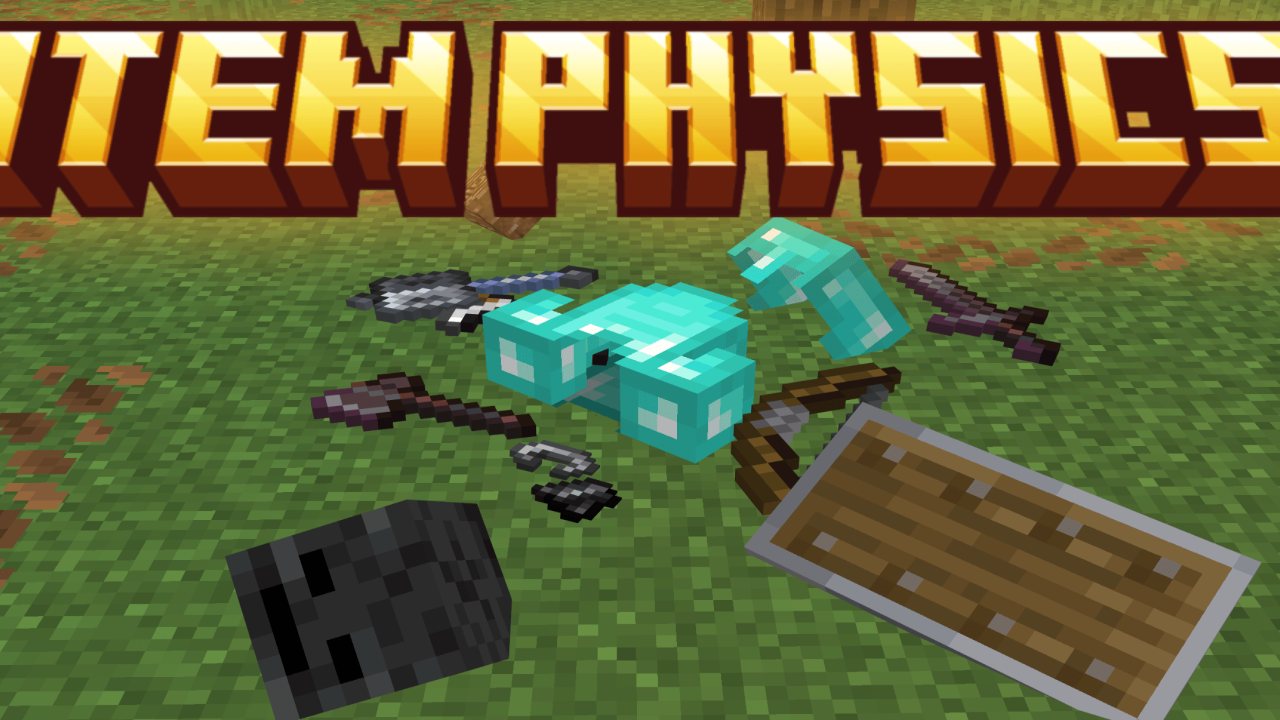
Enhance your Minecraft experience with the Realistic Item Physics Addon. Items now behave according to the laws of physics, staying on the ground until manually picked up.
Showcase
This addon adds more immersive physics to your Minecraft world, making items on the ground appear realistic and allowing you to pick them up at will.
How To Use
To pick up an item on the ground, you can either hit the item or hold the right-click.
You can also sneak to pick up nearby items.
Items retain their properties, such as not burning in lava if they are made of netherite or floating in water.
Renamed items on the ground will display their name.
As in vanilla Minecraft (the base game), items take 5 minutes to despawn. This will not happen if the item is named or if it is a Nether Star.
This addon does not disable achievements
ABOUT THIS LISTING
This page describes Raiyon's Item Physics by lordraiyon69. The description and screenshots are the author's own, imported from their listing on CurseForge on 25 October 2026: https://www.curseforge.com/minecraft-bedrock/addons/raiyons-item-physics
Mythiq.net hosts no files for it. The download button goes straight to the release file on edge.forgecdn.net, so you are downloading from the author's own host, not from a copy of ours.
The download count, rating and comments on this page start at zero and count Mythiq.net only. The source's own figures are not copied here — they measure a different site, and a number that cannot be checked against our own ledger is not worth printing.
Requirements
Game versions
1.21.130
1.21.131
1.21.132
26.0.02
26.0
26.3
26.10
26.11
NO LOADER
Bedrock imports this file natively — no mod loader, no framework, nothing to install first. The game itself opens .mcaddon, .mcpack, .mcworld and .mctemplate files.
GAME VERSION
Listed against Minecraft Bedrock 1.21.130, 1.21.131, 1.21.132, 26.0.02, 26.0, 26.3. Bedrock updates on every platform at once, and an addon built for a newer version can refuse to import on an older one — the import error names the version it wants.
PLATFORM
Works on Windows and mobile — both import these files directly. Console cannot import files, so console players receive the pack through a Realms world or a friend's world that already has it enabled.
Installation
1. Download the file with the button on this page — do NOT unzip it. Bedrock imports the file itself; an extracted folder is the one way to make this not work.
2. Windows — double-click the file, or right-click → Open with → Minecraft. The game launches and shows "Import started", then "Successfully imported".
Android — open the file from the downloads shade and choose Minecraft. iOS — share the file into Minecraft from the Files app.
3. Where it lands depends on what it is: an addon activates on a world's Behavior Packs / Resource Packs screen; a world appears under Play → Imported; a texture pack appears on the same packs screen.
4. For an addon on a new world: create the world with the pack toggled on. Some addons also need the "Holiday Creator Features" experiment until the author says otherwise.
IF THE IMPORT FAILS
The usual cause is a version gap — the file wants a newer game than is installed. Update the game and import again; the error message on the import screen names the version it expected.
This release downloads from edge.forgecdn.net, not from us, so
there is no checksum to compare against. Scan the archive before you unpack it.
Version history
Item Physics [v3.0].mcaddonLatest
4 Oct 2026 · 114 KB via edge.forgecdn.net · 0 downloads Download
Off-site on edge.forgecdn.net —
no checksum, because we never held this file.
Link checked by our review team on 26 Oct 2026.
Tell us if something is wrong — a file that will not work, content taken from
someone else, or anything that looks unsafe. Reports go to our review team, not
to the author.
We use cookies to ensure that we give you the best experience on our website and improve your experience. By continuing to use this site you consent to such use of cookies.