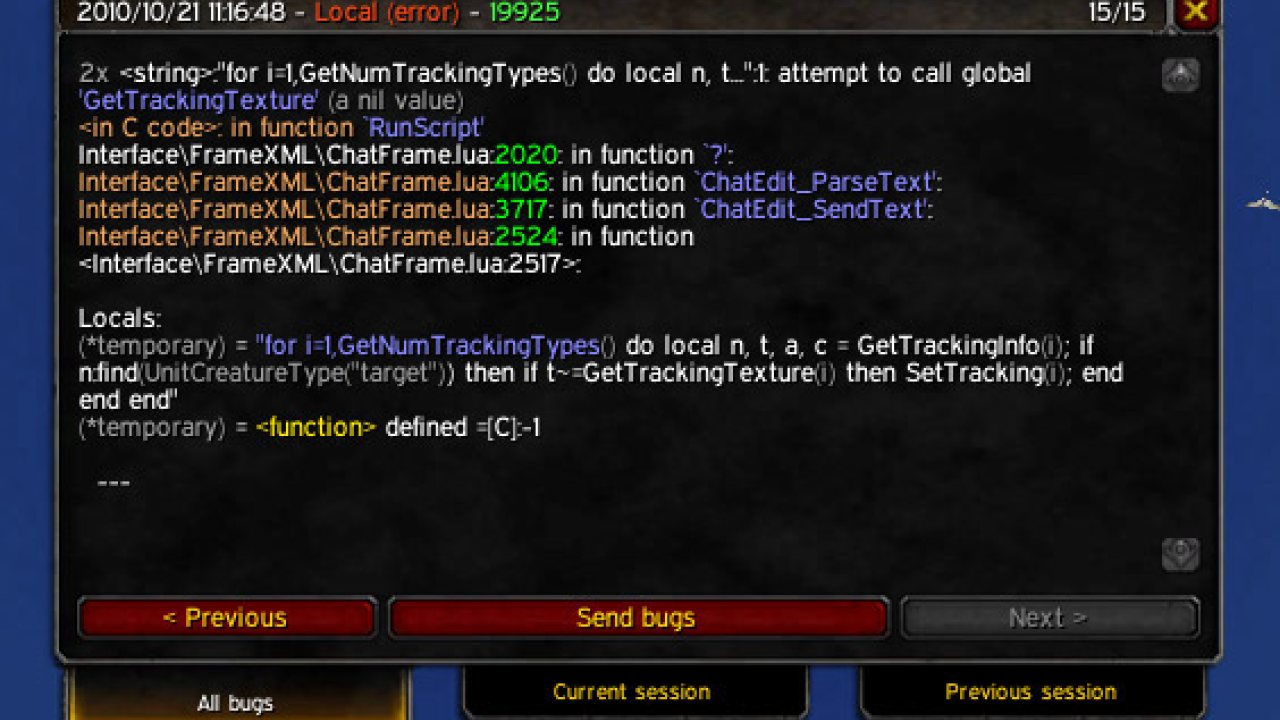
BugSack eases the process of viewing bugs. It displays Lua errors that occurred during your play session, including the full debug stack. It aims to be invaluable to developers, and a useful tool for players.
Features
- LDB data broker plugin that displays the last 5 errors in the tooltip
- Frame to display all other errors for the current session
- The text of the error can then be copied & pasted
BugGrabber
This addon REQUIRES BugGrabber be installed, which is the addon that actually grabs the bugs.
BugSack is open source and development is done on GitHub. You can contribute code, localization, and report issues there: https://github.com/funkydude/BugSack
ABOUT THIS LISTING
This page describes BugSack by Funkeh. The description and screenshots are the author's own, imported from their listing on CurseForge on 13 November 2026: https://www.curseforge.com/wow/addons/bugsack
Mythiq.net hosts no files for it. The download button goes straight to the release file on edge.forgecdn.net, so you are downloading from the author's own host, not from a copy of ours.
The download count, rating and comments on this page start at zero and count Mythiq.net only. The source's own figures are not copied here — they measure a different site, and a number that cannot be checked against our own ledger is not worth printing.
Requirements
Game version
1.60.1
GAME FLAVOUR
This is a WoW Forever build. Forever is its own client family alongside retail and Classic, and a build for one throws Lua errors on the others. Check you are installing into the Forever client.
INTERFACE VERSION
Built against game version 1.60.1. After a patch, an addon that has not been updated is flagged out of date; most keep working, and the "Load out of date AddOns" checkbox on the character screen lets you try.
DEPENDENCIES
Requires LibSharedMedia-3.0, Ace3, LibDBIcon-1.0 — install those first; each needs its own Forever build.
Installation
1. Quit World of Warcraft completely. The game reads the AddOns folder at launch and will overwrite settings for an addon added while it is running.
2. Download the archive with the button on this page and unzip it. Take the file marked for Forever — the same project also ships builds for retail and the Classic flavours, and they are not interchangeable.
3. Move the folder — the one with the .toc file in it, not the zip's wrapper folder — into:
the WoW Forever client\Interface\AddOns — its own client folder, separate from _retail_ and _classic_ (the beta installed as _classic_beta_)
4. Start the game. On the character selection screen, click AddOns and check that it is listed and enabled.
IF IT DOES NOT APPEAR
Nine times out of ten the folder is nested one level too deep. Interface/AddOns/Thing/Thing/Thing.toc will not load; Interface/AddOns/Thing/Thing.toc will.
UPDATING
Delete the old folder before unzipping the new one. Unzipping over the top leaves files behind that the new version no longer expects.
This release downloads from edge.forgecdn.net, not from us, so
there is no checksum to compare against. Scan the archive before you unpack it.
Version history
v12.1.9Latest
27 Oct 2026 · 70 KB via edge.forgecdn.net · 1 download Download
Off-site on edge.forgecdn.net —
no checksum, because we never held this file.
Link checked by our review team on 13 Nov 2026.
Tell us if something is wrong — a file that will not work, content taken from
someone else, or anything that looks unsafe. Reports go to our review team, not
to the author.
We use cookies to ensure that we give you the best experience on our website and improve your experience. By continuing to use this site you consent to such use of cookies.