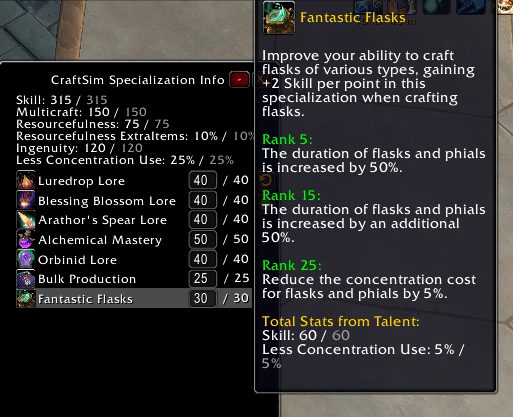
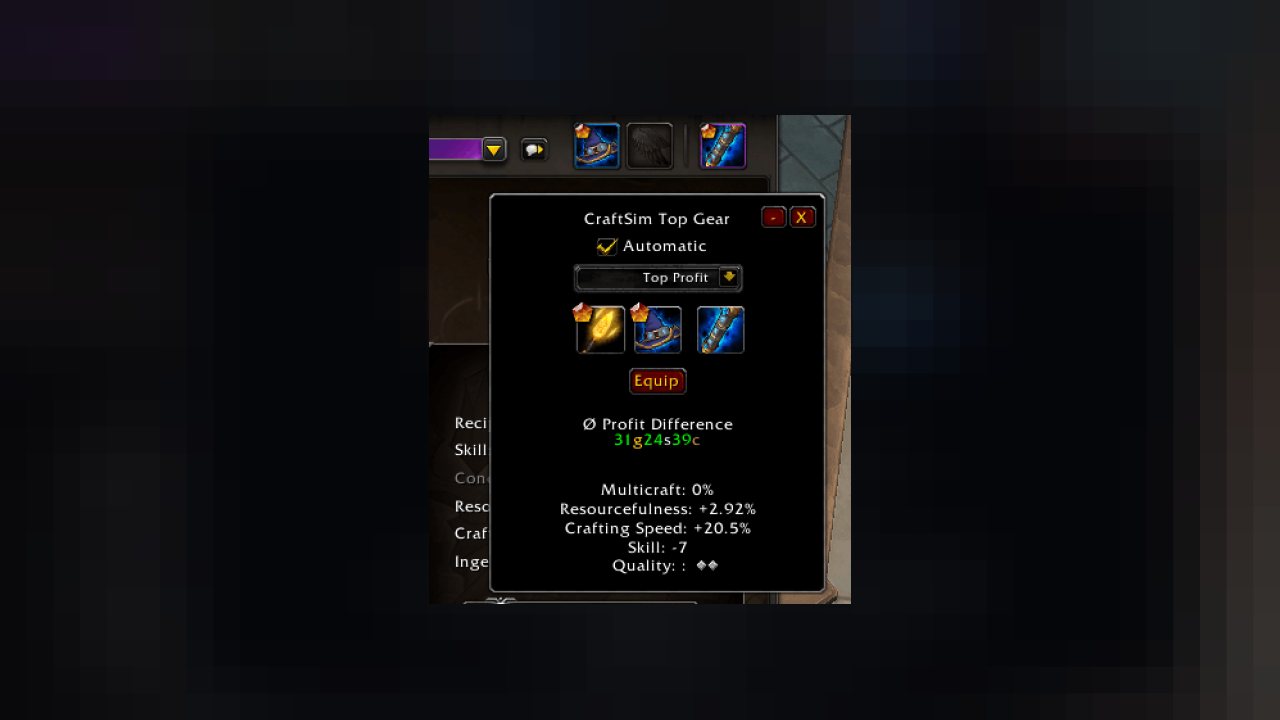
Shows live statweights for your profession stats based on profit per stat point and shows most profitable profession item gear combination
Ideas, Feedback or having any Questions?
Join the CraftSim Discord :) https://discord.gg/7vqKMgezXR
If you are happy with the addon and want to support me, feel free to
Main Features
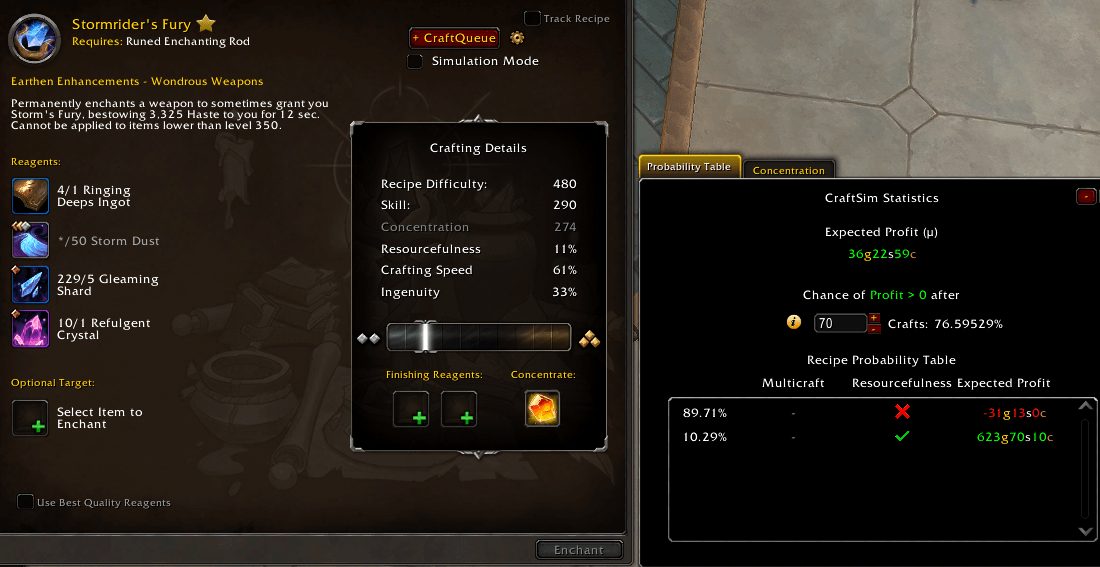
- Calculates Stat Weights and Average Profit for the profession stats based on price source from addons like TSM or Auctionator and displays them on the crafting page in the recipe window
- Calculates the Most Profitable Profession Gear combination based on the gear the player has in his inventory and shows an "Equip" button to equip that combination
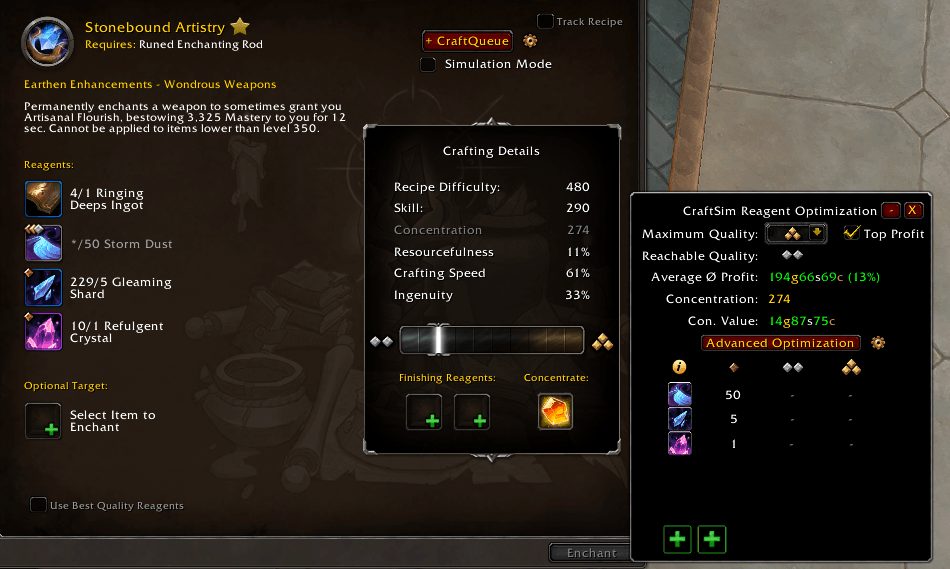
- Easily assign the Most Profitable Reagent Combination
- Optimizes Concentration Profit per Point
- Shows Price Details for the possible outcome qualities
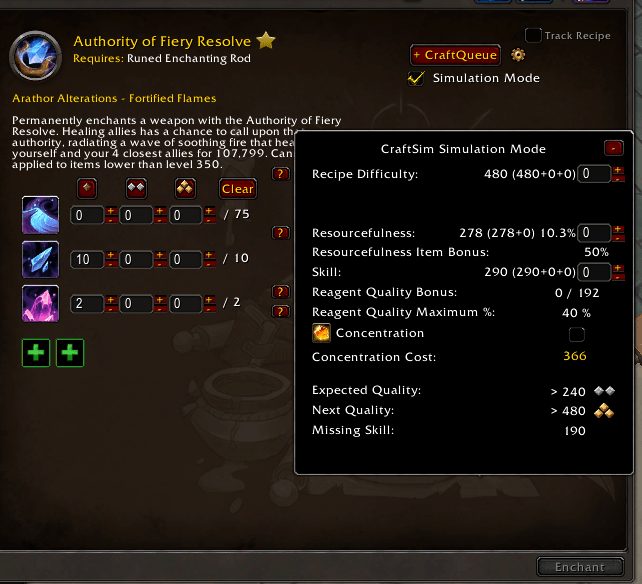
- Offers a Simulation Mode to play around with recipe stats/reagents/buff/knowledgepoints
- View what Profession Talents affect a recipe
- Override Prices for any materials to your liking
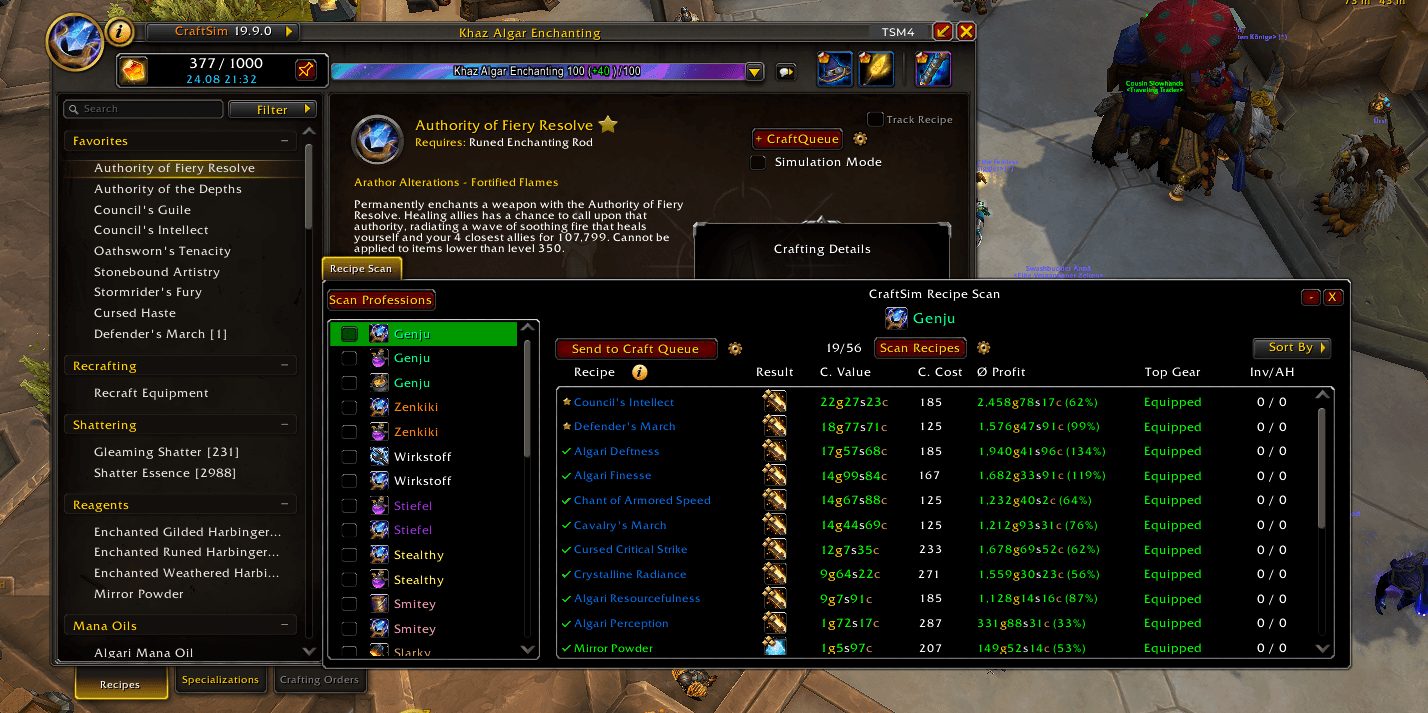
- Scan all Recipes of your open profession and optimize everything at once!
- Queue any Recipe into a Crafting Queue and craft everything in one place!
- Optimize and Queue Patron Work Orders to speed up your daily grind!
- Keep a Customer History about all your Crafting Orders and Clients you interacted with!
- Automatically create an Auctionator Shopping List for your Craft Queue!
- Observe a Detailed Craft Log for a session and see how real results compare to predicted ones!
- Export all your recipes of a profession to plug into wowforgefinder.com or easycraft.io
Other Features/Options
- Remember last recipe opened this session
- If using TSM as price source, configure the used Price Source Keys that are used for materials or crafted items or use TSM custom expressions
- Enable/Disable every module separately
Supported Price Sources
- TSM
- Auctionator
- RECrystallize
- Oribos Exchange
Supported Client Languages
- enUS (english)
- deDE (german)
- itIT (italian)
- ruRU (russian)
- ptBR (portuguese)
- esES (spanish)
- mxMX (spanish - mexico)
- frFR (french)
- koKR (korean)
- zhTW(taiwan)
- Cn (chinese)
ABOUT THIS LISTING
This page describes CraftSim by genjuwow. The description and screenshots are the author's own, imported from their listing on CurseForge on 3 October 2026: https://www.curseforge.com/wow/addons/craftsim
Mythiq.net hosts no files for it. The download button goes straight to the release file on edge.forgecdn.net, so you are downloading from the author's own host, not from a copy of ours.
The download count, rating and comments on this page start at zero and count Mythiq.net only. The source's own figures are not copied here — they measure a different site, and a number that cannot be checked against our own ledger is not worth printing.
Media
SpecInfo.png
SimulationMode.png
RecipeScan.png
ReagentOptimization.png
ProbabilityTable.png
Requirements
Game versions
12.0.5
12.0.7
12.1.0
GAME FLAVOUR
This is a retail (modern World of Warcraft) build. It will not work in the Classic clients, which run a different interface API.
INTERFACE VERSION
Built against game version 12.0.5, 12.0.7, 12.1.0. After a patch, an addon that has not been updated is flagged out of date; most keep working, and the "Load out of date AddOns" checkbox on the character screen lets you try.
DEPENDENCIES
Some addons need a separate library addon (Ace3, LibStub and friends) that is not bundled. If the addon does not appear in the list in game, a missing dependency is the usual reason.
Installation
1. Quit World of Warcraft completely. The game reads the AddOns folder at launch and will overwrite settings for an addon added while it is running.
2. Download the archive with the button on this page and unzip it.
3. Move the folder — the one with the .toc file in it, not the zip's wrapper folder — into:
World of Warcraft\_retail_\Interface\AddOns
4. Start the game. On the character selection screen, click AddOns and check that it is listed and enabled.
IF IT DOES NOT APPEAR
Nine times out of ten the folder is nested one level too deep. Interface/AddOns/Thing/Thing/Thing.toc will not load; Interface/AddOns/Thing/Thing.toc will.
UPDATING
Delete the old folder before unzipping the new one. Unzipping over the top leaves files behind that the new version no longer expects.
This release downloads from edge.forgecdn.net, not from us, so
there is no checksum to compare against. Scan the archive before you unpack it.
Tell us if something is wrong — a file that will not work, content taken from
someone else, or anything that looks unsafe. Reports go to our review team, not
to the author.
We use cookies to ensure that we give you the best experience on our website and improve your experience. By continuing to use this site you consent to such use of cookies.