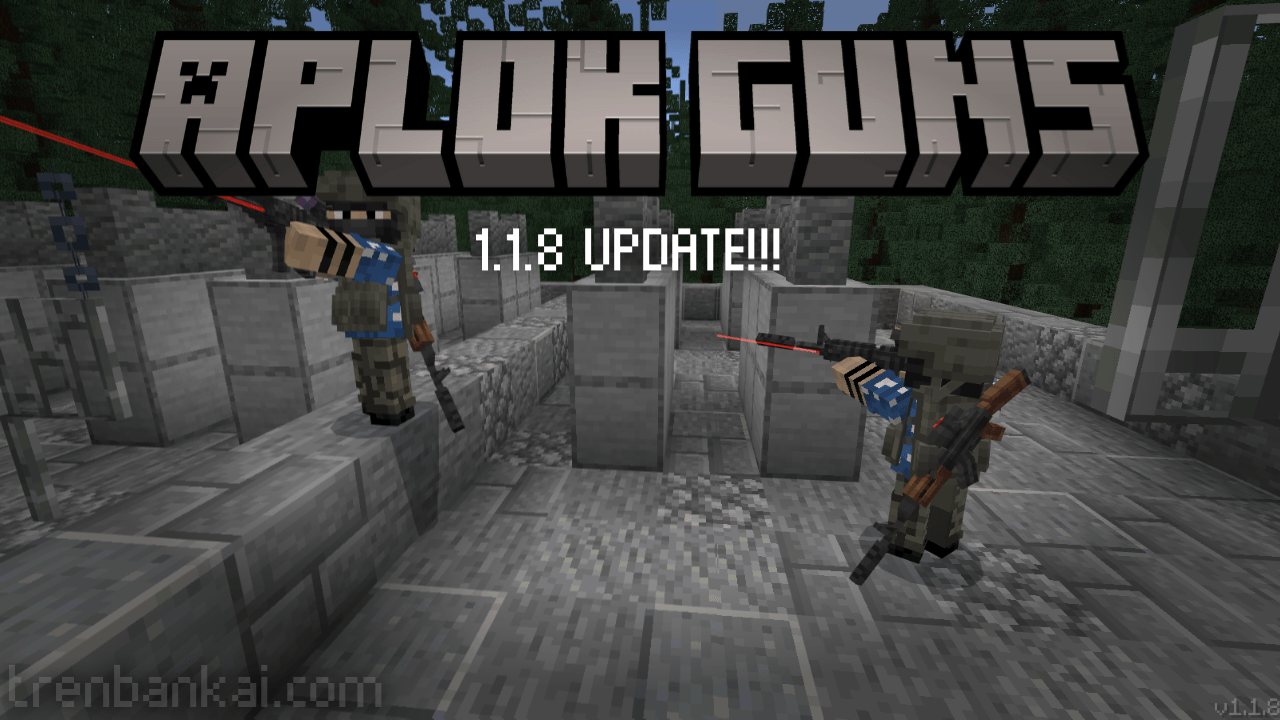
Survival-friendly military add-on built around vanilla-styled guns, satisfying effects and optimized. It adds a lot of weapons, explosives, items, blocks, with craftable equipment, useful attachments, and small details.
Please read before scrolling!
This add-on DOES NOT require experimental options. Please DO NOT use it together with "Action & Stuff" or any other pack that modifies the player.json file on BP or RP. This includes animation packs and other add-ons that replace or modify the same player files. Because Minecraft Bedrock add-ons with conflicting files cannot be combined reliably, these packs are NOT COMPATIBLE with Aplok Guns. If you use conflicting packs together with Aplok Guns, please do not report issues caused by those compatibility conflicts as bugs in Aplok Guns.
Do you like low-poly military-themed addons and have the best features? If yes, you’re in the right place.
Aplok Guns is an add-on for Minecraft Bedrock that adds vanilla styled military-themed content, the models are something close to something Minecraft would make.
Developer
- Gabriel Aplok (Main Developer)
- HardSK (Contributor)
Features
- Vanilla-styled military weapons.
- Modular attachments with weapon-specific compatibility.
- Each gun has its own bullet counting system.
- Multiple firing and reload styles, including full-auto, semi-auto, burst, pump-action, and per-round reloads.
- Satisfying audio and animation feedback with muzzle flash, indoor gunshots, and silenced sound variants.
- Craftable ammo, weapon parts, materials, and dedicated workbenches for weapons, ammo, and attachments.
- Tactical gear and props, including helmets, NVG gear, gas masks, armor vests, sandbags, barbed wire, hedgehogs, and landmines.
- Configurable gameplay options with /ag:settings.
- Optimized scripting and visuals designed to stay lightweight on lower-end devices.
Installation
Installing the addon is easy! First download the latest version that can run on your version of Minecraft. Extract the downloaded zip files, and you should have a file called "Aplok-Guns-BP.mcpack" and "Aplok-Guns-RP.mcpack". The next step depends on your device.
- On Windows just open the file with Minecraft.
- Android users need to use a third-party file explorer such as File Manager to open the file.
- iOS users should use Documents to open the file.
License
This addon is licensed under the CC BY-NC-ND 4.0 license. Here’s what you need to know:
- You CAN share the addon as long as you give proper credit.
- You CAN use it for personal, non-commercial purposes.
- You CAN'T modify the addon or use it commercially, only for personal use.
Videos of the addon are also allowed, but you must link to either this page or the one in MCPEDL for downloading. And remember. Plagiarism is still plagiarism. Have common sense and fun! :)
ABOUT THIS LISTING
This page describes Aplok Guns by gabriel_aplok. The description and screenshots are the author's own, imported from their listing on CurseForge on 25 October 2026: https://www.curseforge.com/minecraft-bedrock/addons/aplok-guns
Mythiq.net hosts no files for it. The download button goes straight to the release file on edge.forgecdn.net, so you are downloading from the author's own host, not from a copy of ours.
The download count, rating and comments on this page start at zero and count Mythiq.net only. The source's own figures are not copied here — they measure a different site, and a number that cannot be checked against our own ledger is not worth printing.
Requirements
Game versions
1.21.81
1.21.93
1.21.90
1.21.101
1.21.82
1.21.94
1.21.100
1.21.92
NO LOADER
Bedrock imports this file natively — no mod loader, no framework, nothing to install first. The game itself opens .mcaddon, .mcpack, .mcworld and .mctemplate files.
GAME VERSION
Listed against Minecraft Bedrock 1.21.81, 1.21.93, 1.21.90, 1.21.101, 1.21.82, 1.21.94. Bedrock updates on every platform at once, and an addon built for a newer version can refuse to import on an older one — the import error names the version it wants.
PLATFORM
Works on Windows and mobile — both import these files directly. Console cannot import files, so console players receive the pack through a Realms world or a friend's world that already has it enabled.
Installation
1. Download the file with the button on this page — do NOT unzip it. Bedrock imports the file itself; an extracted folder is the one way to make this not work.
2. Windows — double-click the file, or right-click → Open with → Minecraft. The game launches and shows "Import started", then "Successfully imported".
Android — open the file from the downloads shade and choose Minecraft. iOS — share the file into Minecraft from the Files app.
3. Where it lands depends on what it is: an addon activates on a world's Behavior Packs / Resource Packs screen; a world appears under Play → Imported; a texture pack appears on the same packs screen.
4. For an addon on a new world: create the world with the pack toggled on. Some addons also need the "Holiday Creator Features" experiment until the author says otherwise.
IF THE IMPORT FAILS
The usual cause is a version gap — the file wants a newer game than is installed. Update the game and import again; the error message on the import screen names the version it expected.
This release downloads from edge.forgecdn.net, not from us, so
there is no checksum to compare against. Scan the archive before you unpack it.
Version history
Aplok Guns v1.1.8Latest
8 Dec 2025 · 13 MB via edge.forgecdn.net · 2 downloads Download
Off-site on edge.forgecdn.net —
no checksum, because we never held this file.
Link checked by our review team on 26 Oct 2026.
Tell us if something is wrong — a file that will not work, content taken from
someone else, or anything that looks unsafe. Reports go to our review team, not
to the author.
We use cookies to ensure that we give you the best experience on our website and improve your experience. By continuing to use this site you consent to such use of cookies.