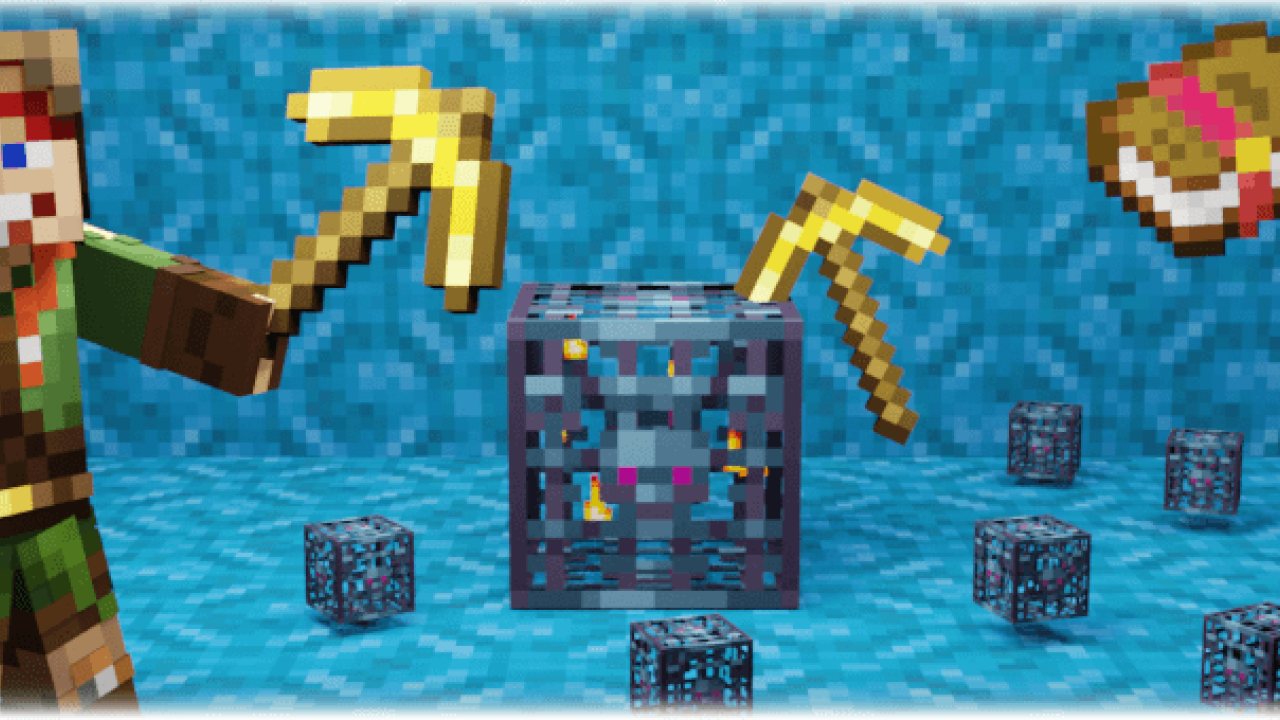
Break the mob spawner with a pickaxe enchanted with Silk Touch, and it will drop! Now you can take it with you and place it wherever you want! The mob inside will be preserved!
Break the mob spawner with a pickaxe enchanted with Silk Touch, and it will drop! Now you can take it with you and place it wherever you want! The mob inside will be preserved!
By default, it only works with a Netherite pickaxe (to make it difficult to obtain), but you can customize it to work with any pickaxe! This addon is highly customizable!
LIST OF FEATURES:
🧩 Fully compatible with almost all addons! Without any player.json or anything else!
🎮 Supports multiplayer! This addon works great on Realms, BDS, and other servers, and can handle thousands of online players!
⚙️ Fully customizable! You can enable it only for specific pickaxes (Netherite, Diamond, Iron, etc.), and even specify the drop chance!
🚨 Handling all edge cases! Rest assured that no fool or cheater will break this addon!
🌐 Translated into many languages! You can even translate it into your own language!
💎 Reliable stuff! Each version is thoroughly tested, and any bugs are eliminated with a 95% probability before publication! However, if you still manage to find a bug, feel free to report it in the comments!
Download BP and RP and put these 2 packs into your Minecraft world!
- Enable these experiments: "Beta APIs"
- Only stable Minecraft versions are supported. (not beta or preview)
HOW TO USE:
Apply this addon to your world, take a Netherite pickaxe enchanted with Silk Touch, and start mining mob spawners!
As you can see, the mob inside is preserved, and you can take it along with the mob inside!
Don't have a netherite pickaxe yet? Let's configure the addon to work with other pickaxes:
ADDON CONFIGURATION:
Just enter this command: /function config_silkspawners
And you will open the settings window for this addon:
Here you can configure:
🔧Enable addon — Allows you to quickly enable or disable the addon without reloading the world.
🔧Enable for [...] — Allows enabling or disabling the drop of mob spawners for specific pickaxes. If the pickaxe is enabled, when mining with that pickaxe, the spawner will be dropped (if the pickaxe is enchanted with Silk Touch). However, if the pickaxe is disabled, the spawner will never be dropped, regardless of whether it is enchanted with Silk Touch or not.
🔧The chance of dropping a mob spawner... — Allows specifying the drop chance in percentage from 1 to 100 for obtaining a mob spawner when mining with any of the enabled pickaxes with Silk Touch. By default, the chance is set to 100 (always drops).
❓FAQ❓
❓ Does this addon work on realms? Download the world from your realm, enable the necessary experiments, add this addon to it, and upload it back to the realm. If it still doesn't work, then it's a realm bug
❓Your addon doesn't work! Please perform all actions listed below:
- Make sure that the type of your Minecraft version is "release" (not beta or preview), and that the version matches the one indicated in the checklist above.
- Make sure that in the settings of your world, you have enabled all the experiments listed in the checklist above. If the world is uploaded to a server, check the server control panel for experiments. If they are not available there, download the world, import it into Minecraft, enable all the necessary experiments, and then upload it back to the server.
- Make sure that in the world settings, only one version of the addon is active in both "behavior packs" and "resource packs," and there are no duplicates or previous versions. If there is at least one duplicate or previous version active at the same time, the addon will not work. The same applies to the world that is uploaded to the server.
❓Your addon works in a local world but does not work on the server! Make sure that you have followed all the steps in the previous point. If you are using Aternos, try "turning off and on again" the experiment toggles, as there is a known issue where they sometimes do not activate on the first attempt. Also, ensure that your hosting provider supports script execution in addons (Beta APIs)
Download BP and RP and put these 2 packs into your Minecraft world!
- Enable these experiments: "Beta APIs"
- Only stable Minecraft versions are supported. (not beta or preview)
ABOUT THIS LISTING
This page describes Silk Touch Spawners! by sirob. The description and screenshots are the author's own, imported from their listing on CurseForge on 25 October 2026: https://www.curseforge.com/minecraft-bedrock/addons/silk-touch-spawners-cf
Mythiq.net hosts no files for it. The download button goes straight to the release file on edge.forgecdn.net, so you are downloading from the author's own host, not from a copy of ours.
The download count, rating and comments on this page start at zero and count Mythiq.net only. The source's own figures are not copied here — they measure a different site, and a number that cannot be checked against our own ledger is not worth printing.
Requirements
Game version
26.50
NO LOADER
Bedrock imports this file natively — no mod loader, no framework, nothing to install first. The game itself opens .mcaddon, .mcpack, .mcworld and .mctemplate files.
GAME VERSION
Listed against Minecraft Bedrock 26.50. Bedrock updates on every platform at once, and an addon built for a newer version can refuse to import on an older one — the import error names the version it wants.
PLATFORM
Works on Windows and mobile — both import these files directly. Console cannot import files, so console players receive the pack through a Realms world or a friend's world that already has it enabled.
Installation
1. Download the file with the button on this page — do NOT unzip it. Bedrock imports the file itself; an extracted folder is the one way to make this not work.
2. Windows — double-click the file, or right-click → Open with → Minecraft. The game launches and shows "Import started", then "Successfully imported".
Android — open the file from the downloads shade and choose Minecraft. iOS — share the file into Minecraft from the Files app.
3. Where it lands depends on what it is: an addon activates on a world's Behavior Packs / Resource Packs screen; a world appears under Play → Imported; a texture pack appears on the same packs screen.
4. For an addon on a new world: create the world with the pack toggled on. Some addons also need the "Holiday Creator Features" experiment until the author says otherwise.
IF THE IMPORT FAILS
The usual cause is a version gap — the file wants a newer game than is installed. Update the game and import again; the error message on the import screen names the version it expected.
This release downloads from edge.forgecdn.net, not from us, so
there is no checksum to compare against. Scan the archive before you unpack it.
Tell us if something is wrong — a file that will not work, content taken from
someone else, or anything that looks unsafe. Reports go to our review team, not
to the author.
We use cookies to ensure that we give you the best experience on our website and improve your experience. By continuing to use this site you consent to such use of cookies.