Overview
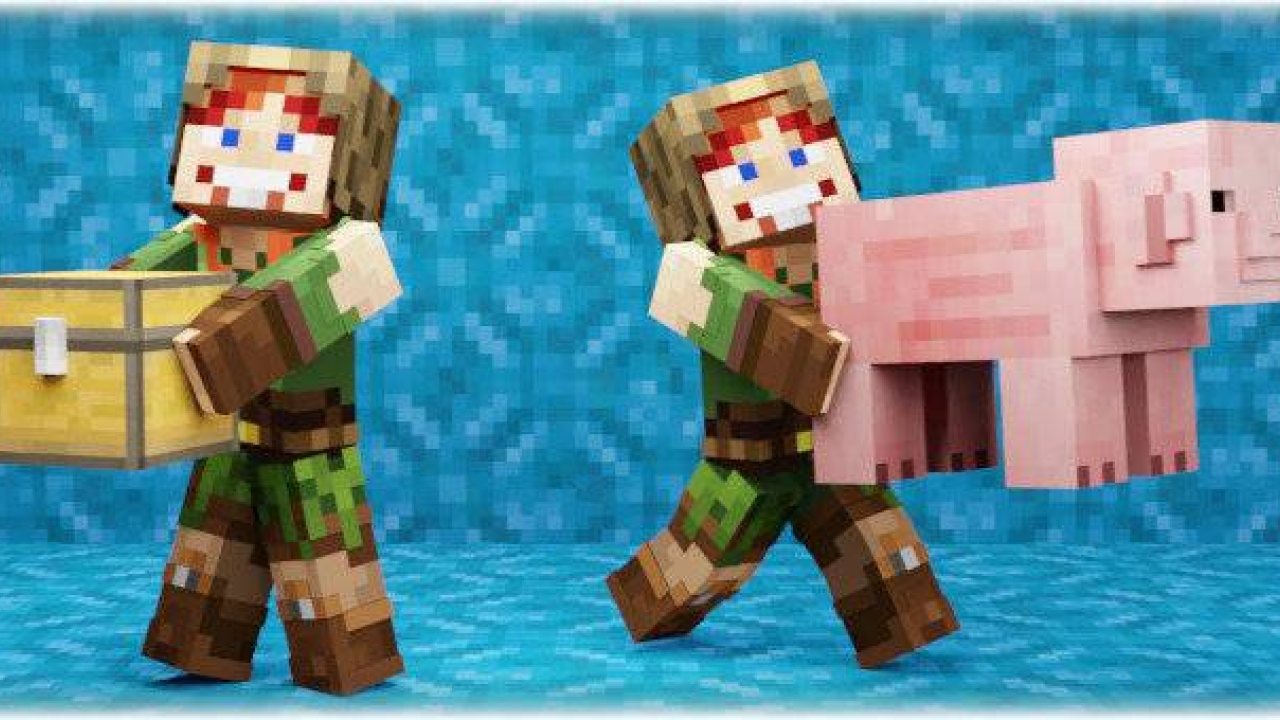
Pick up the player, mob, or chest with items and carry it to the right place! All mobs, players and blocks with items are carryable! Even mobs or blocks from other addons!
Pick up the player, mob, or chest with items and carry it to the right place! All mobs, players and blocks with items are carryable! Even mobs or blocks from other addons!
LIST OF FEATURES:
👀 First-person body rendering! While carrying, you can see your body and arms even from 1st person!
🎭 Supports characters from Character Creator! You can use your character created in the Character Creator! Even animated items and capes are supported!
⭐ You can launch the mob, player, or block you're carrying far ahead!
⭐ Any blocks that can store items (such as a chest) are carryable! When you are carrying a block with items:
- You can open it and transfer items while carrying it!
- Other players can also open it and steal items while you are carrying it!
- Other players can break the block while you are carrying it! It has 10 stages of damage, with a different cracking texture for each stage!
- If you drop the block from a high height, it will break upon landing, and all the items will scatter on the ground!
⭐ Great collision checking algorithm that prevents mobs from being pushed into blocks!
⭐ The player who is being carried can see the carrier's health!
⭐ If you fall from a height of more than 3 blocks while carrying, the mob, player or block will fall out of your hands!
⭐ You can only carry if both your hands are free of items!
⭐ If you go underwater while carrying, a mob, player or block will fall out of your hands!
🎮 Supports multiplayer! This addon works great on Realms, BDS, and other servers, and can handle hundreds of online players!
⭐ Fully customizable! You can individually disable the ability to pick up mobs, players, or blocks, enable a slowness effect while carrying, adjust the launching force, and quickly enable/disable the addon without world reload!
⭐ To start carrying, you don't need to enter any commands or use a special item!
⭐ Doesn't break any vanilla animations! (using spyglass, holding map, charging crossbow, etc.)
💎 Reliable stuff! Each version is thoroughly tested, and any bugs are eliminated with a 95% probability before publication! However, if you still manage to find a bug, feel free to report it in the comments!
Download BP and RP and put these 2 packs into your Minecraft world!
- Enable these experiments: "Beta APIs"
- Only stable Minecraft versions are supported. (not beta or preview)
- This addon uses "player.json" and is not compatible with other addons that also use it
HOW TO USE:
How to pick up a mob or player:
- Make sure you are not holding any items in your hands (mainhand & offhand)
- Get as close to a mob or player as possible, look at it, then sneak and jump:
First person view:
The 1-person view also supports sneaking while carrying:
How to pick up a block with items:
- Make sure you are in "survival" mode
- Make sure you are not holding any items in your hands (mainhand & offhand)
- Approach the block as closely as possible (but do not stand on it)
- Begin sneaking and jumping while simultaneously start breaking the block you want to pick up
You can pick up any block that can store items (chest, dispenser, furnace, etc.). Pickup is only possible if there is at least 0.5 blocks of free space above the block you want to pick up. If the block is at head level, you can still pick it up even if there is no free space above it.
Player picks up the block:
First person view:
You can break a block that someone is carrying:
You can steal items from a block that someone is carrying:
Any blocks that can store items are carryable:
To stop carrying, sneak and jump:
Or just take any item in your mainhand / offhand:
Also, you can swing your arm to stop carrying:
To launch the mob, block or player, sneak then go forward and jump:
You can launch even the players:
While carrying, collision checking is performed, so you can't push mobs into blocks:
If you go into the water more than 1 block deep, the mob or player will fall out of your hands:
But blocks you can pick up and carry even underwater:
If you start swimming, the block will drop from your hands:
If you fall from a height of more than 3 blocks, the mob, block, or player will fall out of your hands:
You can also carry players:
First person view:
Chaining is supported:
You can carry any mob:
Now you can get the mobs out of the boat:
ADDON CONFIGURATION:
To open the config window, enter this command: /function pickupcarry_config
Here you can configure:
🔧 Enable addon. Allows you to quickly enable/disable an addon without reloading the world.
🔧 Enable picking up mobs. If enabled, allows players to pick up any kind of mob.
🔧 Enable picking up players. If enabled, allows players to pick up other players.
🔧 Enable picking up blocks. If enabled, allows players to pick up any blocks that can contain items.
🔧 Perform collision checks while carrying. If enabled, it prevents the player or mob you are carrying from being "shoved" into blocks.
🔧 Apply push back to players when releasing them. If enabled, you can launch the player you are carrying!
🔧 First-person carrying animation. If disabled, the body and arms will not be rendered from 1st person while carrying.
🔧 Level of slowness while carrying. If 0, the slowness effect is not applied.
🔧 Power of push back when releasing entity. The more, the farther away mob or player flies when it is launched.
FINALLY, HOW TO USE:
To pick up a mob or player:
- Make sure you are not holding any items in your hands (mainhand & offhand)
- Get as close to a mob or player as possible, look at it, then sneak and jump
To pick up a block with items:
- Make sure you are in "survival" mode
- Make sure you are not holding any items in your hands (mainhand & offhand)
- Approach the block as closely as possible (but do not stand on it)
- Begin sneaking and jumping while simultaneously start breaking the block you want to pick up
You can pick up any block that can store items (chest, dispenser, furnace, etc.). Pickup is only possible if there is at least 0.5 blocks of free space above the block you want to pick up. If the block is at head level, you can still pick it up even if there is no free space above it.
❓FAQ❓
❓ Does this addon work on realms? Download the world from your realm, enable the necessary experiments, add this addon to it, and upload it back to the realm. If it still doesn't work, then it's a realm bug
❓Your addon doesn't work! Please perform all actions listed below:
- Make sure that the type of your Minecraft version is "release" (not beta or preview), and that the version matches the one indicated in the checklist above.
- Make sure that in the settings of your world, you have enabled all the experiments listed in the checklist above. If the world is uploaded to a server, check the server control panel for experiments. If they are not available there, download the world, import it into Minecraft, enable all the necessary experiments, and then upload it back to the server.
- Make sure that in the world settings, only one version of the addon is active in both "behavior packs" and "resource packs," and there are no duplicates or previous versions. If there is at least one duplicate or previous version active at the same time, the addon will not work. The same applies to the world that is uploaded to the server.
❓Your addon works in a local world but does not work on the server! Make sure that you have followed all the steps in the previous point. If you are using Aternos, try "turning off and on again" the experiment toggles, as there is a known issue where they sometimes do not activate on the first attempt. Also, ensure that your hosting provider supports script execution in addons (Beta APIs)
Download BP and RP and put these 2 packs into your Minecraft world!
- Enable these experiments: "Beta APIs"
- Only stable Minecraft versions are supported. (not beta or preview)
- This addon uses "player.json" and is not compatible with other addons that also use it
ABOUT THIS LISTING
This page describes Pickup & Carry! by sirob. The description and screenshots are the author's own, imported from their listing on CurseForge on 25 October 2026: https://www.curseforge.com/minecraft-bedrock/addons/pickup-carry-cf
Mythiq.net hosts no files for it. The download button goes straight to the release file on edge.forgecdn.net, so you are downloading from the author's own host, not from a copy of ours.
The download count, rating and comments on this page start at zero and count Mythiq.net only. The source's own figures are not copied here — they measure a different site, and a number that cannot be checked against our own ledger is not worth printing.