A featureful and accessible item and recipe viewer
EMI
EMI is a featureful and accessible item and recipe viewer. It brings many new features, and optimizes for the user experience. Outside of the standard Fabric/Quilt API, EMI requires zero dependencies, and can be launched with the game simply and easily.
Runtime JEI Compat
For runtime JEI compat, all you need to do is install JEI alongside EMI and they will work together to share recipes. JEI will be hidden.
What does EMI bring to the table?
Of course EMI comes with every feature you'd come to expect from the outset, viewing recipes, favoriting items, searching, and the like. But what's new that EMI offers?
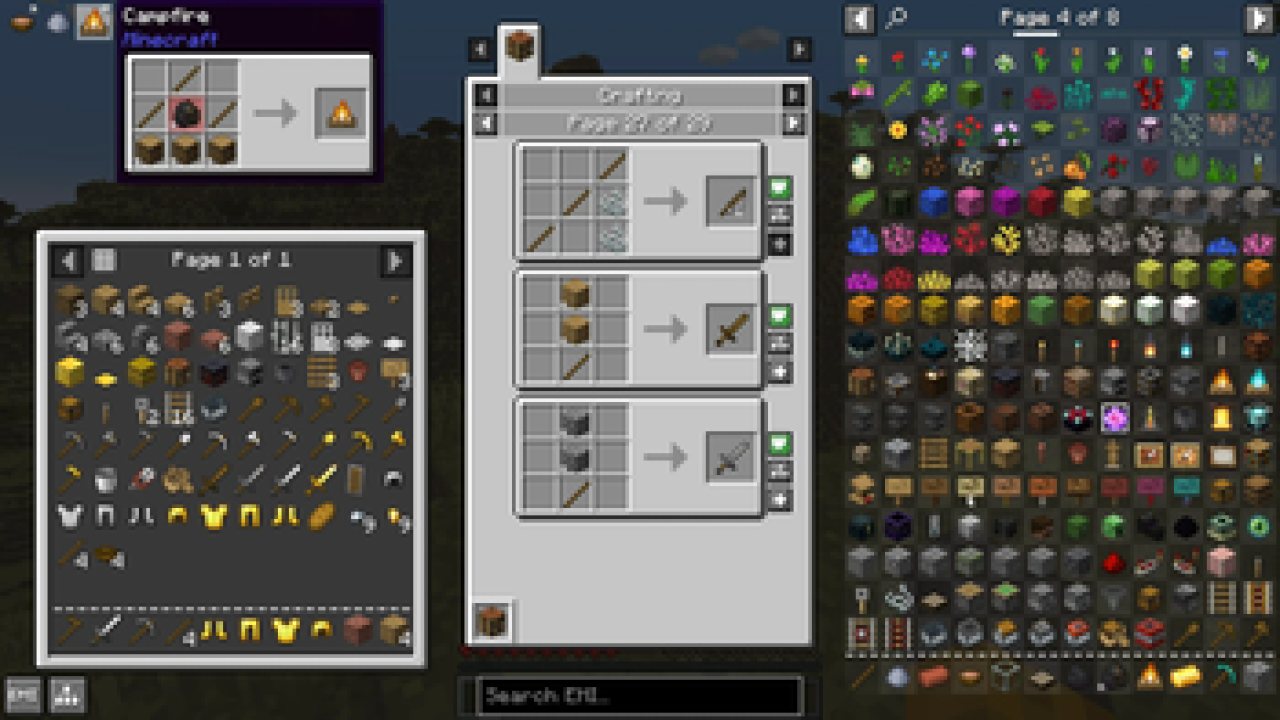
A craftable mode for quickly crafting any recipes you're able to make, usable by toggle or as a config for empty searches
Recipes can be favorited with items, and also can be used to quickly craft at a button press
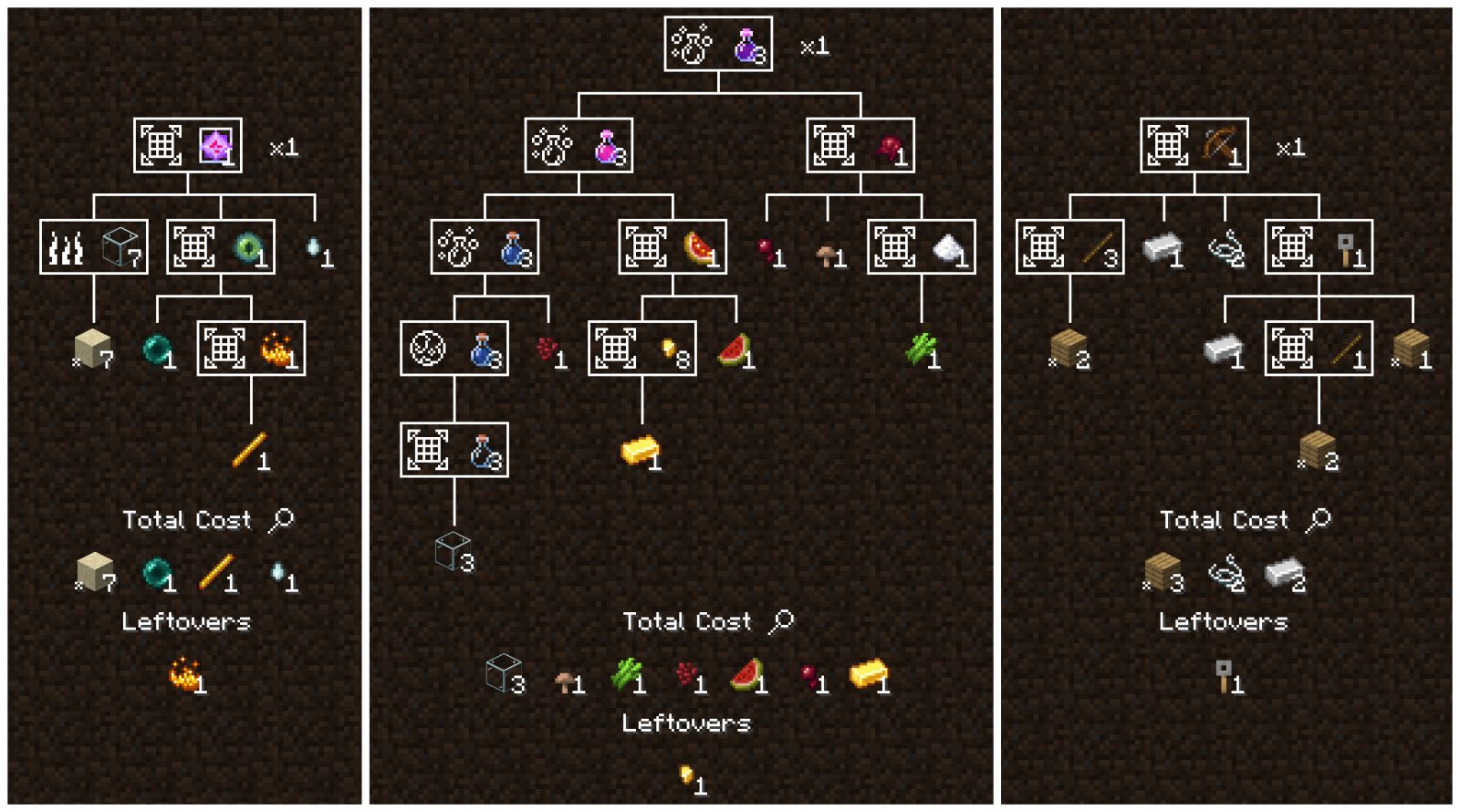
A recipe tree for breaking down the cost of a complex craft, showing you every step, how many base ingredients you need, and what you'll have leftover
A recipe tree crafting mode, counting up the materials and steps you need to be complete to finish a task, including synthetic favorites in your sidebar you can use to craft every step for exactly as much as you need
Smart display of tags, with translations, models, and tooltips, showing you ingredients at a glance, such as "Planks" instead of slowly rotating through every plank in the game.
Smart breakdowns of base costs, letting recipe trees automatically break down to base ingredients, and letting you define your own defaults as you play
Tooltips for recipes, tags, and ingredients showing you what will be crafted, and what makes up an ingredient
Binds for quick crafting straight into your inventory or cursor, one or many at a time, in conjunction with recipes favorites or the craftable mode
A clean and modern API, built from the ground up to be simple, powerful, and suit all of EMI's features
Zero third party dependencies. EMI only requires standard, first party Fabric/Quilt APIs
What does EMI stand for?
It doesn't, it's not an acronym. Or maybe it's an acronym without a meaning? If it makes you more comfortable, you can pick one from the list below, or make your own up.
Emi Memy Imi
Exhaustively Many Items
Explicitly Mandated Items
Endless Material Information
Expounded Minutia Introspection
Earnestly Made Imitation
Even More Items
Eminence, My Inception
Emi's Magic Inventory
Efficiently Managed Inventory
Exploring Modified: Iridescent
Expropriated Matter Insights
ABOUT THIS LISTING
This page describes EMI by Emi. The description and screenshots are the author's own, imported from their listing on Modrinth on 3 October 2026: https://modrinth.com/mod/emi
Mythiq.net hosts no files for it. The download button goes straight to the release file on cdn.modrinth.com, so you are downloading from the author's own host, not from a copy of ours.
The download count, rating and comments on this page start at zero and count Mythiq.net only. The source's own figures are not copied here — they measure a different site, and a number that cannot be checked against our own ledger is not worth printing.
Media
Recipe Tree
Requirements
Game version
1.21.1
MOD LOADER
This release is built for Neoforge. A mod built for one loader will not load under another — Fabric mods do not run on Forge, and vice versa.
GAME VERSION
Built for Minecraft 1.21.1. Minecraft mods are tied to an exact version: a 1.21.4 build will refuse to load on 1.21.5.
THIS IS A LIBRARY
On its own it adds nothing you can see. It is here because other mods require it, and installing it is usually something another mod asked you to do.
DEPENDENCIES
Check the author's listing for required libraries before you start the game — a missing dependency shows up as a crash on launch, not as a warning.
Installation
1. Install Neoforge for the Minecraft version you play, if you have not already.
2. Download the .jar with the button on this page. Do not unzip it — a mod jar is installed as it is.
4. Launch the game with the Neoforge profile selected.
ON A SERVER
Anything that changes world generation or gameplay has to be installed on the server as well as on every client. Client-side visual and interface mods do not.
UPDATING
Replace the old .jar rather than adding the new one beside it. Two versions of the same mod in the folder is a crash on launch.
This release downloads from cdn.modrinth.com, not from us, so
there is no checksum to compare against. Scan the archive before you unpack it.
Version history
v1.1.24+1.21.1+neoforgeLatest
13 May 2026 · 1.1 MB via cdn.modrinth.com · 0 downloads Download
Tweaks
Adjusted mixin notification logging to properly avoid printing when empty.
Fixes
Fix inconsistent crashes due to mixin order, typically on Fabric 1.19.2 or 1.20.1 #1171
Fixed double applications of self-mutation mixins
Off-site on cdn.modrinth.com —
no checksum, because we never held this file.
Link checked by our review team on 3 Oct 2026.
Tell us if something is wrong — a file that will not work, content taken from
someone else, or anything that looks unsafe. Reports go to our review team, not
to the author.
We use cookies to ensure that we give you the best experience on our website and improve your experience. By continuing to use this site you consent to such use of cookies.