Adds resourcepack features and a GUI to configure OptiFine alternatives more conveniently.
_Context: For a long time, OptiFine has been a big part of Minecraft modding.
For an equal amount of time, it has been causing errors with mods – its closed source nature making it especially hard to work with as a mod developer.
For that reason, a lot of alternatives have been created.
But usually they only replicate one specific feature of OptiFine, meaning the user has to install a lot of mods and configure them by searching for the specific mod in ModMenu._
- The first problem is relatively easy to solve, by either downloading a modpack such as Fabulously Optimized or using Lambda's fantastic list of alternative mods
- Puzzle was created to solve the latter by providing a united config for OptiFine replacement mods with built-in support for the most relevant alternatives and an API for other mods to take advantage of.
- Due to many OptiFine features still having no replacement mod, Puzzle also adds certain OptiFine features on it's own, like resourcepack-provided splash screens
- We also offer some new, innovative features to resourcepack developers, such as unlocked rotation values and bigger size for JSON-models.
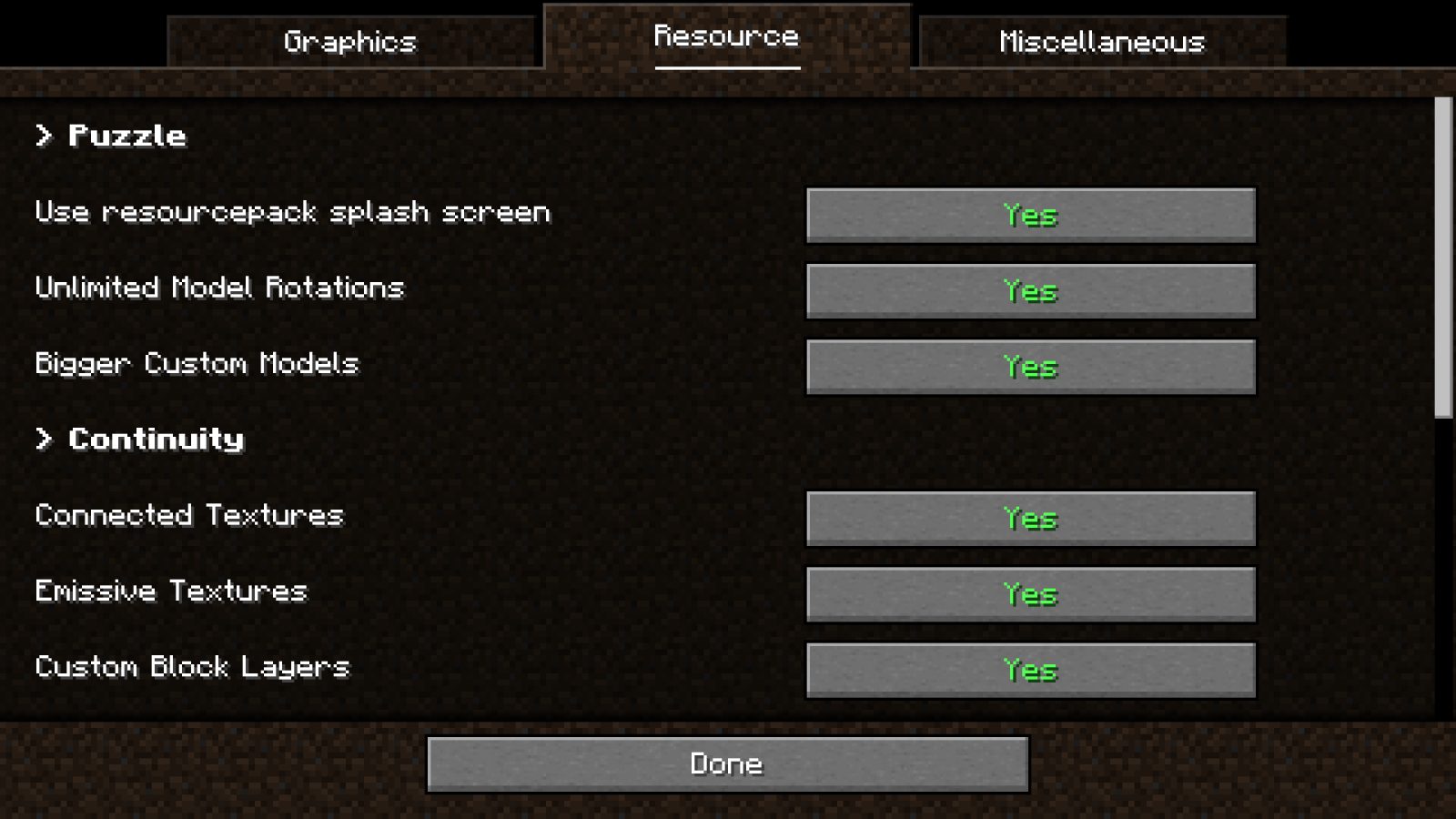
The configuration screen can be found in the vanilla options screen, as well as ModMenu.
Currently, there is included support for the following mods:
- Cull Leaves
- Iris
- Continuity
- LambDynamicLights
- LambdaBetterGrass
- CITResewn
- Entity Texture Features
- Entity Model Features
Visit the new wiki to get started with using Puzzle for your own resourcepack!
ABOUT THIS LISTING
This page describes Puzzle by Motschen. The description and screenshots are the author's own, imported from their listing on Modrinth on 24 October 2026: https://modrinth.com/mod/puzzle
Mythiq.net hosts no files for it. The download button goes straight to the release file on cdn.modrinth.com, so you are downloading from the author's own host, not from a copy of ours.
The download count, rating and comments on this page start at zero and count Mythiq.net only. The source's own figures are not copied here — they measure a different site, and a number that cannot be checked against our own ledger is not worth printing.
Media
Customize the splash-screen colors
Customize the splashscreen with Puzzle!
Puzzle provides a uniform way to access common settings
Requirements
Game version
26.3
MOD LOADER
This release is built for Neoforge. A mod built for one loader will not load under another — Fabric mods do not run on Forge, and vice versa.
GAME VERSION
Built for Minecraft 26.3. Minecraft mods are tied to an exact version: a 1.21.4 build will refuse to load on 1.21.5.
THIS IS A LIBRARY
On its own it adds nothing you can see. It is here because other mods require it, and installing it is usually something another mod asked you to do.
DEPENDENCIES
Check the author's listing for required libraries before you start the game — a missing dependency shows up as a crash on launch, not as a warning.
Installation
1. Install Neoforge for the Minecraft version you play, if you have not already.
2. Download the .jar with the button on this page. Do not unzip it — a mod jar is installed as it is.
4. Launch the game with the Neoforge profile selected.
ON A SERVER
Anything that changes world generation or gameplay has to be installed on the server as well as on every client. Client-side visual and interface mods do not.
UPDATING
Replace the old .jar rather than adding the new one beside it. Two versions of the same mod in the folder is a crash on launch.
This release downloads from cdn.modrinth.com, not from us, so
there is no checksum to compare against. Scan the archive before you unpack it.
Puzzle v2.3.1
- Port to MC 26.1
- Remove unified GUI, as it's obsolete now that Sodium provides a way to register custom mod options
- This will be also come to older versions, along with many exciting new resourcepack capabilities. Stay tuned!
Puzzle v2.3.0
- Backported Minecraft 1.21.11's new multi-axis-rotation system for models to MC 1.20.1 - 1.21.10
Puzzle v2.2.1
- Add support for 1.21.11 (Mounts of Mayhem)
- Fix crash when ModMenu is missing
- Fix 1.21.4 support by providing an extra build
- This is the first 1.21.4 build with working splashscreen logo blending!
- Load splashscreen textures earlier on NeoForge
- Update to MidnightLib 1.9.2
Puzzle v2.2.0
- Setup a multiversion build environment
- Puzzle will now always be up-to-date on all relevant versions of Minecraft
(Fabric/Forge 1.20.1; Fabric/NeoForge 1.21.1, 1.21.5, 1.21.8, 1.21.10)
- Migrate to Mojang mappings in preparation for upcoming non-obfuscated releases
- Updated Entity Model/Texture Features compatibility
Off-site on cdn.modrinth.com —
no checksum, because we never held this file.
Link checked by our review team on 25 Oct 2026.
Tell us if something is wrong — a file that will not work, content taken from
someone else, or anything that looks unsafe. Reports go to our review team, not
to the author.
We use cookies to ensure that we give you the best experience on our website and improve your experience. By continuing to use this site you consent to such use of cookies.