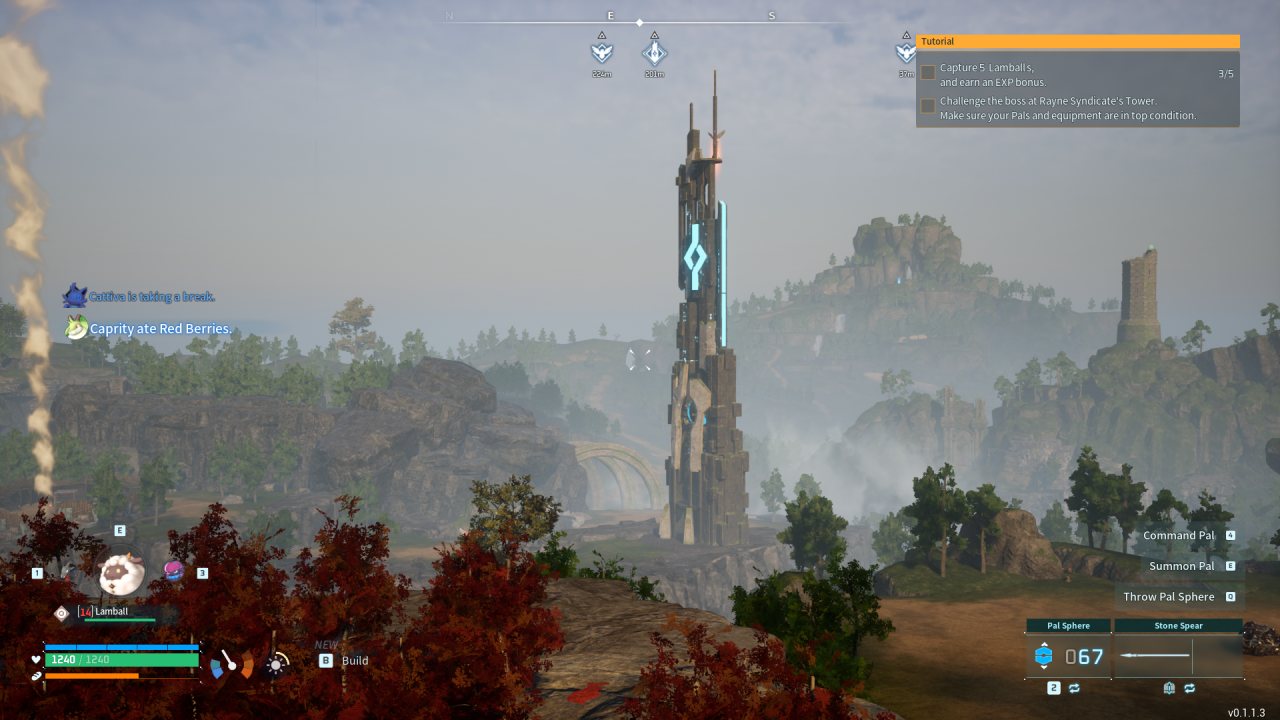
A Simple Mod which allows First Person Perspective, bound to the Alt + C Keys.
Set Up
Requires the Installation of UE4SS as well as having the BPLoader through UE4SS being enabled and loaded. Set up of UE4SS depends on platform
Steam
- Download the New Version of UE4SS
- Extract to Palworld\Pal\Binaries\Win64
- In the UE4SS-settings.ini file, set bUseUObjectArrayCache to false.
- Disable consoleenablermod in mods.txt as it conflicts with this mod and will prevent it from starting.
Gamepass
- Download The New Version of UE4SS
- Extract to C:\XboxGames\Palworld\Content\Pal\Binaries\WinGDK
- Rename xinput1_3 to xinput1_4
- In the UE4SS-settings.ini file, set bUseUObjectArrayCache to false.
- Disable consoleenablermod in mods.txt as it conflicts with this mod and will prevent it from starting.
Then Proceed to drag the file into ""Palworld\Content\Pal\Content\Paks\LogicMods" from there UE4SS will load the mod, boot into the game to use it. If you experience issues please join My Discord and I will do my best to help. There is also the Palworld Modding Discord which can help.
If all is set up correctly, hitting the Alt+ C keys should enable you to first person and Alt + V will disable the mod. When first toggling it, be sure to jump this will reset the camera to the proper height instead of making you short!
Hopefully you enjoy this Mod!
Also I'm a partner with BisectHosting, so if you want a location to get palworld servers here you go
ABOUT THIS LISTING
This page describes First Person Mod by Cristiferbeast. The description and screenshots are the author's own, imported from their listing on CurseForge on 25 October 2026: https://www.curseforge.com/palworld/blueprint-code-mods/palworld-first-person-mod
Mythiq.net hosts no files for it. The download button goes straight to the release file on edge.forgecdn.net, so you are downloading from the author's own host, not from a copy of ours.
The download count, rating and comments on this page start at zero and count Mythiq.net only. The source's own figures are not copied here — they measure a different site, and a number that cannot be checked against our own ledger is not worth printing.
Requirements
Game version
0.2.4.0
GAME VERSION
Listed against Palworld 0.2.4.0. Palworld updates frequently, and a pak built for an earlier build is the first thing to suspect after a patch.
CLIENT VS SERVER
Some of these mods are server-side — they are installed on the machine running the dedicated server (or the host's copy in co-op), not on every player's game. A server mod installed client-side does nothing, and vice versa; the author's page says which it is.
Installation
1. Download the archive with the button on this page and unzip it.
2. For a client pak mod, create the folder if needed and put the .pak in it:
steamapps\common\Palworld\Pal\Content\Paks\~mods
The tilde in ~mods is deliberate — it makes the engine load the folder last so the mod wins.
3. For a server mod, unzip it into the dedicated server's Pal folder and restart the server; players do not install anything.
4. UE4SS-based mods additionally need UE4SS installed into the game folder first — the author's page linked from here carries the current steps.
UPDATING
Delete the old .pak before adding the new one. Two builds of one mod loaded together is the usual cause of crashes at launch after an update.
This release downloads from edge.forgecdn.net, not from us, so
there is no checksum to compare against. Scan the archive before you unpack it.
Version history
FPSModv1.1.3Latest
13 Jun 2024 · 4.5 KB via edge.forgecdn.net · 1 download Download
Off-site on edge.forgecdn.net —
no checksum, because we never held this file.
Link checked by our review team on 26 Oct 2026.
Tell us if something is wrong — a file that will not work, content taken from
someone else, or anything that looks unsafe. Reports go to our review team, not
to the author.
We use cookies to ensure that we give you the best experience on our website and improve your experience. By continuing to use this site you consent to such use of cookies.