Quality-of-life features including Expansion Summary UI, Loot Window, Instance Difficulty Selector and more.
You may enable/disable each module in the AddOn settings.
Backpack Item Tracker
Track stackable items on the Bag UI as if they were currencies. Holiday tokens are automatically tracked and pinned to the left.
The top-tier Dreaming Crest you have earned will be pinned to the bar.
Loot Window
Loot items fast and fix the occasional Auto Loot failure bug.
This module is disabled by default and can be enabled in the addon settings.
Talking Head
Replace the default Talking Head UI with a clean, headless one.
You can hide the transcription if it's from a World Quest or you're in an instance.
Drawer Macro
Create a custom flyout menu to manage your items, spells, pets, mounts, and toys.
To make a Drawer Macro, create a new macro first, then enter #plumber:drawer in the command editbox.
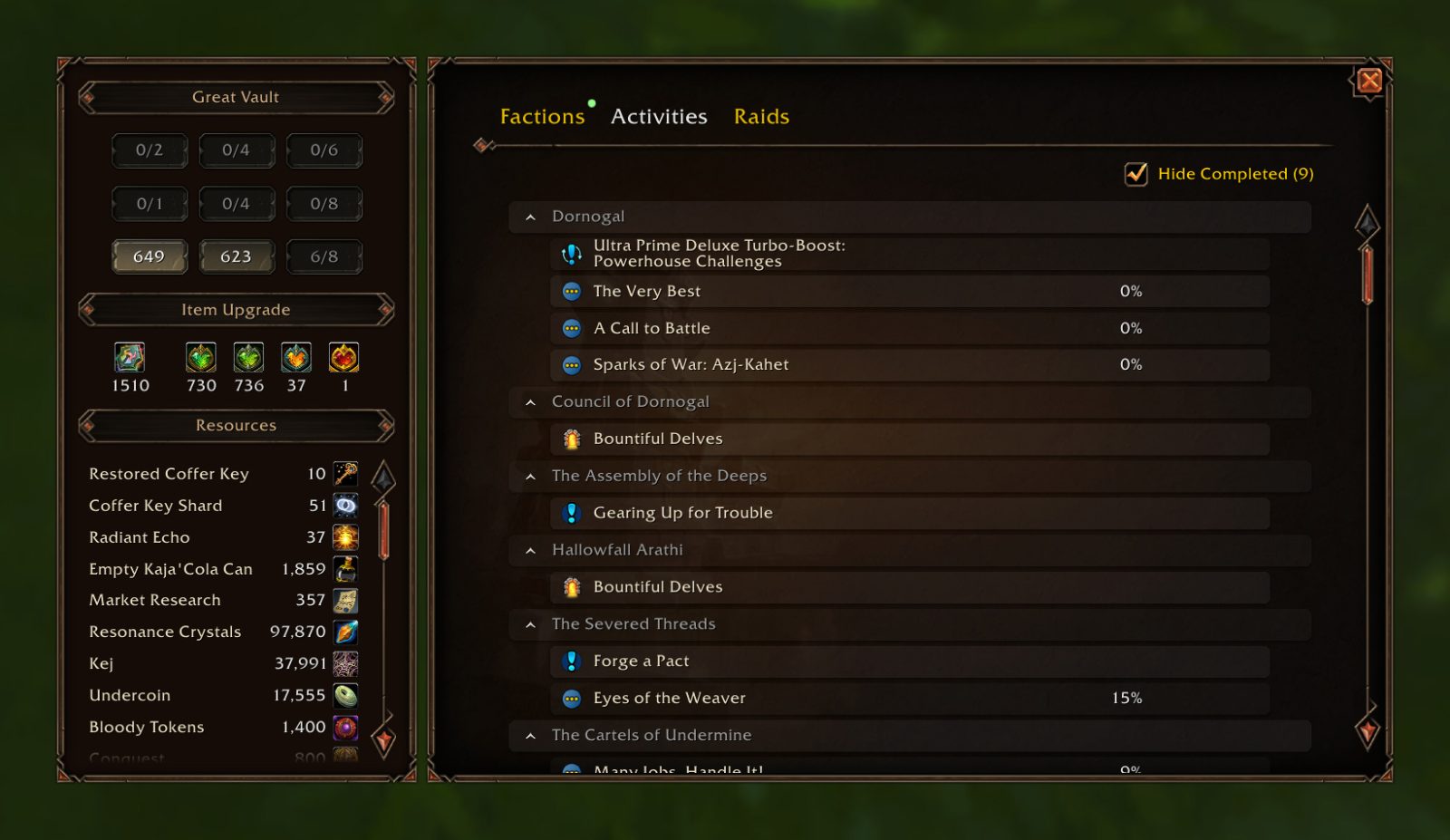
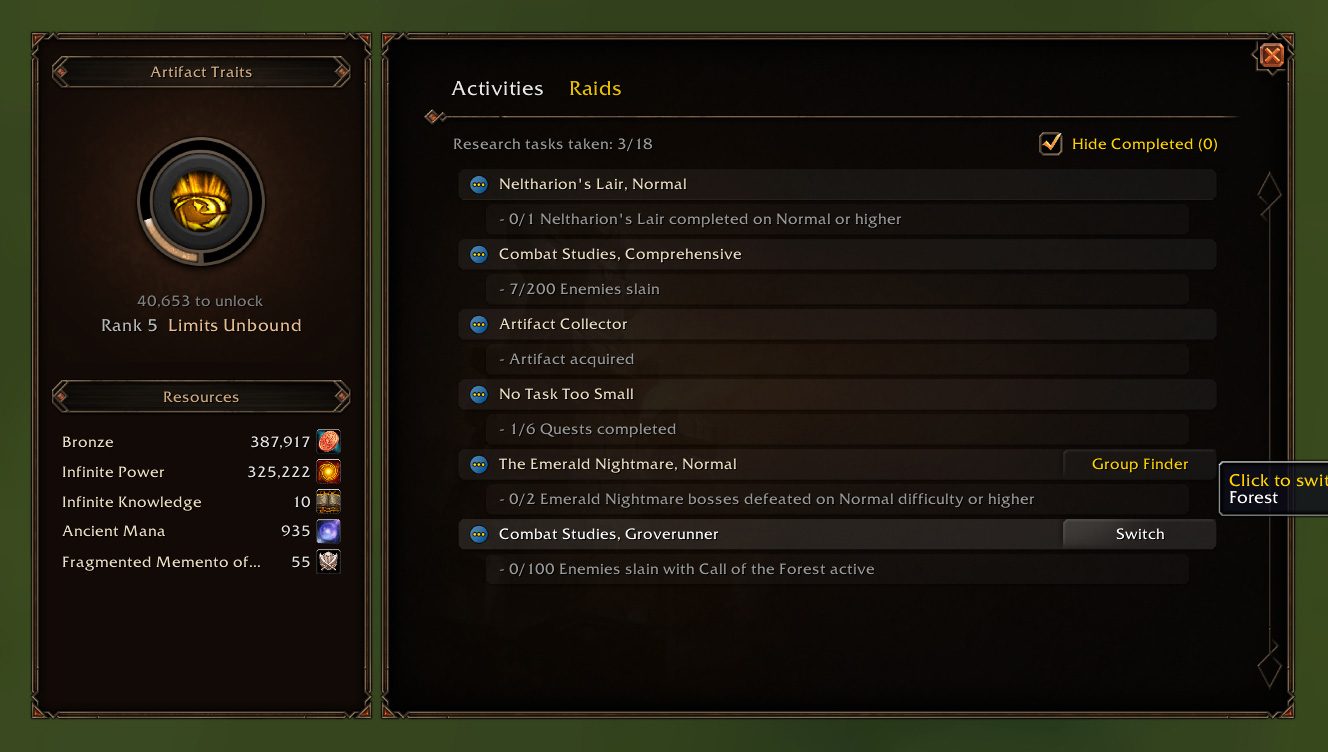
Expansion Summary UI
Show resource, reputations, weekly activities, and raid lockouts in a single window.
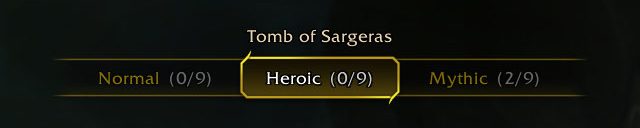
Instance Difficulty Selector
Show a Difficulty Selector when you are at the entrance of a raid or dungeon.
This module is disabled by default and can be enabled in the addon settings.
Click to see 8 more modules 👇
Dragonriding Race Dialog
Replace the default dialog icon with the medal you earn. It may take a brief moment to acquire your records when you interact with the NPC.
Handy Lockpick for Rogue & Mechagnome
You can right click a lockbox in your bag or Trade UI to unlock it directly.
Chat Channel Options
Add Leave buttons to the menu that appears when you right-click on the channel name in the chat window.
"Leave On All Characters" allows you to automatically leave a channel when you log in.
Merchant Price
Show all required items in the coin box.
Grey out only the insufficient currencies.
Reputation Token
Show the faction info on the tooltip if the item can be used to increase reputation.
Severed Threads
Display Severed Threads Pact levels on Khaz Algar Summary page.
Show Quest Info When Destroying Quest-starting Items
Display the associate quest info when you attempt to destroy an item that starts a quest.
Target Spellcasting Info
Show the spell tooltip when hovering over the Cast Bar on the Target Frame.
Save the monster's abilities that can be later viewed by right-clicking on the Target Frame.
ABOUT THIS LISTING
This page describes Plumber by Peterodox. The description and screenshots are the author's own, imported from their listing on CurseForge on 31 August 2026: https://www.curseforge.com/wow/addons/plumber
Mythiq.net hosts no files for it. The download button goes straight to the release file on edge.forgecdn.net, so you are downloading from the author's own host, not from a copy of ours.
The download count, rating and comments on this page start at zero and count Mythiq.net only. The source's own figures are not copied here — they measure a different site, and a number that cannot be checked against our own ledger is not worth printing.
Media
Expansion Summary - Activities
Expansion Summary Legion Remix
Instance Difficulty Selector
Plumber Drawer Macro
Requirements
Game versions
5.5.4
12.1.0
2.5.6
1.15.9
GAME FLAVOUR
This is a Classic build. Retail and Classic run different interface APIs, and an addon built for one throws Lua errors on the other — check you are installing into the right client folder.
INTERFACE VERSION
Built against game version 5.5.4, 12.1.0, 2.5.6, 1.15.9. After a patch, an addon that has not been updated is flagged out of date; most keep working, and the "Load out of date AddOns" checkbox on the character screen lets you try.
DEPENDENCIES
Some addons need a separate library addon (Ace3, LibStub and friends) that is not bundled. If the addon does not appear in the list in game, a missing dependency is the usual reason.
Installation
1. Quit World of Warcraft completely. The game reads the AddOns folder at launch and will overwrite settings for an addon added while it is running.
2. Download the archive with the button on this page and unzip it.
3. Move the folder — the one with the .toc file in it, not the zip's wrapper folder — into:
World of Warcraft\_classic_era_\Interface\AddOns (or _classic_ for the current Classic expansion)
4. Start the game. On the character selection screen, click AddOns and check that it is listed and enabled.
IF IT DOES NOT APPEAR
Nine times out of ten the folder is nested one level too deep. Interface/AddOns/Thing/Thing/Thing.toc will not load; Interface/AddOns/Thing/Thing.toc will.
UPDATING
Delete the old folder before unzipping the new one. Unzipping over the top leaves files behind that the new version no longer expects.
This release downloads from edge.forgecdn.net, not from us, so
there is no checksum to compare against. Scan the archive before you unpack it.
Version history
v1.9.4 cLatest
25 Aug 2026 · 7.1 MB via edge.forgecdn.net · 11 downloads Download
Off-site on edge.forgecdn.net —
no checksum, because we never held this file.
Link checked by our review team on 31 Aug 2026.
Tell us if something is wrong — a file that will not work, content taken from
someone else, or anything that looks unsafe. Reports go to our review team, not
to the author.
We use cookies to ensure that we give you the best experience on our website and improve your experience. By continuing to use this site you consent to such use of cookies.