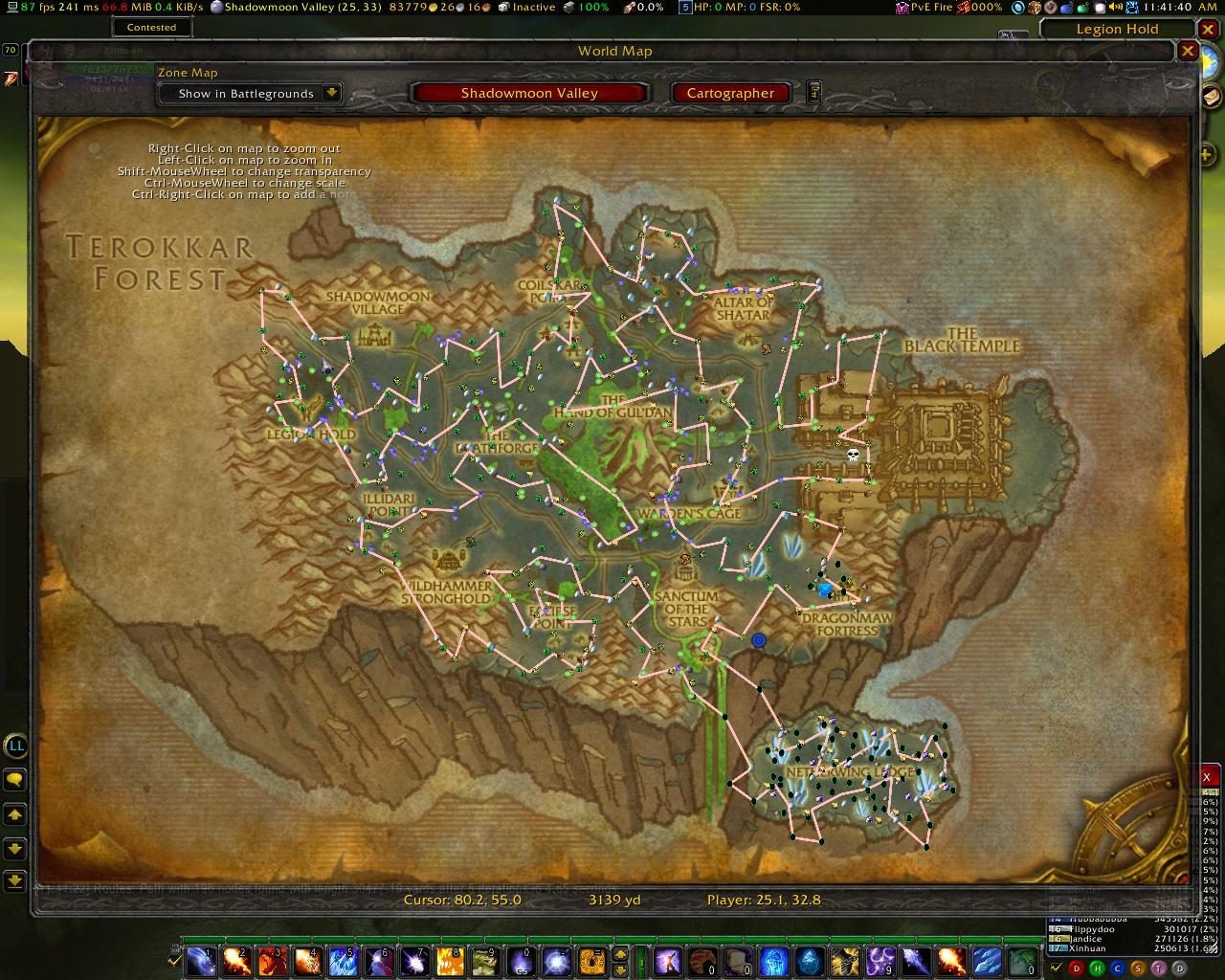
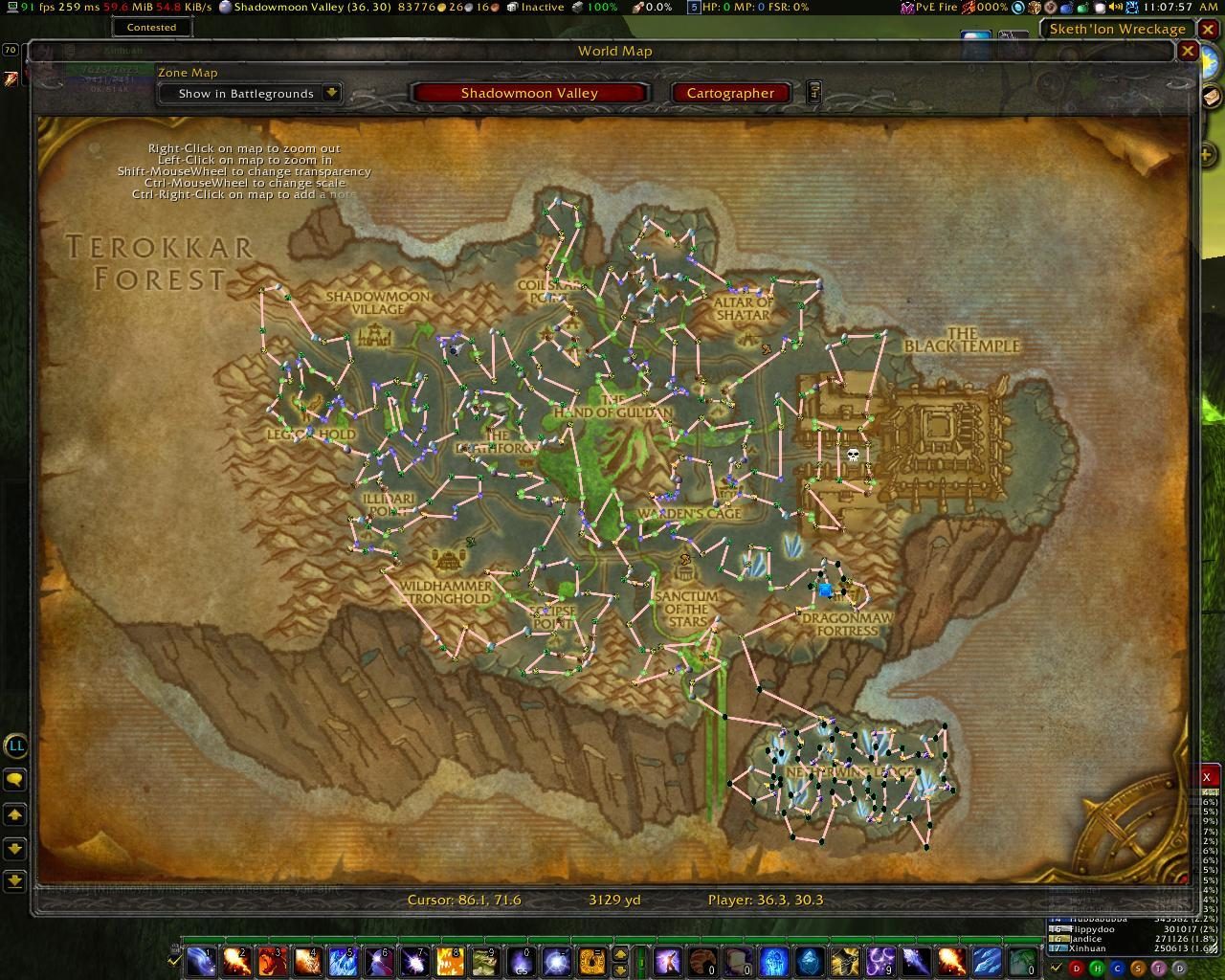
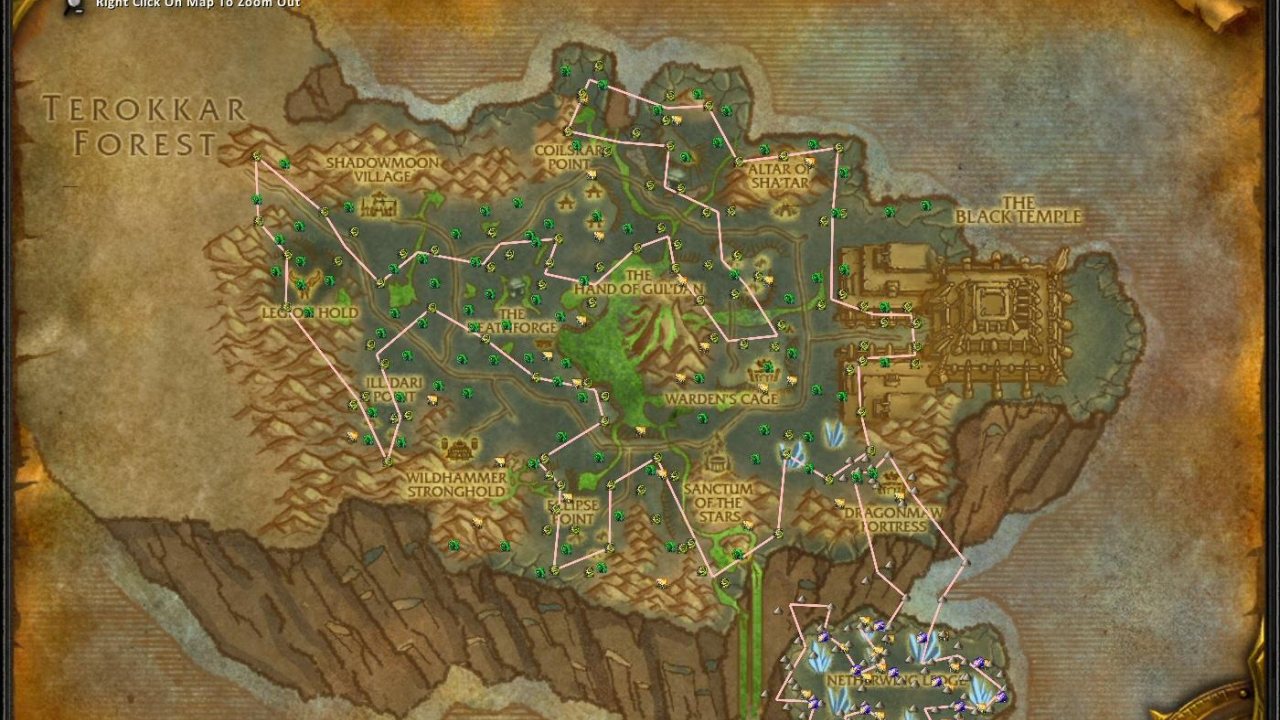
Routes allow you to draw lines on the map(s) linking nodes together into an efficient farming route from existing databases.
Go to our Discord or GitHub page for support and contribution! We'll take push requests.
Quickstart
Video about configuring this addon.
- Download and install these dependency AddOns:
- Routes
- GatherMate2
- GatherMate2_Data
- Enable the addon in "Escape > AddOns" with "Load out of date AddOns" enabled.
- Use "/routes" to begin!
- Import "GatherMate2" and data.
- Create Routes or import them from other users.
Importing into GatherMate2:
- Type "/gathermate2".
- Go to "Import Data" and then to "GatherMate2Data" on the left.
- If you already have gathering node data, select "Merge" from the "Import Style" dropdown, otherwise "Overwrite" works.
- Select which sources you want to import (Mining, Herbalism, Fishing, ect.) and tick their respective boxes.
- Hit the "Import GatherMate2Data" button on the bottom.
Creating your first route:
- Type "/routes".
- Go to "Add" on the left side.
- Type the name of your route and press "Okay".
- Select the zone you want to create a route in from the "Select Zone" dropdown.
- Make sure the "GatherMate2" source has it's checkbox ticked.
- Select which type of nodes should be used to create your route.
- Hit the "Create Route" button.
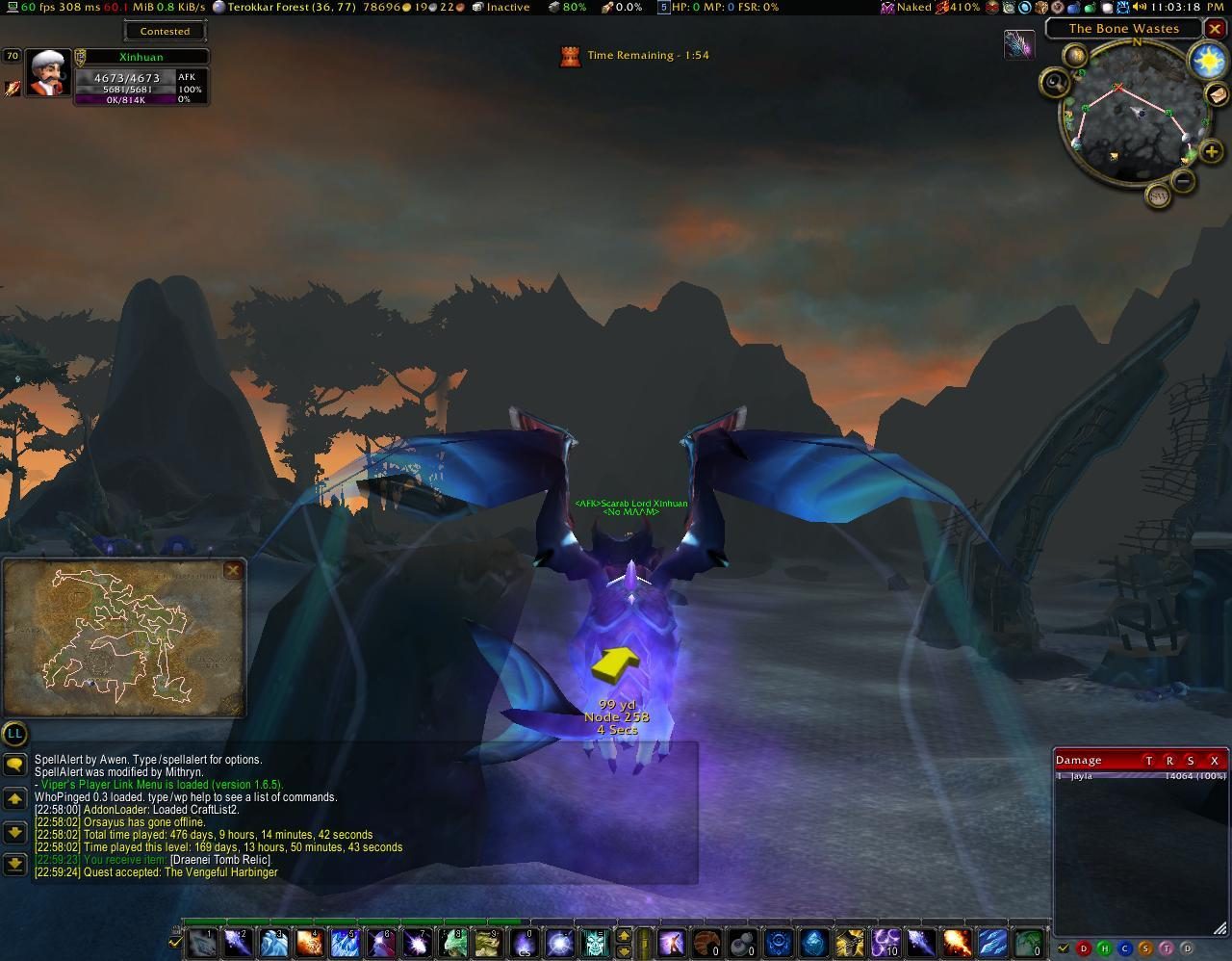
- You can now go to the zone and follow the generated route on your minimap.
Note: You can change line color in the "Line Settings" tab, hide routes, and adjust sizing and positioning, alongside other settings. Open your worldmap on the zone you just created a route in, and you will see a massive whirling of lines in red.
Changing & Optimizing Routes
Note: If you see spiky and star-shaped routes that are impossible to follow, you haven't optimized the route yet. Go into the route you created and optimize it using the instructions below.
- Type "/routes".
- Go to "Routes", the zone you made your route in, and your route name.
- Click on the "Optimize Route" tab for your route.
- Hit the "Cluster" button. This is advisable as most zones contain large amounts of nodes. Clustering will group nearby nodes and the default distance is easily viewable on the minimap.
- Hit the "Foreground" button, this will try an optimization of the length of your route (you can see it being updated after it finishes if you use a map addon like Mapster).
- Keep hitting the "Foreground" button to make the route more efficient.
Note: "Backdround" instead of "Foreground" is alternatively reccomended when you don't want your performance dipping while optimizing a route.
Features
- Select node types to build a line upon, such as "GatherMate2".
- Optimize your route using the "traveling salesmen problem" (TSP) and "ant colony optimization" (ACO) algorithm.
- "Background" (non-blocking) and "Foreground" (blocking) optimization.
- Select color, thickness, transparency, and visibility for each route.
- For any route, new nodes will be added as optimally as possible.
- Quick clustering algorithm to merge nearby nodes into a single traveling point.
- Mark entire areas or regions as "out of bounds" or "Taboo" to routes, meaning your routes will ignore nodes in those areas and avoid cross them
- Fubar plugin available to quickly access your routes.
- Full in-game help file and FAQ.
Compatability
- Cartographer_Waypoints
- Chinchilla's Expander minimap
- Gatherer
- GatherMate2 (Author's preference!)
- HandyNotes
- SexyMap
- TomTom
Download
The latest version of Routes is always available on these sites.
Curseforge - GitHub - WoWInterface - Discord
Contact
If you have any bugs or suggestions, please contact us on:
- IRC: Grum or Xinhuan on [[irc://irc.freenode.org/wowace|irc://irc.freenode.org/wowace]]
- Email: Grum (routes@grum.nl)
- Email: Xinhuan (xinhuan@gmail.com)
PayPal donations are welcome!
ABOUT THIS LISTING
This page describes Routes by Xinhuan. The description and screenshots are the author's own, imported from their listing on CurseForge on 26 October 2026: https://www.curseforge.com/wow/addons/routes
Mythiq.net hosts no files for it. The download button goes straight to the release file on edge.forgecdn.net, so you are downloading from the author's own host, not from a copy of ours.
The download count, rating and comments on this page start at zero and count Mythiq.net only. The source's own figures are not copied here — they measure a different site, and a number that cannot be checked against our own ledger is not worth printing.
Media
pvw19593.jpg
pvw19592.jpg
pvw19591.jpg
pvw19590.jpg
Requirements
Game versions
1.15.8
5.5.3
2.5.5
12.0.5
12.0.7
GAME FLAVOUR
This is a Classic build. Retail and Classic run different interface APIs, and an addon built for one throws Lua errors on the other — check you are installing into the right client folder.
INTERFACE VERSION
Built against game version 1.15.8, 5.5.3, 2.5.5, 12.0.5, 12.0.7. After a patch, an addon that has not been updated is flagged out of date; most keep working, and the "Load out of date AddOns" checkbox on the character screen lets you try.
DEPENDENCIES
Some addons need a separate library addon (Ace3, LibStub and friends) that is not bundled. If the addon does not appear in the list in game, a missing dependency is the usual reason.
Installation
1. Quit World of Warcraft completely. The game reads the AddOns folder at launch and will overwrite settings for an addon added while it is running.
2. Download the archive with the button on this page and unzip it.
3. Move the folder — the one with the .toc file in it, not the zip's wrapper folder — into:
World of Warcraft\_classic_era_\Interface\AddOns (or _classic_ for the current Classic expansion)
4. Start the game. On the character selection screen, click AddOns and check that it is listed and enabled.
IF IT DOES NOT APPEAR
Nine times out of ten the folder is nested one level too deep. Interface/AddOns/Thing/Thing/Thing.toc will not load; Interface/AddOns/Thing/Thing.toc will.
UPDATING
Delete the old folder before unzipping the new one. Unzipping over the top leaves files behind that the new version no longer expects.
This release downloads from edge.forgecdn.net, not from us, so
there is no checksum to compare against. Scan the archive before you unpack it.
Version history
v1.8.7Latest
13 May 2026 · 264 KB via edge.forgecdn.net · 0 downloads Download
Off-site on edge.forgecdn.net —
no checksum, because we never held this file.
Link checked by our review team on 26 Oct 2026.
Tell us if something is wrong — a file that will not work, content taken from
someone else, or anything that looks unsafe. Reports go to our review team, not
to the author.
We use cookies to ensure that we give you the best experience on our website and improve your experience. By continuing to use this site you consent to such use of cookies.