BagSync tracks your characters items and displays it within tooltips.
INFO: BagSync tracks the items on your characters and displays the information in collective tooltips. In addition, BagSync also records things like your character professions, currency and gold. A search window is also provided in order to find items across all your characters.
BagSync has support for Cross-Realms and Battle.Net account characters.
NOTE: This addon is intended to work with any inventory or bag addon available.
Supports:
- LibDataBroker-1.1, (DataBroker). Has an LDB icon to open the BagSync Search window (Left-Click) or BagSync Tokens Window (Right-Click)
Supports the following localizations:
This addon shows item count information for the following:
- Bags
- Equipped
- Bank
- Reagent Bank
- Guild Bank
- Void Bank
- Mailbox
- Tokens/Currency
- Auction House
Slash Commands:
- /bgs or /bagsync
- /bgs = will open the search window and perform a search with the information you provided. Example: /bgs ilvl==115 would show all items that are item level 115.
- /bgs search = will open the search window
- /bgs gold = Displays a tooltip with the amount of gold on each character.
- /bgs currency = Displays the Currency window.
- /bgs profiles = Displays the Profiles Window.
- /bgs professions = Displays the Professions Window.
- /bgs blacklist = Displays the Blacklist Window.
- /bgs fixdb = Runs the database fix (FixDB) on BagSync. (see below for more details)
- /bgs config = Brings up the BagSync configuration window.
Search Window:
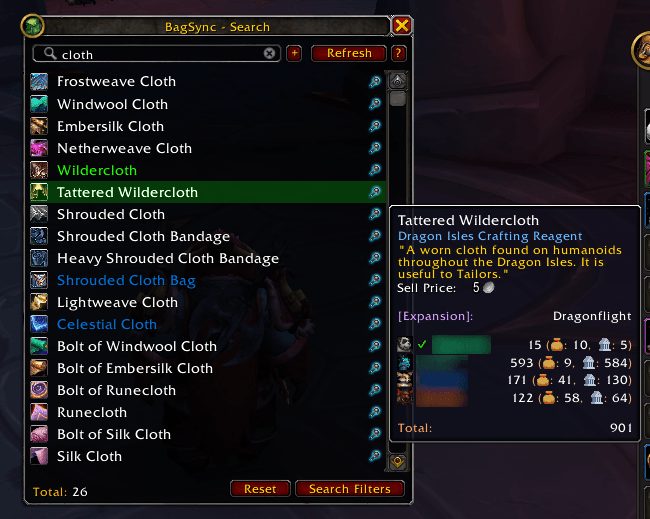
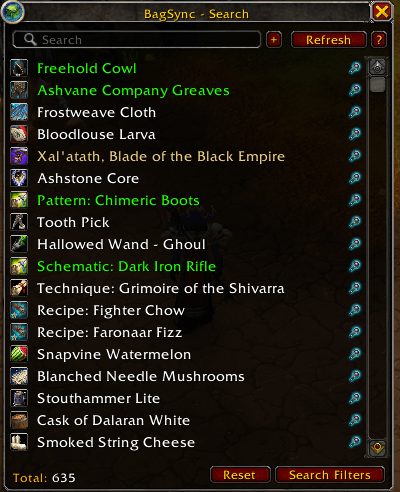
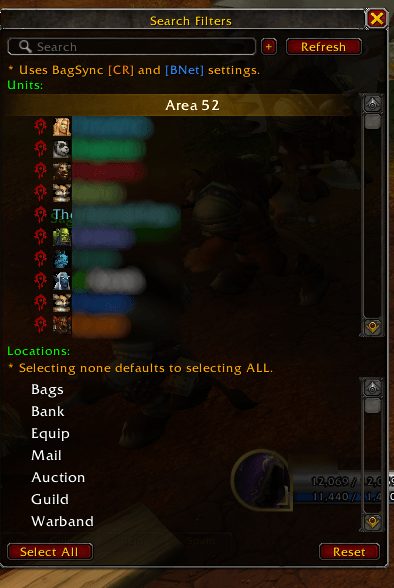
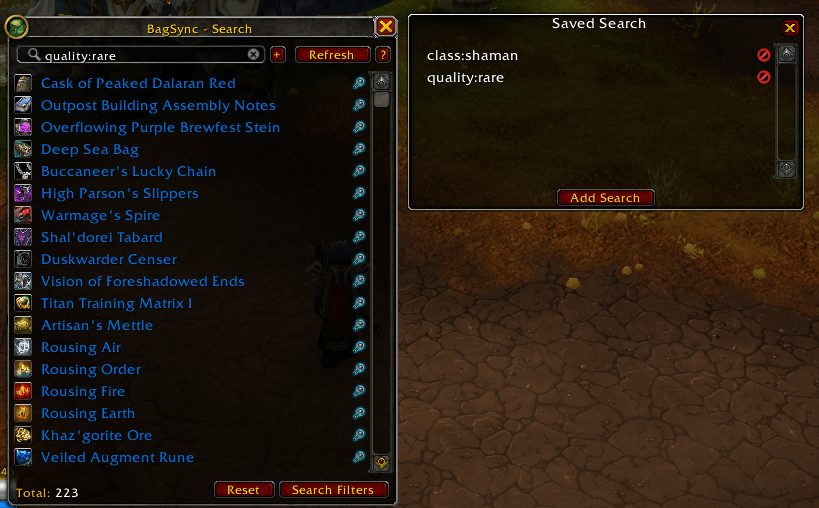
- Will display items that you search for within the BagSync Database
- Has a scrollable list of items you can mouse over to see which of your characters has that particular item.
- Can be access using the slash command for quick use.
- You can link items in the search window by using SHIFT+CLICK
- You can use the Dressing Room with items in the search window by using CTRL+CLICK
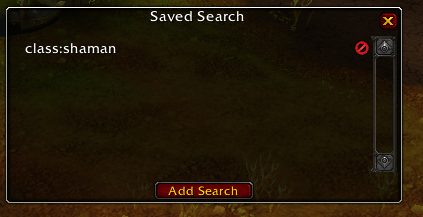
- Support for custom search syntax. (See below)
Currency Window:
- Will display your tokens/currency for all your characters.
- Mouse over any of the tokens to find out which of your characters may have that particular token or currency.
Professions Window:
- Will display your professions for all your characters.
- You can view any of your characters professions simply by left clicking on it. Which will open the Recipes window, if the profession has stored recipes.
Recipes Window:
-
- NOTE: This window is only accessible from the Professions window!
- Displays a list of all the recipes for the selected profession.
- You can link recipes by using SHIFT+CLICK
Profiles Window:
- Allows you to delete old data for characters that are no longer available.
- WARNING: I added a 'Delete' and 'Confirm' button for a reason! If you delete a profile by accident, there is nothing I can do to reverse this! This is action is irreversible!
Gold Tooltip:
- A tooltip that will display the gold on all your characters.
- You must have logged in the character at least once for the gold value to be displayed.
- Can be displayed by the slash command: /bgs gold
BagSynx FixDB:
- FixDB is a function that runs everytime there is a new version update. It removes all old and irrelevant data from the database. That way you don't have old information that isn't being used anymore taking up memory.
- Removes obsolete character information
- Removes obsolete guild information
- Removes obsolete characters from tokens db
- Removes obsolete profession information
- NOTE: You DON'T really have to run this manually! If you really WANT to run it manually, use the /bgs fixdb command.
Minimap Button:
- To move the minimap button, hold SHIFT and LEFT-CLICK drag the icon around.
- Left-Click = BagSync Search Window
- Right-Click = BagSync Tokens Window
Keybindings:
- Search Window
- Currency Window
- Profiles Window
- Professions Window
- Blacklist Window
FAQ:
Why does my auction house items not properly sync? Blizzard doesn't make it really easy to track Auction House items. It's rather difficult to track items as they can be sold, canceled, and won. Since it's an elaborate process it's best to check the Auction House regularly to update the data.
Why can I still search for items i've blacklisted? The blacklisting feature only prevents the item from being displayed in the tooltips. It still gets stored in the database for consistency.
I'm disabling comments here. It's difficult to follow with so many addons on different wow addon websites.
Also because people keep posting bugs in the comments instead of issue tickets.
PLEASE USE THE GITHUB TRACKER BELOW TO POST
- ISSUES
- BUGS
- FEATURE REQUESTS
Please report bugs at GitHub. Github tracker.
https://github.com/Xruptor/BagSync/issues
ABOUT THIS LISTING
This page describes BagSync by Xruptor. The description and screenshots are the author's own, imported from their listing on CurseForge on 26 October 2026: https://www.curseforge.com/wow/addons/bagsync
Mythiq.net hosts no files for it. The download button goes straight to the release file on edge.forgecdn.net, so you are downloading from the author's own host, not from a copy of ours.
The download count, rating and comments on this page start at zero and count Mythiq.net only. The source's own figures are not copied here — they measure a different site, and a number that cannot be checked against our own ledger is not worth printing.
Media
Screenshot_20260325_101939.png
Screenshot_20260324_185049.png
Screenshot_20260324_185101.png
Screenshot_20260324_185115.png
Screenshot_20260324_185151.png
Requirements
Game versions
4.4.2
3.4.5
5.5.4
2.5.6
1.15.9
3.80.2
12.1.5
1.60.1
GAME FLAVOUR
This is a retail (modern World of Warcraft) build. It will not work in the Classic clients, which run a different interface API.
INTERFACE VERSION
Built against game version 4.4.2, 3.4.5, 5.5.4, 2.5.6, 1.15.9, 3.80.2. After a patch, an addon that has not been updated is flagged out of date; most keep working, and the "Load out of date AddOns" checkbox on the character screen lets you try.
DEPENDENCIES
Some addons need a separate library addon (Ace3, LibStub and friends) that is not bundled. If the addon does not appear in the list in game, a missing dependency is the usual reason.
Installation
1. Quit World of Warcraft completely. The game reads the AddOns folder at launch and will overwrite settings for an addon added while it is running.
2. Download the archive with the button on this page and unzip it.
3. Move the folder — the one with the .toc file in it, not the zip's wrapper folder — into:
World of Warcraft\_retail_\Interface\AddOns
4. Start the game. On the character selection screen, click AddOns and check that it is listed and enabled.
IF IT DOES NOT APPEAR
Nine times out of ten the folder is nested one level too deep. Interface/AddOns/Thing/Thing/Thing.toc will not load; Interface/AddOns/Thing/Thing.toc will.
UPDATING
Delete the old folder before unzipping the new one. Unzipping over the top leaves files behind that the new version no longer expects.
This release downloads from edge.forgecdn.net, not from us, so
there is no checksum to compare against. Scan the archive before you unpack it.
Version history
v20.38Latest
14 Oct 2026 · 308 KB via edge.forgecdn.net · 0 downloads Download
Off-site on edge.forgecdn.net —
no checksum, because we never held this file.
Link checked by our review team on 26 Oct 2026.
Tell us if something is wrong — a file that will not work, content taken from
someone else, or anything that looks unsafe. Reports go to our review team, not
to the author.
We use cookies to ensure that we give you the best experience on our website and improve your experience. By continuing to use this site you consent to such use of cookies.