RareScanner, a World of Warcraft addon to alert you when a rare, event or treasure appear in your minimap.
RareScanner is an addon for World of Warcraft that includes a group of tools to help you track rare NPCs, treasures and events while you play.
The notable tools that RareScanner includes are:
Alerts from nearby rare NPCs/treasures/events
This is the main feature of RareScanner. The addon displays a button in the middle of the screen with information about all the entities detected nearby. Around the button information related to the entity is displayed, such as a miniature (in the case of an NPC), the name of the entity and the loot that you could obtain after killing/collecting it.
World map information
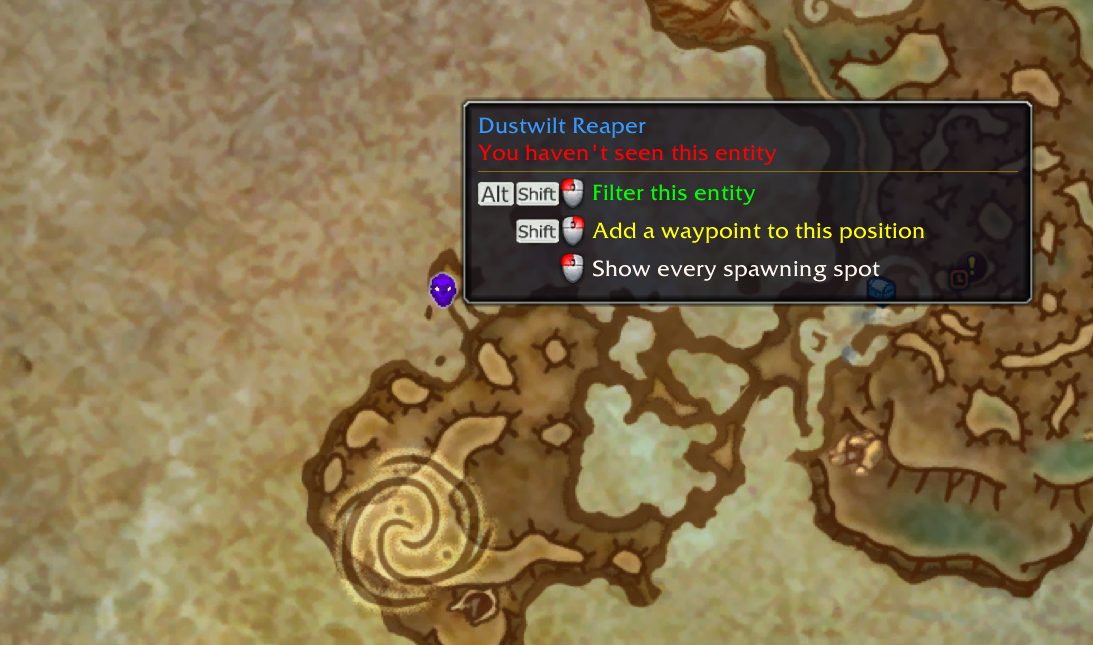
RareScanner adds icons of every rare NPC, treasure and event that it tracks to your worldmap. When you hover your mouse over these icons you will get extra information in a tooltip.
It also shows all the spawning spots for every tracked entity and for some entities it also adds some guidance icons to help you reach to its position, force its spawn or unlock it.
Starting with Dragonflight, now RareScanner integrates with the new control that highlights reputation sources in the world map, so when you select a faction it will also highlight every rare NPC and container that grants reputation with the faction selected.
You can customize all the information displayed in the map and the tooltips from RareScanner options panel.
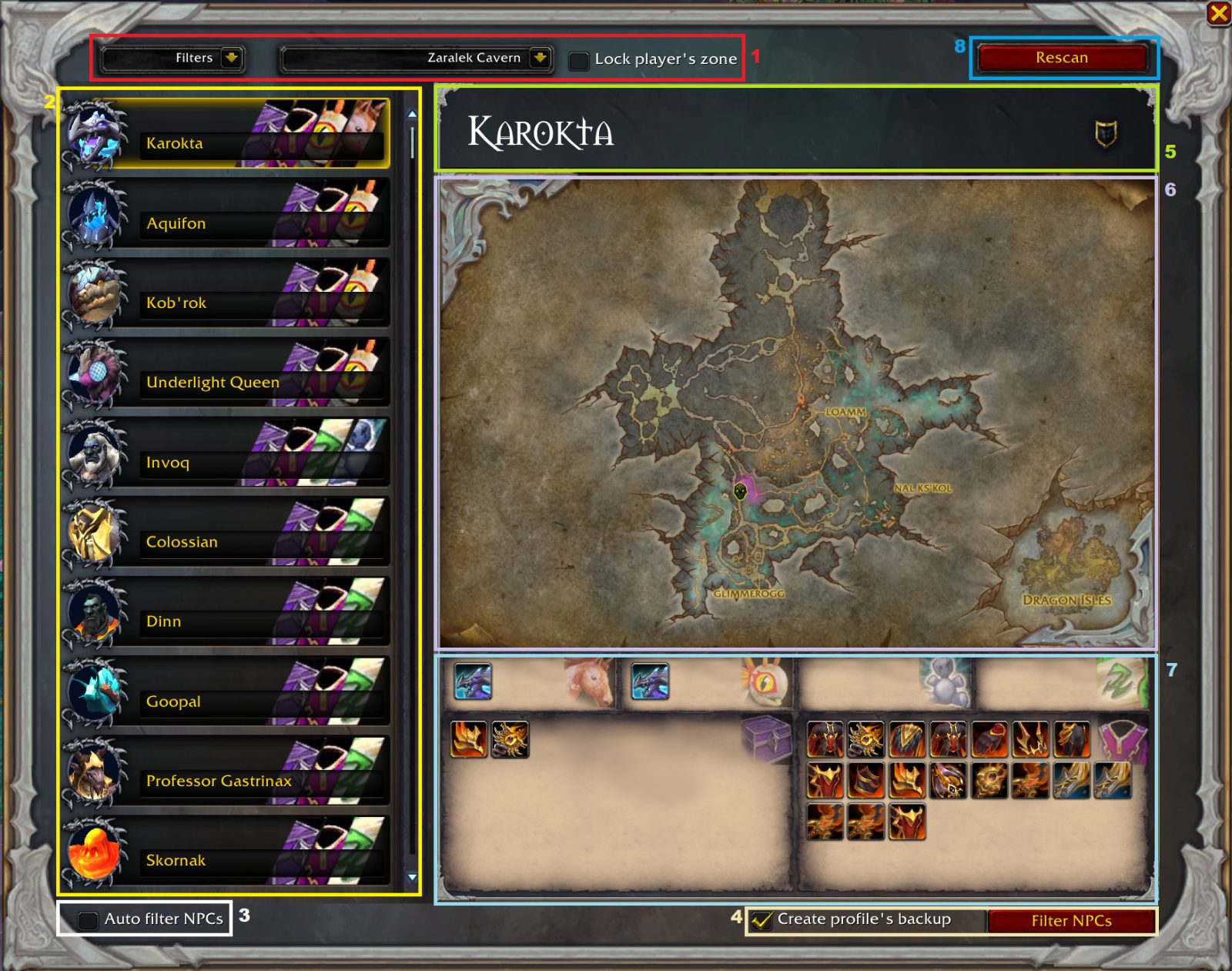
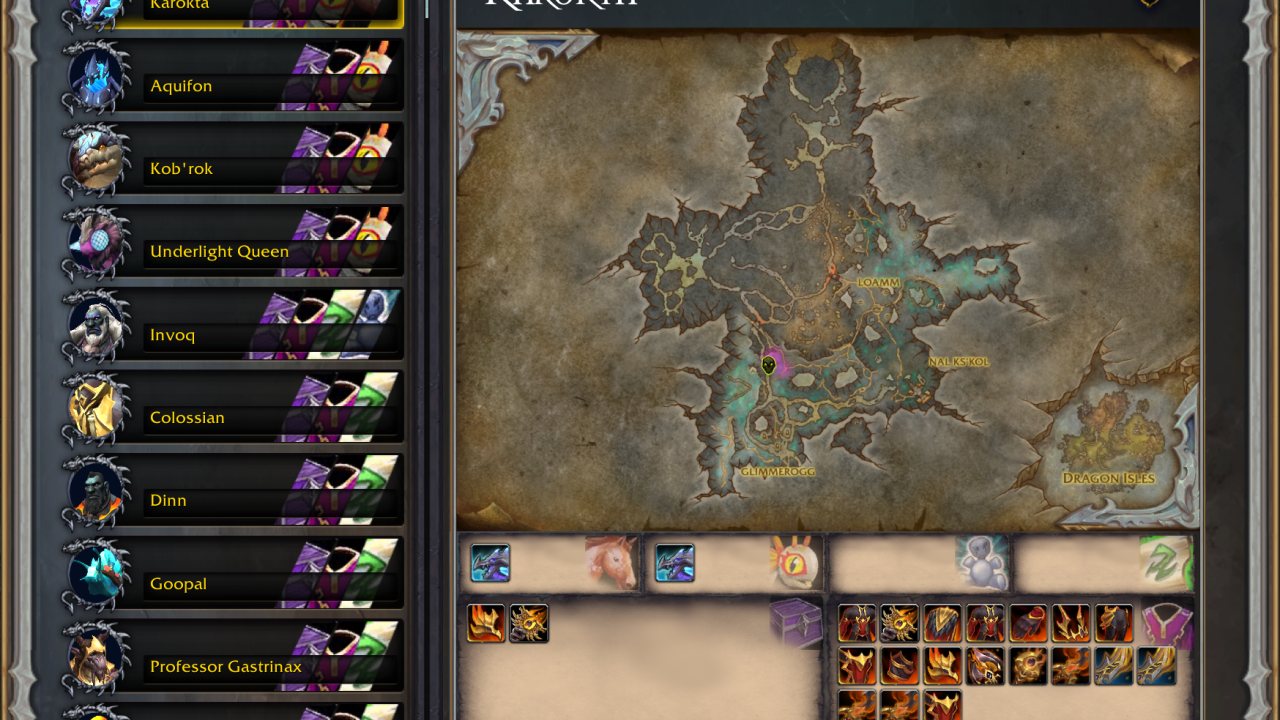
Rare NPCs explorer
RareScanner is designed to help you track every rare NPC/treasure/event in the game, but usually you will be more interested in finding NPCs that drop useful loot, like missing mounts or pets that you want to add to your collection.
While you can use the world map to check the loot of every NPC/treasure by hovering the mouse over their icons, it will take a lot of work to find exactly those missing items, so here is where the explorer comes in handy.
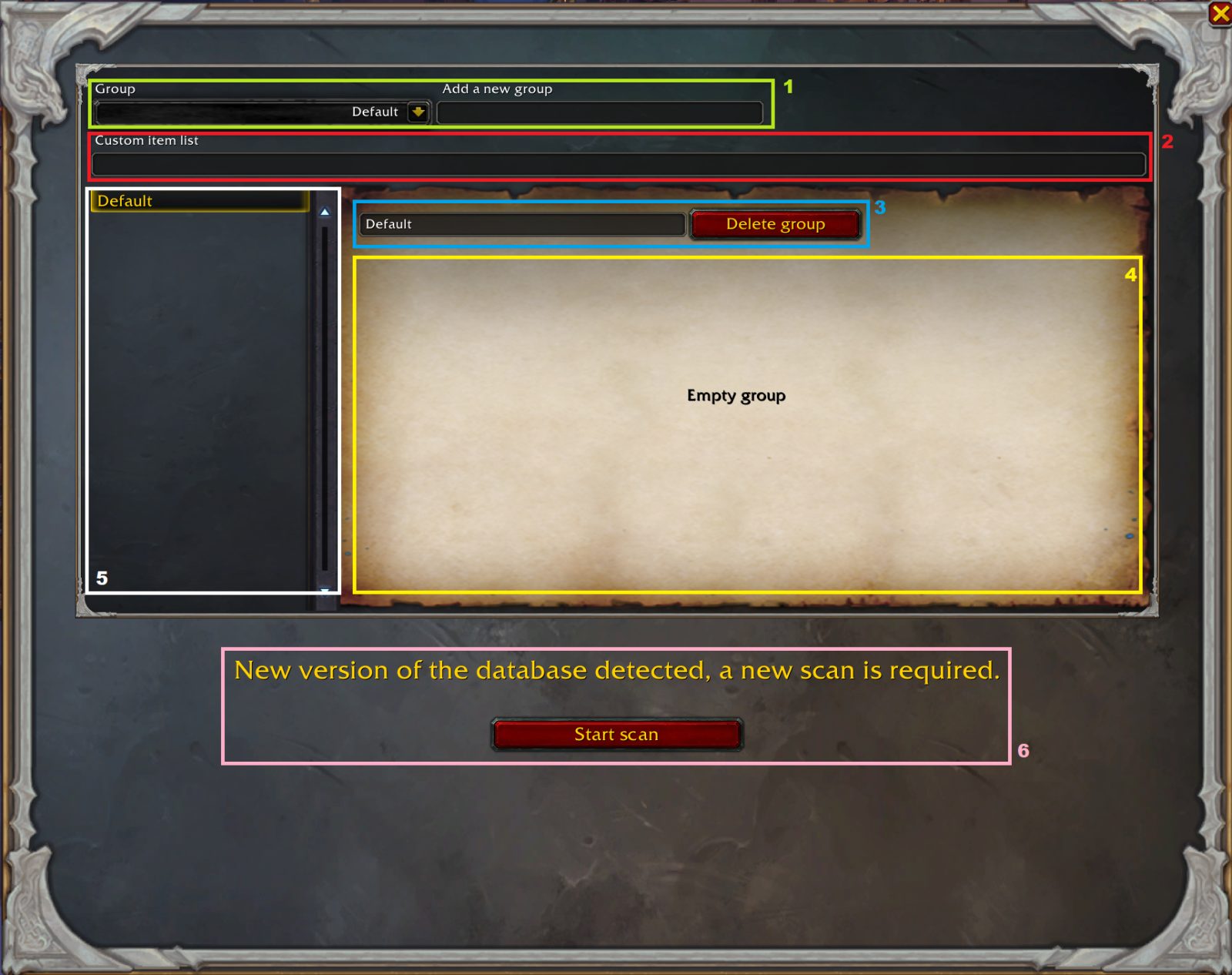
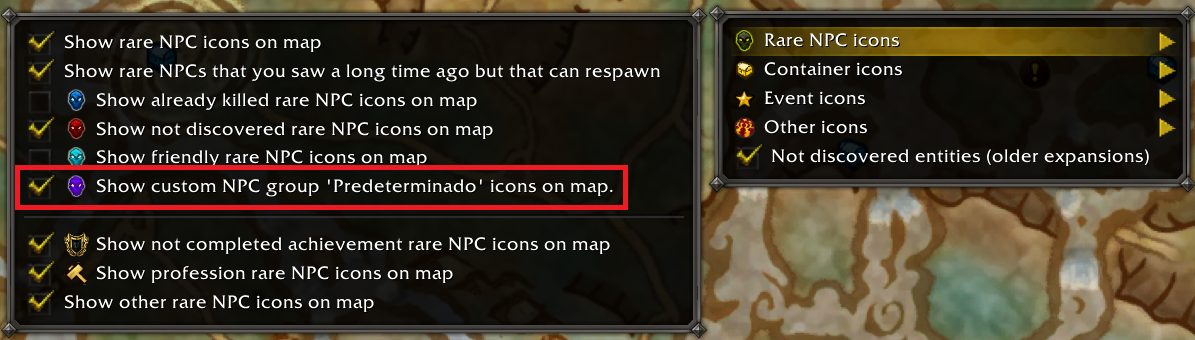
Custom NPC
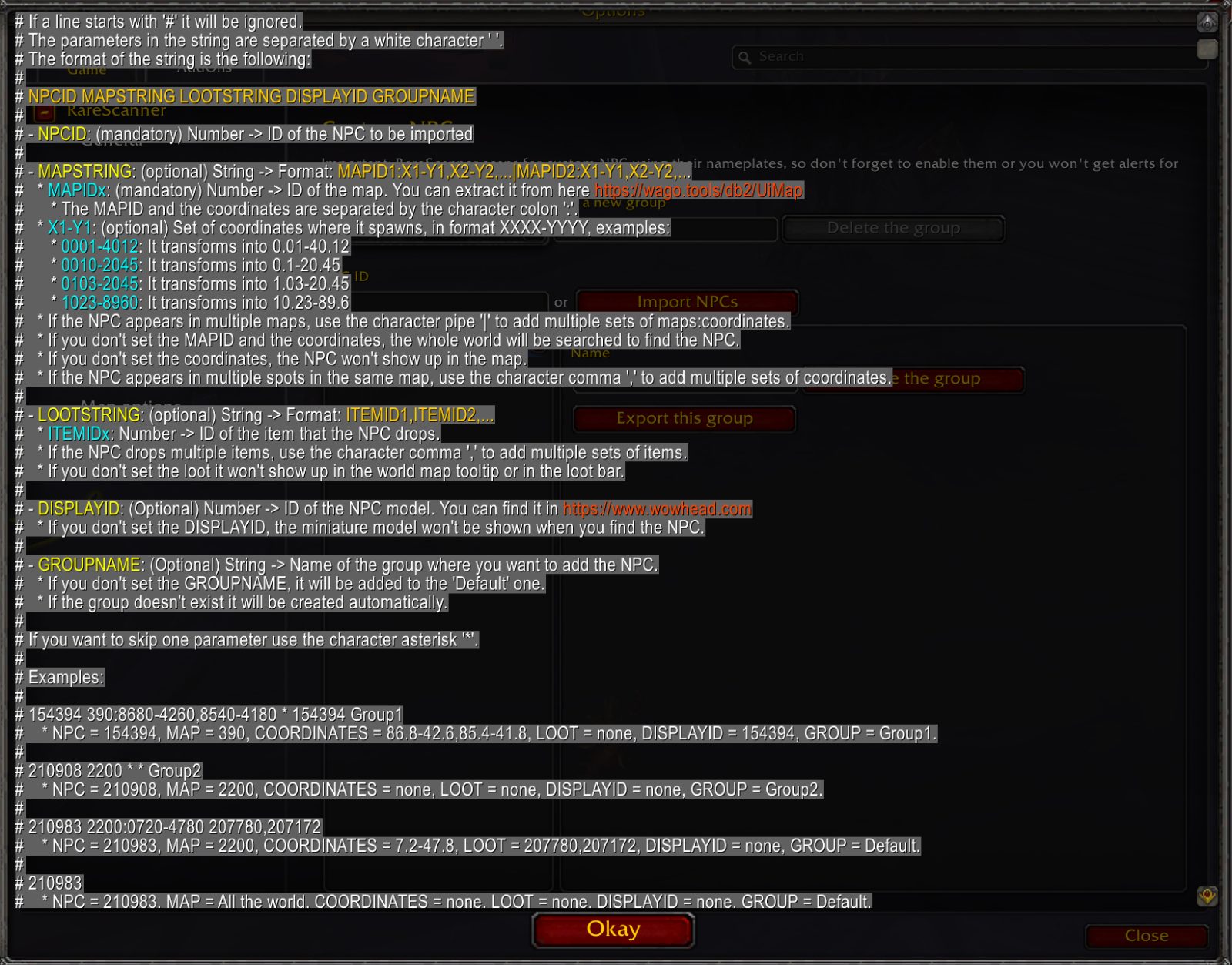
RareScanner allows you to add your own NPCs (even if they aren't rare), so you can get alerts whenever you pass by them.
Filtering entities
Out of the box RareScanner will be tracking every entity in the game, however you might be interested only in a few. Using the previous tools (the world map interface, the explorer, the button with the alert or RareScanner options), you can configure the addon to track only for what you are interested in.
More information
Visit the pages for this project to learn more about the addon.
Important notes for Khaz Algar.
1. There are several treasures in Hallowfall and The Ringing Deeps that spawn everywhere. In order to avoid getting constant alerts for them you should filter them completely or at least filter their visual/audio alerts so they won't drive you crazy. You can find these options under "RareScanner -> Container filters".
2. With the launch of a new patch I need one or two weeks to collect all the loot tables, so every rare NPC added in 11.0.2.x don't have much loot available yet. For this reason, you shouldn't use the explorer to filter NPCs yet, because it will filter all these new entities. If you do, use the "NPC filters panel or the world map menu" to reenable them.
How to increase the detection range (Classic/Wrath and Retail in older zones).
By default, in older zones the addon will use very light basic systems to detect rare/custom NPCs in the area (mouse events and nameplates).
These systems are very limited in range, so that's why the addon includes a new system called Target Unit that will detect NPCs in a target range.
This system is disabled by default so you have to manually enable it.
Click on this link to access all the information regarding this new system and how to enable it.
Elite import lists for WoW Classic Hardcore
Here you can find lists to import normal elite NPCs in RareScanner if you want to get alerts for them or to check where they spawn.
Midnight pre-patch
You can print the next spawn timers for all rare NPCs using this command: /rs midnight
Midnight (Important notes)
- NPCs in Midnight reward reputation only the first time you kill them, this means that if you have enabled the "Filter by missing reputation" in your world map, rare NPCs won't come back and you won't get alerts to them.
- As soon as you hit level 90 there will be plenty of containers to find, I suggest you to use the "STOP" button in the notifications as you find them to don't be bothered constantly.
ABOUT THIS LISTING
This page describes RareScanner by maqjav. The description and screenshots are the author's own, imported from their listing on CurseForge on 14 August 2026: https://www.curseforge.com/wow/addons/rarescanner
Mythiq hosts no files for it. The download button goes straight to the release file on edge.forgecdn.net, so you are downloading from the author's own host, not from a copy of ours.
The download count, rating and comments on this page start at zero and count Mythiq only. The source's own figures are not copied here — they measure a different site, and a number that cannot be checked against our own ledger is not worth printing.
Media
explorer-interface-guide
explorer-custom-items
custom-npcs-map2
custom-npcs-map1
custom_npcs_options4
Requirements
Game version
12.1.0
GAME FLAVOUR
This is a retail (modern World of Warcraft) build. It will not work in the Classic clients, which run a different interface API.
INTERFACE VERSION
Built against game version 12.1.0. After a patch, an addon that has not been updated is flagged out of date; most keep working, and the "Load out of date AddOns" checkbox on the character screen lets you try.
DEPENDENCIES
Some addons need a separate library addon (Ace3, LibStub and friends) that is not bundled. If the addon does not appear in the list in game, a missing dependency is the usual reason.
Installation
1. Quit World of Warcraft completely. The game reads the AddOns folder at launch and will overwrite settings for an addon added while it is running.
2. Download the archive with the button on this page and unzip it.
3. Move the folder — the one with the .toc file in it, not the zip's wrapper folder — into:
World of Warcraft\_retail_\Interface\AddOns
4. Start the game. On the character selection screen, click AddOns and check that it is listed and enabled.
IF IT DOES NOT APPEAR
Nine times out of ten the folder is nested one level too deep. Interface/AddOns/Thing/Thing/Thing.toc will not load; Interface/AddOns/Thing/Thing.toc will.
UPDATING
Delete the old folder before unzipping the new one. Unzipping over the top leaves files behind that the new version no longer expects.
This release downloads from edge.forgecdn.net, not from us, so
there is no checksum to compare against. Scan the archive before you unpack it.
Version history
RareScanner_12.1.0.2Latest
14 Aug 2026 · 4.1 MB via edge.forgecdn.net · 18 downloads Download
Off-site on edge.forgecdn.net —
no checksum, because we never held this file.
Link checked by our review team on 14 Aug 2026.
Tell us if something is wrong — a file that will not work, content taken from
someone else, or anything that looks unsafe. Reports go to our review team, not
to the author.
We use cookies to ensure that we give you the best experience on our website and improve your experience. By continuing to use this site you consent to such use of cookies.