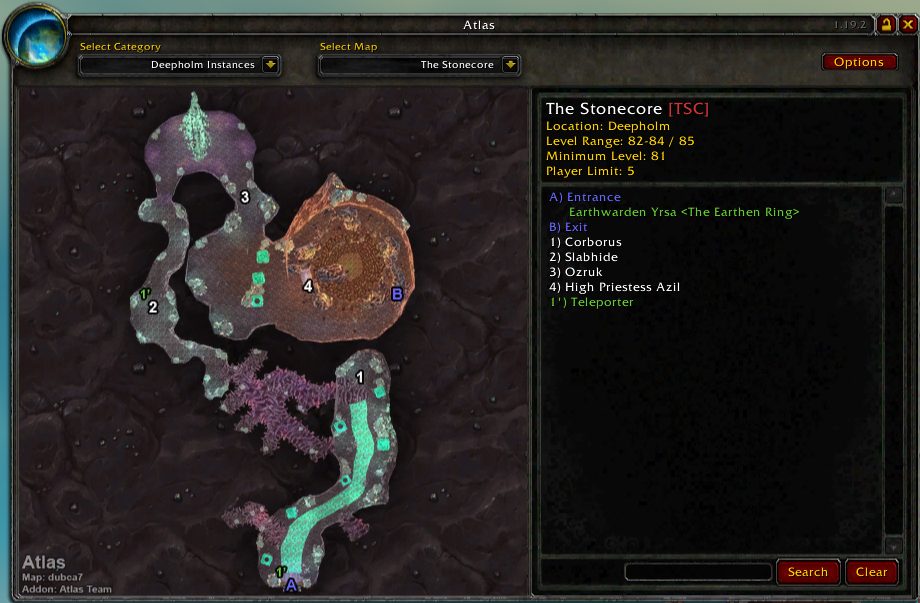
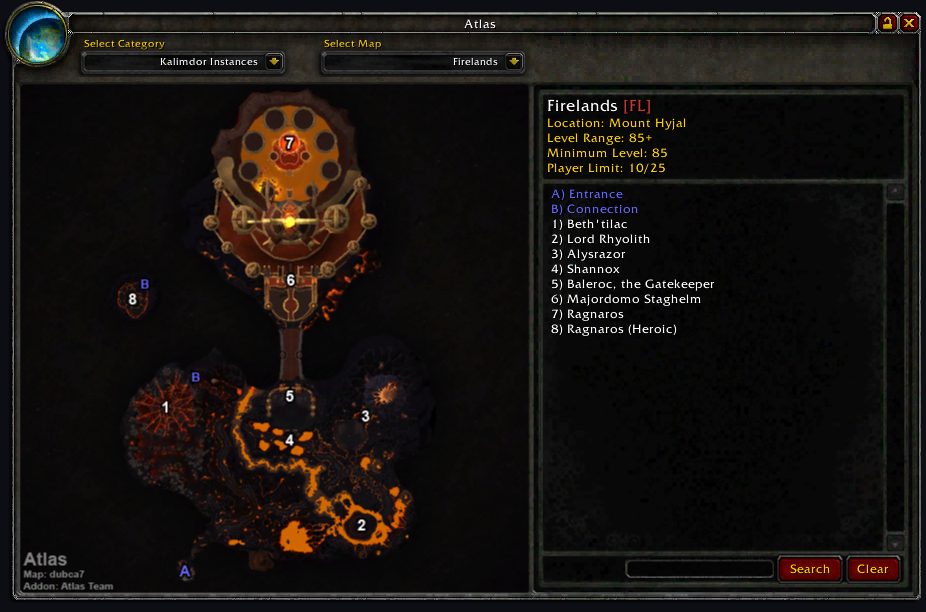
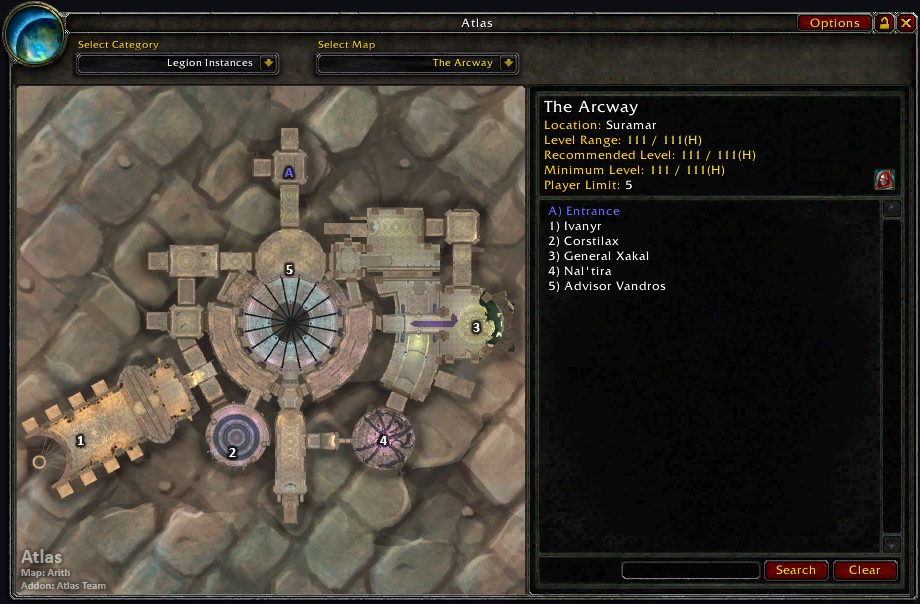
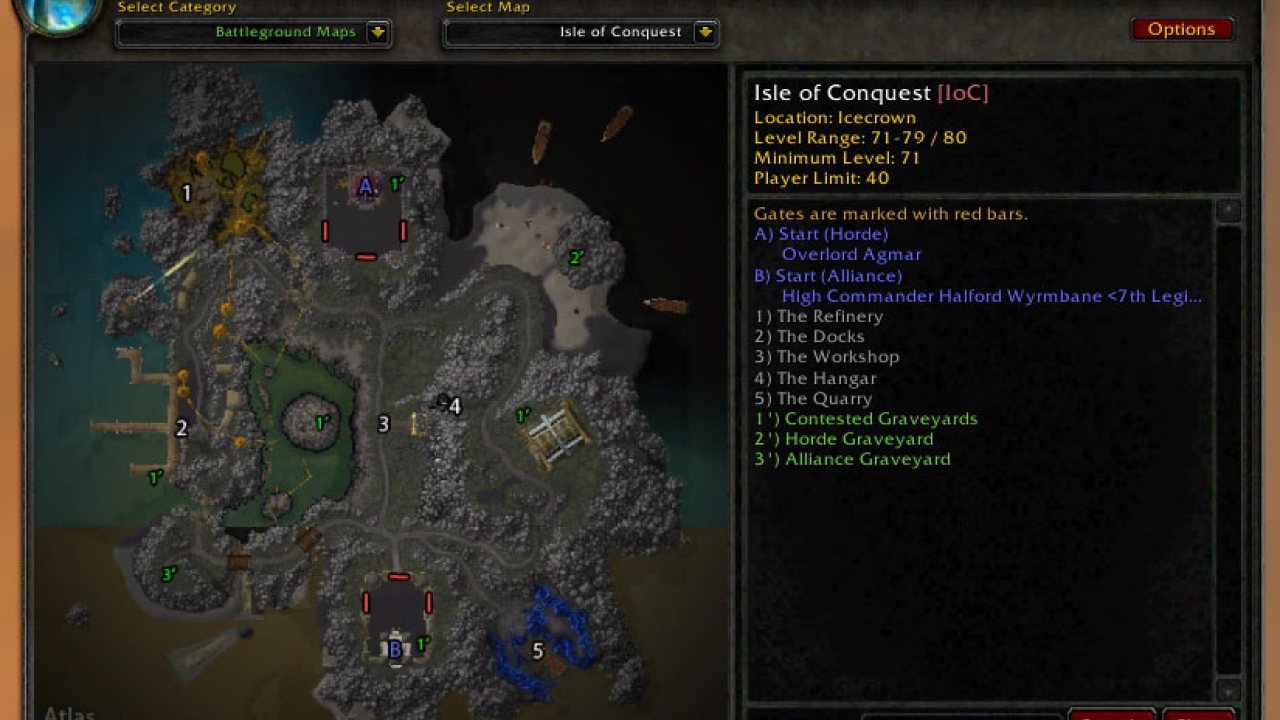
Atlas is an addon for World of Warcraft that includes detailed maps for every instance in the game. Originally, Blizzard neglected to include maps for instances. And that's why Atlas was born.The 1st author - Daniel Gilbert created Atlas with the help from several artists and map creators together with several translators to provide the instance maps for player.
However, after a number of years Blizzard began to include official maps for some instances but not all. And then in around the build of 7.0, finally Blizzard decided to complete all the missing instance maps.
These official maps which Blizzard provided are in the same hand-drawn style as the built-in world maps. Conversely, the Atlas maps are based on data used by the minimap, which provides a more detailed, accurate, and colorful representation. You can think of this as the difference between a street map and a satellite image.
Features
Map browser
The core of Atlas is basically an image viewer. However, it's the images that come with Atlas that make it worthwhile - a map for every instance in the game. Furthermore, while the built-in maps mark the locations of major bosses, Atlas provides detailed and accurate information about all of the creatures, NPCs, objects, and events you'll encounter in each instance.
Instance Information
General information about each zone is provided as well, including its location, level range, player limit, attenuation requirement, minimum gear level to enter the instance, and associated faction (if any). All entrances, exits, portals, and connections are labelled clearly.
Maps' Categorization
Because there are so many instances in the game, you can categorize them by type, level, number of players, continent, or expansion.
Boss Tips
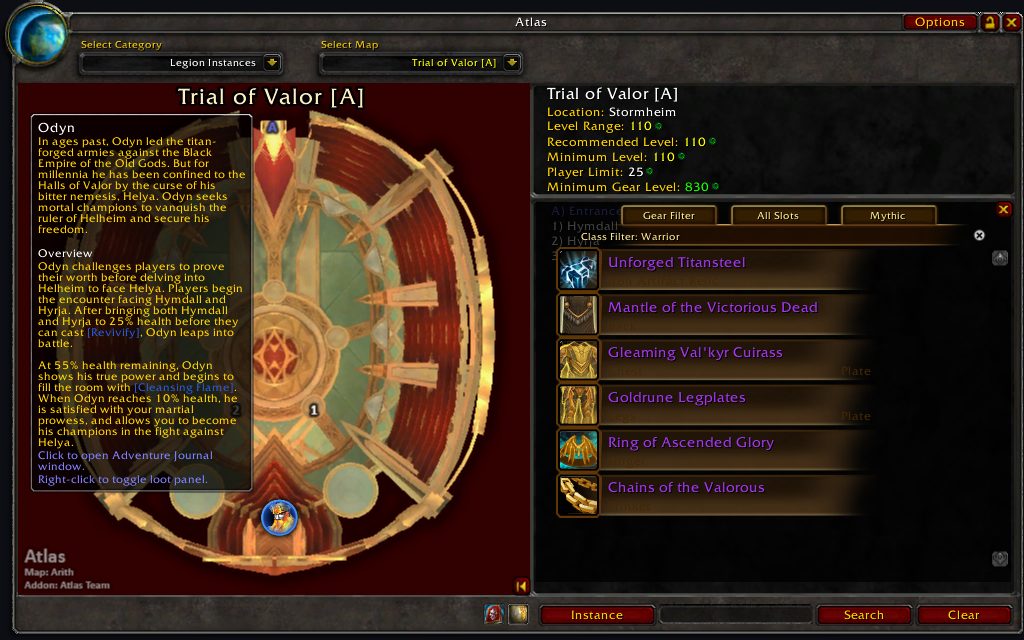
By hovering the mouse over the boss icon, you will be able to see a brief description of specific boss and the strategy to face him/her if you are a damager, tank, or healer.
Boss Drops
By hovering the mouse over the boss icon and right-click it, you will be able to see what items will drop from this boss. You can even further filter the items base on your class and specialized talent.
Other Features
Minimap Button
After installing Atlas, you'll notice a new icon on the minimap that looks like part of a little globe (you can right-click the icon to drag it around the minimap's frame). Click this icon to open up the main Atlas window, which displays the maps and legend.
You can also drag the Atlas window around the screen. Lock it in place with the little lock button in the upper-right corner.
Slash Command
You can alternatively use the following slash-commands to manipulate Atlas related function:
- /atlas - This will launch Atlas window
- /atlasbutton - This will toggle minimap button
- /atlasoptions - This will open Atlas options frame
Search
At the bottom of the legend is a small text-entry field as well as Search and Reset buttons. Type part of a word or name in the box and click the Search button, and the legend's entries are reduced to only those that match your text. Note that the search is performed only on the entries for the current map, not all the entries in the database. While not so useful for instances with only a few entries like Ragefire Chasm, the search comes in handy when there are a ton of entries, like for Blackrock Depths or the AtlasMajorCities plug-in. If you want to get the whole list back, just click Reset.
Extensions
Atlas also includes maps of Class Order Halls, Scenarios, Battlegrounds, Dungeon Locations, Transportation, and Outdoor Raid Bosses. Though due to the size of Atlas is dramatically increased after several expansions were released, we have decided to split the modules (instance maps for each of WoW expansion) and plug-ins into separate addon project. You will have to go to each of the project's download point to download and install them.
Before Installing
- It is recommended that any previous versions of Atlas including Atlas' built-in plugins and modules to be deleted prior to installation.
- Atlas' 3rd-party plugins (AtlasLoot, AtlasQuest, etc.) designed for any version of Atlas prior to this one may need to be deleted as they may not be compatible.
How to Install
- Unzip the package into your World of Warcraft folder.
- Your zip software must preserve directory structures.
If you're having trouble, please visit here:
https://wow.gamepedia.com/AddOn#Installing_an_addon
Configuration
Atlas has a few simple options, accessible from the Options button in the upper-right corner of the main window, or with the slash-command /atlas options. A few of the settings aren't very self-explanatory so here's some more information about them.
Auto-Select Instance Map: detects the instance that you're in when you open Atlas, and then automatically switches to the appropriate map. This feature doesn't work in instances that have more than one map, like Blackrock Spire, Dire Maul, or many of the Outland instances. In this case, Atlas remembers the last map you had open.
Right-Click for World Map: makes the World Map open when you right-click anywhere on the Atlas window. This is useful when you want to quickly switch from Atlas to the World Map.
Clamp Window to Screen: makes it so that you can't drag the Atlas window off the edge of the screen. The rest of the options are pretty straightforward. The Reset Position button is useful if the Atlas window ever gets dragged completely off-screen and you can't get it back.
Modules and Plugins
Due to the total size of our addon is increasing bigger and bigger since we are having more and more maps with each expansion, we have heard many users complaining about the download issue, and suggested us to find some workaround.
We have discussed internally and also discuss with Curse and WoWInterface team, our final decision is to separate our built-in plugins into individual addon packages (also individual addon projects).
Also, we have moved out the old instance maps and re-categorized them based on the expansion set. For example, Burning Crusade instance maps are now only available in another addon package - Atlas_BurningCrusade.
This provide the flexibility of addon downloading. Users who don't need any specific plugin or expansion's instance maps can decide not to download them. Or, those plugins and old instance maps won't get frequently updated, therefore, users who have download all the Atlas addon packages don't need to download all the packages each time when there is a new release.
Links to All Addon Packages
Map modules
- Battle for Azeroth
- Legion
- Warlords of Draenor
- Mists of Pandaria
- Cataclysm
- Wrath of the Lich King
- Burning Crusade
- Classic WoW
Plugins
- Class Order Halls
- Scenarios (currently discountinued)
- Battlegrounds
- Dungeon Locations
- Outdoor Raids
- Transportations
3rd Parties Atlas Plugins
Atlas has a built-in plugin system allowing for the easy addition of map packs. In fact, Atlas ships with 6 of these plugins (for class order halls, battlegrounds, dungeon locations, flight points, scenarios, and outdoor raid bosses). If you're interested in making your own Atlas map pack, we suggest you start with one of these four as a guide. You can contact us or post on the Atlas forums if you need help, however we suggest you do as much research as possible beforehand. Furthermore, there are several Atlas plugins developed and maintained by other author teams that do more than simply provide additional maps.
- AtlasLoot provides a loot table for each boss
- AtlasQuest displays the quests associated with each instance.
- AtlasMajorCities displays each major cities and all the NPCs, merchants, vendors, trainers info
- Atlas World Events provide maps and quests information for WoW World Events.
- Atlas Arenas provide arenas maps.
If you run into any problem with above 3rd-party plugins, please go to corresponding project site to report it to the development team.
Integration
- LibDataBroker (LDB)
- Titan Panel
- AtlasLoot
Contributors
- dubcat - Contributor and formal artist om author team
- Dynaletik - Contributor and formal author team member
- Lothaer - Contributor and formal author team member
- Resike - Contributor and formal author team member
- Daniel - Original author
- And many of the translators who contribute their private time in translating this addon; also many of the players who reported issues or provide detailed information regarding to what need to be revised or adjusted.
License
Atlas is released under the GNU General Public License (GPL).
For the full license text please see: gpl-v2-enUS.txt
Localization
If you are interested in helping translating Atlas, you can contribute your translation via CurseForge's interface here: https://wow.curseforge.com/projects/atlas/localization
Currently Atlas has been translated into following languages:
- German
- Spanish
- French
- Russian
- Simplified Chinese
- Traditional Chinese
- Brazilian Portuguese
- Korean
ABOUT THIS LISTING
This page describes Atlas by arithmandar. The description and screenshots are the author's own, imported from their listing on CurseForge on 3 October 2026: https://www.curseforge.com/wow/addons/atlas
Mythiq.net hosts no files for it. The download button goes straight to the release file on edge.forgecdn.net, so you are downloading from the author's own host, not from a copy of ours.
The download count, rating and comments on this page start at zero and count Mythiq.net only. The source's own figures are not copied here — they measure a different site, and a number that cannot be checked against our own ledger is not worth printing.
Media
Atlas.png
Atlas.png
Atlas_Legion.png
Atlas loot panel
Requirements
Game versions
5.5.4
12.1.0
2.5.6
1.15.9
GAME FLAVOUR
This is a retail (modern World of Warcraft) build. It will not work in the Classic clients, which run a different interface API.
INTERFACE VERSION
Built against game version 5.5.4, 12.1.0, 2.5.6, 1.15.9. After a patch, an addon that has not been updated is flagged out of date; most keep working, and the "Load out of date AddOns" checkbox on the character screen lets you try.
DEPENDENCIES
Some addons need a separate library addon (Ace3, LibStub and friends) that is not bundled. If the addon does not appear in the list in game, a missing dependency is the usual reason.
Installation
1. Quit World of Warcraft completely. The game reads the AddOns folder at launch and will overwrite settings for an addon added while it is running.
2. Download the archive with the button on this page and unzip it.
3. Move the folder — the one with the .toc file in it, not the zip's wrapper folder — into:
World of Warcraft\_retail_\Interface\AddOns
4. Start the game. On the character selection screen, click AddOns and check that it is listed and enabled.
IF IT DOES NOT APPEAR
Nine times out of ten the folder is nested one level too deep. Interface/AddOns/Thing/Thing/Thing.toc will not load; Interface/AddOns/Thing/Thing.toc will.
UPDATING
Delete the old folder before unzipping the new one. Unzipping over the top leaves files behind that the new version no longer expects.
This release downloads from edge.forgecdn.net, not from us, so
there is no checksum to compare against. Scan the archive before you unpack it.
Tell us if something is wrong — a file that will not work, content taken from
someone else, or anything that looks unsafe. Reports go to our review team, not
to the author.
We use cookies to ensure that we give you the best experience on our website and improve your experience. By continuing to use this site you consent to such use of cookies.