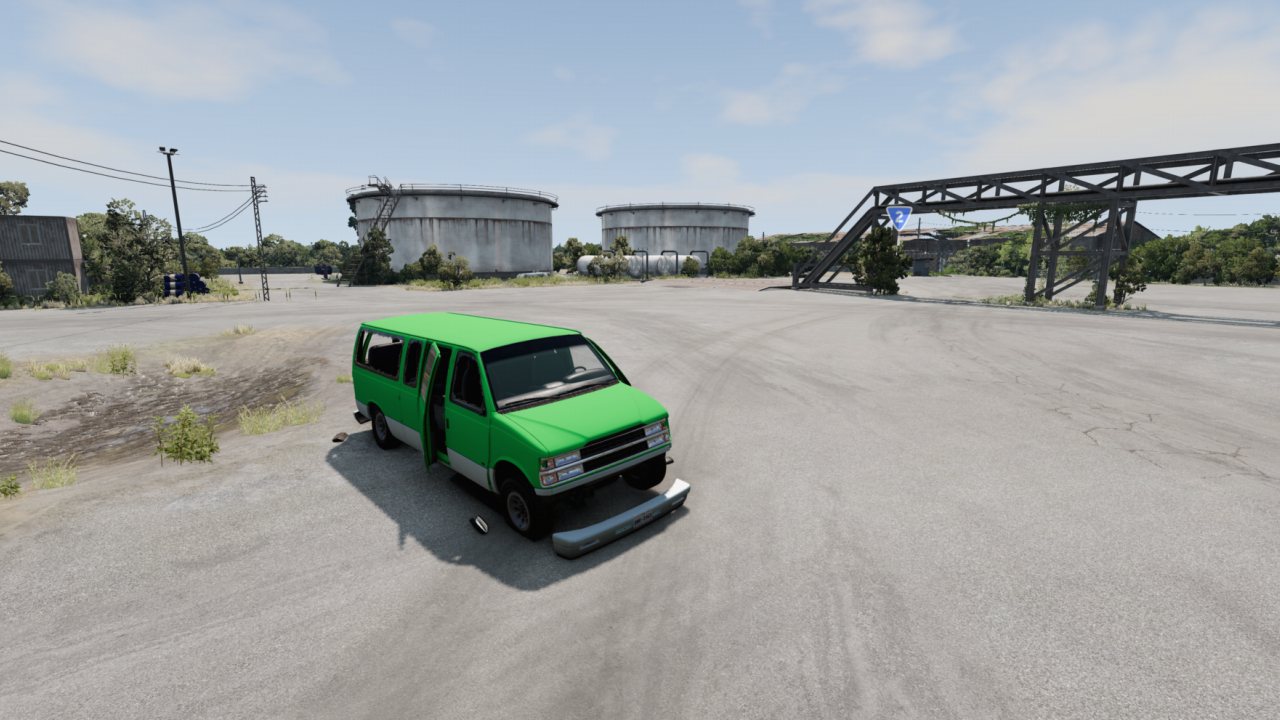
An app that generates used vehicles with randomized conditions and spawn locations.
The used car generator app is a tool which can procedurally generate vehicles at randomized conditions and at a random location/road on the map.
It is highly configurable and can generate wear values to over 25 different car parts.
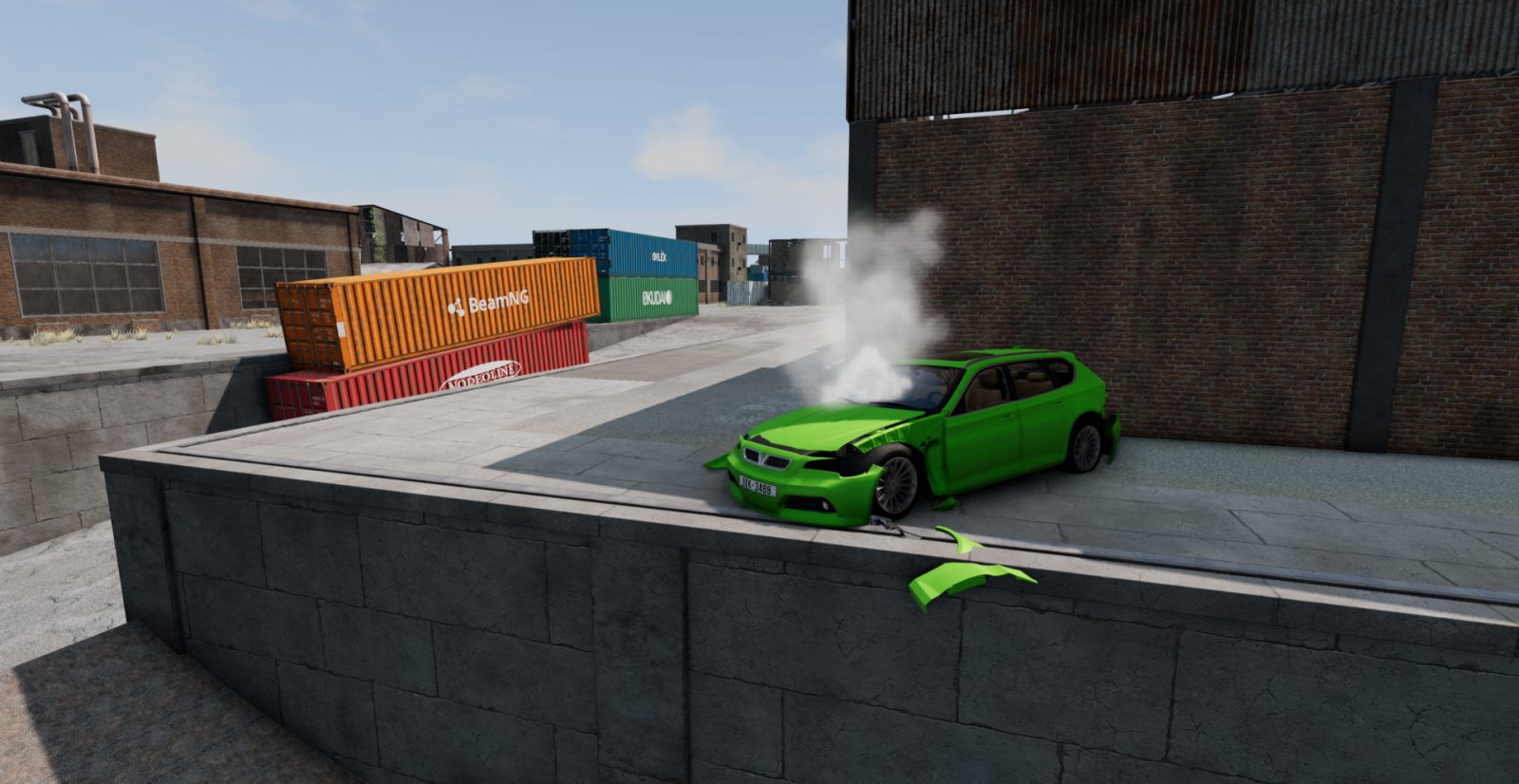
Some examples:
The user app
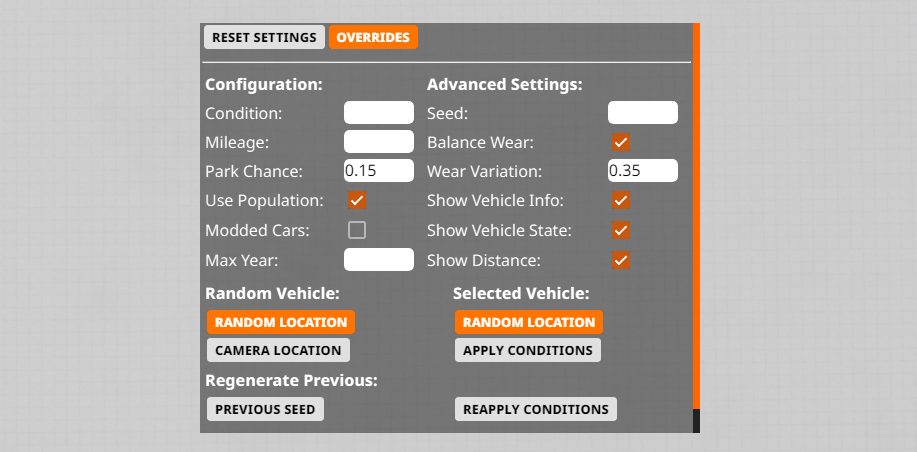
This is the tool used to generate the vehicles. Here's how to use it:
Condition - The overall condition of the vehicle. Leave blank for random.
Mileage - Affects the condition of some parts. Leave blank for random.
Park Chance - Chance for the vehicle to generate at a parking spot, IF the map contains any (otherwise it will spawn on a road). Format example: 0.5 = 50% Chance.
Use Population - Whether the vehicle models uses it's population data (in the config .json file) to set it's chance of being picked, essentially making the selection more realistic. If turned off, all vehicles have an equal chance to be picked. NOTE: Turn off this setting if some modded cars doesn't generate even with Modded cars turned on.
Modded Cars - Whether the generator can generate modded cars. PSA: Testing was limited with modded vehicles, some may break the game.
Max Years - The maximum year model of the vehicle that the generator can pick. Useful for barn find roleplays.
Generation Seed - Seed for which vehicle is chosen by the generator as well as it's spawn location. Leave blank for random.
Condition Seed - Seed for the Overall condition, mileage and Part Wear. Leave blank for random.
Balance Wear - If turned on, some parts will use an exponential curve for it's wear calculations. Otherwise, it uses a linear curve. This setting can prevent vehicles with average condition to be completely undrivable.
Wear Variation - The higher this number, the more likely parts wear will be different from the vehicle's overall condition. A high number may produce unrealistic results.
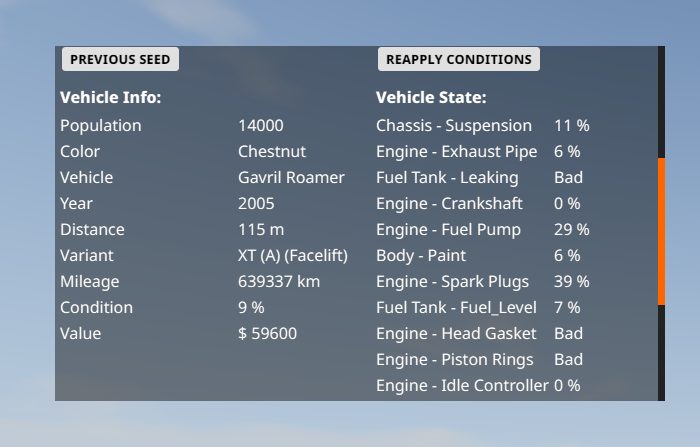
Show Vehicle Info - Displays various information about the vehicle model that was generated. (Make sure to scroll down)
Show Vehicle State - Displays the general condition of the car parts. See the override menu below for more info.
Show Vehicle Distance - Displays the distance of where the vehicle was generated from the location of the player's camera at the time it was requested.
Show Seed - Displays the Generation Seed. Will instead display the Condition Seed if conditions were applied on the selected vehicle instead.
Deformation - Enables deformation damage, controlled by the Body Panels damage. DISCLAIMER: This feature is highly experimental and may cause very strange behaviors, such as the vehicle litterally exploding.
On the "Random Vehicle" section, click on Random Location to generate a randomized vehicle on a random road node (or parking spot), or Camera Location to generate the vehicle next to you.
On the "Selected Vehicle" section, click on Random Location to generate a clone of the currently selected vehicle at a random location and Apply Conditions to apply part conditions/wear on the selected vehicle.
The Previous Seed button will reset the vehicle you previously generated with all of it's condition data while Reapply Conditions reapplies the previous condition seed on the selected vehicle. Useful if the car needed to be reset for whatever reasons.
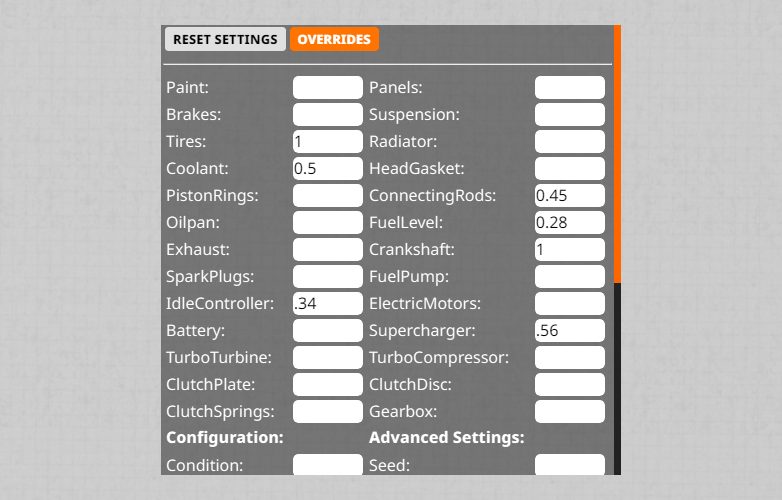
The Override menu makes you tweak specific part conditions. If the field of that part is blank, it will be randomized by the overall condition instead. NOTE: Some part's displayed condition will not be fully accurate to what has been inputted, due to their wear calculation taking account mileage and/or are tied to an in-game damage mechanic.
Each parts with low condition have different effects and symptoms to the vehicle (instead of just: the car makes less power), which I documented in the discussion thread of the mod. (linked below)
Notice
This is my first BeamNG mod and is still currently under development. So constructive feedback and bug reports are highly appreciated.
For a more advanced usage guide, check out this discussion thread: https://www.beamng.com/threads/used-car-generator.98516/
(NOTE: This thread is outdated, a new updated one will be made soon.)
Images
-
-
-
-
-
-
-
ABOUT THIS LISTING
This page describes Used Car Generator by Cedminer66. The description and screenshots are the author's own, imported from their listing on the BeamNG.drive repository on 24 October 2026: https://www.beamng.com/resources/used-car-generator.30414/
Mythiq.net hosts no files for it. The download button goes straight to the release file on beamng.com, so you are downloading from the author's own host, not from a copy of ours.
The download count, rating and comments on this page start at zero and count Mythiq.net only. The source's own figures are not copied here — they measure a different site, and a number that cannot be checked against our own ledger is not worth printing.
Media
Requirements
BeamNG.drive on a current build. The repository lists a mod as outdated once it stops loading, but a mod written for an older release can still misbehave quietly rather than fail outright — check the resource page for the author's own compatibility note before reporting a fault.
Nothing else is required unless the author says so above. BeamNG mods are self-contained zip archives; there is no loader or framework to install first.
Installation
1. Download the archive with the button on this page. Do NOT unzip it — BeamNG loads mods as zips.
2. Put the zip in your mods folder:
Windows — Documents\BeamNG.drive\\mods
Linux — ~/.local/share/BeamNG.drive//mods
3. Start the game and open the Mod Manager from the main menu to confirm it is listed and active.
4. Vehicles appear in the vehicle selector; maps appear under Freeroam.
UPDATING
Delete the old zip before adding the new one. Two versions of the same mod in the folder is the usual cause of a vehicle appearing twice, or of parts that will not fit together.
IF SOMETHING LOOKS WRONG
Clear the cache: in the Mod Manager, use "Clear cache and restart". Most oddities after an update — missing textures, parts that vanish — are a stale cache rather than a broken mod.
This release downloads from beamng.com, not from us, so
there is no checksum to compare against. Scan the archive before you unpack it.
Tell us if something is wrong — a file that will not work, content taken from
someone else, or anything that looks unsafe. Reports go to our review team, not
to the author.
We use cookies to ensure that we give you the best experience on our website and improve your experience. By continuing to use this site you consent to such use of cookies.