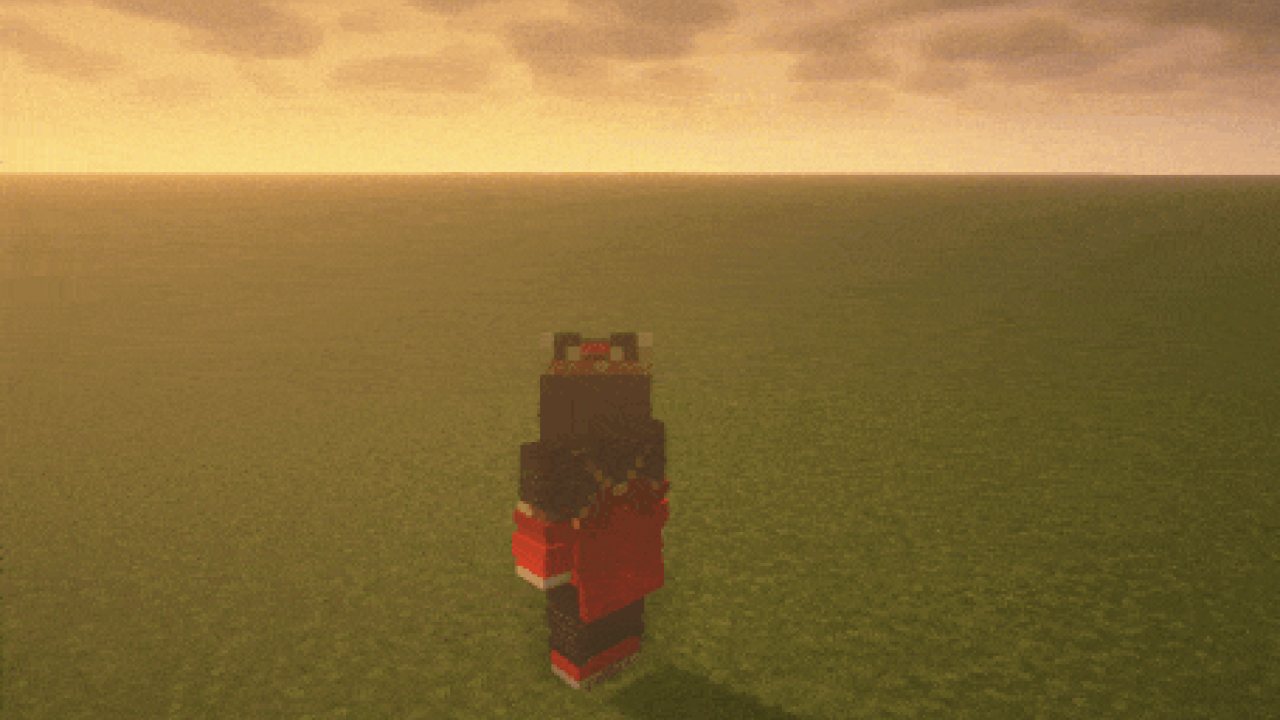
WaveyCapes brings your cape to life with smooth animations and realistic physics. Instead of a stiff block of a cape, this mod renders it as a single, flexible piece that bends and flows naturally.
Customize your cape's appearance and behavior using the in-game config screen - accessible via the mod list. Choose between different rendering styles, tweak wind effects, and fine-tune the physics to your liking.
Since WaveyCapes is purely visual and fully client-side, it works seamlessly on any server without requiring installation server-side.
Simulation V2 (Default)
- Capes sway left and right for a more dynamic feel
- Improved bending physics to prevent clipping or harsh angles
- Fully reworked underwater behavior and resistance
Different Styles
- Simulation V2 - Fully dynamic and simulated cape
- Simulation - "2022 was HOW long ago?"
- Classic - Just adds a nice bend into the cape
- Dungeons - Replica of the Minecraft Dungeons cape behavior
And probably many more, just try it and see!
Check out Essential to get some fun cosmetics for you and your friends, including animated capes!
- When swimming/crawling, the cape in Simulation V2 style can fold the wrong way.
- Custom slots like Curios are currently ignored for the cape offset.
- Mods that hide the chestplate like Show my Skin are also ignored for the cape offset.
Does this need to be installed on the server?
No. This is a fully client-side mod and does not need to be installed on the server.
Will this work with mod x that adds capes?
Try it and see. If the cape is implemented in a vanilla/mod friendly way, it should just work.
Can I get a cape?
This mod will not give you a cape. Either you already have one from Mojang, or use one of the many supported mods listed above to get one for free.
I am making a modpack, how do I remove that Essential button in the main menu/pause screen?
Open the poput by pressing the button, click on I don't want to see this and confirm. Make sure to include the config/essential-mod-partner/config.json in your modpack.
👤 Thanks to the awesome translators and contributors on Github!
📄 License: tr7zw Protective License
Feel free to use this mod in your Modrinth/Curseforge hosted modpacks without asking for permission. Do not redistribute the jar files anywhere else!
ABOUT THIS LISTING
This page describes Wavey Capes by tr7zw. The description and screenshots are the author's own, imported from their listing on Modrinth on 26 October 2026: https://modrinth.com/mod/wavey-capes
Mythiq.net hosts no files for it. The download button goes straight to the release file on cdn.modrinth.com, so you are downloading from the author's own host, not from a copy of ours.
The download count, rating and comments on this page start at zero and count Mythiq.net only. The source's own figures are not copied here — they measure a different site, and a number that cannot be checked against our own ledger is not worth printing.
Requirements
Game version
26.3
MOD LOADER
This release is built for Neoforge. A mod built for one loader will not load under another — Fabric mods do not run on Forge, and vice versa.
GAME VERSION
Built for Minecraft 26.3. Minecraft mods are tied to an exact version: a 1.21.4 build will refuse to load on 1.21.5.
DEPENDENCIES
Check the author's listing for required libraries before you start the game — a missing dependency shows up as a crash on launch, not as a warning.
Installation
1. Install Neoforge for the Minecraft version you play, if you have not already.
2. Download the .jar with the button on this page. Do not unzip it — a mod jar is installed as it is.
4. Launch the game with the Neoforge profile selected.
ON A SERVER
Anything that changes world generation or gameplay has to be installed on the server as well as on every client. Client-side visual and interface mods do not.
UPDATING
Replace the old .jar rather than adding the new one beside it. Two versions of the same mod in the folder is a crash on launch.
This release downloads from cdn.modrinth.com, not from us, so
there is no checksum to compare against. Scan the archive before you unpack it.
Version history
v1.11.3Latest
18 Oct 2026 · 1.7 MB via cdn.modrinth.com · 0 downloads Download
What's Changed
feat: Support for MoreBannerFeatures by @DomiIRL in https://github.com/tr7zw/WaveyCapes/pull/150 (needs a future release of MoreBannerFeatures)
Improve performance of cape rendering by @Wyvest in https://github.com/tr7zw/WaveyCapes/pull/149
Update libs fixing leak issues in combination with Fabric API
Update libs fixing a rare crash happening on Forge when loading many of my mods at once
New Contributors
@Wyvest made their first contribution in https://github.com/tr7zw/WaveyCapes/pull/149
Full Changelog: https://github.com/tr7zw/WaveyCapes/compare/1.11.2...1.11.3
Off-site on cdn.modrinth.com —
no checksum, because we never held this file.
Link checked by our review team on 26 Oct 2026.
Tell us if something is wrong — a file that will not work, content taken from
someone else, or anything that looks unsafe. Reports go to our review team, not
to the author.
We use cookies to ensure that we give you the best experience on our website and improve your experience. By continuing to use this site you consent to such use of cookies.