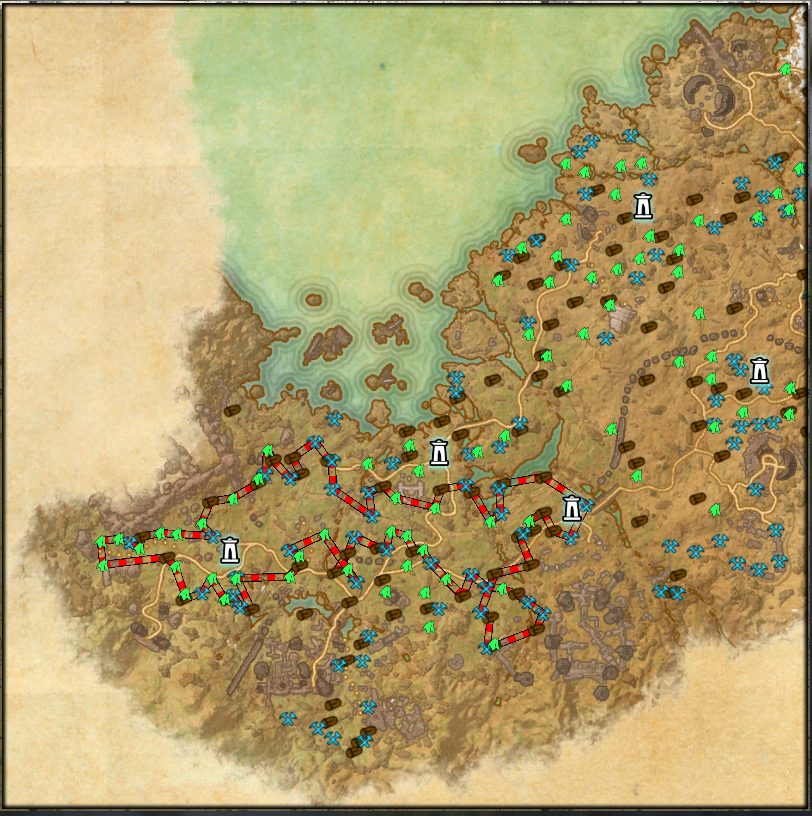
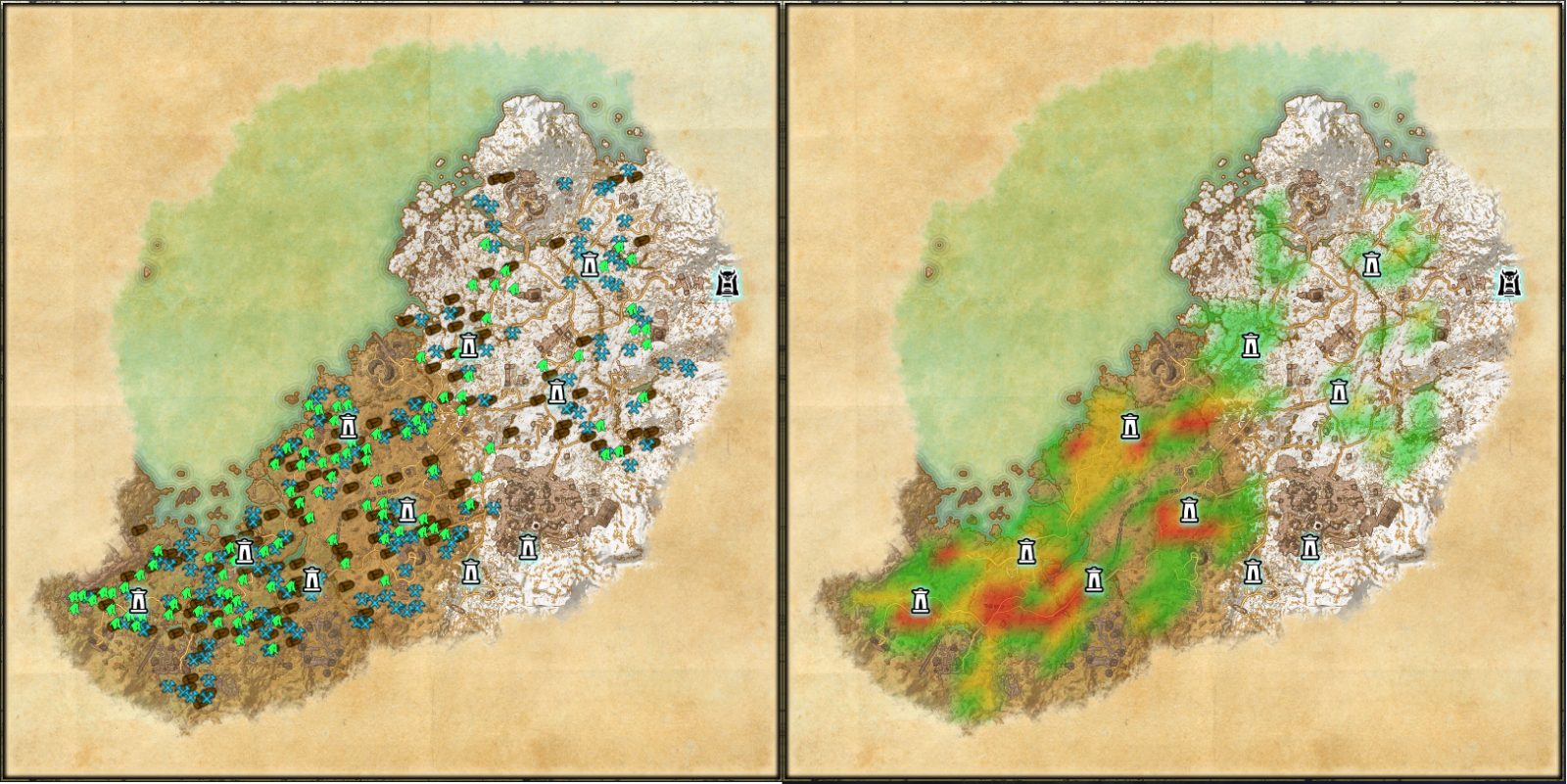
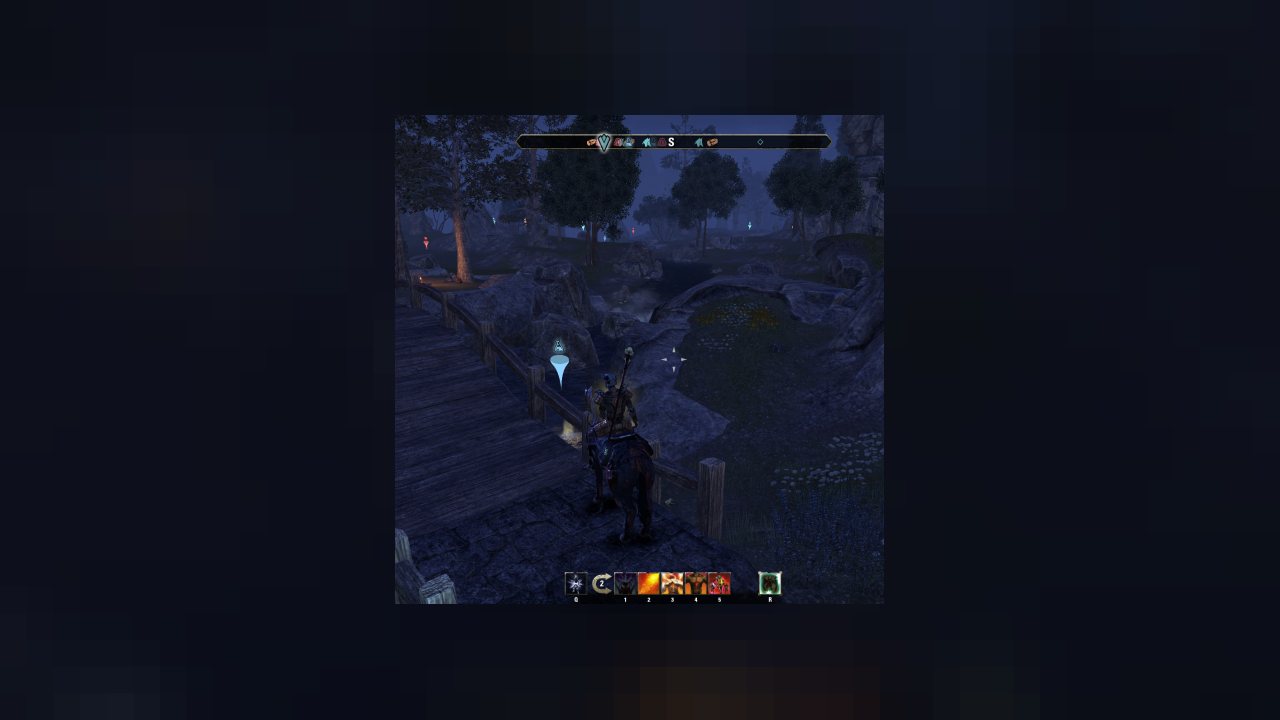
HarvestMap displays resource nodes, chests and fishing spots on map, compass and the 3d world.
You must install both LibAddonMenu-2.0 and LibMainMenu-2.0. Otherwise HarvestMap will not load!
AddOn description
HarvestMap displays resource nodes, chests and fishing spots on map, compass and the 3d world.
Whenever you harvest crafting materials, lockpick a chest, fish at a fishing hole, this addon will save the location and place a pin on your map, compass and in the 3d world.
So if you need a certain resource later, you can easily see the locations where the resource spawns.
This addon does NOT come with any precollected resource locations, this addon will only display the locations you discovered yourself. However, you can download locations that other players discovered by using the HarvestMap-Data addon.
Other features:
- heatmap mode, which displays the resource density on the map
(can be enabled in the filter panel on the right side of the ingame map)
- a filter to hide pins that have not respawned yet
(comparable to the Keen Eye passive skill)
- an editor to generate efficient routes for farming
Tracked resources/locations:
- Smithing and Jewelry ore
- Clothing material
- Wood
- Runestones and Psijic Portals
- Mushrooms (alchemy ingredients)
- Flowers/Herbs (alchemy ingredients)
- Water plants (alchemy ingredients)
- Crimson Nirnroot (alchemy ingredient)
- Solvents (alchemy ingredients)
- Giant clams (alchemy ingredients)
- Chests
- Heavy Sacks
- Thieves troves
- Safeboxes
- Hidden stashes (hidden containers in the Gold Cost and Hew's Bane zone)
- Fishing spots
Extensions
- Hatori created some really nice alternative textures, which you can find here.
- Generic has created an extension that simplifies creating routes for more efficient farming. You can find it here.
FAQ
Content
- How to hide pins of a certain resource type?
- Why are smithing and jewelry nodes (Runestones and Psijic Portals) grouped in a single pin type?
- How to download resource locations?
- What is "NodeDetection" displayed in the addon/library list?
How to hide pins of a certain resource type?
When you open the map, there are five icons on the right side: A quest marker, a key, a funnel, a pin and a house icon.
If you click on the funnel (third icon), it will open the filters panel. Here you can enable/disable each pin type.
In the addon setting (ESC -> Settings -> Add-Ons -> HarvestMap) you can also enable/disable resource types individually for the 3d and compass pins.
In the settings menu, scroll to the approriate section (map, compass, or 3d pins). There you can turn on/off each pin type.
Why are smithing and jewelry nodes (Runestones and Psijic Portals) displayed as one pin type?
Blacksmithing and Jewelry nodes share their spawn locations. Likewise Runestones and Psijic Portals share their spawn locations.
That means, each ore location will randomly spawn smithing or jewelry ore and a Runestone/Psijic Portal location will randomly spawn a runestone or Psijic portal. It is not possible to know ahead of time, which of the two will spawn at a given location.
How to download resource locations?
If you want to download the locations of pins so you don't have to discover them yourself, you can install the addon HarvestMap-Data.
https://www.esoui.com/downloads/info3034-HarvestMap-Data.html
What is the "NodeDetection" library displayed in the add-on list?
This is a library used by HarvestMap to hide resource that have not respawned yet. If you do not use the option to display only spawned resources, then you can disable this library.
ABOUT THIS LISTING
This page describes HarvestMap by Shinni. The description and screenshots are the author's own, imported from their listing on ESOUI on 14 August 2026: https://www.esoui.com/downloads/info57-HarvestMap.html
Mythiq hosts no files for it. The download button goes straight to the release file on cdn.esoui.com, so you are downloading from the author's own host, not from a copy of ours.
The download count, rating and comments on this page start at zero and count Mythiq only. The source's own figures are not copied here — they measure a different site, and a number that cannot be checked against our own ledger is not worth printing.
Media
Requirements
Game versions
12.0.0
11.3.0
11.2.0
11.1.0
11.0.0
10.3.5
API VERSION
Built for ESO API version 12.0.0, 11.3.0, 11.2.0, 11.1.0, 11.0.0. After a patch the game marks add-ons built for the previous API as out of date; the "Allow out of date add-ons" checkbox in the add-on menu loads them anyway, and most work.
LIBRARIES
Many ESO add-ons depend on a shared library — LibAddonMenu-2.0 above all — which is installed separately, exactly like an add-on. A dependency that is missing shows as the add-on simply not appearing in the list.
CONSOLE
Add-ons are PC and Mac only. There is no way to load them on console.
Installation
1. Download the archive with the button on this page and unzip it.
2. Move the unzipped folder into your add-ons directory:
Windows — Documents\Elder Scrolls Online\live\AddOns
3. Start the game, and at the character select screen click Add-Ons.
4. Tick the add-on. If it is greyed out and marked out of date, tick "Allow out of date add-ons" at the top of the same panel.
5. Log in. Most add-ons need a /reloadui after they are first enabled.
UPDATING
Delete the old folder first. ESO loads everything it finds, and two copies of one add-on is the usual cause of "an add-on has produced an error" on login.
This release downloads from cdn.esoui.com, not from us, so
there is no checksum to compare against. Scan the archive before you unpack it.
## 3.16.12
- fixed lua error when using heatmap mode
## 3.16.11
- fixed lua error when collecting herbalist's satchel
## 3.16.10
- fixed error when playing in German
## 3.16.9
- fixed error when harvesting jewelry ore
## 3.16.8b
- internal changes to improve data exchange server efficiency.
## 3.16.8
- fixed interaction target not being detected (which caused incorrect resource location being recorded)
- fixed pins for "unknown nodes" being displayed despite the node actually being known already
- updated german localization
## 3.16.7b
- actually uploaded the new files... whoops
## 3.16.7
- fixed issue where available pin filters would not update when discovering crimson nirnroot, stashes, herbalist satchels for the first time on a map (2nd attempt...)
- added option to change the 3d pin base texture
- added 3d pin base to the texture presets
- fixed spawned filter not working on the main map when "show only nearby pins" was disabled
## 3.16.6
- fixed issue where available pin filters would not update when discovering crimson nirnroot, stashes, herbalist satchels for the first time on a map
- added color and texture presets. now addons like HarvestPins can change the default icons.
## 3.16.5
- fixed nodes not being displayed on the solstice map if the player character is currently in solstice
## 3.16.4
- maps that change from one version to another will have their data merged (eg solstice)
- If you downloaded node locations, then you will need to redownload them again.
## 3.16.3
- fixed compass distances
- collected data from old solstice map will be displayed (this applies your locally collected data. i still need to fix the downloadable data on the server)
## 3.16.2
- added spanish localization by cisneros
- fixed lua error that could occur when entering subzones/cities while displaying unknown resource pins
## 3.16.1
- fixed lua error when no data is available for the current map
## 3.16.0
- greatly improved performance on maps with many nodes.
(had to remove the visited timer for this)
- added map filters to console UI
- added herbalist satchel pin type (eg blackreach)
- pin type filters now depend on the current map to keep list shorter (eg herbalist satchel filter checkbox is only displayed on maps that have herbalist satchels)
- added scrollable map filters when filter list gets too long
## 3.15.14
fixed stuck 3d pins that can occur while the respawn filter is enabled
## 3.15.13
fixed crash on PTS
## 3.15.12
added french localization by XXXspartiateXXX
## 3.15.11
removed a debug message that was printed when opening chests
## 3.15.10
- heavy sacks etc should now be properly saved when playing in german, french, russian, spanish
- fixed various bugs in Blackreach. old pins will be missing on minimap, compass and 3d world, but new pins will be properly displayed. the filter that displays only spawned resources should also work in blackreach
- fixed tour editor on pts server
## 3.15.9
- fixed duplicate name incompatibility with other addons
## 3.15.8
- updated api version
- improved compatibility with old/outdated addons that use outdated versions of LibAddonMenu
- updated russian localization by OlegKRS
- added chinese localization by juijote
- updated german localization
## 3.15.7
- fixed a bug where the data of the AD, DC, EP, DLC or NF module were not loaded until doing a /reloadui
Off-site on cdn.esoui.com —
no checksum, because we never held this file.
Link checked by our review team on 14 Aug 2026.
Tell us if something is wrong — a file that will not work, content taken from
someone else, or anything that looks unsafe. Reports go to our review team, not
to the author.
We use cookies to ensure that we give you the best experience on our website and improve your experience. By continuing to use this site you consent to such use of cookies.