Tracks rare drops, including companions and mounts
PLEASE READ THIS COMMENT BEFORE REPORTING ANY 12.0/MIDNIGHT ERRORS!
NEW:
- Rarity now has a Discord server!
If you're interested in following the development process or contributing, you should also check out the official GitHub repository. We're always in need of more hands to help us make the addon better!
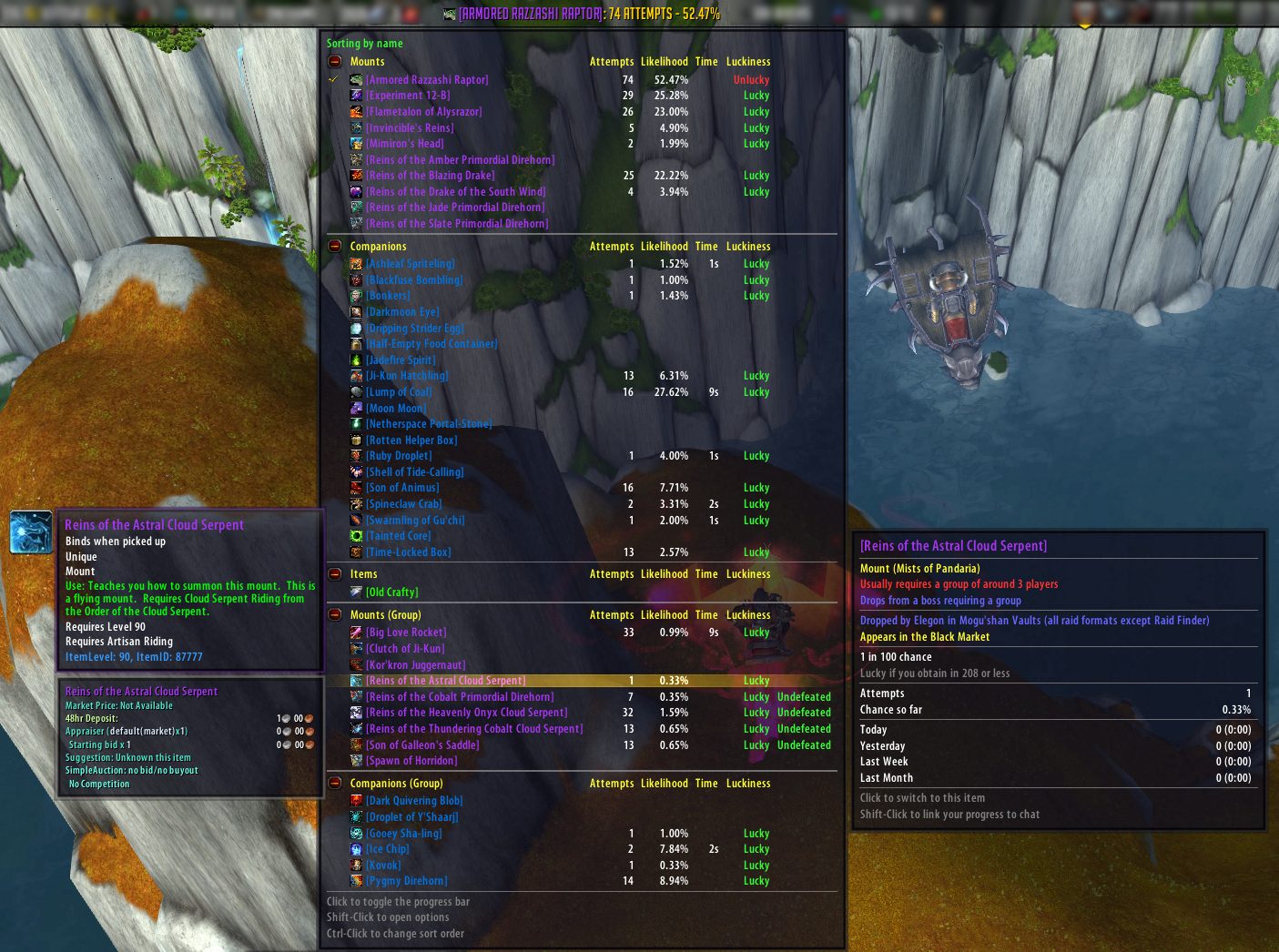
Rarity tracks how many times you've tried to obtain various rare items like mounts, battle pets, and toys. It will tell you how likely you are to obtain the item, track how long you've been farming for it, and tell you how lucky you've been so far. Although it's mostly used for mounts, battle pets, and toys, it supports pretty much any item, including profession patterns, archaeology projects, and more.
Looking for Rarity Item Packs? Click here.
Out of the box, Rarity includes support for every single mount, battle pet, and toy in the game which require some time to farm. It also includes support for some mount-related items like Skyshard, Primal Egg, and Giant Dinosaur Bone. It'll even notice if you mouseover a Mysterious Camel Figurine, plus lots of other stuff. Rarity factors in the size of a typical group when determining probabilities, and can also tell you if you've killed various bosses this week (or day). Holiday just started, and you didn't notice? Rarity will give you a helpful reminder to run those holiday dungeons or daily quests if you still need an item from them.
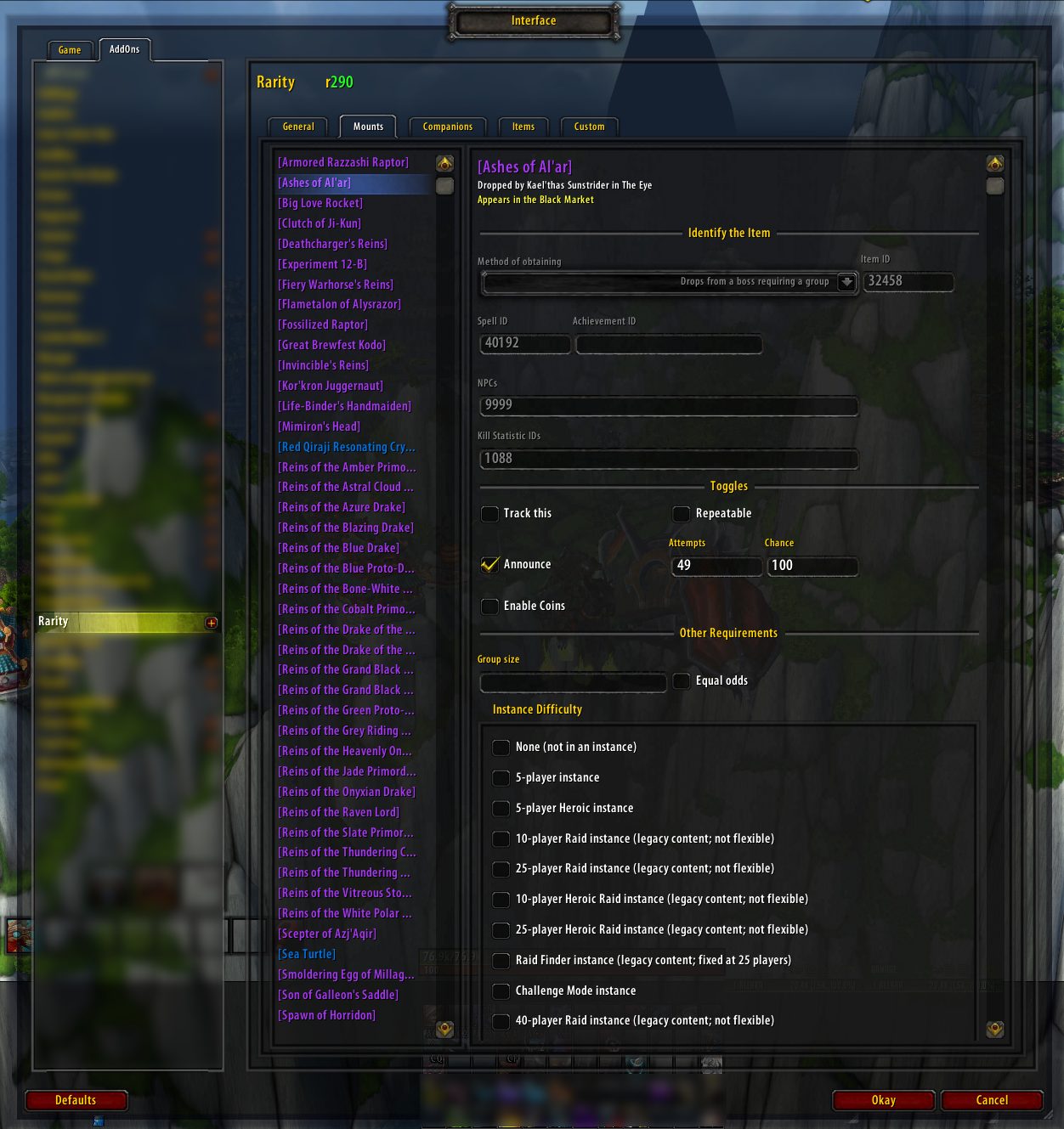
If Rarity doesn't track something you want to track, you can add it yourself! Just about everything is user configurable.
Curious what math is going on behind the scenes? The author of Bunny Hunter created the original algorithms. He wrote an article about it here. Your chance to obtain an item doesn't increase as you farm it; Rarity is just telling you how lucky you've been so far. It can be remarkably cathartic to see a progress bar move up as you spend hours upon hours trying for that Disgusting Oozeling.
Main features
- Rarity is primarily an LDB feed with a large tooltip. It can function as either a mini-map icon (you have to turn this on in the options), or as a standard LDB feed (use a display like Fortress, Button Bin, Titan Panel, or Chocolate Bar).
- Provides a progress bar, which you can toggle by clicking the icon or feed label.
- Adds info to NPC and item tooltips, showing you if it drops or contains something that Rarity tracks. Rare mobs with a guaranteed drop show which item they drop and if you've defeated them yet.
- Includes full source info, telling you how to obtain everything Rarity tracks.
Other features
- Share packs of items with other users
- Can automatically add waypoints to TomTom for certain items
- Uses statistics whenever possible to keep track of attempts
- Breaks your farming down by session, day, week, and month
- Looks at your instance locks to see if you've defeated various bosses recently
- Reminds you if you need to farm a holiday dungeon or daily quest, and hides holiday items that aren't available right now
- Supports bonus coin rolls
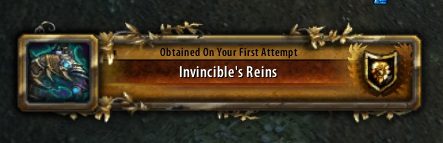
- Automatically screenshots when you obtain an item
- Keeps track of rare achievements like Frostbitten and Glorious
- You can add your own items to track
- Lets you modify your attempt count without having to edit saved variables
- Automatically imports data from Bunny Hunter if you're switching
Slash Commands
Simply typing /rarity should open the options menu (unless disabled).
For troubleshooting issues:
- /rarity dump displays the most recent debug log entries (even if the debug mode is disabled)
- /rarity validate checks the consistency of your item database, including custom items (experimental)
Comments & bug reports
- Discord server
- GitHub repository
- WowAce comments and questions
- WowAce issues tracker
Help translate Rarity
Click here to help translate Rarity into your language.
Frequently Asked Questions
Click here to read the Frequently Asked Questions. Please read this before requesting support.
ABOUT THIS LISTING
This page describes Rarity by RDW. The description and screenshots are the author's own, imported from their listing on CurseForge on 14 August 2026: https://www.curseforge.com/wow/addons/rarity
Mythiq hosts no files for it. The download button goes straight to the release file on edge.forgecdn.net, so you are downloading from the author's own host, not from a copy of ours.
The download count, rating and comments on this page start at zero and count Mythiq only. The source's own figures are not copied here — they measure a different site, and a number that cannot be checked against our own ledger is not worth printing.
Media
WoWScrnShot_102214_150036.png
WoWScrnShot_102214_145011.png
WoWScrnShot_081411_160707.jpg
Requirements
Game versions
11.2.7
1.15.8
5.5.3
GAME FLAVOUR
This is a Classic build. Retail and Classic run different interface APIs, and an addon built for one throws Lua errors on the other — check you are installing into the right client folder.
INTERFACE VERSION
Built against game version 11.2.7, 1.15.8, 5.5.3. After a patch, an addon that has not been updated is flagged out of date; most keep working, and the "Load out of date AddOns" checkbox on the character screen lets you try.
DEPENDENCIES
Some addons need a separate library addon (Ace3, LibStub and friends) that is not bundled. If the addon does not appear in the list in game, a missing dependency is the usual reason.
Installation
1. Quit World of Warcraft completely. The game reads the AddOns folder at launch and will overwrite settings for an addon added while it is running.
2. Download the archive with the button on this page and unzip it.
3. Move the folder — the one with the .toc file in it, not the zip's wrapper folder — into:
World of Warcraft\_classic_era_\Interface\AddOns (or _classic_ for the current Classic expansion)
4. Start the game. On the character selection screen, click AddOns and check that it is listed and enabled.
IF IT DOES NOT APPEAR
Nine times out of ten the folder is nested one level too deep. Interface/AddOns/Thing/Thing/Thing.toc will not load; Interface/AddOns/Thing/Thing.toc will.
UPDATING
Delete the old folder before unzipping the new one. Unzipping over the top leaves files behind that the new version no longer expects.
This release downloads from edge.forgecdn.net, not from us, so
there is no checksum to compare against. Scan the archive before you unpack it.
Version history
r751-releaseLatest
4 Jan 2026 · 2.4 MB via edge.forgecdn.net · 13 downloads Download
Off-site on edge.forgecdn.net —
no checksum, because we never held this file.
Link checked by our review team on 14 Aug 2026.
Tell us if something is wrong — a file that will not work, content taken from
someone else, or anything that looks unsafe. Reports go to our review team, not
to the author.
We use cookies to ensure that we give you the best experience on our website and improve your experience. By continuing to use this site you consent to such use of cookies.