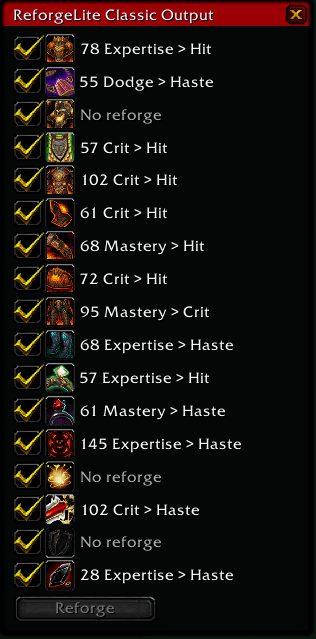
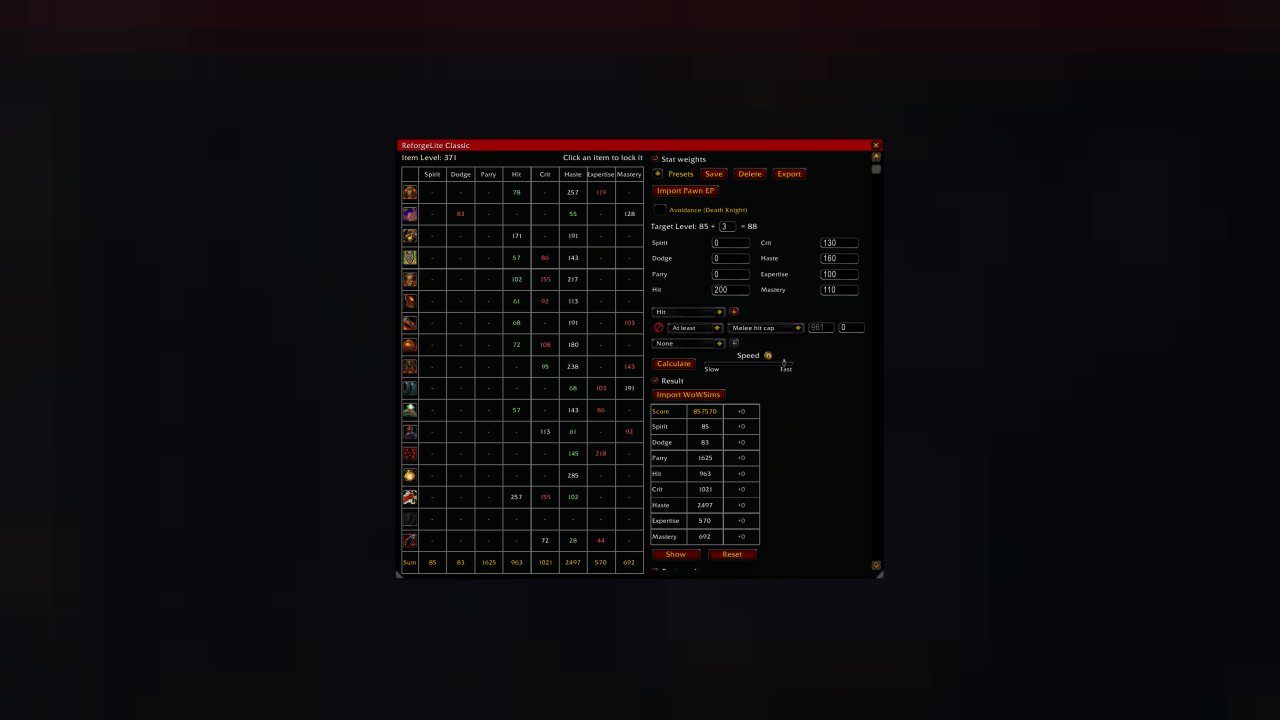
Calculates optimal reforging for given weights/caps.
Continued from: ReforgeLite
ReforgeLite is a reforging calculator for Mists of Pandaria Classic that determines the optimal way to reforge your gear based on stat weights and caps.
Commands
Open the addon window with any of these commands:
/reforge
/rfl
/ReforgeLite
The window also opens automatically when you talk to a Reforging NPC (configurable in settings).
Basic Usage
1. Set up your stat weights in the Weights section, or select a preset for your class/spec.
2. Configure stat caps if needed (e.g., hit cap, expertise cap). You can:
- Use cap presets from the dropdown
- Set custom cap values
- Choose cap methods: At Least, At Most, Exactly, or Value After Cap
3. Set your Target Level to match the content you're optimizing for (affects hit/exp requirements).
4. Click Calculate. The addon will find the optimal reforge configuration.
5. Once complete, click Show to see which items need reforging. If the Reforging NPC window is open, click Reforge to apply all changes automatically.
Importing Stat Weights
ReforgeLite can import stat weights from external sources:
WoWSims: Use the "Export EP weights" option in WoWSims and paste the JSON string.
QuestionablyEpic (QE Live): Click the Export button and select "ReforgeLite Export", then paste the string.
Pawn: Paste your Pawn import string directly.
To import, either:
- Click the Import button in ReforgeLite
- Click the Import button on the Reforging NPC window (if enabled in settings)
Item Locking
Click on any item icon in the stats table to lock that item's reforge. Locked items will not be changed during optimization. This is useful for:
- Items shared between specs
- Off-spec gear you don't want modified
Settings
Access settings at the bottom of the ReforgeLite window:
- Open window when reforging: Auto-open ReforgeLite at Reforging NPC
- Show import button: Display import button on Reforging NPC window
- Update tooltip: Show reforge recommendations in item tooltips
- Spec profiles: Maintain separate configurations per specialization
- Use Branch & Bound: Alternative algorithm that can be faster with dual caps
- Clamp to screen: Prevent window from being moved off-screen
Custom Presets
Save your current weights/caps as a custom preset:
1. Configure your weights and caps
2. Click the Save button next to the preset dropdown
3. Enter a name for your preset
Custom presets are saved per-class and shared across all characters of that class.
Tips
- Stat weights are relative, so you can multiply all weights by any factor without affecting results.
- Only integer weights are supported. Multiply decimal weights by 100 (e.g., 1.5 becomes 150).
- The addon handles soft caps (value changes after cap) and hard caps (absolute limits).
- For dual stat caps (e.g., hit + expertise), enable Branch & Bound for potentially faster calculations.
Troubleshooting
Window not appearing:
1. Ensure the addon is enabled in the character select addon list.
2. Enable Lua errors in Interface Options to check for error messages.
3. Reset window position by deleting:
WTF/Account//SavedVariables/ReforgeLite.lua
(Do this while logged out, or the file will be recreated.)
ABOUT THIS LISTING
This page describes ReforgeLite Classic by Brues1. The description and screenshots are the author's own, imported from their listing on CurseForge on 24 October 2026: https://www.curseforge.com/wow/addons/reforgelite-classic
Mythiq.net hosts no files for it. The download button goes straight to the release file on edge.forgecdn.net, so you are downloading from the author's own host, not from a copy of ours.
The download count, rating and comments on this page start at zero and count Mythiq.net only. The source's own figures are not copied here — they measure a different site, and a number that cannot be checked against our own ledger is not worth printing.
Media
Output
Requirements
Game versions
4.4.2
5.5.4
GAME FLAVOUR
This is a Classic build. Retail and Classic run different interface APIs, and an addon built for one throws Lua errors on the other — check you are installing into the right client folder.
INTERFACE VERSION
Built against game version 4.4.2, 5.5.4. After a patch, an addon that has not been updated is flagged out of date; most keep working, and the "Load out of date AddOns" checkbox on the character screen lets you try.
DEPENDENCIES
Some addons need a separate library addon (Ace3, LibStub and friends) that is not bundled. If the addon does not appear in the list in game, a missing dependency is the usual reason.
Installation
1. Quit World of Warcraft completely. The game reads the AddOns folder at launch and will overwrite settings for an addon added while it is running.
2. Download the archive with the button on this page and unzip it.
3. Move the folder — the one with the .toc file in it, not the zip's wrapper folder — into:
World of Warcraft\_classic_era_\Interface\AddOns (or _classic_ for the current Classic expansion)
4. Start the game. On the character selection screen, click AddOns and check that it is listed and enabled.
IF IT DOES NOT APPEAR
Nine times out of ten the folder is nested one level too deep. Interface/AddOns/Thing/Thing/Thing.toc will not load; Interface/AddOns/Thing/Thing.toc will.
UPDATING
Delete the old folder before unzipping the new one. Unzipping over the top leaves files behind that the new version no longer expects.
This release downloads from edge.forgecdn.net, not from us, so
there is no checksum to compare against. Scan the archive before you unpack it.
Version history
v3.0.0Latest
3 Aug 2026 · 190 KB via edge.forgecdn.net · 0 downloads Download
Off-site on edge.forgecdn.net —
no checksum, because we never held this file.
Link checked by our review team on 25 Oct 2026.
Tell us if something is wrong — a file that will not work, content taken from
someone else, or anything that looks unsafe. Reports go to our review team, not
to the author.
We use cookies to ensure that we give you the best experience on our website and improve your experience. By continuing to use this site you consent to such use of cookies.