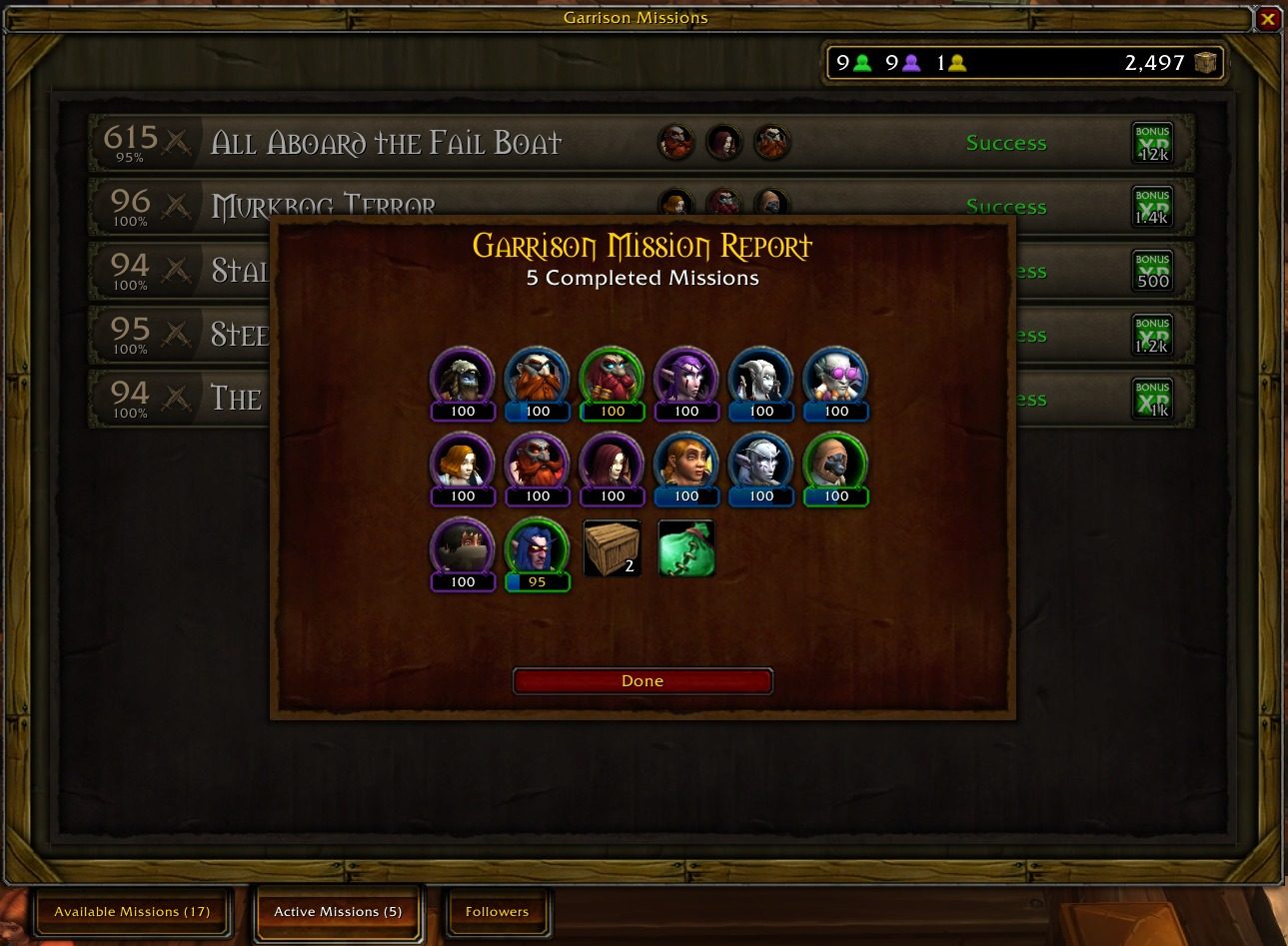
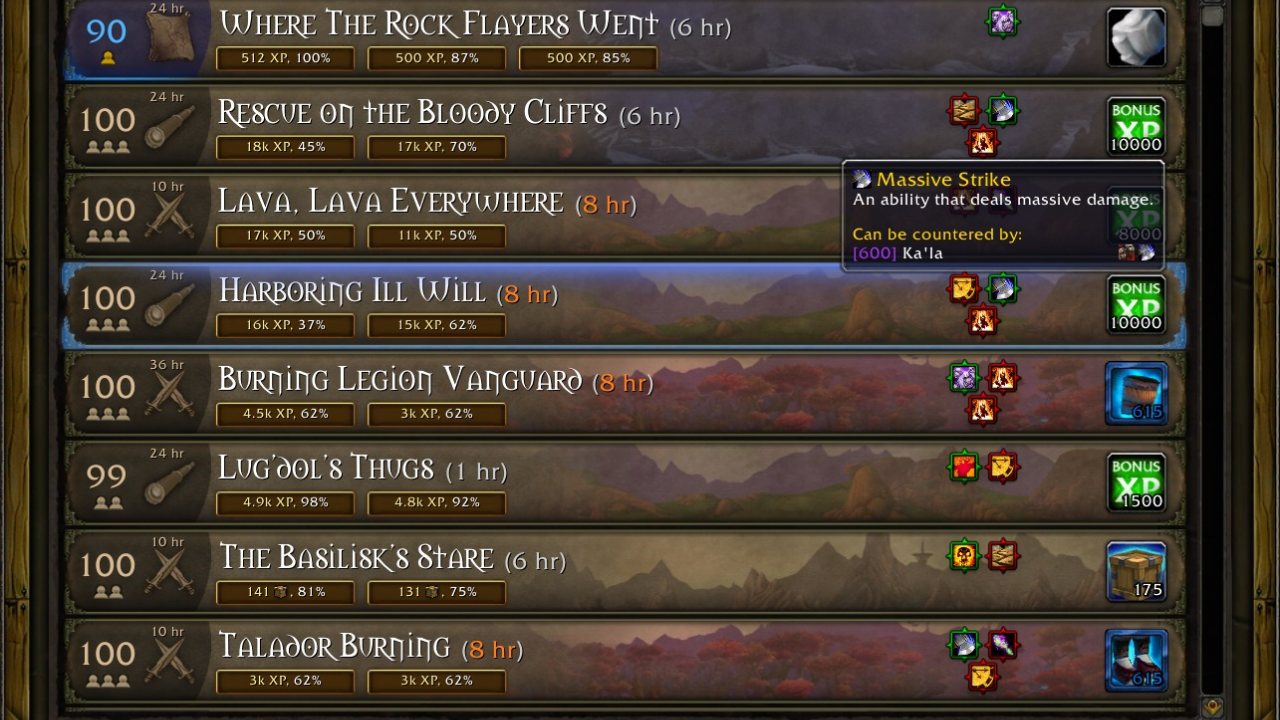
Improved Garrison Missions UI and follower group suggestions.
Master Plan modifies the Garrison Missions UI, making it easier to figure out what you want to do. It can both suggest and complete parties to maximize mission rewards; see below for details.
Some highlights:
- The available missions list fits more missions on screen, shows you the mission's threats, and some suggested groups and their expected results, allowing you to quickly select the party for the mission. Right-clicking on individual group suggestions allows you to set up tentative parties for multiple missions, which can then be sent with a single button click.
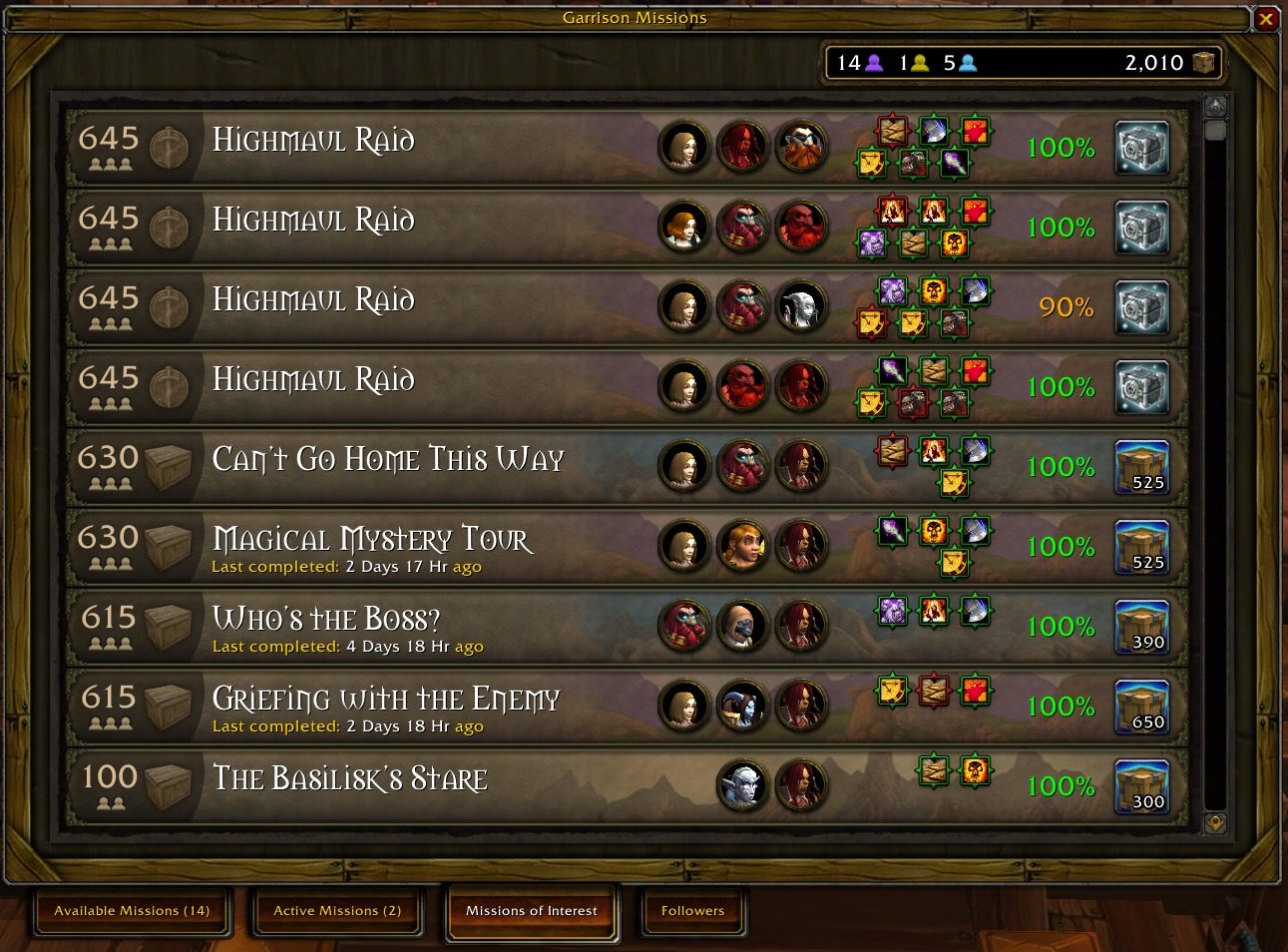
- Missions of Interest tab shows a list of high-reward missions, as well as your current best parties (ignoring follower item levels and levels). You can use this information to figure out which followers are safe to deactivate, as well as which followers you should re-activate.
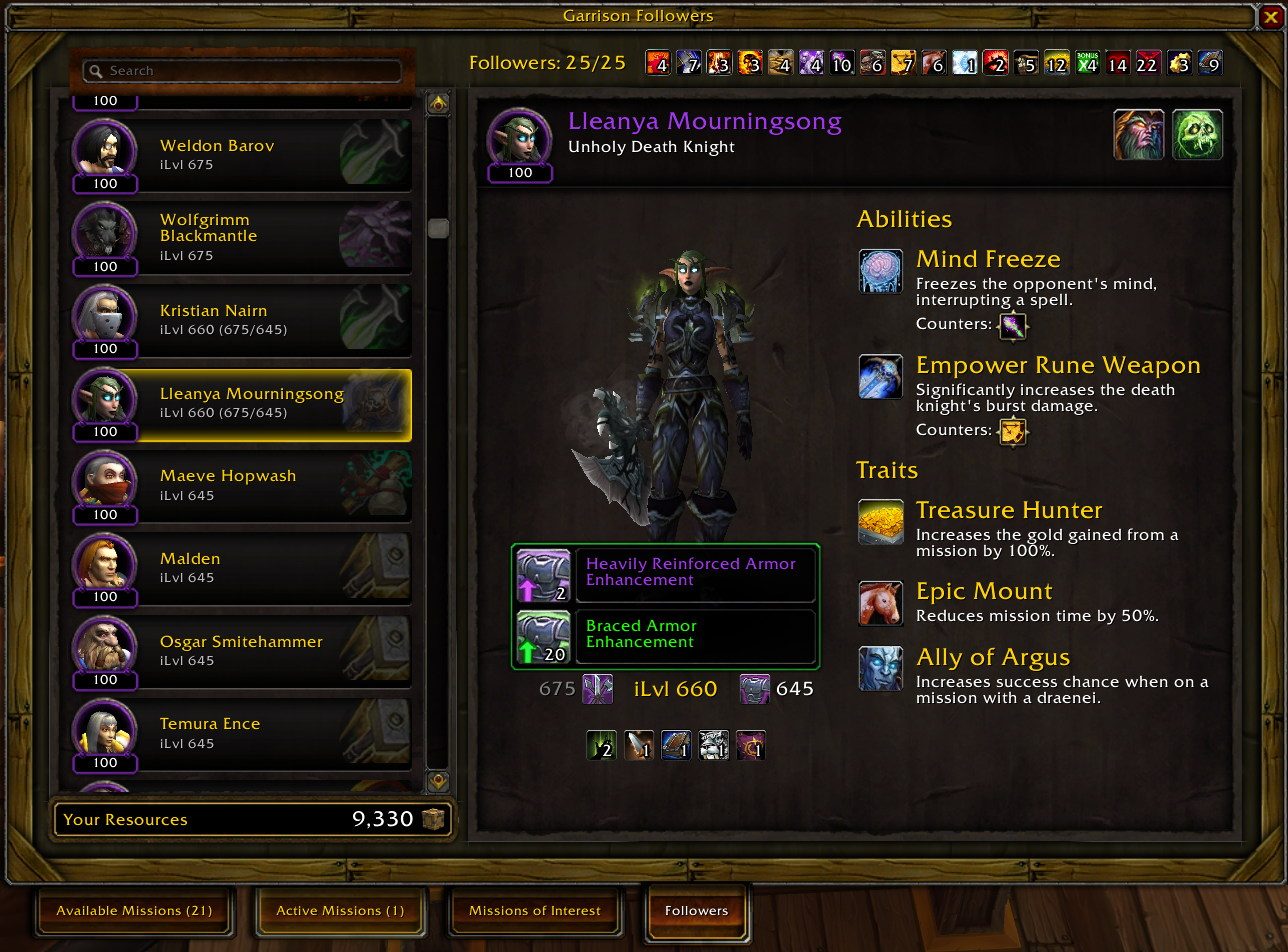
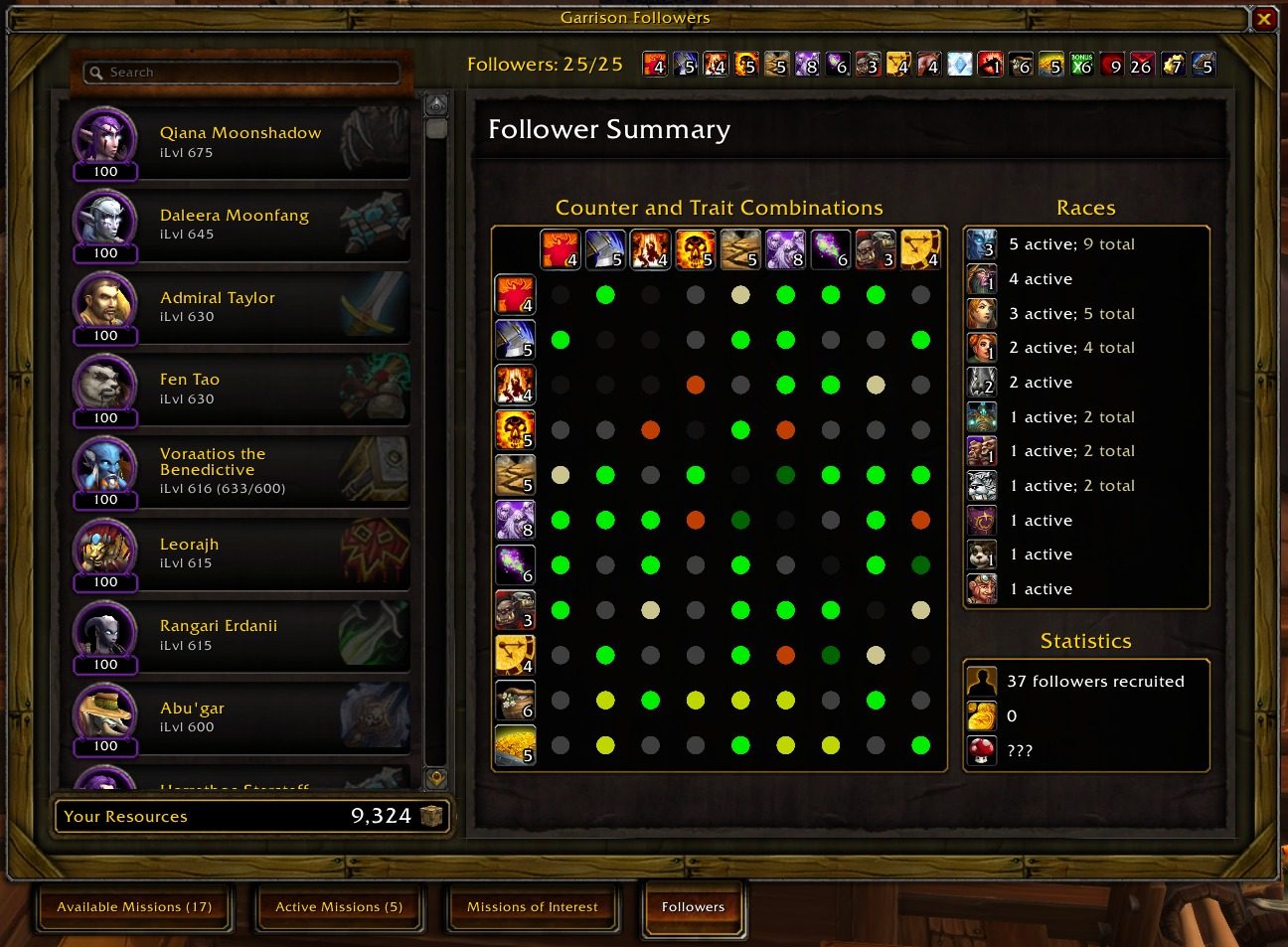
- Followers tab offers quick access to gear upgrades and trait-rerolling items. Once Missions of Interest have been computed, it will also tell you which traits and abilities are safe to replace/retrain (and would not negatively impact any Missions of Interest groups).
- You can search for intersections of multiple queries by concatenating queries with a semicolon (e.g. Wild Aggression;Group Damage), invert the result of a query by prefixing it with an exclamation mark (e.g. !Wild Aggression), and prefix queries with a plus to explore some hypothetical possibilities. Additionally, you can search for "Upgradable gear", "Redundant", and "Duplicate counters".
- The Garrison Report gains trackers for your Garrison Cache and Inn recruitment, as well as a tab summarizing garrison cooldowns for your other characters.
Master Plan does not support Order Halls or war campaigns. For War Campaign missions, you could try War Plan; for Covenant adventures, try Venture Plan.
Official site
Please check the official site for most recent releases. You can also report errors or help translate Master Plan.
ABOUT THIS LISTING
This page describes Master Plan by foxlit. The description and screenshots are the author's own, imported from their listing on CurseForge on 14 August 2026: https://www.curseforge.com/wow/addons/master-plan
Mythiq hosts no files for it. The download button goes straight to the release file on edge.forgecdn.net, so you are downloading from the author's own host, not from a copy of ours.
The download count, rating and comments on this page start at zero and count Mythiq only. The source's own figures are not copied here — they measure a different site, and a number that cannot be checked against our own ledger is not worth printing.
Media
lfg-eye.jpg
completed-loot.jpg
missions-of-interest.jpg
follower-items.jpg
follower-summary.jpg
Requirements
Game version
12.1.0
GAME FLAVOUR
This is a retail (modern World of Warcraft) build. It will not work in the Classic clients, which run a different interface API.
INTERFACE VERSION
Built against game version 12.1.0. After a patch, an addon that has not been updated is flagged out of date; most keep working, and the "Load out of date AddOns" checkbox on the character screen lets you try.
DEPENDENCIES
Some addons need a separate library addon (Ace3, LibStub and friends) that is not bundled. If the addon does not appear in the list in game, a missing dependency is the usual reason.
Installation
1. Quit World of Warcraft completely. The game reads the AddOns folder at launch and will overwrite settings for an addon added while it is running.
2. Download the archive with the button on this page and unzip it.
3. Move the folder — the one with the .toc file in it, not the zip's wrapper folder — into:
World of Warcraft\_retail_\Interface\AddOns
4. Start the game. On the character selection screen, click AddOns and check that it is listed and enabled.
IF IT DOES NOT APPEAR
Nine times out of ten the folder is nested one level too deep. Interface/AddOns/Thing/Thing/Thing.toc will not load; Interface/AddOns/Thing/Thing.toc will.
UPDATING
Delete the old folder before unzipping the new one. Unzipping over the top leaves files behind that the new version no longer expects.
This release downloads from edge.forgecdn.net, not from us, so
there is no checksum to compare against. Scan the archive before you unpack it.
Version history
v8.6.2Latest
13 Aug 2026 · 148 KB via edge.forgecdn.net · 10 downloads Download
Off-site on edge.forgecdn.net —
no checksum, because we never held this file.
Link checked by our review team on 14 Aug 2026.
Tell us if something is wrong — a file that will not work, content taken from
someone else, or anything that looks unsafe. Reports go to our review team, not
to the author.
We use cookies to ensure that we give you the best experience on our website and improve your experience. By continuing to use this site you consent to such use of cookies.