Derby and Racing Scenario - Figure 8, Grass, Concrete, Mud and More
Website Link:
derbylands.com
What is a demolition derby?
A contest in which skilled drivers ram old cars into one another until only one car remains running.
History of Demolition Derbies
Where can you get the full version?
The Full Version can be found here - https://www.patreon.com/derbylands
Why do I need to pay to get the full version?
Each payment is used to support the current and future development of Demolition Derby - The FairGrounds
Full Version vs Demo
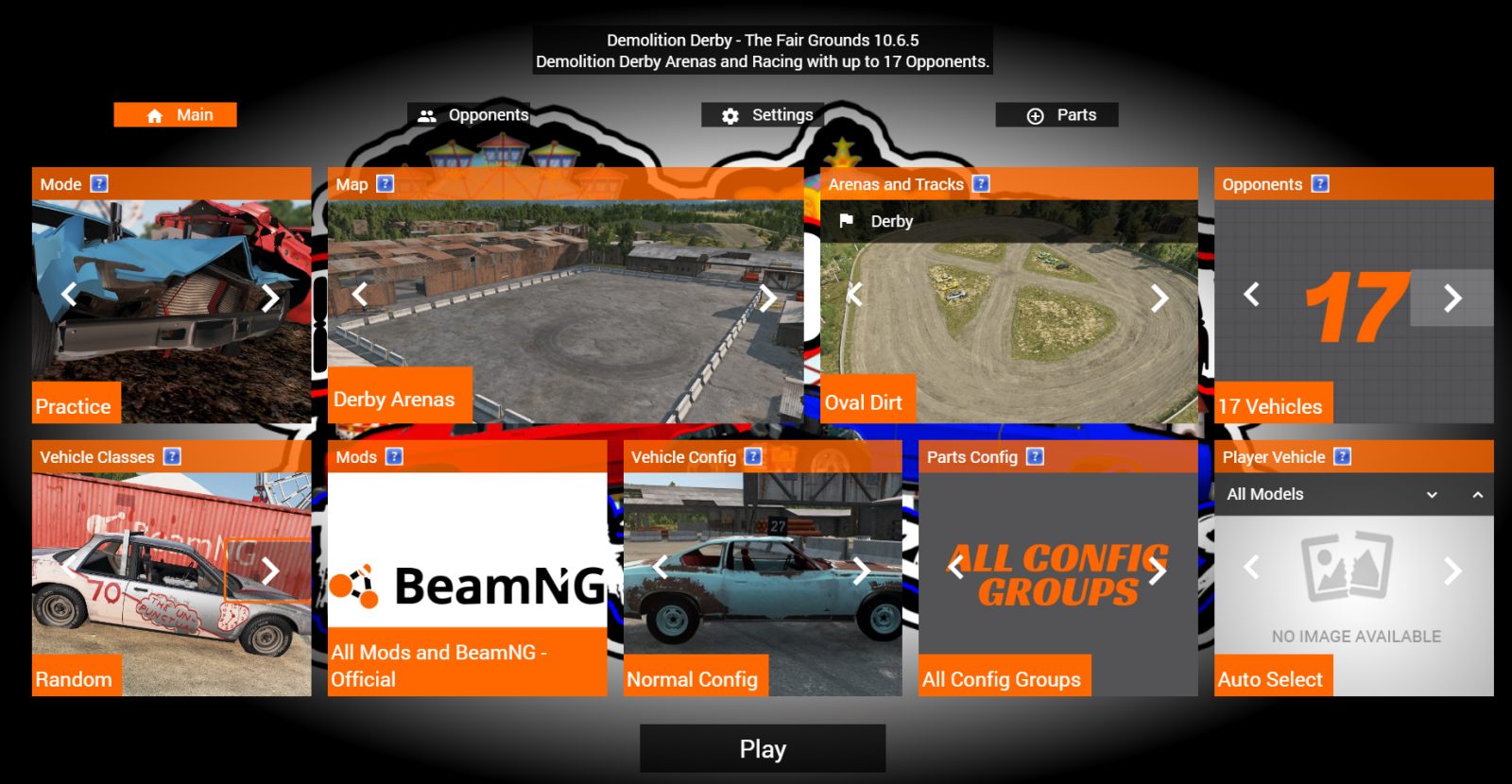
- Up to 17 - Opponents
- Extra Tracks and Arenas
- Selectable User Vehicle and each Opponents Vehicle
- Derby Stats App
- Access to DerbyLands 24-7 Parsec Server
- Menu Options for Real Derby Project (RDP), Mini Mania, Beams Most Hated(BMH), and American Beanz Tracks, and more
- MultiSeat Support (Multiple Users)
What is needed?
This mod requires BeamNG.Drive, which can be found on the Steam store.
How can I connect with others users?
Discord Channel can be found here - https://discord.gg/FMhEDV78
What other mods are supported by The FairGrounds?
Real Derby Project (RDP) is available here - RDP's mod includes the most realistic derby cars and parts available in BeamNG (please note this work does not belong to me) - https://www.patreon.com/user/posts?u=12838386
Mini Mania is available here - mods include compact cars and trucks https://www.patreon.com/miniMania
Beams Most Hated (BMH) Derby Mod is available here - compact cars and more. https://www.patreon.com/BeamsMostHatedx
AmericanBeanz is available here - Demolition Derby Tracks and Services https://www.patreon.com/AmericanBeanz
Mid-Size Cars - Legran, Pessima, ETKi, Midsize, Super
Large Cars - Barstow, Fullsize, Moonhawk, Burnside
Truck - Pickups/Van/SUV's - Pickup, Van, Roamer
Heavy - Semis - Semis
Stock and Derby Configurations (Created by DD-Indeed)
Vehicle Configuration:
Stock Config - Normal everyday vehicles you would find on the street.
Pro-Derby Config - Higher end derby vehicles can include roll cages, bumpers, without lights, mirrors, glass, door panels, hubcaps, trim, ext...
Basic-Derby Config - Standard Demolition Derby Configuration including v8's, steel rims, welded differentials but without bumpers, lights, mirrors, glass, door panels, hubcaps, trim, ext..
Stripped Config - Standard Demolition Derby Configuration without doors (except drivers door), grille's, lettering, ext...
Low-End Config - Stripped Configuration without drivers door, fenders, hood, and trunks.
Auto - Model
Allows you to select which vehicle to drive. If you click the drop down it will show a list of available vehicle models in the class you have selected.
Arena's and Racing:
Concrete Figure 8 Racing - Small narrow figure 8 racing track
Oval Dirt Racing - Large dirt track
Mud Pit Derby - Grass with mud area's
Oval Dirt Derby - Derby on the oval dirt racing track in the middle of the track.
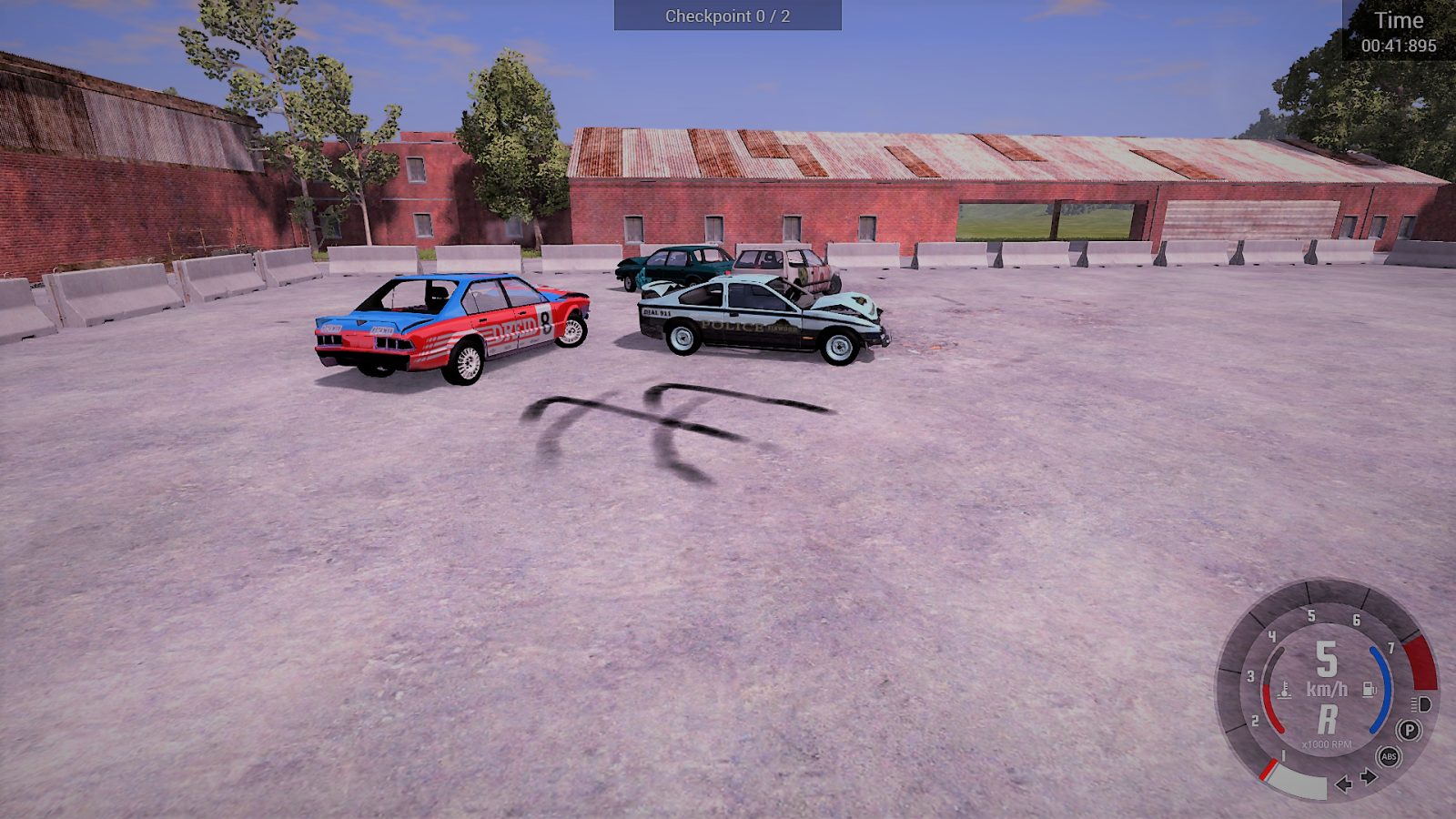
Varied Ground Derby - Grass, Mud, and Concrete
Grass Derby
Concrete Derby
Free Fall Derby
Derby Lands Map:
Mud Madness Derby - Full Mud Track
Concrete Park Derby - Fast Broken Concrete
Hirochi Raceway Map:
Grandstands Derby - Concrete and Grass
Cola Figure 8 Racing - Figure 8 with jump
Driver Training Map:
The Ring Derby - Round Arena
Thank you for playing! Please leave feedback, video, suggestions, or a review. If you found an error or bug let me know on the discussion page!
This page describes Demolition Derby - The Fair Grounds *Demo by bidwars. The description and screenshots are the author's own, imported from their listing on the BeamNG.drive repository on 3 October 2026: https://www.beamng.com/resources/demolition-derby-the-fair-grounds-demo.1784/
Mythiq.net hosts no files for it. The download button goes straight to the release file on beamng.com, so you are downloading from the author's own host, not from a copy of ours.
The download count, rating and comments on this page start at zero and count Mythiq.net only. The source's own figures are not copied here — they measure a different site, and a number that cannot be checked against our own ledger is not worth printing.
Media
Requirements
BeamNG.drive on a current build. The repository lists a mod as outdated once it stops loading, but a mod written for an older release can still misbehave quietly rather than fail outright — check the resource page for the author's own compatibility note before reporting a fault.
Nothing else is required unless the author says so above. BeamNG mods are self-contained zip archives; there is no loader or framework to install first.
Installation
1. Download the archive with the button on this page. Do NOT unzip it — BeamNG loads mods as zips.
2. Put the zip in your mods folder:
Windows — Documents\BeamNG.drive\\mods
Linux — ~/.local/share/BeamNG.drive//mods
3. Start the game and open the Mod Manager from the main menu to confirm it is listed and active.
4. Vehicles appear in the vehicle selector; maps appear under Freeroam.
UPDATING
Delete the old zip before adding the new one. Two versions of the same mod in the folder is the usual cause of a vehicle appearing twice, or of parts that will not fit together.
IF SOMETHING LOOKS WRONG
Clear the cache: in the Mod Manager, use "Clear cache and restart". Most oddities after an update — missing textures, parts that vanish — are a stale cache rather than a broken mod.
This release downloads from beamng.com, not from us, so
there is no checksum to compare against. Scan the archive before you unpack it.
Tell us if something is wrong — a file that will not work, content taken from
someone else, or anything that looks unsafe. Reports go to our review team, not
to the author.
We use cookies to ensure that we give you the best experience on our website and improve your experience. By continuing to use this site you consent to such use of cookies.