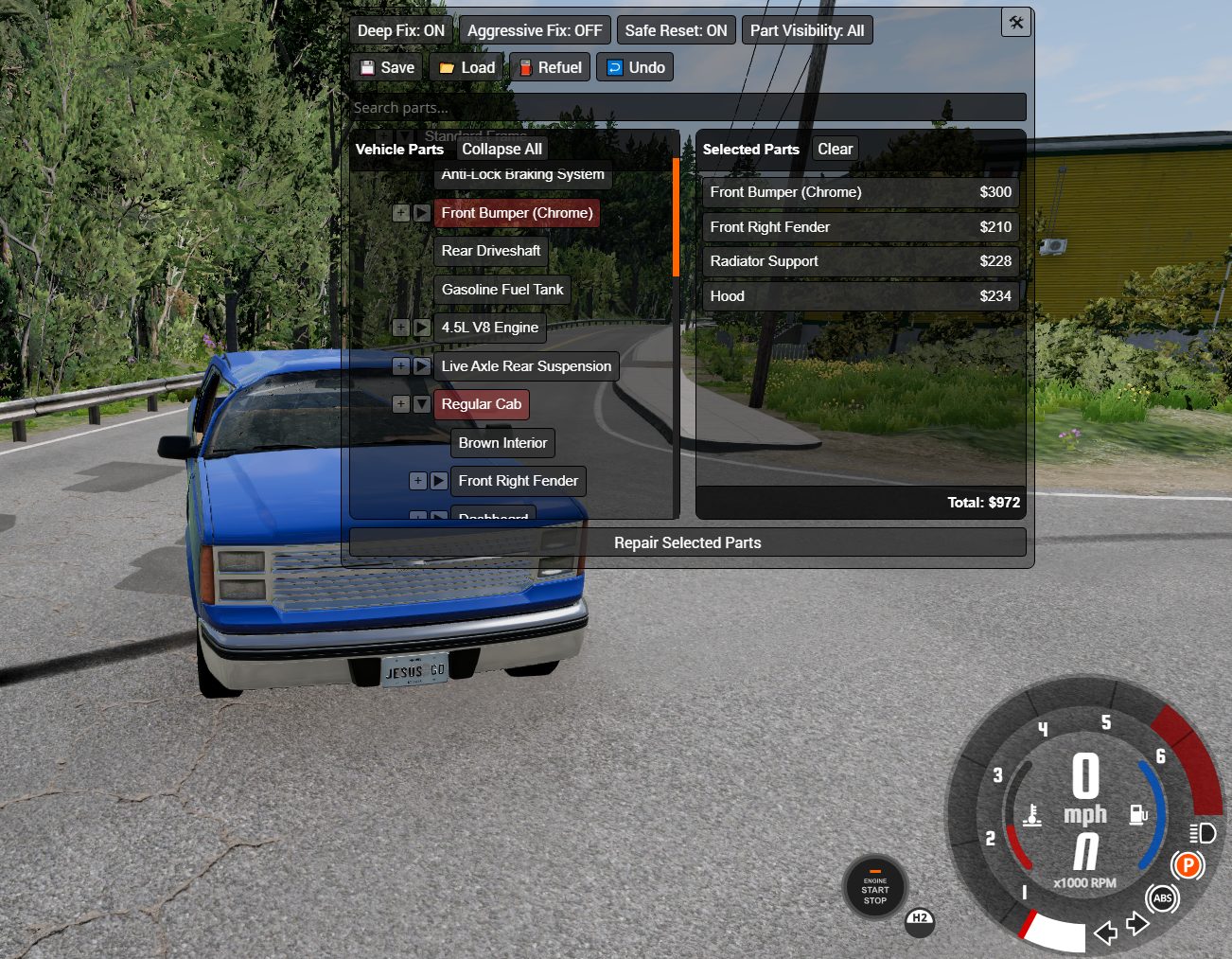
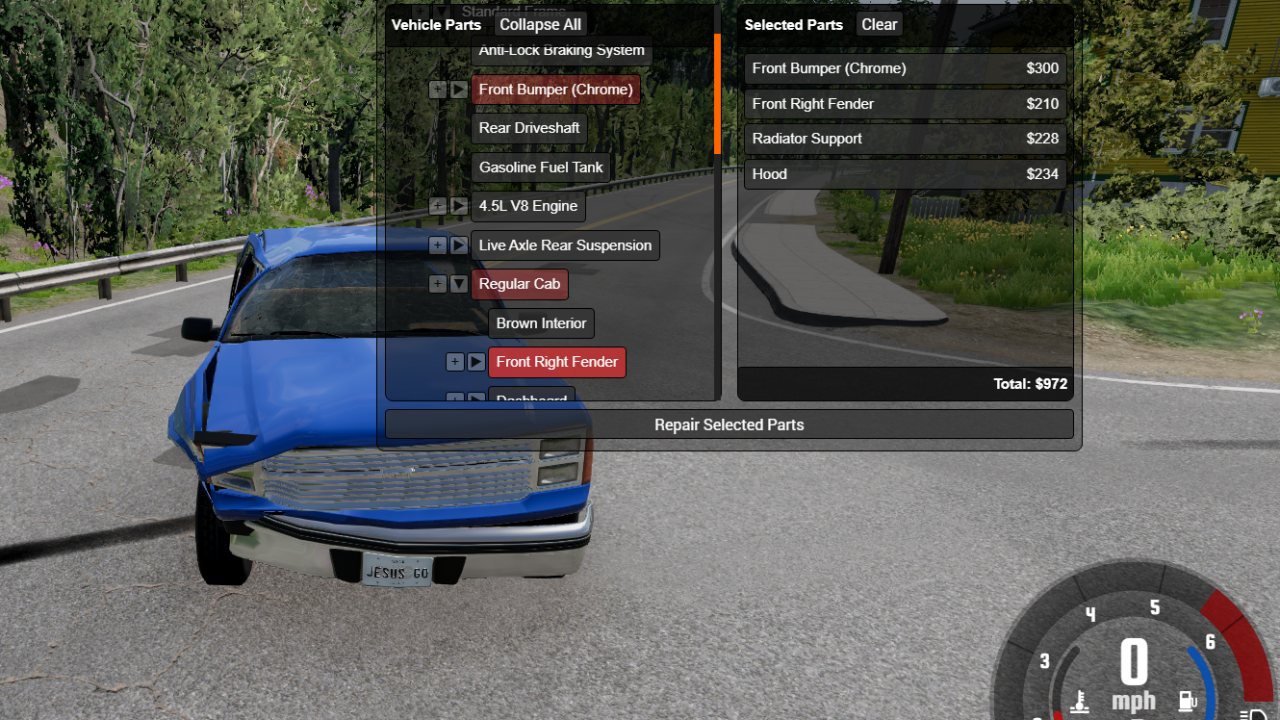
Adds a new UI app called "Individual Part Repair Menu" that can be used to select individual parts for repair with support for Career Mode. It also introduces a custom beamstate save/load system that saves damage per vehicle configuration, allowing damage states to persist across maps and sessions.
How to use:
V4.5 Introduces New Walking Repair Options. Regenerate, repair, and reattach broken parts from outside the car without opening menus. Make sure to bind the controls in "Gameplay" settings.
Tips
- Use the Aggressive Fix option when a part is not repairing correctly. It will force all nodes attached to the part to be realigned, sometimes breaking other parts.
- To keep existing damage while adding or removing parts, save before making changes and load after.
- Tuning parts works mostly the same, though some variables may break or require a repair before changes take effect.
- Small repairs usually cause no issues. However, if the vehicle’s frame is bent, parts may no longer align correctly.
- You can use the Regenerate mode to repair just the frame if needed..
- If specific parts cause issues, you can temporarily remove them and add them back later.
- Saves are stored by config name allowing for multiple saves per vehicle. To set up a new vehicle make sure to save and load the config before using the menu.
Save files are stored in the vehicles folder inside your user directory. They’re typically under 1 MB each, so keeping a large number of saves shouldn’t cause any problems.
If you want to support future modding shenanigans check out my Patreon.
Feel free to leave suggestions or report issues here: https://www.beamng.com/threads/individual-part-repair-menu.106103/
ABOUT THIS LISTING
This page describes Individual Part Repair Menu by Jesus Goose. The description and screenshots are the author's own, imported from their listing on the BeamNG.drive repository on 26 October 2026: https://www.beamng.com/resources/individual-part-repair-menu.35878/
Mythiq.net hosts no files for it. The download button goes straight to the release file on beamng.com, so you are downloading from the author's own host, not from a copy of ours.
The download count, rating and comments on this page start at zero and count Mythiq.net only. The source's own figures are not copied here — they measure a different site, and a number that cannot be checked against our own ledger is not worth printing.
Media
Requirements
BeamNG.drive on a current build. The repository lists a mod as outdated once it stops loading, but a mod written for an older release can still misbehave quietly rather than fail outright — check the resource page for the author's own compatibility note before reporting a fault.
Nothing else is required unless the author says so above. BeamNG mods are self-contained zip archives; there is no loader or framework to install first.
Installation
1. Download the archive with the button on this page. Do NOT unzip it — BeamNG loads mods as zips.
2. Put the zip in your mods folder:
Windows — Documents\BeamNG.drive\\mods
Linux — ~/.local/share/BeamNG.drive//mods
3. Start the game and open the Mod Manager from the main menu to confirm it is listed and active.
4. Vehicles appear in the vehicle selector; maps appear under Freeroam.
UPDATING
Delete the old zip before adding the new one. Two versions of the same mod in the folder is the usual cause of a vehicle appearing twice, or of parts that will not fit together.
IF SOMETHING LOOKS WRONG
Clear the cache: in the Mod Manager, use "Clear cache and restart". Most oddities after an update — missing textures, parts that vanish — are a stale cache rather than a broken mod.
This release downloads from beamng.com, not from us, so
there is no checksum to compare against. Scan the archive before you unpack it.
Version history
v4.62Latest
13 Oct 2026 · 6.0 MB via beamng.com · 0 downloads Download
Off-site on beamng.com —
no checksum, because we never held this file.
Link checked by our review team on 26 Oct 2026.
Tell us if something is wrong — a file that will not work, content taken from
someone else, or anything that looks unsafe. Reports go to our review team, not
to the author.
We use cookies to ensure that we give you the best experience on our website and improve your experience. By continuing to use this site you consent to such use of cookies.