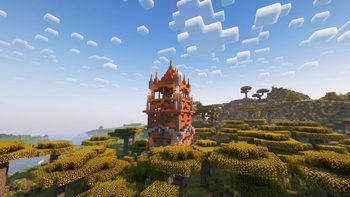
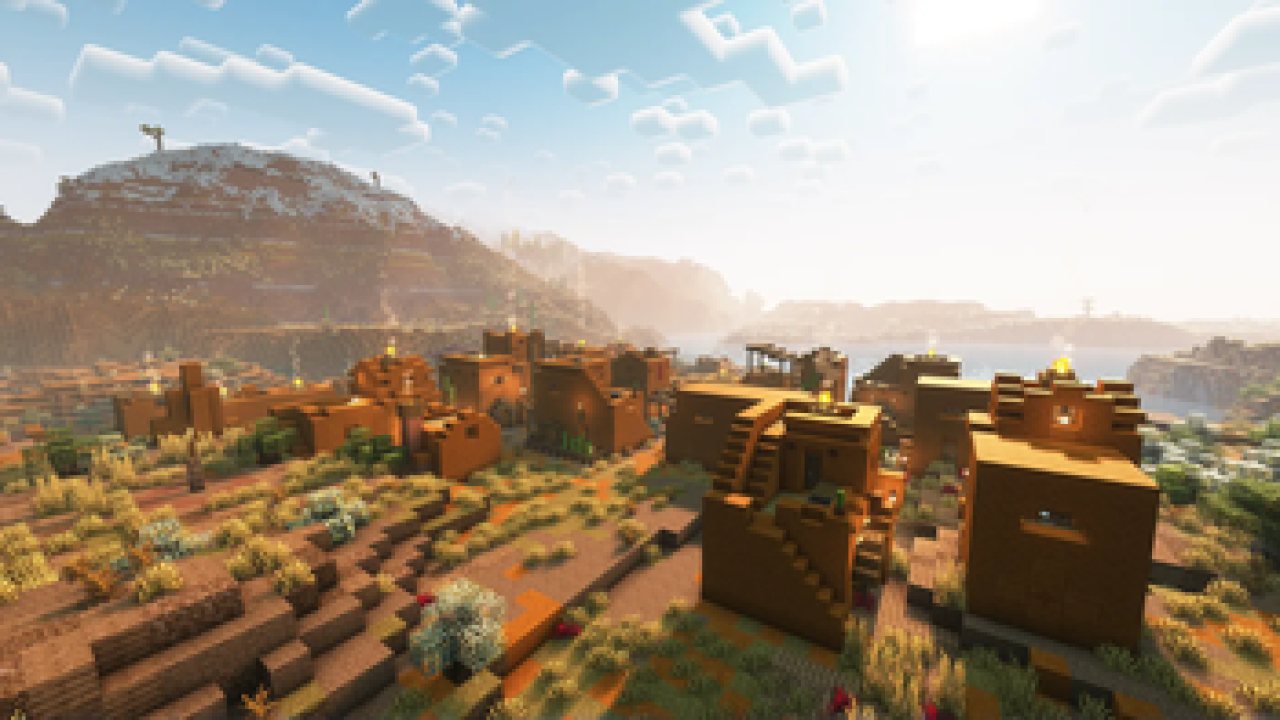
Spice up your world with new villages, pillager outposts, and even new ships!
AS OF RIGHT NOW, TOWNS
AND TOWERS IS AVAILABLE FOR BOTH FORGE AND FABRIC/QUILT, VERSIONS 1.18.2 AND 1.19.2 RESPECTIVELY. WORKS SERVERSIDE.
FROM VERSION 1.19.3 AND ABOVE (ALL THE WAY TO 1.20.4), THE PACK IS DEPENDANT ON CRISTELLIB, STILL WORKING SERVERSIDE.
Also available on
CurseForge,
as well as on
Planet Minecraft
(as a datapack)!
What is Towns and Towers?
Towns & Towers is a mod
that aims to expand upon the 1.14 update created by Mojang with new villages,
pillager outposts, and even brand-new ships. The structures themselves are a bit
more detailed than their vanilla counterparts, but they still fit seamlessly
into the world. Not only that but many are inspired by real-life buildings or
architectural styles, giving them a fresh new feel. There are over 50 structures
added by Towns and Towers so far (as of update 1.9), so have fun exploring! And
remember, it’s not the destination that’s important, but the journey to get
there.
If you wish to see all
of the structures our mod adds, take a look at our gallery
here.
Compatibility
For a full list of mods
that are currently compatible with Towns and towers, please look
here.
The pack should be
compatible with most world generation mods, like Terralith, WWOO, BYG, BoP,
etc., as well as mods that add also add new structures/villages, such as
Repurposed Structures or ChoiceTheorem's Overhauled Villages. However, some
features from other mods are not currently present, like the guards from
Villager Guards mod or certain buildings from Farmer's Delight for example. This
will be addressed in the future via a series of datapacks, which will implement
features from those mods into ours.
Frequently Asked Questions
1. Is it safe to update Towns and
Towers to a newer version?
In general yes. Just
note that sometimes when we update a few things get changed, so there might be a
bit of console spam. If any serious problems arise because of that, let us know.
And, as always, make backups. Better be safe than sorry.
2. Is it safe to add
Towns and Towers to an already existing world?
Yep. Just note that the
new structures will only spawn in newly generated chunks.
3. Is this mod for
Forge or Fabric/Quilt?
Both. We have a
universal version for both (now three?) mod loaders.
4. How can I locate the new
structures?
For 1.18.2: /locate
towns_and_towers:[structure_from_list]
For 1.19+: /locate structure
towns_and_towers:[structure_from_list]
Note that some structures have the exclusives tag added
in front. Those structures cannot be located if you only have T&T installed. You
also need to have one of the mods that T&T is paired with. For a full list,
scroll down below (if I remember to add it...).
5. Does Towns and Towers modify
existing vanilla structures?
As of the latest
update, no. Only new structures are added.
6. What about the
loot of these structures?
The majority of
structures use vanilla loot tables for better mod compatibility (see the
Compatibility section below for more info), but they also use some custom loot
tables to better integrate said structures into the world. You will still find
pillager outpost loot in pillager outposts, profession chests in villages, as
well as bells, workstations, etc., but also new stuff like food, armor, and
other goodies.
7. How can I report
bugs/issues/suggestions?
Write them down below
in the comments and I’ll try to answer them as soon as possible and as best as
possible. I’m still relatively new to all of this, so excuse that.
8. Can I include Towns and Towers
into my modpack?
Sure, but make sure to
give credit and a link to our page, and make sure you don't include a modified
version of our mod.
9. 1.16.5???
https://www.youtube.com/watch?v=DTvrv4f3Yho
Credits
- Kubek as the original author of Towns and Towers;
- William Wythers, ChoiceTheorem, Apollo, Robified and TelepathicGrunt for
being based;
- Various other creators and their builds for being a massive inspiration
(check out our Planet Minecraft page
here for a full list)
If you find any glitches, bugs or have any
other suggestions, please let us know. We'll have a bug report page soon
(hopefully).
ABOUT THIS LISTING
This page describes Towns and Towers by Biban_Auriu. The description and screenshots are the author's own, imported from their listing on Modrinth on 26 October 2026: https://modrinth.com/mod/towns-and-towers
Mythiq.net hosts no files for it. The download button goes straight to the release file on cdn.modrinth.com, so you are downloading from the author's own host, not from a copy of ours.
The download count, rating and comments on this page start at zero and count Mythiq.net only. The source's own figures are not copied here — they measure a different site, and a number that cannot be checked against our own ledger is not worth printing.
Media
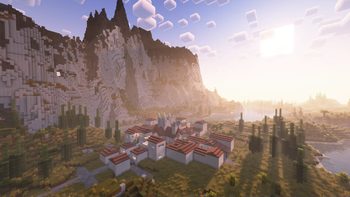
Mediterranean Village (exclusive)
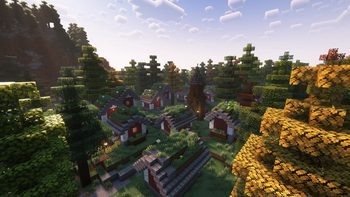
Swedish Village (exclusive)
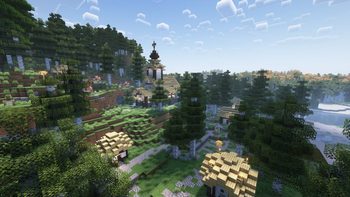
Birch Forest Village
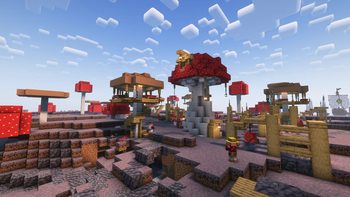
Mushroom Village
Savanna Outpost
Requirements
Game version
26.3
MOD LOADER
This release is built for Fabric, Neoforge and Quilt. A mod built for one loader will not load under another — Fabric mods do not run on Forge, and vice versa.
GAME VERSION
Built for Minecraft 26.3. Minecraft mods are tied to an exact version: a 1.21.4 build will refuse to load on 1.21.5.
DEPENDENCIES
Check the author's listing for required libraries before you start the game — a missing dependency shows up as a crash on launch, not as a warning.
Installation
1. Install Fabric for the Minecraft version you play, if you have not already.
2. Download the .jar with the button on this page. Do not unzip it — a mod jar is installed as it is.
4. Launch the game with the Fabric profile selected.
ON A SERVER
Anything that changes world generation or gameplay has to be installed on the server as well as on every client. Client-side visual and interface mods do not.
UPDATING
Replace the old .jar rather than adding the new one beside it. Two versions of the same mod in the folder is a crash on launch.
This release downloads from cdn.modrinth.com, not from us, so
there is no checksum to compare against. Scan the archive before you unpack it.
Tell us if something is wrong — a file that will not work, content taken from
someone else, or anything that looks unsafe. Reports go to our review team, not
to the author.
We use cookies to ensure that we give you the best experience on our website and improve your experience. By continuing to use this site you consent to such use of cookies.