- LibDebugLogger (Allows debugging, minimum required version 2.0.0)
Additionally the package contains a sub module called CombatMetricsFightData.
This needs to be enabled in the ingame addon manager.
It will take care of saving combat data to keep it separately from your settings.
Description
I made Combat Metrics basically for two reasons. First to have a tool to analyse my fights in a useful and comfortable manner. The second was to provide more insightful and meaningful damage parses.
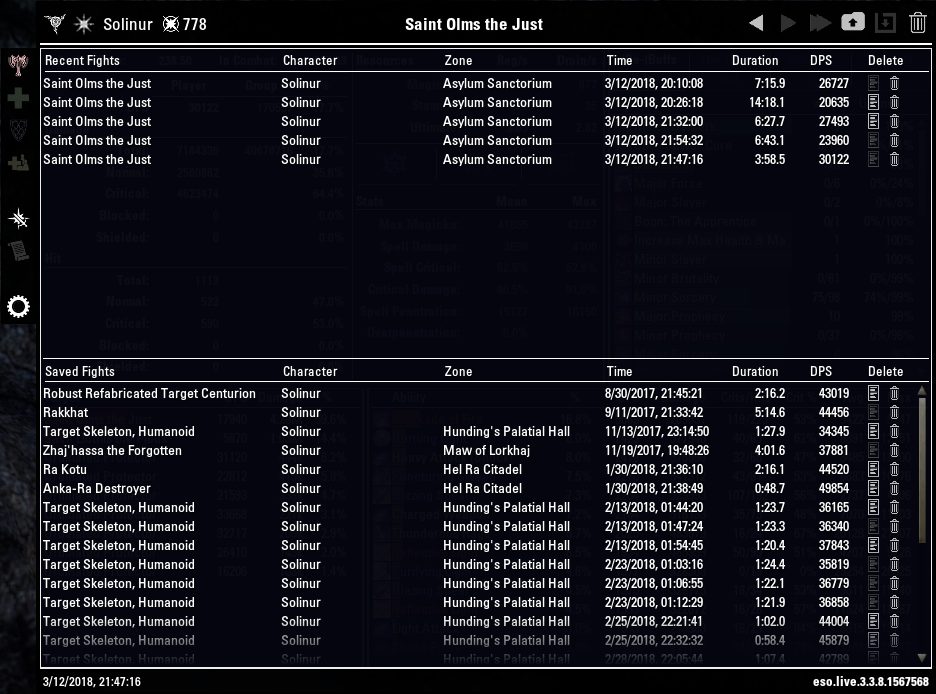
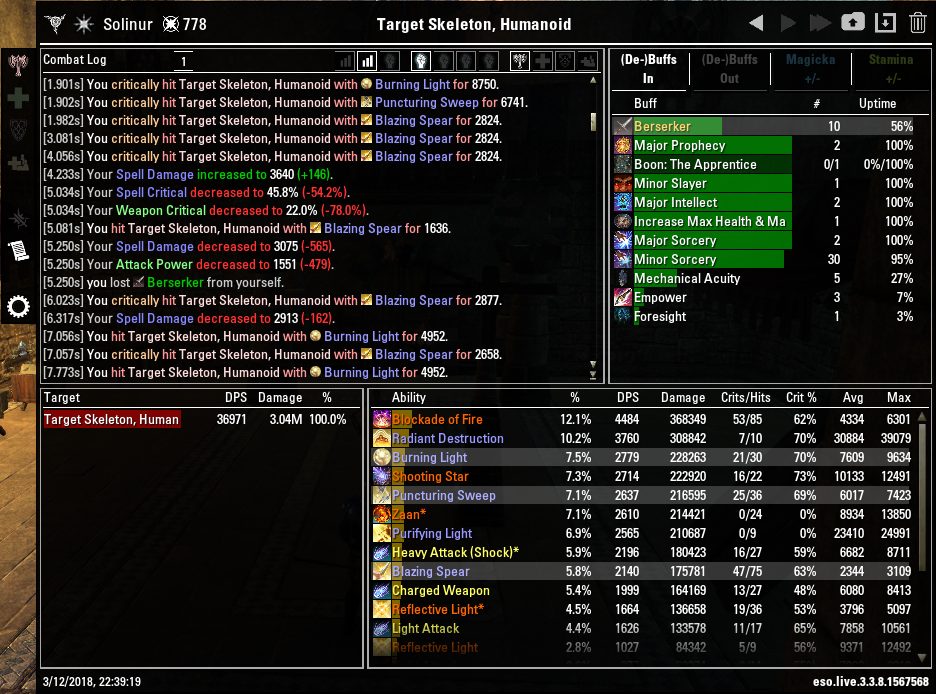
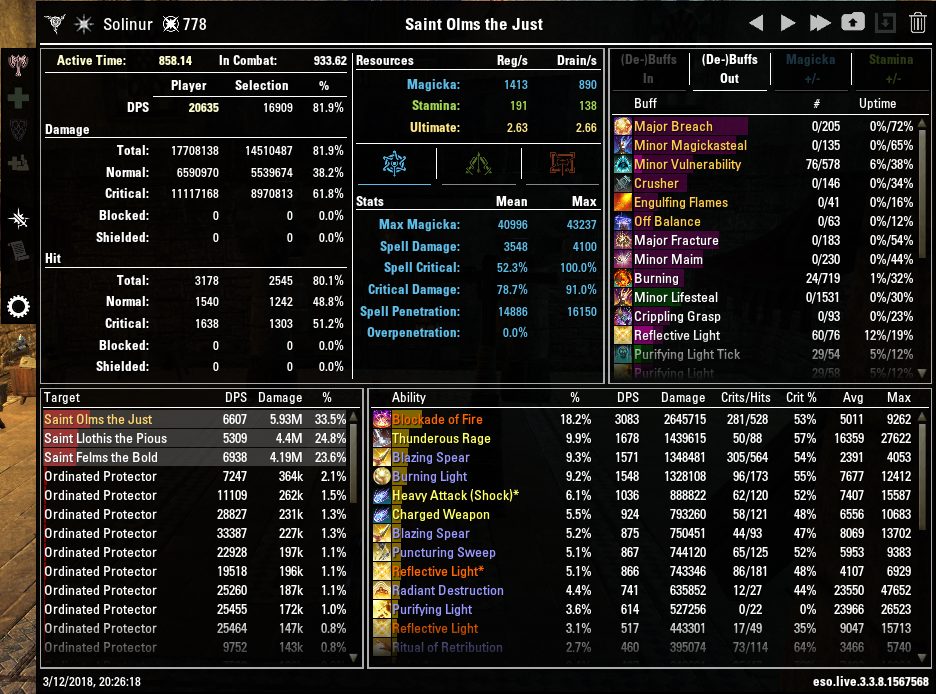
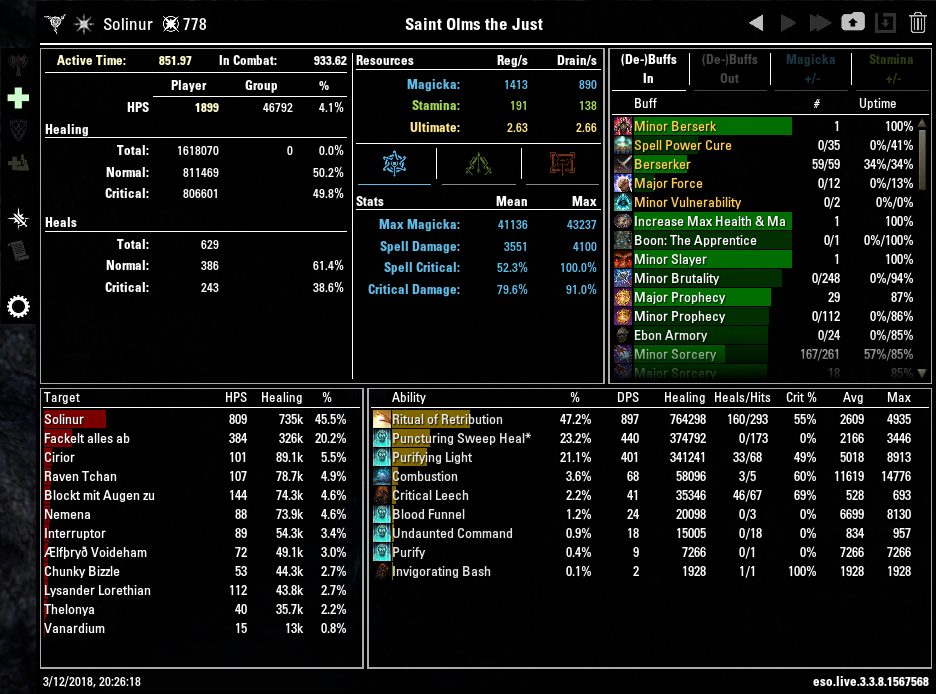
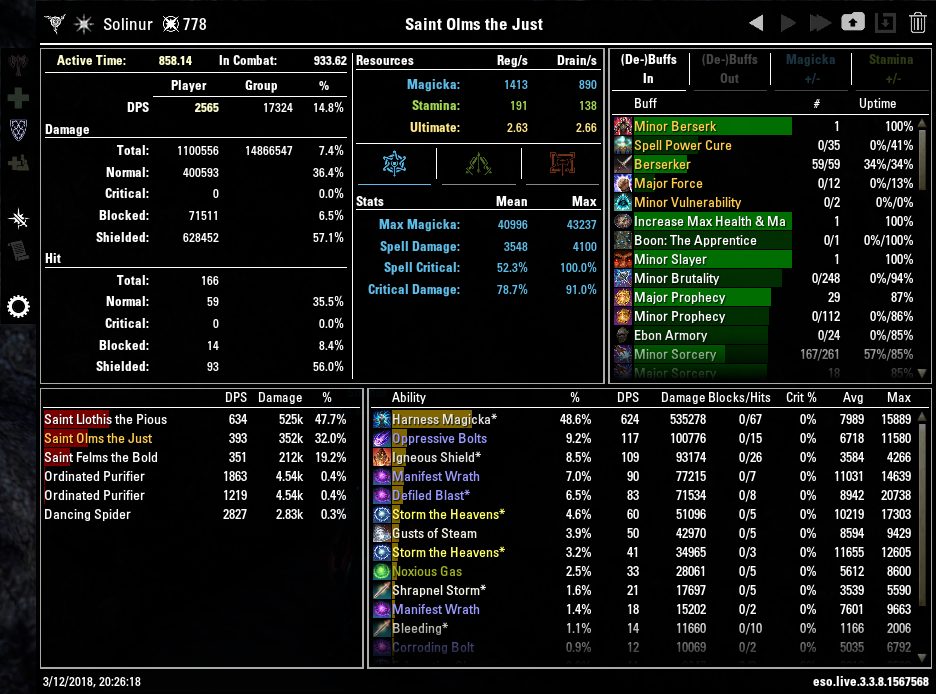
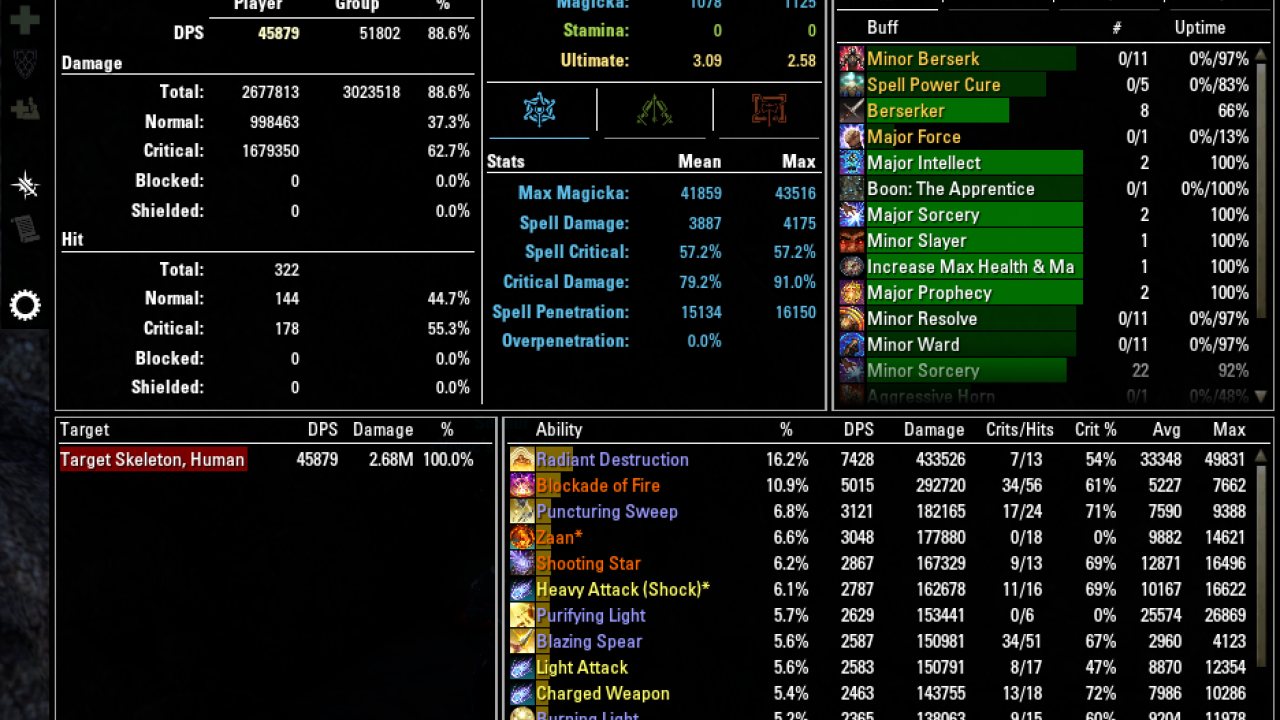
Combat Metrics is an addon to track your fights. You can use it to measure your DPS, you can analyse which skills make your DPS or who caused your incoming damage. You can also analyse the heals you received or cast. You can check which buffs and debuffs were running, how much magicka or stamina per second you used and regenerated. You can Analyse the Combat log, filter it to analyse specific issues.
Combat Metrics basically just records your fight during combat and analyses it when you attempt to view the statistics. That way I hope to keep the impact on the fps as low as possible. Since it saves the data of the whole fight, you might hit the lua memory limit especially when a lot of heavy fights are happening in a row (I suspect Cyrodil is a candidate). If you want to keep the impact on memory small you can select to only keep a few fights in storage. For minimal performance impact there is a light mode that only uses a minimum of resources to show you DPS and HPS of your current fight.
The main report window can be toggled by assigning a key to it or by typing /cmx into the chatbox.
You can also assign keys to post the damage per second (DPS) or healing per second (HPS) of your most recent fight to the chat. Alternatively you can use /cmx dps, /cmx sdps, /cmx mdps, /cmx alldps for automatic, single-target, multi-target or single + multitarget DPS respectively. You can use /cmx hps to post you healing per second.
I want to thank Atropos for letting me use his functions to build the user interface. Coolmodi's addons were also quite insightful especially for handling the event registrations. I also learned from the addons of Circonian and Spellbuilder. Finally I want to mention @EgoRush and all participants in his thread at Tamrielfoundry. The discussions there lead to my motivation for creating this addon.
Common Issues
Q: The main window won't show any statistics in PvP areas, how can I see them ?
A: disable "Light Mode in Cyrodil"
Q: Why is Minor Savagery no shown?
A: It is ignored, since it is too spammy"
Q: How are the effective stats like Spell Damage calculated?
A: Whenever a damage or heal event happens the current stats are noted. At the end of the fight a weighted average is calculated. For example you have a short fight where you only do two light attacks. The first one does 1000 Damage, the second one 2000. During the first attack you have 3000 Spell Damage, during the second you have 3600. Then the effective Spell Damage will be 3400 since the second attack does twice as much damage as the first, so the spell damage from that moment gets twice as much weight, compared to the first. For Critical Damage, only critical hits are considered. When you have a healing category selected, only healing events are considered"
Q: How is overpenetration calculated and what does the tooltip show?
A: The overpenetration % is calculated as how much damage was done while the penetration was too high. In order to reproduce that number you'd have to look at each single damage event and check the current penetration. Also CMX cannot determine the resistance of targets. instead a fixed number is used (default: 18200) which can be changed in the settings. The effective penetration directly shown on the panel gives you a damage weighted average, where any penetration above the set cap (=target resistance mentioned above) is ignored.
When you open the tooltip, the average number you see is calculated like the effective number, but this time no penetration is ignored.
So there is a difference between "effective" which ignores anything past the target resistance and "average" which is just the damage weighted average.
Finally the table shows you which fraction of your damage was done at various penetration: "<18.2k: 42%" means that 42% of your damage in this fight was done while the penetration was below 18.2k, which means that 58% was done while above 18.2k, which with the default target resistance set to 18200 whould directly be the overpenetration value.
Lets assume some other lines for example show "14.2k: 22.1%" and "19.2k: 73.5%" then 22.1% of your damage was done while you were below 14.2k penetration, and 73.5 % was done while below 19.2k penetration. Since with many sources, many penetration values can be reached during a fight, steps are rounded to X.2k values to keep the list to a reasonable size while still providing a good picture how penetration was distributed during the fight."
Feedback
If you find a bug or another issue with Combat Metrics, please report errors in the comments here, in game (@Solinur (EU-PC)) or on Github.
Solinur (EU)
ABOUT THIS LISTING
This page describes Combat Metrics by Solinur. The description and screenshots are the author's own, imported from their listing on ESOUI on 31 August 2026: https://www.esoui.com/downloads/info1360-CombatMetrics.html
Mythiq.net hosts no files for it. The download button goes straight to the release file on cdn.esoui.com, so you are downloading from the author's own host, not from a copy of ours.
The download count, rating and comments on this page start at zero and count Mythiq.net only. The source's own figures are not copied here — they measure a different site, and a number that cannot be checked against our own ledger is not worth printing.
Media
Requirements
Game version
12.0.0
API VERSION
Built for ESO API version 12.0.0. After a patch the game marks add-ons built for the previous API as out of date; the "Allow out of date add-ons" checkbox in the add-on menu loads them anyway, and most work.
LIBRARIES
Many ESO add-ons depend on a shared library — LibAddonMenu-2.0 above all — which is installed separately, exactly like an add-on. A dependency that is missing shows as the add-on simply not appearing in the list.
CONSOLE
Add-ons are PC and Mac only. There is no way to load them on console.
Installation
1. Download the archive with the button on this page and unzip it.
2. Move the unzipped folder into your add-ons directory:
Windows — Documents\Elder Scrolls Online\live\AddOns
3. Start the game, and at the character select screen click Add-Ons.
4. Tick the add-on. If it is greyed out and marked out of date, tick "Allow out of date add-ons" at the top of the same panel.
5. Log in. Most add-ons need a /reloadui after they are first enabled.
UPDATING
Delete the old folder first. ESO loads everything it finds, and two copies of one add-on is the usual cause of "an add-on has produced an error" on login.
This release downloads from cdn.esoui.com, not from us, so
there is no checksum to compare against. Scan the archive before you unpack it.
Version history
v1.7.8Latest
30 Jun 2026 · 195 KB via cdn.esoui.com · 13 downloads Download
Version 1.7.8
- Added display of subclassed skill lines (uses second skill icon) or class mastery passive next to the class icon.
- Critical Damage Bonus calculation now accounts for the higher cap granted by Nightblade Class Mastery.
- Improved load times by deferring initialization of the main report window and several startup steps until they are needed. (Thx atharti and code65536 for the suggestion)
- Added a dedicated button for build export. (Let me know if you need an option to hide it)
Version 1.7.7
- Added an option to export your build to the ESO-Hub build editor. This feature can be accessed via the cogwheel and clicking Export Build.
- Note 1: While this option is available for older fights too, the data for the exported build will be incomplete, i.e. missing the role, passives and attribute points.
- Note 2: Alternative skill bars (e.g. Werewolf) are not supported yet.
Version 1.7.6
- Changed manifest file extension to ".addon"
- Fixed layouting of the live report window involving the overheal display (Thx Nahkrinbah for reporting).
- Fixed an error ocurring when reverting to default settings (Thx Nahkrinbah for reporting).
- Fixed scale of UI elements when reverting to default settings
Version 1.7.5
- Reworked fight data initialization once more. This should fix the error that occured when only the subaddon was activated. (Thx to everyone reporting)
- Added a warning symbol to the buff panel when certain sigils are used.
Version 1.7.4
- Attempt to fix a new LUA error sometimes appearing on initialization of the addon (Thx to everyone reporting)
Version 1.7.3
- Fix for LUA error sometimes appearing on initialization of the addon (Thx PBnJ66 for reporting)
Version 1.7.2
- Added an option to allow copy&paste of the current combat log display.
- Fix for LUA error when a lot of passive CPs are active in a tree (Thx @Spuddl and jrmsk for reporting).
- Fix for LUA error when hovering over empty scribing skill before a fight gets loaded (Thx @Kyzeragon for reporting).
Version 1.7.1
- Fix for info panel when no CP are set on a character in at least one tree (Thx to Kyzeragon & SkullElf for the bug reports)
Version 1.7.0
- Added spanish translation by cisneros (Big Thanks!)
- Added increase of status effect proc chance to stats panel. Note that it shows the increase of the base value, not the total chance.
- Added scribing skills to info panel
- Added additional build details to info panel, showing used mundus, buff food and potions. Mundus & Buff food are derived form buffs, so they can be shown for older fights if the recalculate option is used. Potions will only be available for new fights.
- Fixed an issue when loading an old fight (Thx to Sycophantic-Witty for the report and cooperation).
- Minor refactoring and formatting
Version 1.6.6
- Attempting to fix another issue that could occur during fight conversions (Thanks to black_gfa for the report).
Version 1.6.5
- Fixed a lua issue due to code from devlopment version that got added accidentially (Thanks to haulrik, Cythera and ri4iux for the reports)
Version 1.6.4
- Fixed another issue that could occur during fight conversions (Thanks to Bonstrigmo for the report)
Version 1.6.3
- Fixed reference to CMX before it was loaded, resulting in a lua error. (Thanks to Lykeion for the report)
Version 1.6.2
- Fixed incorrect version numbers (again)
Version 1.6.1
- Fixed an issue when converting very old fights. The old fights might not be loadable for now, but at least the conversion finishes. (Thx to Sycophantic-Witty for the report and fix proposal)
- Fixed incorrect version numbers
Version 1.6.0
Off-site on cdn.esoui.com —
no checksum, because we never held this file.
Link checked by our review team on 31 Aug 2026.
Tell us if something is wrong — a file that will not work, content taken from
someone else, or anything that looks unsafe. Reports go to our review team, not
to the author.
We use cookies to ensure that we give you the best experience on our website and improve your experience. By continuing to use this site you consent to such use of cookies.