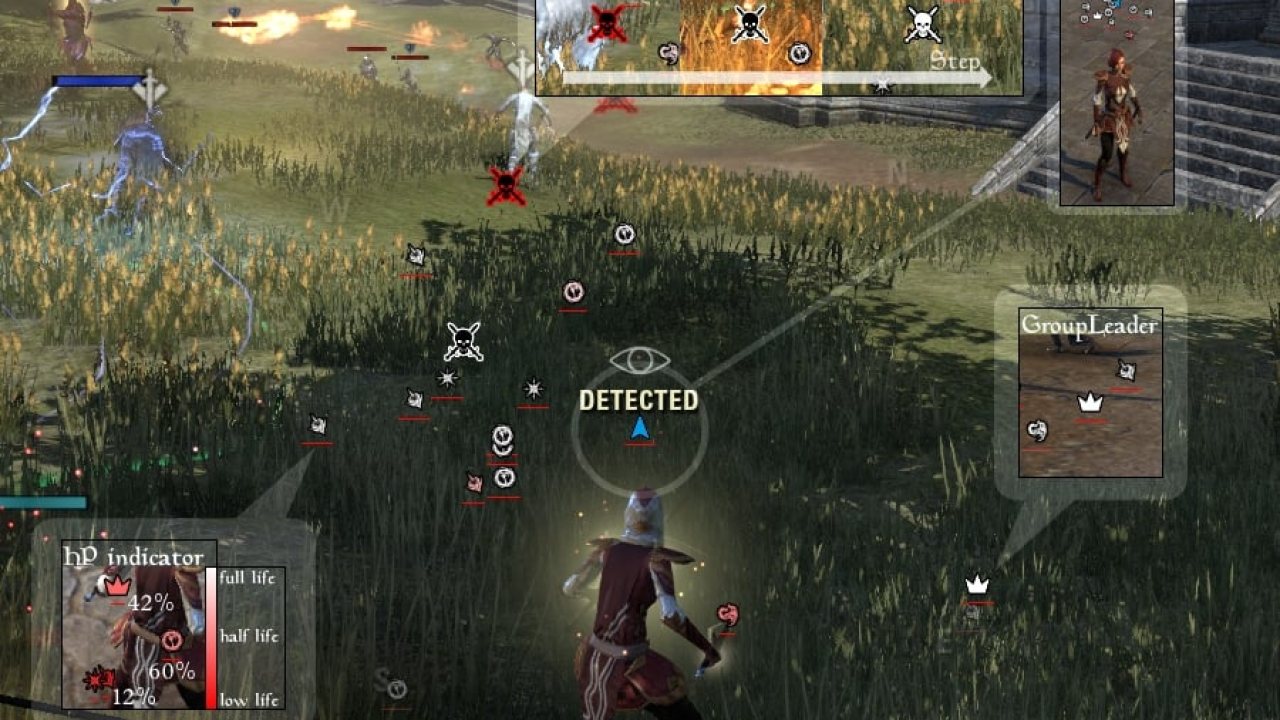
TeamFormation is a user Interface for The Elder Scrolls Online, designed to show the positions and health of your teammates, like a radar. I'm happy to share my addon with you, but please don't make a fork of this addon without my authorization.
TeamFormation is a user Interface for The Elder Scrolls Online, designed to show the positions and health of your teammates, like a radar. I'm happy to share my addon with you, but please don't make a fork of this addon without my authorization.
You can easily see the positions and health of your teammates :
- Healers : See the position of damaged teammates so you can easily heal them.
- Leader : See the position of your teammates so you can easily decide what orders to give.
- Dps : See the position of teammates so you can stay near them.
- Tank : See the position of Healers & Dps who take damage so you can regain agro.
- All : See the position of dead teammates and their resurrection status.
You can set keyboard shortcuts to disable/enable TeamFormation.
Features :
- Keyboard shortcut to enable/disable TeamFormation.
- Dead and resurrection status icon.
- Leader and class icon
- Camera rotation + Character rotation.
- HP Indicator.
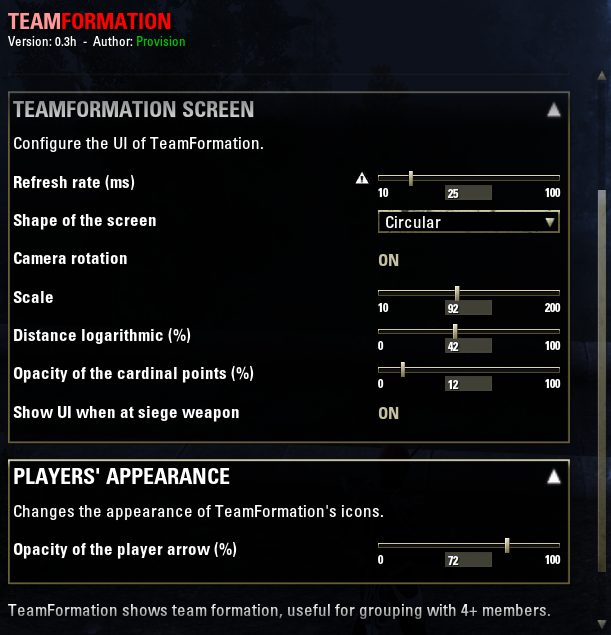
- Cardinal point (adjustable transparency from 0 to 100%).
- Movable, Resizable and Scalable UI.
- Customize colors.
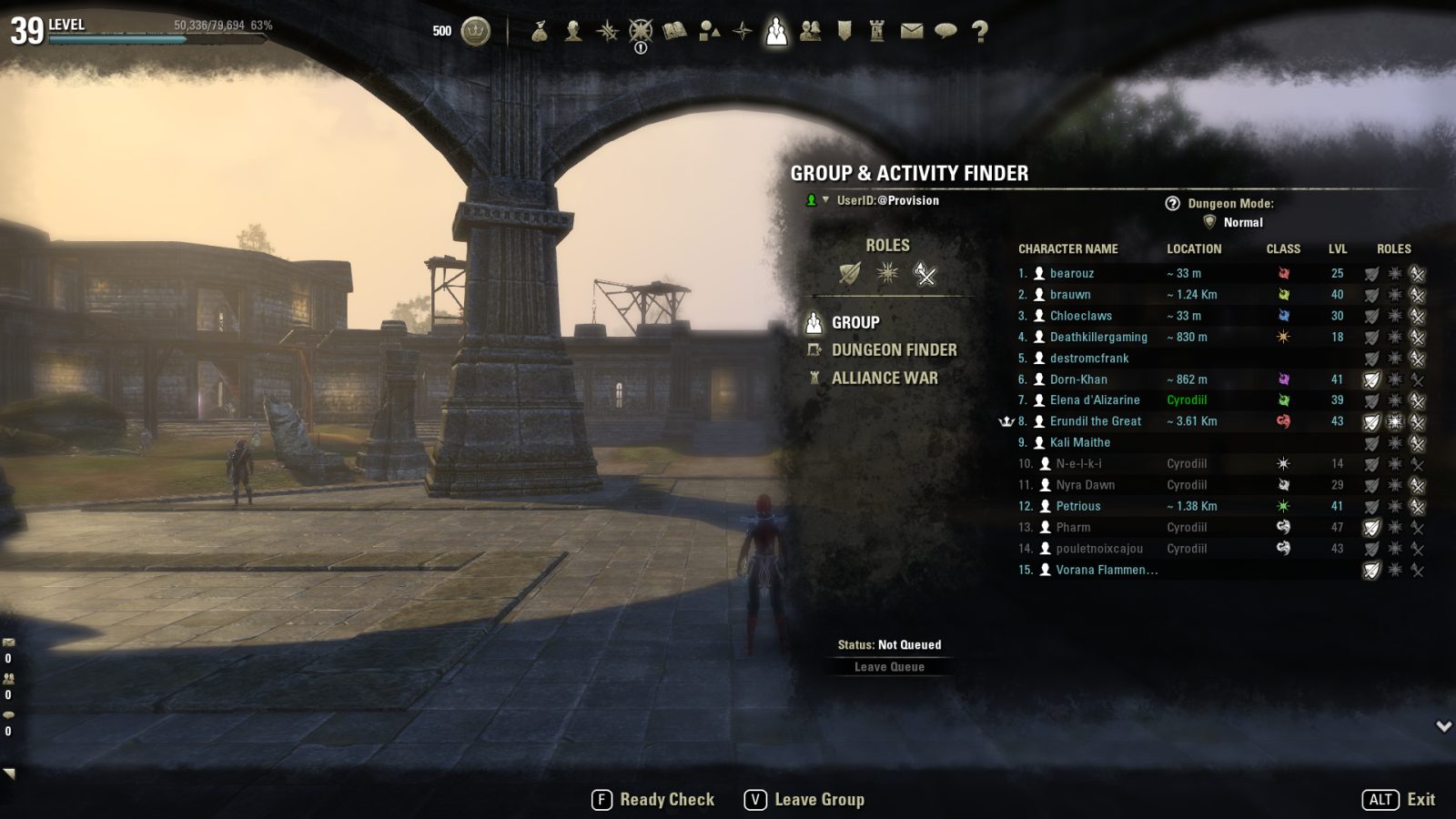
- Group interface shows distance.
Commands :
- /tf : open settings panel.
- /tfrainbow : colorate the first ten players.
Language : FR, EN, DE. (French is the main support).
Quick-install guide :
1. Download the archive "ProvisionsTeamFormation_vx.x.x.zip".
2. Unzip the archive in ESO addons folder (delete the previous TeamFormation folder if you're updating)
3. Launch the game, log in, and check that "Prov's TeamFormation" is enabled for your character and then play.
If the UI does not appear it may be because you are not in a group, you need to reload your UI, or you may need restart your game.
I looking for German translation, and english checking for correct grammar and spelling of TeamFormation's settings. See this post.
One function (< 1% of the code) of this Add-on was inspired by RangeReticle of Adein.
ABOUT THIS LISTING
This page describes Provision's TeamFormation : Teammate Radar by Provision. The description and screenshots are the author's own, imported from their listing on ESOUI on 3 October 2026: https://www.esoui.com/downloads/info1135-ProvisionsTeamFormationTeammateRadar.html
Mythiq.net hosts no files for it. The download button goes straight to the release file on cdn.esoui.com, so you are downloading from the author's own host, not from a copy of ours.
The download count, rating and comments on this page start at zero and count Mythiq.net only. The source's own figures are not copied here — they measure a different site, and a number that cannot be checked against our own ledger is not worth printing.
Media
Requirements
Game versions
4.2
4.1
4.0
3.3
3.2
3.1
API VERSION
Built for ESO API version 4.2, 4.1, 4.0, 3.3, 3.2. After a patch the game marks add-ons built for the previous API as out of date; the "Allow out of date add-ons" checkbox in the add-on menu loads them anyway, and most work.
LIBRARIES
Many ESO add-ons depend on a shared library — LibAddonMenu-2.0 above all — which is installed separately, exactly like an add-on. A dependency that is missing shows as the add-on simply not appearing in the list.
CONSOLE
Add-ons are PC and Mac only. There is no way to load them on console.
Installation
1. Download the archive with the button on this page and unzip it.
2. Move the unzipped folder into your add-ons directory:
Windows — Documents\Elder Scrolls Online\live\AddOns
3. Start the game, and at the character select screen click Add-Ons.
4. Tick the add-on. If it is greyed out and marked out of date, tick "Allow out of date add-ons" at the top of the same panel.
5. Log in. Most add-ons need a /reloadui after they are first enabled.
UPDATING
Delete the old folder first. ESO loads everything it finds, and two copies of one add-on is the usual cause of "an add-on has produced an error" on login.
This release downloads from cdn.esoui.com, not from us, so
there is no checksum to compare against. Scan the archive before you unpack it.
Version history
v1.3.1bLatest
16 Dec 2018 · 86 KB via cdn.esoui.com · 0 downloads Download
Version 1.3.1 :
- Remove the `libs` folder.
Version 1.3.1 :
- Modify the manifest header.
Version 1.3.0a :
- Update addon number version for Murkmire (4.2).
Version 1.3.0 ---> .zip corrupted, my bad
Version 1.2.9e :
- Fix GetGroupMemberRoles.
- Fix Game version (max two versions on .txt)
Version 1.2.9b & 1.2.9c ---> .zip corrupted, my bad
Version 1.2.9 :
- Improve performence (x2).
- Fix the bug when a player disconnect. Now, the point diseaspere every time.
- Change icon when the teammate is not in the same instance, or the teammate is in building/cavern/other map.
Version 1.2.8 :
- Add support group points (rallypoint & ping teamplayer).
- Fix reset settings.
Version 1.2.7 :
- Update LibAddonMenu r25 to r26
- Fix empty unit zone.
- For developpers :
__- Make a github repos & deploy scripts
__- Fire events (See Github #10) : TEAMFORMATION_SetHiddenCalled, TEAMFORMATION_MakeIcon, TEAMFORMATION_UpdateIcon
Version 1.2.6b :
- Update number version.
Version 1.2.6 : <--- Wrong .zip file, it was version 1.2.5....
- Update number version.
Version 1.2.5 :
- Update for new game version (3.2 : Clockwork City & 3.1 : Horns of the Reach).
- Update LibAddonMenu r20 to r25.
- Add warden icon.
Version 1.2.4 :
- Update for new game version (3.0 : Morrowind).
Version 1.2.3 :
- Remove "Lock Position" setting. TF doesn't movable with the mouse.
- Fix issue when Provision is the first addon who load with LAM2.
- Add error handler (and autostop, to prevent infinite error message).
- New setting to enable role icon instead of class icon.
Version 1.2.2c :
- Fix and prevent unknown name.
Version 1.2.2b :
- EN translation fixed (Corrected spelling/Fixed grammar by Baertram)
- German translation by Baertram.
Version 1.2.2 :
- Fix esc key, and leak to global (thanks Votan).
- Fix and Add RGB picker.
- Improve color feature.
- Fix issue with color reset button.
Version 1.2.1 :
- Fix group interface.
- Fix draw level (PF is always on background, behind all windows).
- Update LibAddonMenu r18 to r20.
- When settings panel is open, TF is shown at the right of the setting panel.
- /tfrainbow command, colorate the first ten players. ^_^
- (New feature) You can using settings panel "Color customization" in /tf to colorize player icons.
Version 1.2.0 :
- Update number version for v2.4.5.
Version 0.4c :
- Update number version for Update 9 (v2.3 Thieves Guild).
Version 0.4b :
- Update number version and fix a bug for Update 8 (v2.2.4 Orsinium DLC).
Version 0.4 :
- Update number version for Update 7 (v2.1.4 Imperial City Patch).
Version 0.3h :
- In group interface ("p" key), you will see distance.
- (New setting) You can change the refresh rate (milliseconds).
Version 0.3g :
- Fix opacity setting (when this setting = 0).
Version 0.3f :
- EN translation fixed (Corrected spelling/Fixed grammar by Circonian)
Version 0.3b :
- Two news options :
---> "Camera rotation" = yes or no
---> "Opacity of the player arrow" = 0 to 100
Version 0.3 :
- German translation added (Translated by Baertram)
Off-site on cdn.esoui.com —
no checksum, because we never held this file.
Link checked by our review team on 3 Oct 2026.
Tell us if something is wrong — a file that will not work, content taken from
someone else, or anything that looks unsafe. Reports go to our review team, not
to the author.
We use cookies to ensure that we give you the best experience on our website and improve your experience. By continuing to use this site you consent to such use of cookies.