Afflictions display and cleaning for solo, group and raid with advanced filtering and priority system.
Decursive for World of Warcraft
Decursive is a cleansing mod intended to make affliction removal easy, effective and fun for all the classes having this ability.
Documentation:
NOTE: Type /DECURSIVE to open the configuration panel.
Decursive's options are not directly available in the "Interface" panel due to ongoing tainting issues Blizzard is not willing to fix.
- Decursive supports all classes with cleansing abilities and configures itself automatically,
it works straight out of the box, no configuration is required.
- Intuitive interface and detailed options, Decursive is suitable for simple usage and power users.
- Control what and who you want to dispel:
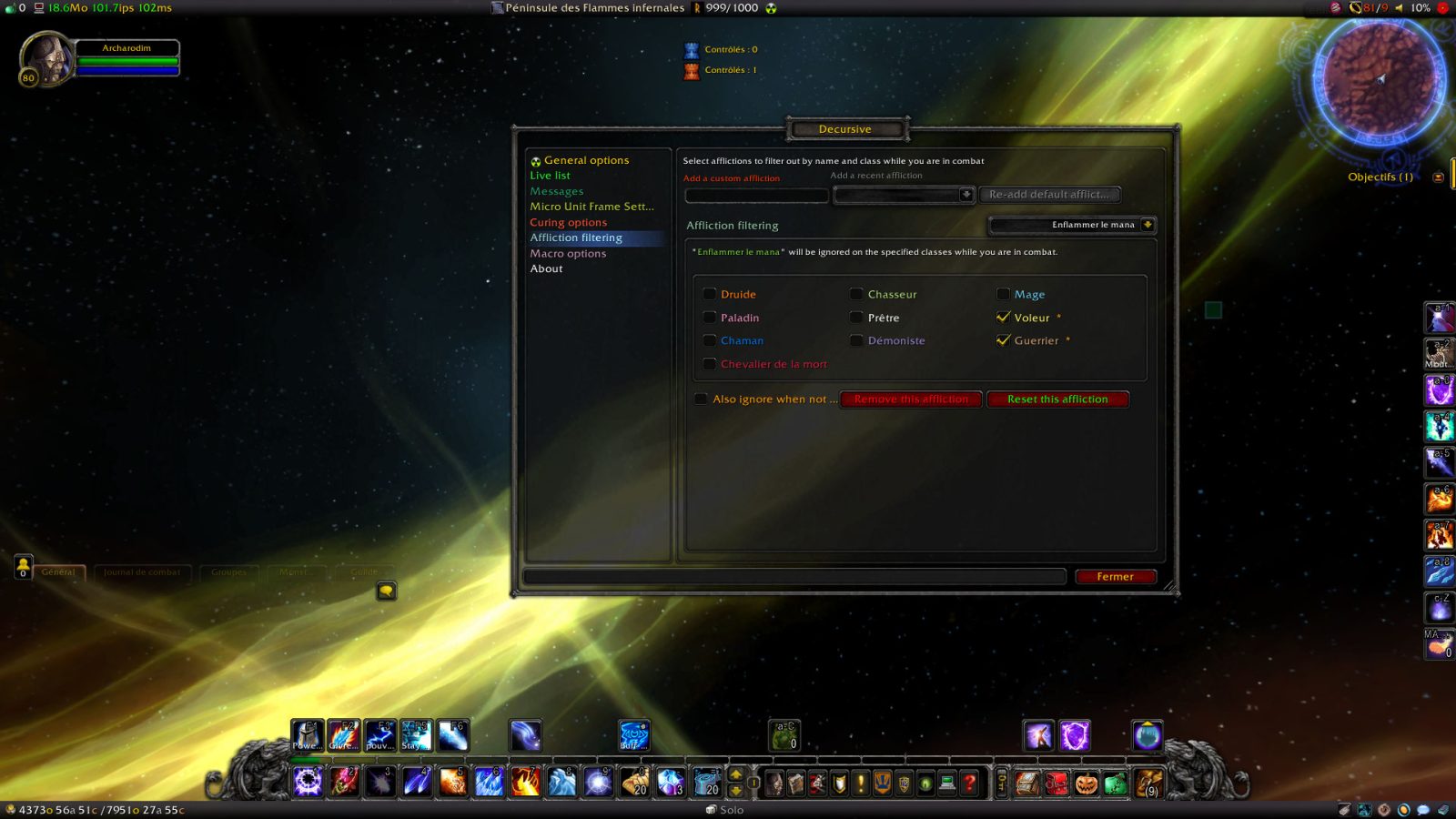
- Easily Filter out afflictions you don't want to cure or that are useless to remove by class (some are pre-configured).
(Such as afflictions affecting mana on non-mana classes, etc...).
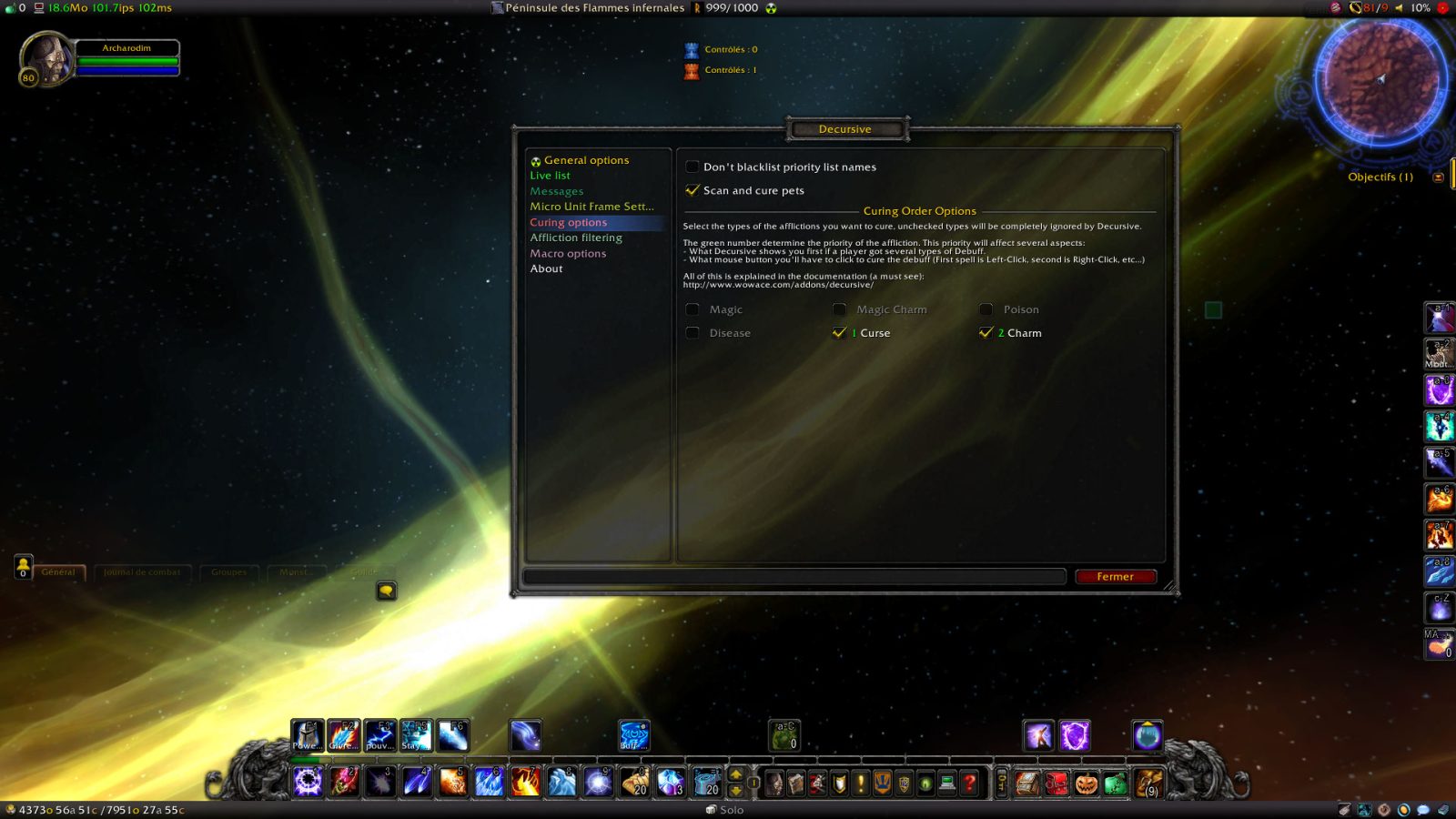
- Choose between what you can dispel (magic, curses, poison, diseases, charms) choosing their priority.
(this allows you to share the cleansing work with other players effectively)
- Prioritize or exclude members.
(keep players, classes, or raid groups in a specific order to cleanse them in order of importance)
- Manage Mind controlled units:
- If you are a Mage, a Druid or a Shaman you can Polymorph/Cyclone/Hex mind-controlled players.
- In any case Decursive will allow you to target mind controlled units easily.
- Decursive supports magic charming affect removal for Shamans (Purge and Hex), Priests (Dispel Magic),
Hunters (Tranquilizing Shot), and Warlocks (Fellhunter and Doomguards spells).
- Don't waste time:
- Your cleansing spell Cooldown is displayed to maximize your dispel speed.
- An automatic blacklist will prevent you from loosing time on players who can't be dispelled.
(player 'out of line of sight' for example).
- Decursive choose a logical cleansing order depending on your current position in the raid.
(preventing dispel concurrence between players and thus 'nothing to dispel' messages)
- React faster:
- Visual and/or auditive alerts when someone needs your attention and can be dispelled.
- Special sound alert when Unstable Affliction is detected and you're about to dispel it.
- Visual and auditive alert when your dispel attempts are resisted or fail.
- Integration in any interface:
- Decursive is designed to save screen real estate and to be forgotten when not needed.
- Many options allow you to customize Decursive appearance and interface behavior.
- All Decursive alert colors can be modified making it suitable for color-blind people.
- Highly optimized and effective coding:
- Decursive was developed with memory and CPU usage in mind, installing Decursive won't affect your frame rate even in the worst battle conditions.
- Bug free: bugs are not tolerated in Decursive.
In brief, what you get with Decursive is effectiveness, a player using Decursive will always dispel faster than other players.
See also:
- Decursive usage
- Micro Unit Frames documentation
- Decursive Macro documentation
- Frequently Asked Questions try this before asking any question
- commands
Interesting articles and videos about Decursive's usage:
- 2010-11-20 (Updated in 2011-06-11)
A complete Decursive guide by @darista: daritos.apotheosis-now.com/?p=24
For other videos about Decursive, see the YouTube playlist.
Decursive is dedicated to the memory of Bertrand Sense known as Glorfindal on
the European server Les Sentinelles.
He was the raid leader of my guild (Horizon)
For suggestions, feature request, or bug report, use the ticket system
provided by WoWAce.com.
Development versions of Decursive are available at this URI: https://www.2072productions.com/to/decursive_dev ; note that development versions may be unstable.
Unless you want to help testing unstable code you should download the versions considered stable below.
This page describes Decursive by archarodim. The description and screenshots are the author's own, imported from their listing on CurseForge on 14 August 2026: https://www.curseforge.com/wow/addons/decursive
Mythiq hosts no files for it. The download button goes straight to the release file on edge.forgecdn.net, so you are downloading from the author's own host, not from a copy of ours.
The download count, rating and comments on this page start at zero and count Mythiq only. The source's own figures are not copied here — they measure a different site, and a number that cannot be checked against our own ledger is not worth printing.
Media
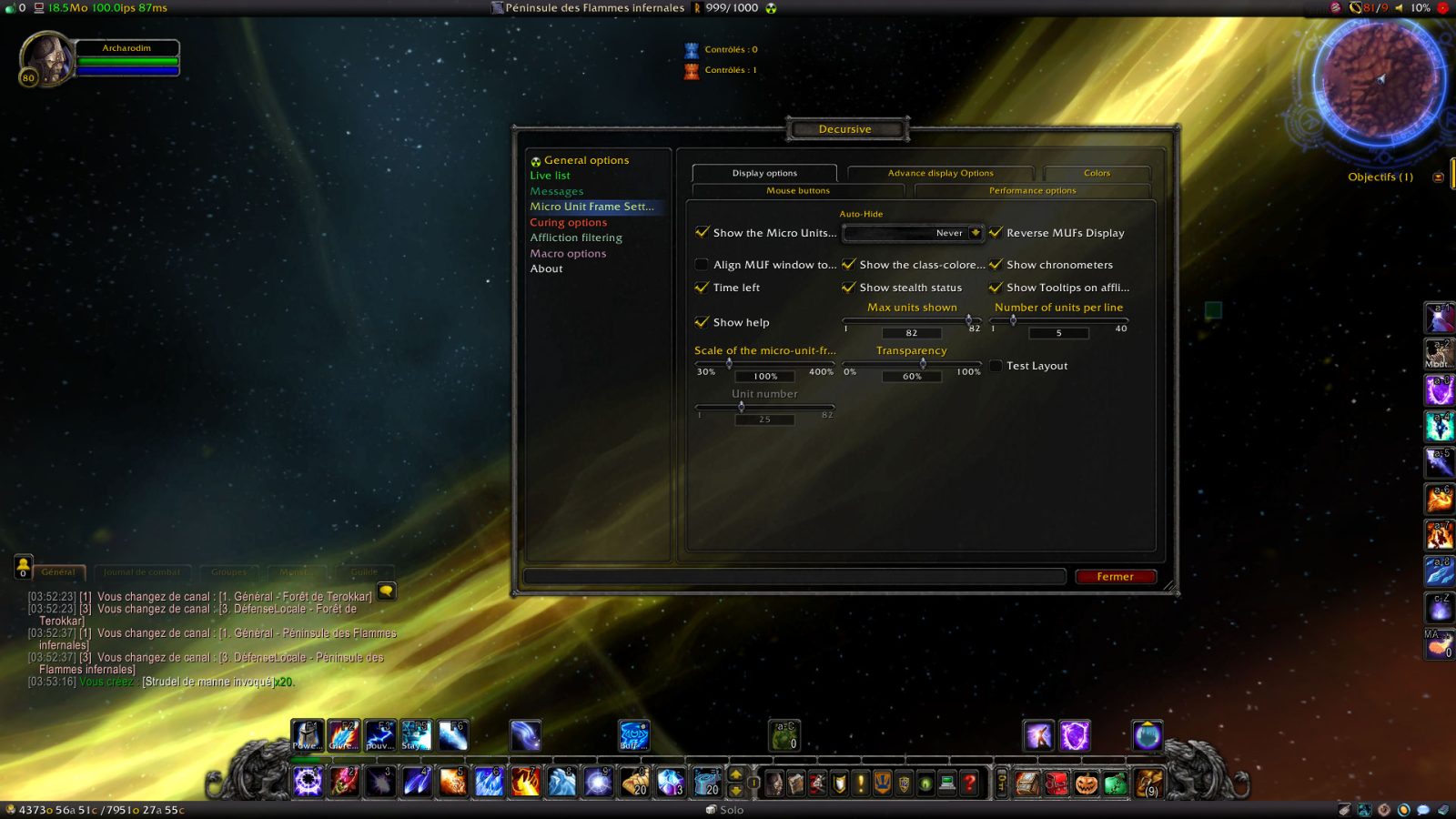
Decursive_Options_MUF_Display.jpg
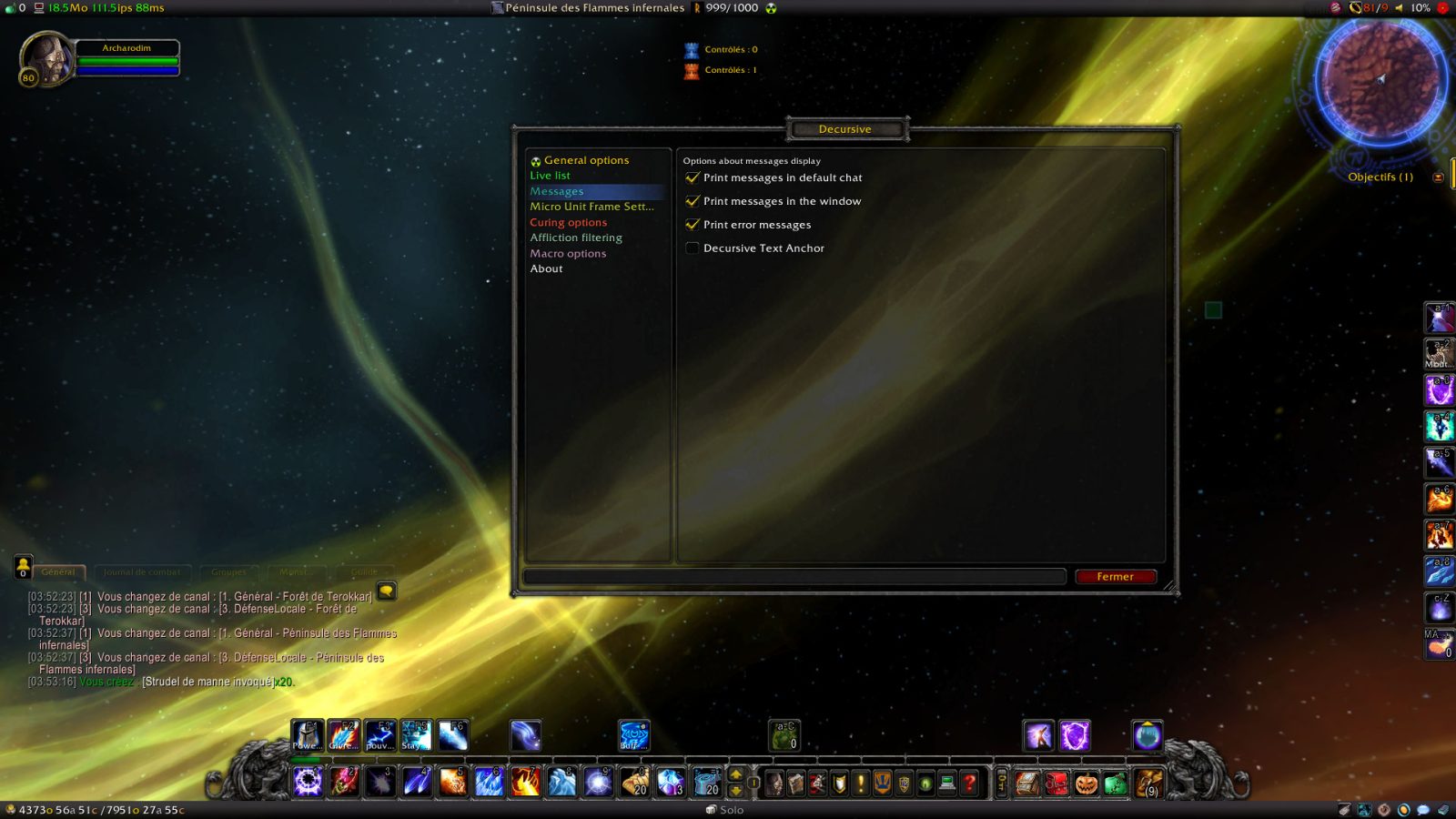
Decursive_Options_Messages.jpg
Decursive_Options_Curing.jpg
Decursive_Options_AfflictionFiltering.jpg
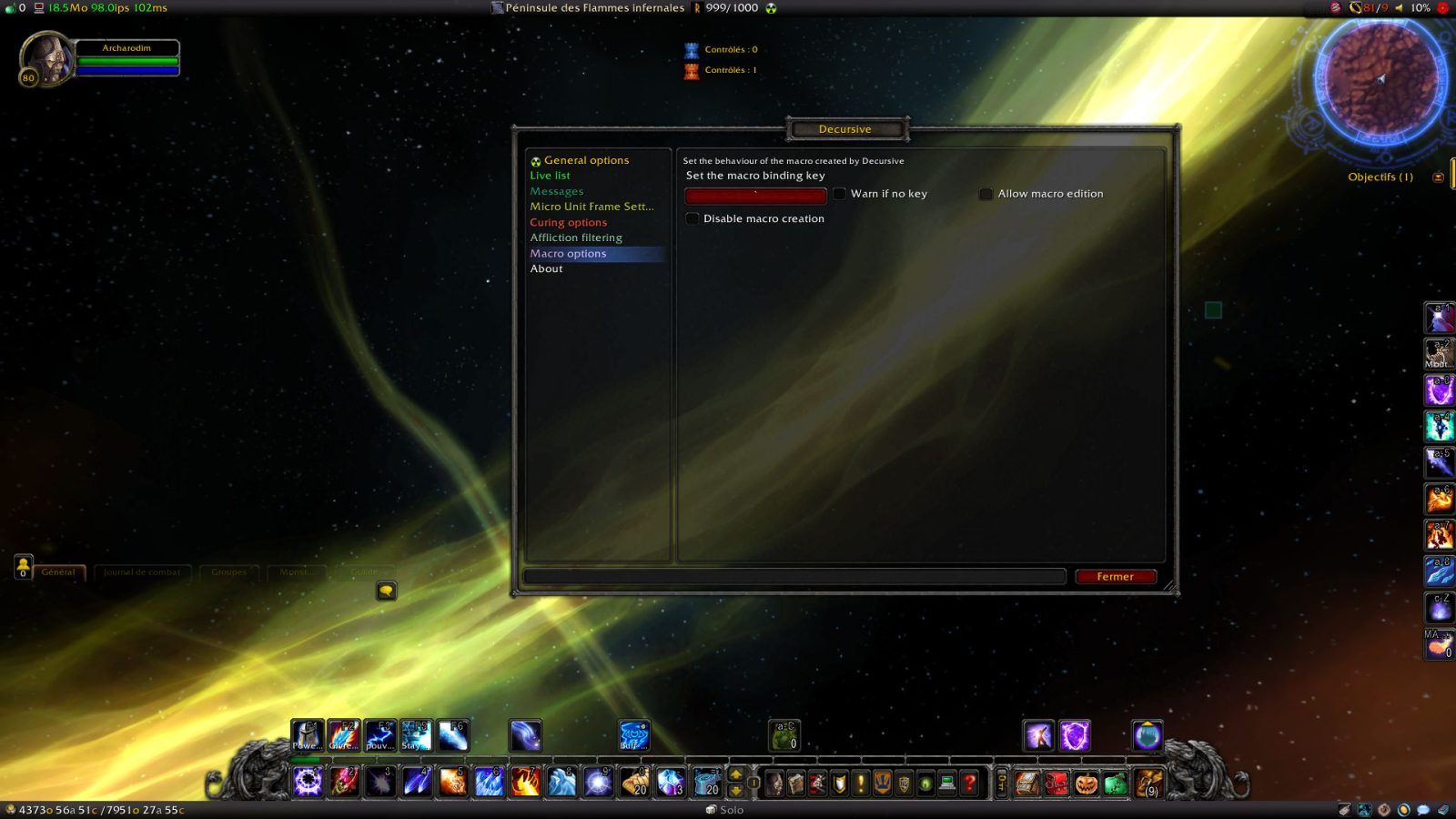
Decursive_Options_Macro.jpg
Requirements
Game version
1.15.9
GAME FLAVOUR
This is a Classic build. Retail and Classic run different interface APIs, and an addon built for one throws Lua errors on the other — check you are installing into the right client folder.
INTERFACE VERSION
Built against game version 1.15.9. After a patch, an addon that has not been updated is flagged out of date; most keep working, and the "Load out of date AddOns" checkbox on the character screen lets you try.
DEPENDENCIES
Some addons need a separate library addon (Ace3, LibStub and friends) that is not bundled. If the addon does not appear in the list in game, a missing dependency is the usual reason.
Installation
1. Quit World of Warcraft completely. The game reads the AddOns folder at launch and will overwrite settings for an addon added while it is running.
2. Download the archive with the button on this page and unzip it.
3. Move the folder — the one with the .toc file in it, not the zip's wrapper folder — into:
World of Warcraft\_classic_era_\Interface\AddOns (or _classic_ for the current Classic expansion)
4. Start the game. On the character selection screen, click AddOns and check that it is listed and enabled.
IF IT DOES NOT APPEAR
Nine times out of ten the folder is nested one level too deep. Interface/AddOns/Thing/Thing/Thing.toc will not load; Interface/AddOns/Thing/Thing.toc will.
UPDATING
Delete the old folder before unzipping the new one. Unzipping over the top leaves files behind that the new version no longer expects.
This release downloads from edge.forgecdn.net, not from us, so
there is no checksum to compare against. Scan the archive before you unpack it.
Tell us if something is wrong — a file that will not work, content taken from
someone else, or anything that looks unsafe. Reports go to our review team, not
to the author.
We use cookies to ensure that we give you the best experience on our website and improve your experience. By continuing to use this site you consent to such use of cookies.