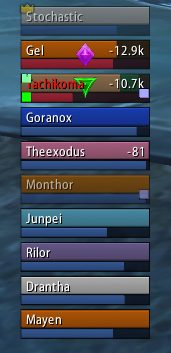
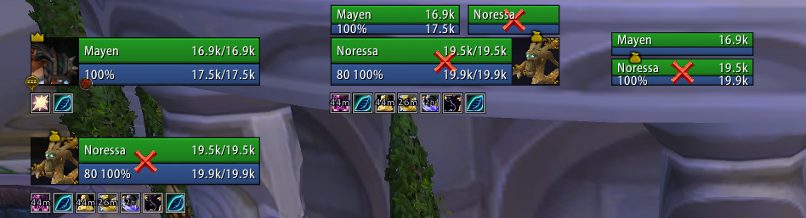
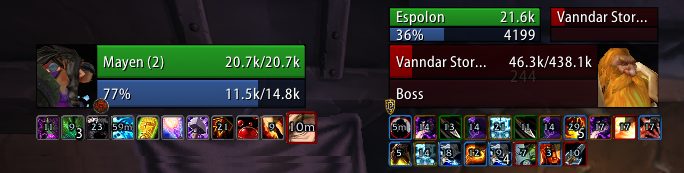
SUF focuses on a simple configuration while maintaining the flexibility that most users will care about, preventing unnecessary bloating of the addon that sacrifices performance. While you aren't going to be able to set the health bar to be exactly 3.14 pixels outside of the unit frames, you can change options you actually care about such as bar height, ordering, frame height and so on. To speed up configuration, you can configure multiple units at the same time through the global configuration. For example, if you want to set the height of the Player, Target, Focus and Party frames to 50 then the height of Target's Target, Target's Target of Target, Focus Target to 30 you can easily do this by changing two options instead of having to do it seven times.
However, should you need a little bit of extra configuration do not despair! An advanced option is included that will unlock additional configuration giving finer control over the configuration.
Shadowed Unit Frames in Midnight
Due to the strict limitations on addons introduced by Blizzard in Midnight, SUF will not be updated at this time.
Shadowed Unit Frames in WoW Classic
There is in-development Beta versions available for WoW Classic!
Note that WoW Classic does not provide all the information that you might be used to:
- There is no Focus Frame
- Information about the HP of enemies is not available, and they'll show as 100 HP
- Cast Bars for anyone but the player himself are not available
- Debuffs have no duration information
Some of this data can be restored with additional libraries/addons, but it'll always be guesswork and potentially inaccurate. Shadowed Unit Frames comes bundled with LibClassicDurations for debuff durations. Mob HP can be provided by Real Mob Health, which you need to install manually.
Note on copying your layout from Retail to Classic:
In general you cannot copy your layout between the two versions, since they are quite different, and doing so will result in certain elements exclusive to one version (like Pet Happiness on Classic) not always working properly. There are some provisions in the code that makes copying from Retail to Classic mostly work, use at your own risk - however, never copy a Layout from Classic to Retail, this will absolutely result in the Class-specific power bars and other elements not available on Classic to cease to function.
Slash commands: /shadoweduf (/suf)
Anchoring
Are you driven crazy by your party frames not aligning up exactly with your player frames, even if it's only half a pixel off? The anchoring system will let you solve all alignment issues, by allowing you to anchor a frame to another and set a simple offset from the frame it is anchored to, or by manually setting the X/Y position of the frame.
Using the screen shot as an example, if you drag the player frame the other frames will move with the player frame preserving the alignment and spacing. Each frame can still be manually positioned wherever you want, but this gives you a way of easily anchoring and moving frames around without having to use a ruler.
Zone configuration (Disabling options/units by zone type)
Units and modules can be enabled or disabled based on the type of zone you are in. For example, if you want to see party targets and party pets while you are in an arena but nowhere else then you can use the visibility options to enable it only while inside an arena. Modules can also be disabled by zone type, if you want to see party auras while in a raid instance but nowhere else you can disable the module in raid instances only.
Profiles do not have to be swapped and it is all automatic.
Units
Supports unit frames are as follows:
Player: Player, Pet, Pet Target
General: Target, Target of Target, Target of Target of Target, Focus, Focus Target
Party: Party, Party Pets, Party Targets, Party ToT
Raid: Raid, Raid Pet, Main Tank, Main Tank Target, Main Assist, Main Assist Target, Boss, Boss Target, Boss ToT, Main Assist ToT, Main Tank ToT
Arena: Arena, Arena Target, Arena Pets, Arena ToT
Battleground: Battleground, Battleground Target, Battleground Target
Features
- Tags: Includes a simple tagging system that can be customized in virtually any way using Lua, even if something isn't included by default odds are you can make the tags
- Incoming Heals: Supports the Blizzard Events for incoming heal data, no external libraries needed
- Auras: Can be set to only show auras you casted, or can cast on others. Can enlarge auras that you casted, and hide the cooldown ring on the timers of auras you didn't cast as well to make it more obvious which ones you casted and which ones you didn't
- Aura Timers: You will need a mod such as OmniCC to show timers on buffs and debuffs
- Aura Indicators: Display colored squares or icons for certain auras on any unit
- Fader: Fades frames when out of combat and inactive (100% mana/no target)
- Class Power (Eclipse, Holy Power, etc): Supports all of the class power features from Eclipse to Burning Embers.
- Highlighting: Border highlighting of frames based on mousing over them, curable debuffs, aggro or you are targeting/focusing them
- Range Checking: Fades frames out that are out of range of you
- Exportable Layouts: If you have a layout, or your friend has a layout you want to try out you can export/import SUF layouts by going to /suf -> Layout Manager
- Profiles: You can change from any profile to another one without reloading your UI, should you want to use a completely different layout based on zone you can easily switch profiles without hassle
Pretty much all the general unit frame settings are in, health bars, cast bars, power bars, portraits, indicators and so on.
Modules
Basic module support is included, should you be interested in building a module see the documentation on github for more information.
Feedback
For feature requests and bug reports, please continue to use the Ticket tracker. Feel free to ask on the thread first, if you're unsure what to do!
ABOUT THIS LISTING
This page describes Shadowed Unit Frames by Shadowed103. The description and screenshots are the author's own, imported from their listing on CurseForge on 14 August 2026: https://www.curseforge.com/wow/addons/shadowed-unit-frames
Mythiq hosts no files for it. The download button goes straight to the release file on edge.forgecdn.net, so you are downloading from the author's own host, not from a copy of ours.
The download count, rating and comments on this page start at zero and count Mythiq only. The source's own figures are not copied here — they measure a different site, and a number that cannot be checked against our own ledger is not worth printing.
Media
raid.png
example.png
frameauras.png
Requirements
Game versions
1.15.8
5.5.3
2.5.5
GAME FLAVOUR
This is a Classic build. Retail and Classic run different interface APIs, and an addon built for one throws Lua errors on the other — check you are installing into the right client folder.
INTERFACE VERSION
Built against game version 1.15.8, 5.5.3, 2.5.5. After a patch, an addon that has not been updated is flagged out of date; most keep working, and the "Load out of date AddOns" checkbox on the character screen lets you try.
DEPENDENCIES
Some addons need a separate library addon (Ace3, LibStub and friends) that is not bundled. If the addon does not appear in the list in game, a missing dependency is the usual reason.
Installation
1. Quit World of Warcraft completely. The game reads the AddOns folder at launch and will overwrite settings for an addon added while it is running.
2. Download the archive with the button on this page and unzip it.
3. Move the folder — the one with the .toc file in it, not the zip's wrapper folder — into:
World of Warcraft\_classic_era_\Interface\AddOns (or _classic_ for the current Classic expansion)
4. Start the game. On the character selection screen, click AddOns and check that it is listed and enabled.
IF IT DOES NOT APPEAR
Nine times out of ten the folder is nested one level too deep. Interface/AddOns/Thing/Thing/Thing.toc will not load; Interface/AddOns/Thing/Thing.toc will.
UPDATING
Delete the old folder before unzipping the new one. Unzipping over the top leaves files behind that the new version no longer expects.
This release downloads from edge.forgecdn.net, not from us, so
there is no checksum to compare against. Scan the archive before you unpack it.
Version history
v4.3.9-classicLatest
19 Jan 2026 · 708 KB via edge.forgecdn.net · 17 downloads Download
Off-site on edge.forgecdn.net —
no checksum, because we never held this file.
Link checked by our review team on 14 Aug 2026.
Tell us if something is wrong — a file that will not work, content taken from
someone else, or anything that looks unsafe. Reports go to our review team, not
to the author.
We use cookies to ensure that we give you the best experience on our website and improve your experience. By continuing to use this site you consent to such use of cookies.