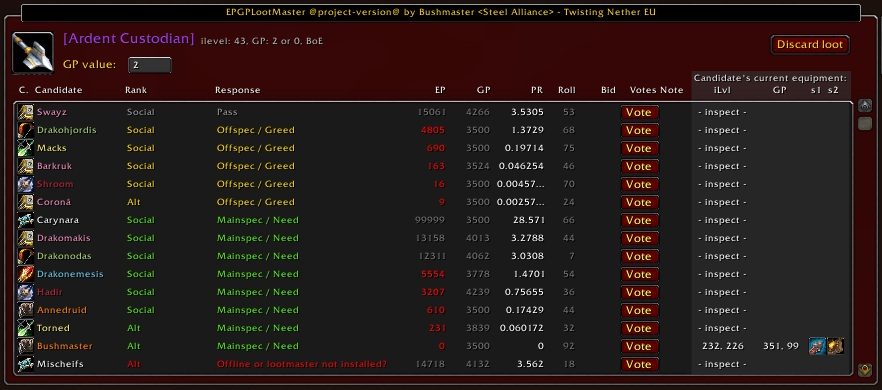
EPGP Lootmaster provides a nice GUI for distributing loot and GP to the raid.
TBC Resurrection
I've made this addon compatible with TBC and Classic again. Also support for CEPGP has been added.
General info
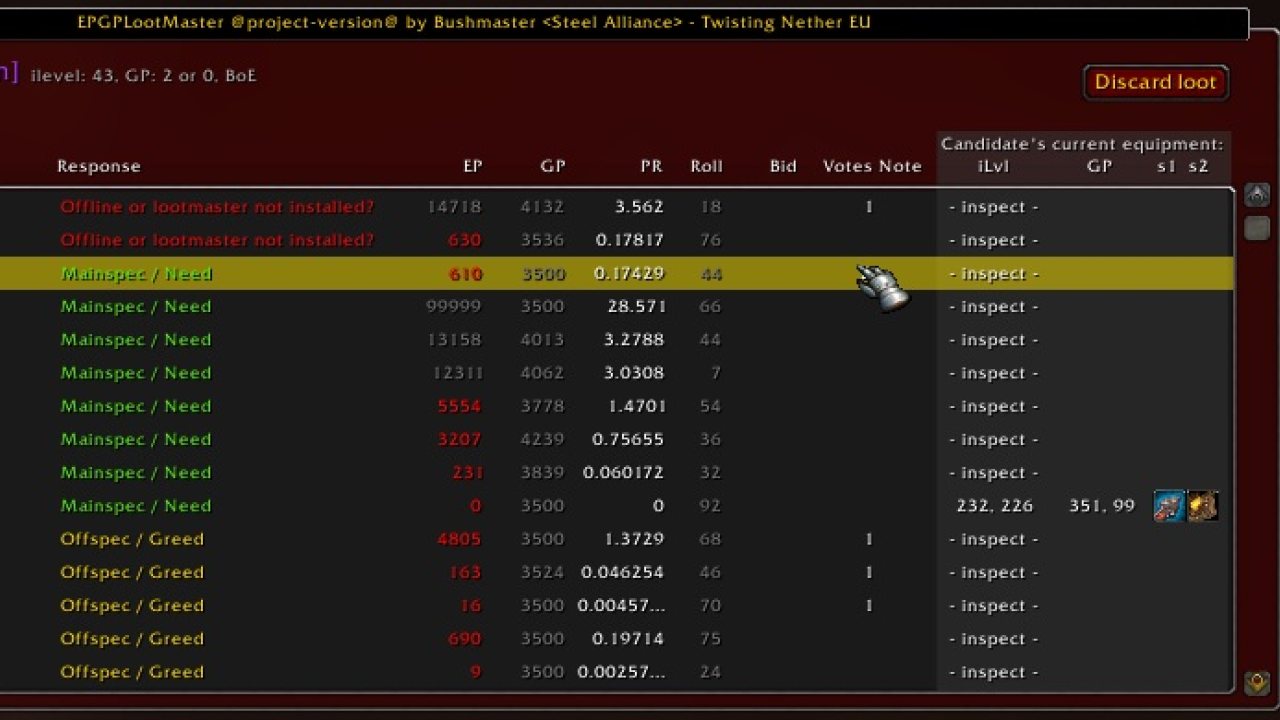
It sends a popup and a message to all raid members with the question wether they want the loot or not and sends this response to the master looter. The ML gets a nice list of every raider's choices sorted by EP/GP (more info on EPGP here).
Translators wanted!
We're currently looking for translators, please visit curseforge if you're interested in helping out.
Whisper system
This mod nolonger requires everyone in your raid to install it!
Raid members can now just whisper the master looter with a simple message:
/w masterlooter !epgp need/greed/pass [itemlink]
This, however, will not send the current equipment to the master looter ui.
It's still strongly suggested that everyone installs the mod, but it's nolonger mandatory.
The master looter, of course, still needs to install it ;)
Installation
Just copy the epgp_lootmaster and epgp_lootmaster_ml directories from the zipfile to your addons directory or use the Curse Installer. When you configure your addons in wow you'll get two entries:- EPGP LootMaster - Core: Everyone in raid needs to enable this.
- EPGP LootMaster - ML: Only Master Looter needs to enable this, most raiders will probably get dependency missing because EPGP isn't installed. This is no problem, just leave it disabled. The Master Looter however does need to install EPGP.
Config
/lm options for some basic options.- Auto announce threshold: sets what kind of item raid members automatically get to see.
- Auto looter: sets a raid members that will automatically receive BoE and BoU items below the threshold (for disenchantment or bank).
- Listen for incoming monitor updates: Enabling this will make your client listen from updates from the master looter. It will show you the exact same interface as the master looter. This way you could help deciding who gets the loot.
Use
Just install this mod on every raid member.
Set someone up a master looter.
As soon as the ML tries to loot something, epgp_lootmaster will detect it and will try to handle the distribution for you. epgp_lootmaster will also handle the GP distribution for you and should automatically disable the EPGP GP input popup. You can also manually disable this popup from the EPGP options panel.
/lm version or /lm versioncheck
This will show you an interface where you can see wether the members of your guild or raid have installed lootmaster and what version.
Additional functions
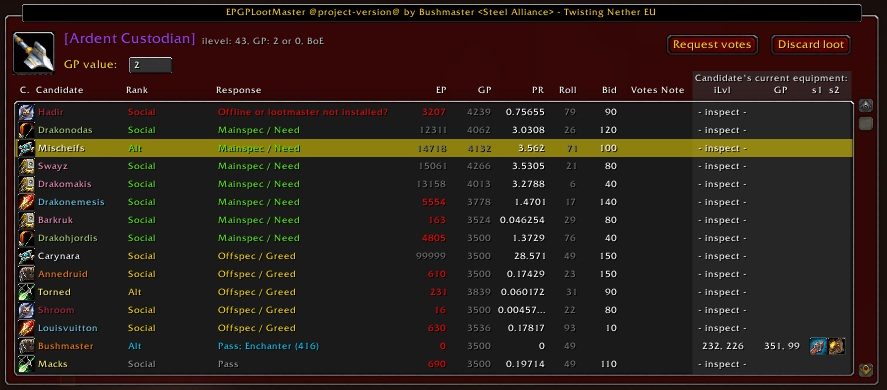
While it's not something that's endorsed by the EPGP system, EPGPLootmaster does have built in Voting and Bidding systems. You can configure these systems easily from the configuration panel (/lm config).
Bidding system
The bidding system allows players to place a custom GP bid for an item. The highest bidder wins the item. This works either by inputting your bid on the need/greed/pass selection popup, or by using the whisper system: /w masterlooter !epgp need [itemlink] [bid]
Voting system
The voting system allows the master looter to request help from the loot council to select a proper candidate for an item. This has been implemented because some guild want to use PR for the majority of their loot but sometimes they want to bypass and select a candidate manually, by placing votes. The configuration panel allows you to define who are the members of your loot council: either the assistants in your raid or a selection of ranks in your guild or both or everyone in your raid. You can configure as you see fit.
Let me know!
Please let me know what you think of my mod (good or bad). Your comments allow me to improve EPGPLootmaster so please don't hesitate to make tickets and add comments.
Bugtracker - create tickets here
ABOUT THIS LISTING
This page describes EPGPLootmaster by mackatackcom. The description and screenshots are the author's own, imported from their listing on CurseForge on 26 October 2026: https://www.curseforge.com/wow/addons/epgp_lootmaster
Mythiq.net hosts no files for it. The download button goes straight to the release file on edge.forgecdn.net, so you are downloading from the author's own host, not from a copy of ours.
The download count, rating and comments on this page start at zero and count Mythiq.net only. The source's own figures are not copied here — they measure a different site, and a number that cannot be checked against our own ledger is not worth printing.
Media
ML_voting.jpg
candidate_bidding.jpg
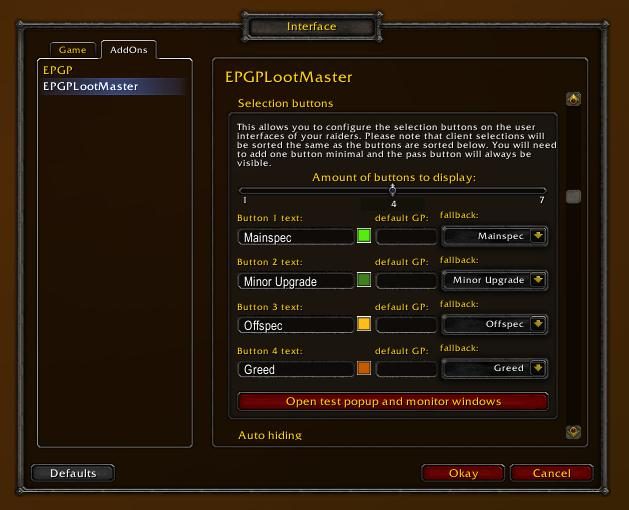
options.jpg
ML_bidding.jpg
lmbuttonconfig.JPG
Requirements
Game version
2.5.1
GAME FLAVOUR
This is a Classic build. Retail and Classic run different interface APIs, and an addon built for one throws Lua errors on the other — check you are installing into the right client folder.
INTERFACE VERSION
Built against game version 2.5.1. After a patch, an addon that has not been updated is flagged out of date; most keep working, and the "Load out of date AddOns" checkbox on the character screen lets you try.
DEPENDENCIES
Some addons need a separate library addon (Ace3, LibStub and friends) that is not bundled. If the addon does not appear in the list in game, a missing dependency is the usual reason.
Installation
1. Quit World of Warcraft completely. The game reads the AddOns folder at launch and will overwrite settings for an addon added while it is running.
2. Download the archive with the button on this page and unzip it.
3. Move the folder — the one with the .toc file in it, not the zip's wrapper folder — into:
World of Warcraft\_classic_era_\Interface\AddOns (or _classic_ for the current Classic expansion)
4. Start the game. On the character selection screen, click AddOns and check that it is listed and enabled.
IF IT DOES NOT APPEAR
Nine times out of ten the folder is nested one level too deep. Interface/AddOns/Thing/Thing/Thing.toc will not load; Interface/AddOns/Thing/Thing.toc will.
UPDATING
Delete the old folder before unzipping the new one. Unzipping over the top leaves files behind that the new version no longer expects.
This release downloads from edge.forgecdn.net, not from us, so
there is no checksum to compare against. Scan the archive before you unpack it.
Tell us if something is wrong — a file that will not work, content taken from
someone else, or anything that looks unsafe. Reports go to our review team, not
to the author.
We use cookies to ensure that we give you the best experience on our website and improve your experience. By continuing to use this site you consent to such use of cookies.