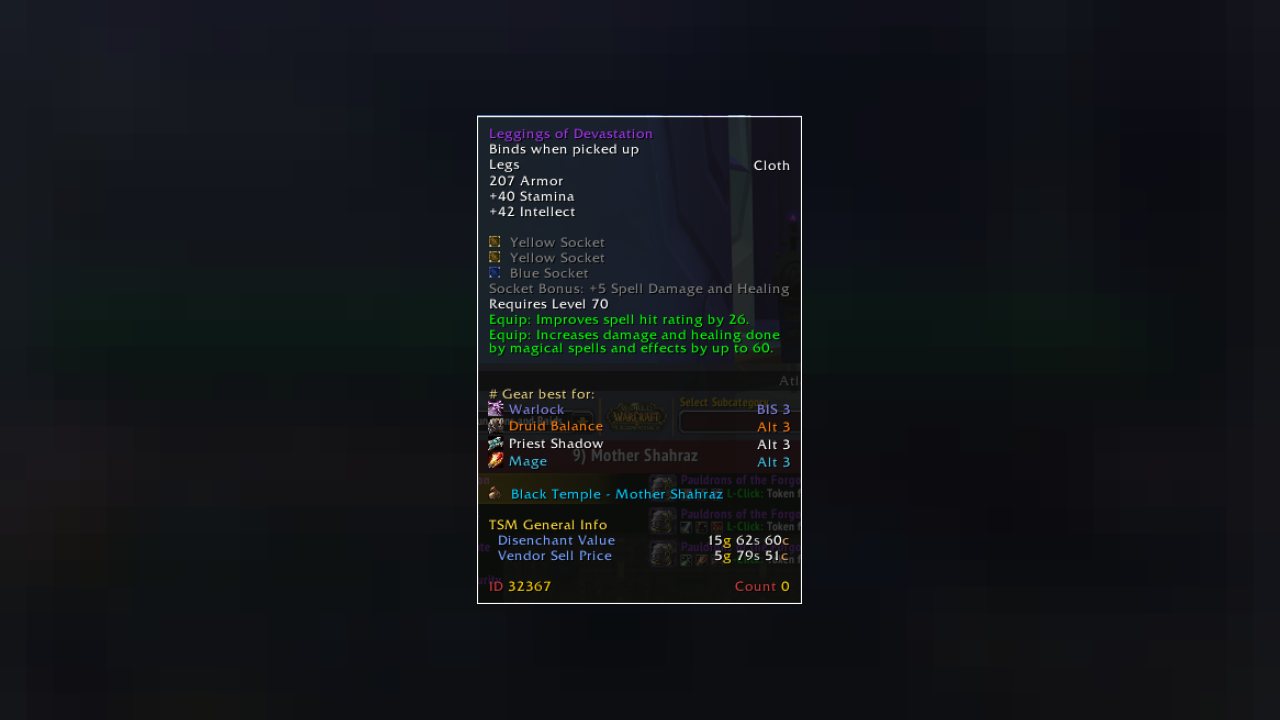
Addon that puts wowhead BIS guides into the tooltip and provides a window to browse the full list
Loon Best In Slot
Classic Version by Loon
Retail Version by Seb
https://discord.gg/2NBdxBjzdb - join to report bugs or request features.
Features
- Wowhead BIS guides integrated in game
- Create Custom Lists to use in addition to or instead of Wowhead guides.
- Toggleable minimap button and tooltip integration
- Tooltip integration that shows item status in bis lists
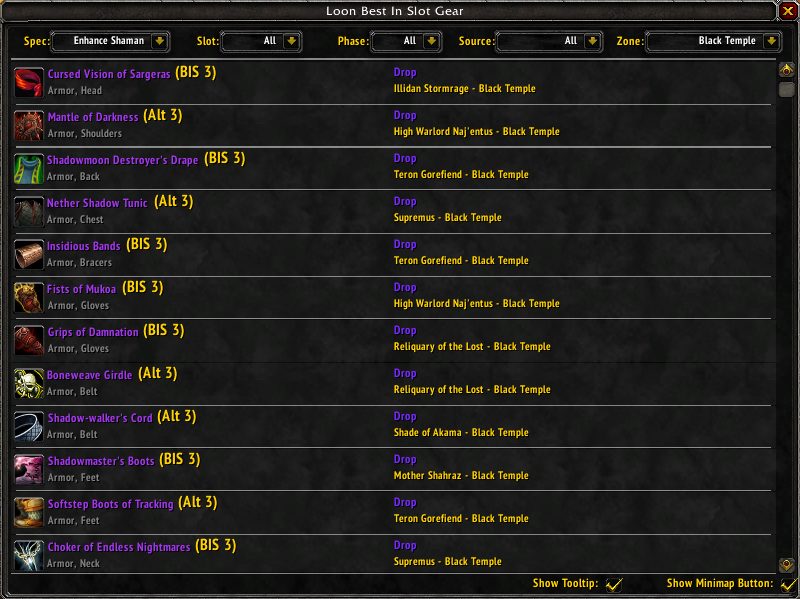
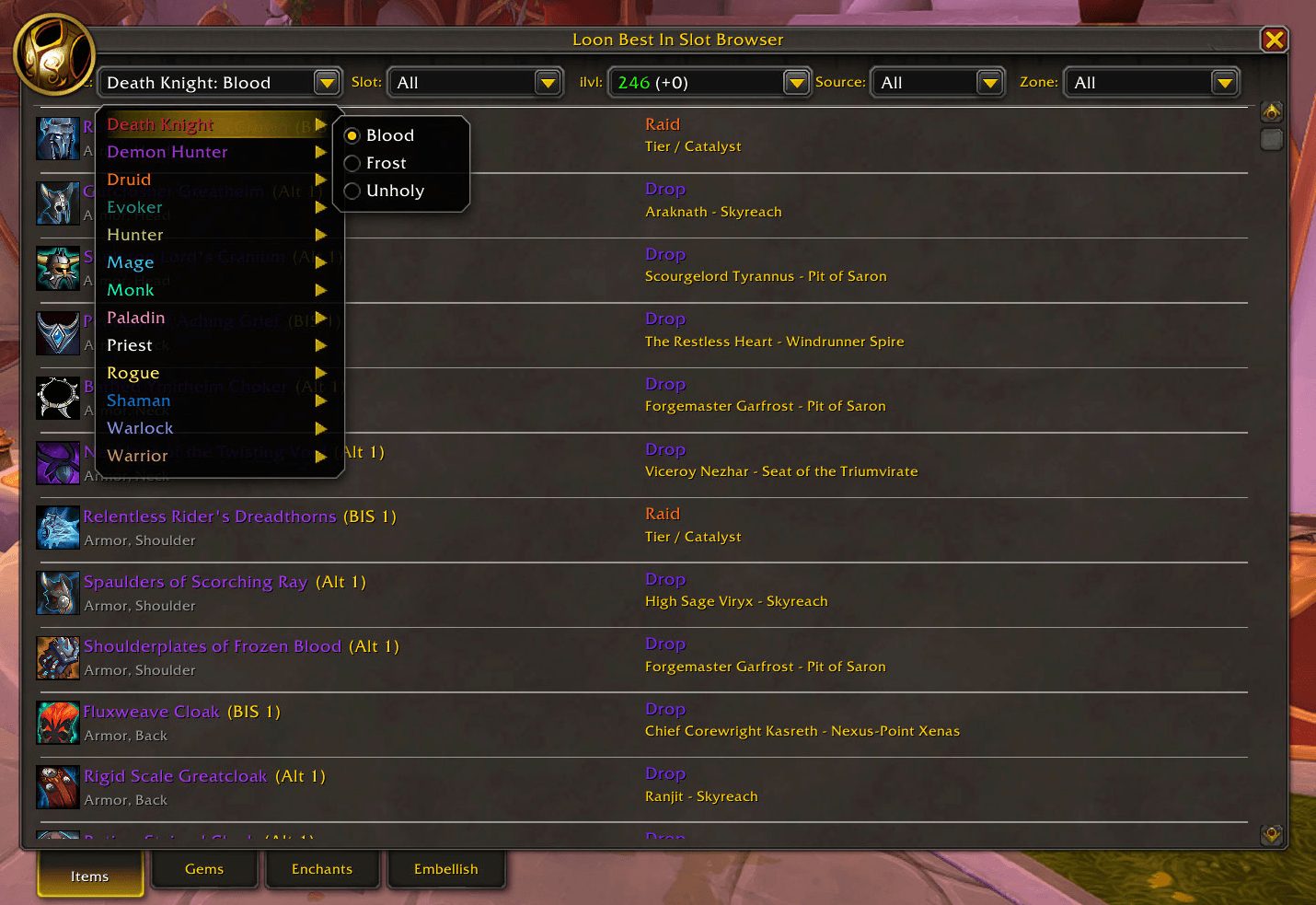
- Fully functional loot browser that allows filtering by class / spec / phase / slot / source / raid
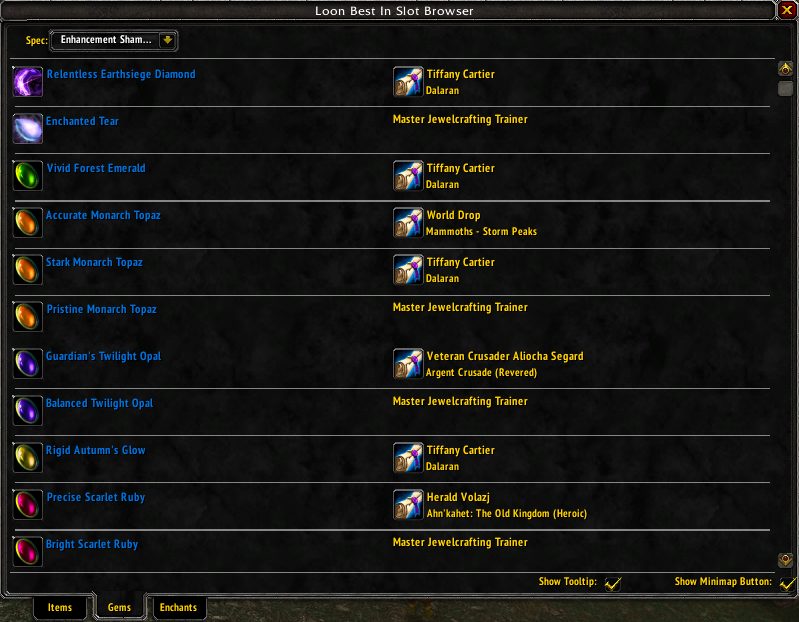
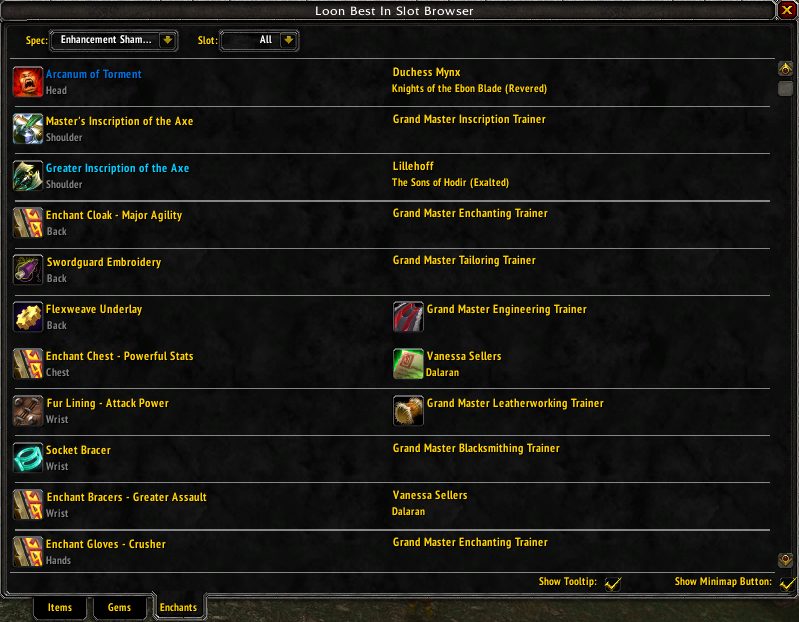
- Show recommended gems and enchants for your class and spec
- Loot browser will show you any item you are currently wearing or is in your bags.
Retail
- 900+ items with accurate Season 2 item level tooltips via the Upgrade Track selector (Champion / Hero / Great Vault, up to 334)
- New Season filter: hide last season's gear with "Current Season", or show everything with "All"
- Full Season 2 content: all 8 M+ dungeons (Altar of Fangs, Murder Row, Den of Nalorakk, The Blinding Vale, Voidscar Arena, King's Rest, Temple of Sethraliss, Ruby Life Pools) and the raid The Venomous Abyss
- Filter by slot, item level, source (Mythic+ / Raid / Crafted), zone, and season
- Gem recommendations per spec
- Modernized UI matching the current Retail style
BIS data sourced from KeystoneLoot, cross-referenced with Wowhead.
Slash Commands
/bis - Opens the loot browser window
Tooltip Key
Class - Spec - BIS Status - Phase
So for example:
Druid Restoration Alt P>1 (Alternate item for resto druids from phase preraid to 1)
Rogue Combat BIS 1>3 BIS (item for combat rogues obtainable in phase 1, and still BIS through phase 3)
Anything that says BIS is current BIS.
Abbreviations
BIS = Best In Slot item
Alt = Alternate Best In Slot item
Mit = Mitigation item
Thrt = Threat item
Stam = Stamina item
Integrations
- Bagnon (shows items in your bank)
- LinkWrangler (shows in custom tooltips)
***This addon in no way replaces sim-ing your gear. BIS Lists can only ever be a guide to show you which gear might be best for your class and spec, and in no way can tell you which item is the best addition to your current gear. I built this so that I didn't have to constantly look up items in my browser while in game, and so that I didn't ever accidentally overlook gear that might be good for my characters but wasn't aware of. You'll get much more out of it if you know your class and understand that this addon isn't a religious text, but rather a decent guide that can be used to plan out which piece's of gear that you're going to go for. Thank you for listening to my talk.
ABOUT THIS LISTING
This page describes Loon Best In Slot (BIS) by loonnn_. The description and screenshots are the author's own, imported from their listing on CurseForge on 3 October 2026: https://www.curseforge.com/wow/addons/loon-best-in-slot
Mythiq.net hosts no files for it. The download button goes straight to the release file on edge.forgecdn.net, so you are downloading from the author's own host, not from a copy of ours.
The download count, rating and comments on this page start at zero and count Mythiq.net only. The source's own figures are not copied here — they measure a different site, and a number that cannot be checked against our own ledger is not worth printing.
Media
Loot Browser
Gem Browser
Enchant Browser
Loot Browser Retail
Requirements
Game version
1.15.9
GAME FLAVOUR
This is a Classic build. Retail and Classic run different interface APIs, and an addon built for one throws Lua errors on the other — check you are installing into the right client folder.
INTERFACE VERSION
Built against game version 1.15.9. After a patch, an addon that has not been updated is flagged out of date; most keep working, and the "Load out of date AddOns" checkbox on the character screen lets you try.
DEPENDENCIES
Some addons need a separate library addon (Ace3, LibStub and friends) that is not bundled. If the addon does not appear in the list in game, a missing dependency is the usual reason.
Installation
1. Quit World of Warcraft completely. The game reads the AddOns folder at launch and will overwrite settings for an addon added while it is running.
2. Download the archive with the button on this page and unzip it.
3. Move the folder — the one with the .toc file in it, not the zip's wrapper folder — into:
World of Warcraft\_classic_era_\Interface\AddOns (or _classic_ for the current Classic expansion)
4. Start the game. On the character selection screen, click AddOns and check that it is listed and enabled.
IF IT DOES NOT APPEAR
Nine times out of ten the folder is nested one level too deep. Interface/AddOns/Thing/Thing/Thing.toc will not load; Interface/AddOns/Thing/Thing.toc will.
UPDATING
Delete the old folder before unzipping the new one. Unzipping over the top leaves files behind that the new version no longer expects.
This release downloads from edge.forgecdn.net, not from us, so
there is no checksum to compare against. Scan the archive before you unpack it.
Version history
LoonBestInSlot-classic-v4.0.6.zipLatest
29 Aug 2026 · 853 KB via edge.forgecdn.net · 0 downloads Download
Off-site on edge.forgecdn.net —
no checksum, because we never held this file.
Link checked by our review team on 3 Oct 2026.
Tell us if something is wrong — a file that will not work, content taken from
someone else, or anything that looks unsafe. Reports go to our review team, not
to the author.
We use cookies to ensure that we give you the best experience on our website and improve your experience. By continuing to use this site you consent to such use of cookies.