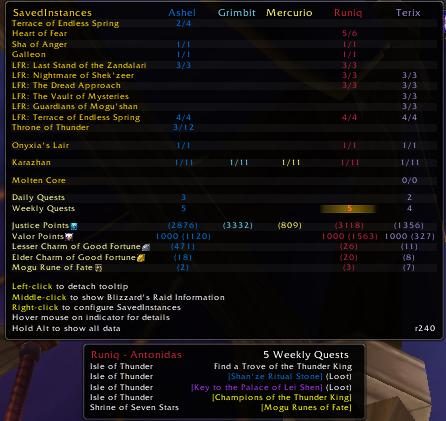
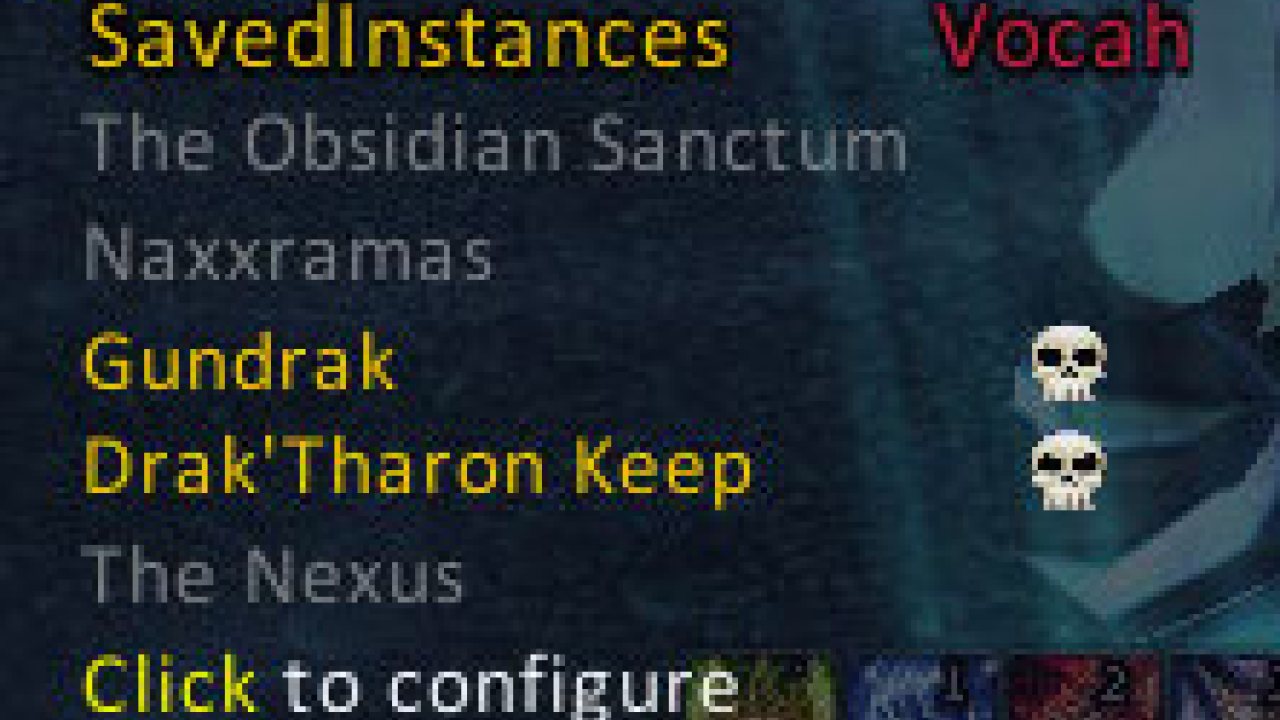
Tracks Raid/Instance/World Boss lockouts for all your characters, daily/weekly quests, currencies, trade cooldowns, and more!
SavedInstances
An addon that keeps track of the instance/raid lockouts saved against your characters, and related currencies and cooldowns. SavedInstances has the following features:
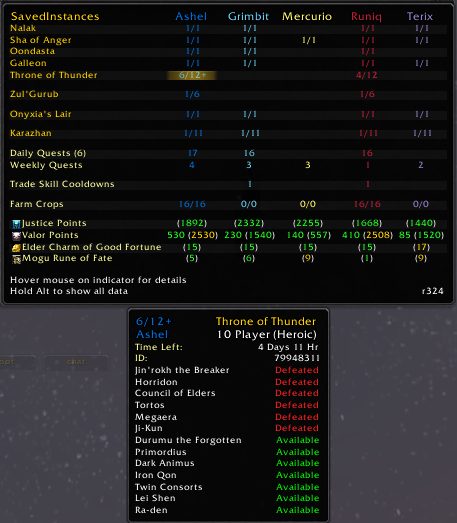
- Tooltip display shows current lockouts and data for all your characters, and optionally expired lockouts
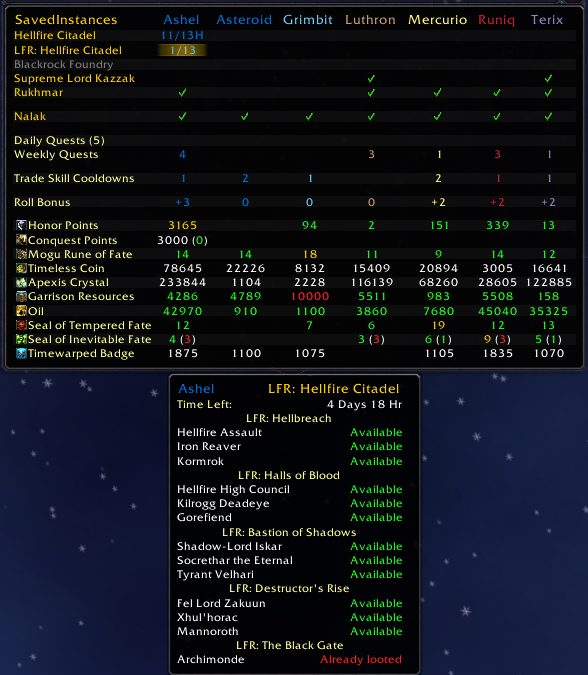
- Secondary tooltip (per-lockout) shows lockout details including bosses available, lock status and time remaining, and can be linked into chat
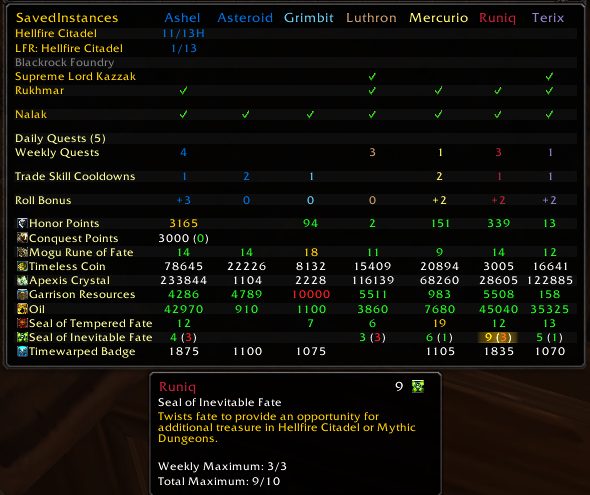
- Tracks the honor points and conquest points of all your characters, including weekly caps
- Tracks seals, resources, money, and other useful currencies (configurable display)
- Tracks weekly World Boss Loots
- Tracks LFR bosses looted
- Tracks holiday boss encounters
- Tracks daily and weekly quests completed for each toon (mouseover entry to list completed quests)
- Tracks monthly Darkmoon Faire quests completed for each toon (mouseover weekly quests)
- Tracks weekly "special" loots on the Timeless Isle and Isle of Thunder (mouseover weekly quests)
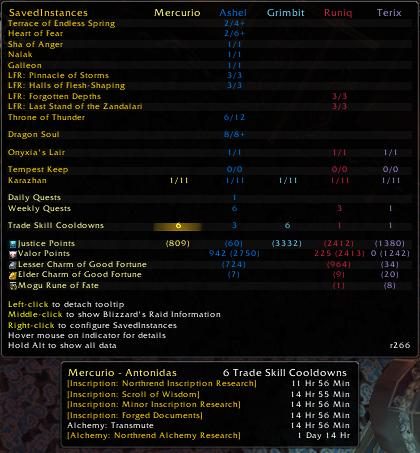
- Tracks trade skill cooldowns (eg. Celestial cloth, Living Steel transmute, Secrets of Draenor, etc.)
- Tracks data for all your characters across servers and factions
- Can be configured to always show your favorite instances so you can use it like a shopping list
- Tracks Blizzard's 10 instance per hour per account limit (*)
- Tracking Bonus Loot Rolls (hidden by default), to help in "gaming" the bad luck protection (*)
Bug Reports and Feature Requests (Bug reports in comments might not be seen)
Translators: Apply localization here
Featured in Hearthcast Podcast #181
Known Issues
SavedInstances is pretty good, but it's still not quite perfect. There are currently a few issues:
- When first installed, SavedInstances has no knowledge of your other characters: you'll need to log into each for their information to be recorded
- (*) = Indicates a feature displaying data that cannot be directly queried from the server, but rather is collected by the addon while observing player actions. Actions taken while the addon is disabled, or from other computers, or before a client crash, can result in this display being temporarily out-of-date or incomplete.
- Lockout time remaining and other features may be off by an hour when your region changes to and from Daylight Savings Time, or if you manually adjust the timezone of your computer.
- Tracking for the 10 instance per hour limit uses heuristic detection and hence may occasionally be inaccurate (notably when another player has lead and performs explicit resets), but does a reasonable job for common cases.
Usage
SavedInstances will create a new button on the minimap, and you can use it to interact with SavedInstances just fine. The addon can also be displayed using a LibDataBroker-compatible display addon. I personally use Chocolate Bar which works quite well. Finally, you can bind a key or use "/si show" to open a detached window containing the display.
ABOUT THIS LISTING
This page describes SavedInstances by jokeyrhyme. The description and screenshots are the author's own, imported from their listing on CurseForge on 3 October 2026: https://www.curseforge.com/wow/addons/saved_instances
Mythiq.net hosts no files for it. The download button goes straight to the release file on edge.forgecdn.net, so you are downloading from the author's own host, not from a copy of ours.
The download count, rating and comments on this page start at zero and count Mythiq.net only. The source's own figures are not copied here — they measure a different site, and a number that cannot be checked against our own ledger is not worth printing.
Media
si-curr.png
si-lfr2.png
si-raid.PNG
si-trade1.JPG
si-weekly.jpg
Requirements
Game version
12.1.0
GAME FLAVOUR
This is a retail (modern World of Warcraft) build. It will not work in the Classic clients, which run a different interface API.
INTERFACE VERSION
Built against game version 12.1.0. After a patch, an addon that has not been updated is flagged out of date; most keep working, and the "Load out of date AddOns" checkbox on the character screen lets you try.
DEPENDENCIES
Some addons need a separate library addon (Ace3, LibStub and friends) that is not bundled. If the addon does not appear in the list in game, a missing dependency is the usual reason.
Installation
1. Quit World of Warcraft completely. The game reads the AddOns folder at launch and will overwrite settings for an addon added while it is running.
2. Download the archive with the button on this page and unzip it.
3. Move the folder — the one with the .toc file in it, not the zip's wrapper folder — into:
World of Warcraft\_retail_\Interface\AddOns
4. Start the game. On the character selection screen, click AddOns and check that it is listed and enabled.
IF IT DOES NOT APPEAR
Nine times out of ten the folder is nested one level too deep. Interface/AddOns/Thing/Thing/Thing.toc will not load; Interface/AddOns/Thing/Thing.toc will.
UPDATING
Delete the old folder before unzipping the new one. Unzipping over the top leaves files behind that the new version no longer expects.
This release downloads from edge.forgecdn.net, not from us, so
there is no checksum to compare against. Scan the archive before you unpack it.
Tell us if something is wrong — a file that will not work, content taken from
someone else, or anything that looks unsafe. Reports go to our review team, not
to the author.
We use cookies to ensure that we give you the best experience on our website and improve your experience. By continuing to use this site you consent to such use of cookies.