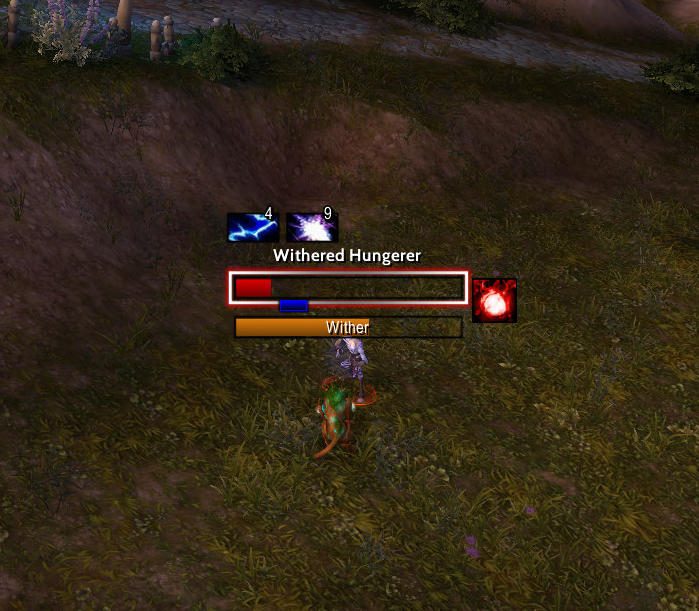
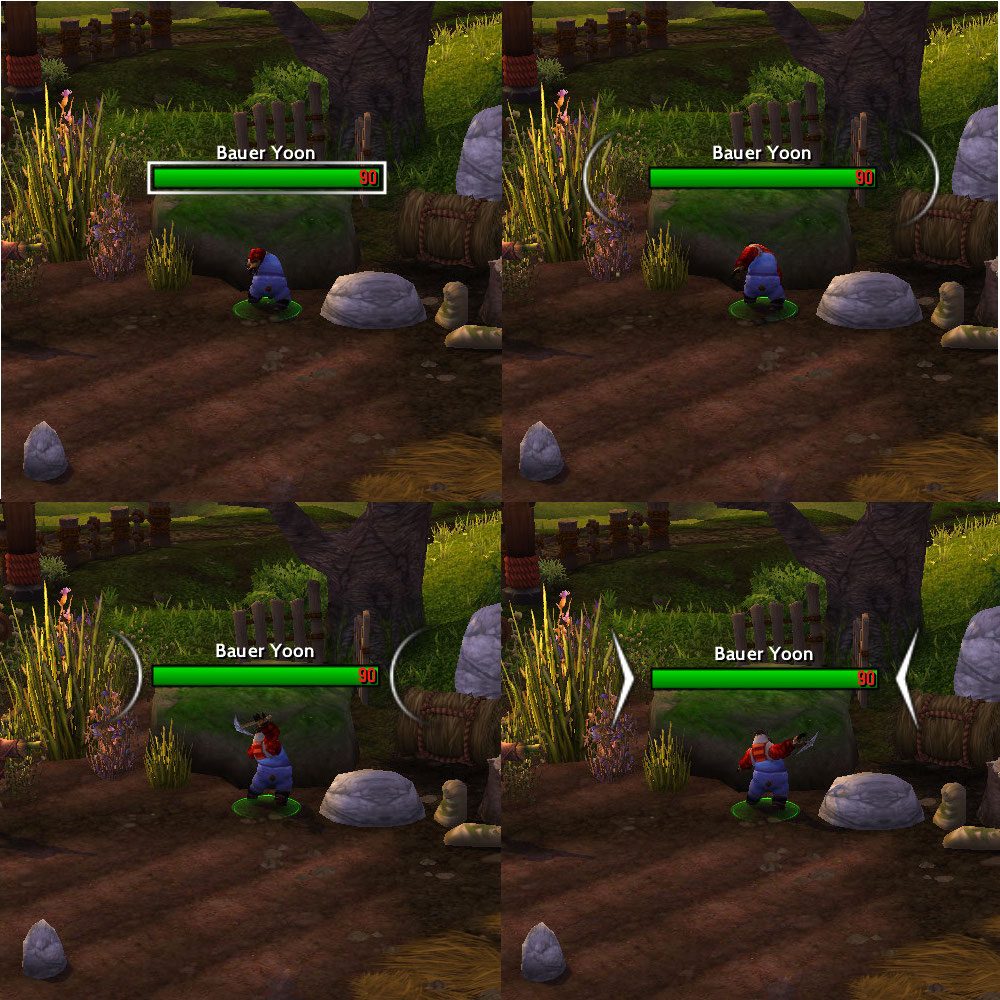
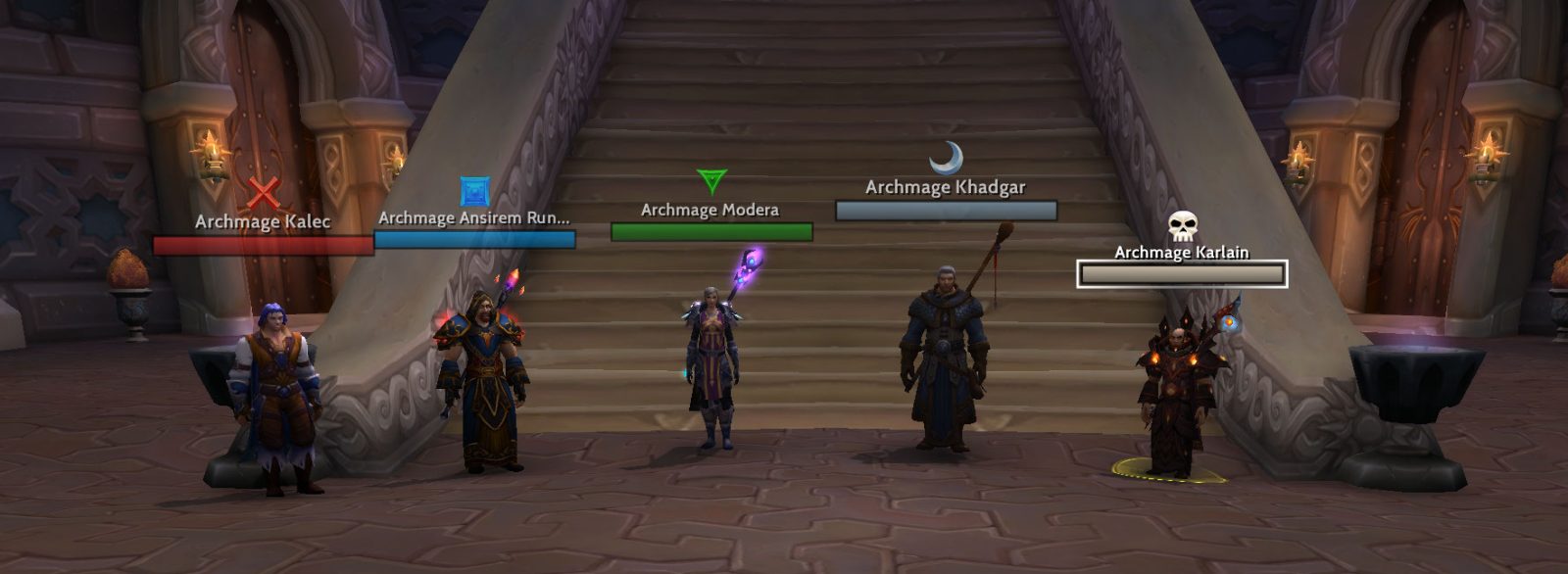
Nameplates that scale and change color depending on their threat levels.
Threat Plates (TP for short) is an addon for customizing your nameplates. It offers a high amount of customization
and tweaks to how your nameplates react and look. I've spent a considerable amount of time improving this addon and any
comments or concerns about this addon are appreciated. I'm always looking for ways to improve it.
Features
- All the standard nameplate features like healthbar, name, castbar, coloring (e.g., based on threat), scaling and transparency and so on.
- Two different modes for nameplates: Healthbar View (show healthbar and name) and Headline View (show only name)
- Customizable totem nameplates
- Custom styles for nameplates for extra customization for units based on name, auras or casts.
- Automatic spec detection and role assigning for an easy out of the box setup
- Support for profiles per spec
- Support for LibSharedMedia (adding additional fonts, textures and sounds) and LibDogTag (markup language support for custom texts)
- And lots of options...
Chat Commands
- /tptp: Displays options
- /tptp profile : Switch the current profile to
- /tptp legacy-custom-styles: Adds (legacy) default custom styles for nameplates that are deleted when migrating
custom nameplates to the current format
- /tptp help: Prints this help message
- /tptptoggle: Toggle Role from one to the other
- /tptpdps: Toggles DPS/Healing threat plates
- /tptptank: Toggles Tank threat plates
- /tptpol: Toggles nameplate overlapping
- /tptpverbose: Toggles addon feedback text
Additional Information
- Troubleshooting and FAQ
- Help for Aura Filtering
Scripting (Beta)
Scripting is a new feature of Threat Plates that will be introduced in a future version. It allows you to extend the
functionality with custom Lua scripts. Once the feature is finished, you should be able to change all aspects of
nameplates. Currently, functionality is still restricted to a high degree as internal functions of Threat Plates (
like, e.g., scaling) are not easily accessible to these scripts. So, overwriting or changing them to, e.g., implement custom
scaling is not that easy or may even be impossible right now.
More details as well as the current beta version are
available here.
Please feel free to leave feedback in the comments!
ABOUT THIS LISTING
This page describes Threat Plates by Suicidal_Katt. The description and screenshots are the author's own, imported from their listing on CurseForge on 14 August 2026: https://www.curseforge.com/wow/addons/tidy-plates-threat-plates
Mythiq hosts no files for it. The download button goes straight to the release file on edge.forgecdn.net, so you are downloading from the author's own host, not from a copy of ours.
The download count, rating and comments on this page start at zero and count Mythiq only. The source's own figures are not copied here — they measure a different site, and a number that cannot be checked against our own ledger is not worth printing.
Media
20_Screenshot_AurasCastbar.jpg
30_Screenshot_TargetHighlight_.jpg
35_Screenshot_ClassColorHP.jpg
38_Screenshot_RaidMarkers.png
40_Options_NameplateSettings.jpg
Requirements
Game version
12.1.0
GAME FLAVOUR
This is a retail (modern World of Warcraft) build. It will not work in the Classic clients, which run a different interface API.
INTERFACE VERSION
Built against game version 12.1.0. After a patch, an addon that has not been updated is flagged out of date; most keep working, and the "Load out of date AddOns" checkbox on the character screen lets you try.
DEPENDENCIES
Some addons need a separate library addon (Ace3, LibStub and friends) that is not bundled. If the addon does not appear in the list in game, a missing dependency is the usual reason.
Installation
1. Quit World of Warcraft completely. The game reads the AddOns folder at launch and will overwrite settings for an addon added while it is running.
2. Download the archive with the button on this page and unzip it.
3. Move the folder — the one with the .toc file in it, not the zip's wrapper folder — into:
World of Warcraft\_retail_\Interface\AddOns
4. Start the game. On the character selection screen, click AddOns and check that it is listed and enabled.
IF IT DOES NOT APPEAR
Nine times out of ten the folder is nested one level too deep. Interface/AddOns/Thing/Thing/Thing.toc will not load; Interface/AddOns/Thing/Thing.toc will.
UPDATING
Delete the old folder before unzipping the new one. Unzipping over the top leaves files behind that the new version no longer expects.
This release downloads from edge.forgecdn.net, not from us, so
there is no checksum to compare against. Scan the archive before you unpack it.
Version history
ThreatPlates-13.0.30Latest
12 Aug 2026 · 4.6 MB via edge.forgecdn.net · 11 downloads Download
Off-site on edge.forgecdn.net —
no checksum, because we never held this file.
Link checked by our review team on 14 Aug 2026.
Tell us if something is wrong — a file that will not work, content taken from
someone else, or anything that looks unsafe. Reports go to our review team, not
to the author.
We use cookies to ensure that we give you the best experience on our website and improve your experience. By continuing to use this site you consent to such use of cookies.