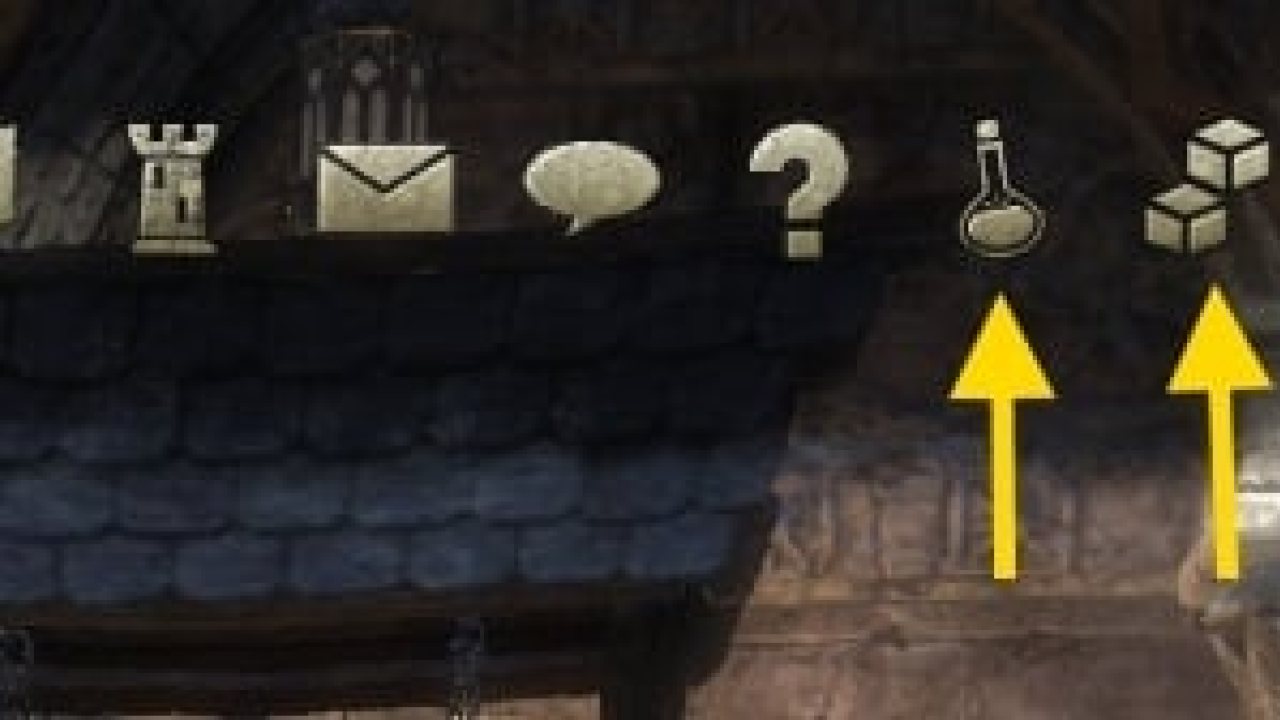
For example used in Potion Maker and Votan's Settings Menu and FCOItemSaver.
Description
Library to add main menu entries.
For example used in Potion Maker and Votan's Settings Menu and FCOItemSaver.
The Library is handled by it's global variable LibMainMenu2, so you should first define in your metafile (.txt) by adding LibMainMenu to your includes like this:
## DependsOn: LibMainMenu-2.0
And reference it in your code like this:
Example
Force refresh of visibility:
Click on the menu entry by code:
Former LibMainMenu 1 support
It's 2 main functions were added to help developers to add a menu (a category)
And another 2 functions for calling the menus themselves :
- menuIndex is the value of your call to LMM:AddCategory
- GroupSceneString is the string who will be used as reference for calling the category (ex: "myAddonSceneGroup")
- iconData is an array which define all icons of all tabs of your category (menu)
- categoryName will be the tab name (shown near the buttons at the right)
- descriptor is the name of your Scene defined in ZO_Scene:New()
- visible (optionnal) is a function which return a boolean. If false the tab won't be displayed.
ex:
Long How-To: Create a Main menu (experienced addon developpers)
1st part : Creating Simple Scene
Creating a simple scene is not so hard :
1st step, make your xml.
The TopLevelControl will get one of the Scene inheritance : the most used is ZO_RightPanelFootPrint
So your XML wll look like this :
Then, in your onAddonLoaded, you'll need to create your scene
Here how you can do :
2nd Part : Create your Menu
If you want to display your Menu, juste use :
If you want to display a specific scene, juste use :
ABOUT THIS LISTING
This page describes LibMainMenu-2.0 by votan. The description and screenshots are the author's own, imported from their listing on ESOUI on 3 October 2026: https://www.esoui.com/downloads/info2118-LibMainMenu-2.0.html
Mythiq.net hosts no files for it. The download button goes straight to the release file on cdn.esoui.com, so you are downloading from the author's own host, not from a copy of ours.
The download count, rating and comments on this page start at zero and count Mythiq.net only. The source's own figures are not copied here — they measure a different site, and a number that cannot be checked against our own ledger is not worth printing.
Requirements
Game version
11.3.0
API VERSION
Built for ESO API version 11.3.0. After a patch the game marks add-ons built for the previous API as out of date; the "Allow out of date add-ons" checkbox in the add-on menu loads them anyway, and most work.
LIBRARIES
Many ESO add-ons depend on a shared library — LibAddonMenu-2.0 above all — which is installed separately, exactly like an add-on. A dependency that is missing shows as the add-on simply not appearing in the list.
CONSOLE
Add-ons are PC and Mac only. There is no way to load them on console.
Installation
1. Download the archive with the button on this page and unzip it.
2. Move the unzipped folder into your add-ons directory:
Windows — Documents\Elder Scrolls Online\live\AddOns
3. Start the game, and at the character select screen click Add-Ons.
4. Tick the add-on. If it is greyed out and marked out of date, tick "Allow out of date add-ons" at the top of the same panel.
5. Log in. Most add-ons need a /reloadui after they are first enabled.
UPDATING
Delete the old folder first. ESO loads everything it finds, and two copies of one add-on is the usual cause of "an add-on has produced an error" on login.
This release downloads from cdn.esoui.com, not from us, so
there is no checksum to compare against. Scan the archive before you unpack it.
Tell us if something is wrong — a file that will not work, content taken from
someone else, or anything that looks unsafe. Reports go to our review team, not
to the author.
We use cookies to ensure that we give you the best experience on our website and improve your experience. By continuing to use this site you consent to such use of cookies.