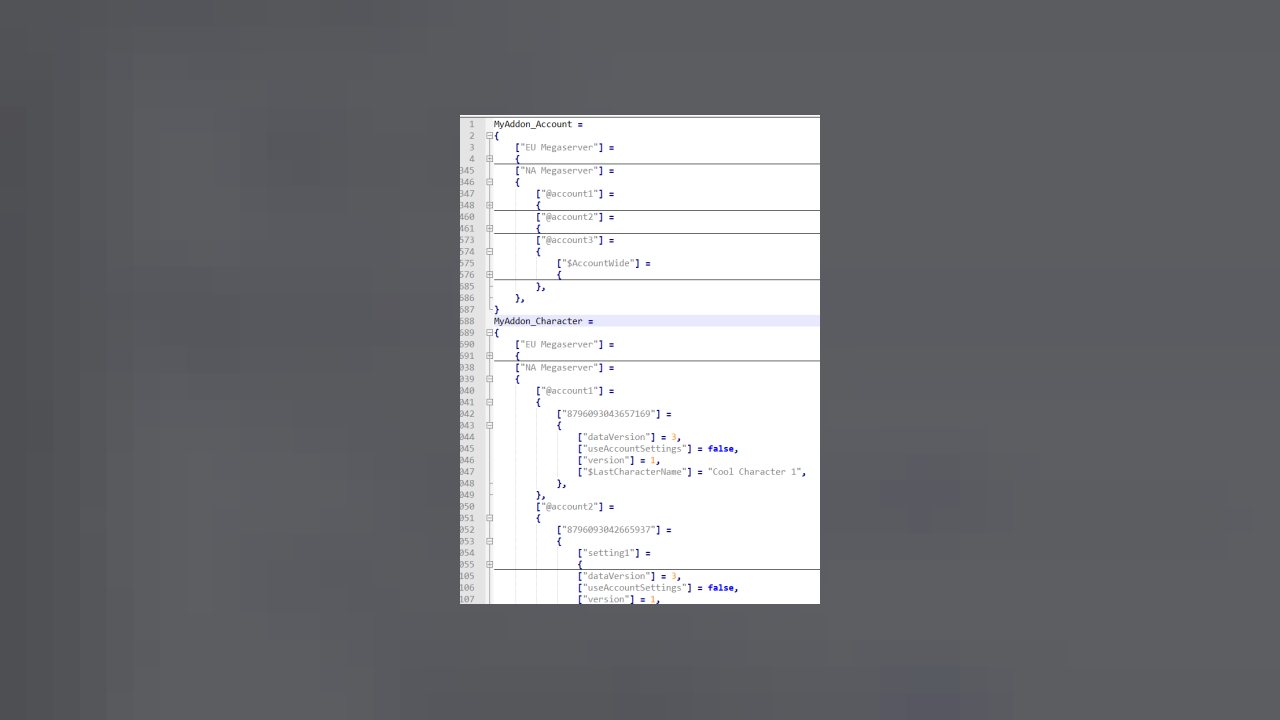
This library is intended to standardize and extend the built-in saved vars functionality of ESO.
This library is intended to standardize and extend the built-in saved vars functionality of ESO.
Basic Usage
LibSavedVars provides a simple interface for creating and managing your addon's saved variables. In most cases, an addon only needs to:
1. Define default settings.
2. Create a saved variables object.
3. Read and modify settings during gameplay.
LibSavedVars handles loading and saving the data automatically through ESO's saved variable system.
---
Creating Saved Variables
Begin by defining a table containing your default settings.
The defaults table defines the initial values used when a setting has not been saved yet.
Create an account-wide saved variables object:
The parameters are:
- savedVariableName - string - Name of the ESO SavedVariables table.
- version - number - Current version of the saved data.
- namespace - string/nil - (Optional) Namespace for organizing data.
- defaults - table - Default values for the settings.
---
Character Settings
If settings should be unique for each character, create character-specific saved variables instead:
Character settings are stored separately for each character while account-wide settings are shared across the account.
---
Reading Settings
Saved variables behave like normal Lua tables.
Example:
Nested settings can be accessed normally:
If a value has never been saved, LibSavedVars automatically returns the value from the defaults table.
---
Changing Settings
Settings can be modified using normal Lua assignment.
There is no need to manually save the data. ESO automatically saves the SavedVariables when appropriate.
---
Complete Example
A simple addon settings setup:
The addon can now use `settings` throughout its code.
---
Adding New Settings
As an addon grows, new settings can be added by updating the defaults table.
Version 1:
Version 2:
Existing users automatically receive the new default value.
A migration is only required if existing saved data must be changed.
---
Recommended Pattern
For most addons:
1. Create saved variables once during addon initialization.
2. Store the returned object in a local variable.
3. Use that object throughout the addon.
4. Let LibSavedVars handle persistence.
Example:
Basic usage is enough for most addons. As your addon grows, additional features may become useful.
See https://github.com/Shadowfen/LibSavedVars/wiki for full usage instructions with examples.
ABOUT THIS LISTING
This page describes LibSavedVars by silvereyes. The description and screenshots are the author's own, imported from their listing on ESOUI on 3 October 2026: https://www.esoui.com/downloads/info2161-LibSavedVars.html
Mythiq.net hosts no files for it. The download button goes straight to the release file on cdn.esoui.com, so you are downloading from the author's own host, not from a copy of ours.
The download count, rating and comments on this page start at zero and count Mythiq.net only. The source's own figures are not copied here — they measure a different site, and a number that cannot be checked against our own ledger is not worth printing.
Requirements
Game versions
12.1.0
12.0.0
11.3.0
11.2.0
11.1.0
11.0.0
API VERSION
Built for ESO API version 12.1.0, 12.0.0, 11.3.0, 11.2.0, 11.1.0. After a patch the game marks add-ons built for the previous API as out of date; the "Allow out of date add-ons" checkbox in the add-on menu loads them anyway, and most work.
LIBRARIES
Many ESO add-ons depend on a shared library — LibAddonMenu-2.0 above all — which is installed separately, exactly like an add-on. A dependency that is missing shows as the add-on simply not appearing in the list.
CONSOLE
Add-ons are PC and Mac only. There is no way to load them on console.
Installation
1. Download the archive with the button on this page and unzip it.
2. Move the unzipped folder into your add-ons directory:
Windows — Documents\Elder Scrolls Online\live\AddOns
3. Start the game, and at the character select screen click Add-Ons.
4. Tick the add-on. If it is greyed out and marked out of date, tick "Allow out of date add-ons" at the top of the same panel.
5. Log in. Most add-ons need a /reloadui after they are first enabled.
UPDATING
Delete the old folder first. ESO loads everything it finds, and two copies of one add-on is the usual cause of "an add-on has produced an error" on login.
This release downloads from cdn.esoui.com, not from us, so
there is no checksum to compare against. Scan the archive before you unpack it.
- Fixed error trying to call LSV_Data:EnsureSavedVars().
- Created wiki documentation for the library at LibSavedVars Wiki.
Noticable (to Developer) Changes:
- Removed Lua 5.2-based code as ESO does not provide it.
- Moved local function tableMerge() to protected.tableMerge() for wider access. Added protected.arrayMerge function to handle arrays too.
- Make LibSavedVars.GetWorldNames() return all PC worlds if scope passed in was '*'.
- Fix table key error in protected.GetAccountsAndProfiles().
- Fixed scope validation for the various scope-limited or limitable functions to accept "*" (meaining all scopes) as well as the numeric LIBSAVEDVARS_SCOPE_CHARACTER, or LIBSAVEDVARS_SCOPE_ACCOUNT numeric values.
Internal Changes: (probably unnoticable for developers)
- Created a new protected.zoDebug() which takes debugMode as the first parameter and then can take formatstrings + args, several args to "tostring" and concatenate, tables (which are recursed and concat'ed), and the output of functions(). Revised the original protected.Debug() to be an old API-compliant wrapper that now uses zoDebug.
- Added a GetDebugMode() to LSV_Data, LSV_SavedVarsManager, and LibSavedVars to get what it was set to in those specific files. Currently used to test that the corresponding SetDebugMode() works.
- Provided LSV_SavedVarsManager:OnLogout() and LSV_SavedVarsManager:UpdatePendingVersion() to move the class-specific behaviours inside and clearer to call in the local file functions. Aside from general "best practices" this also makes the behaviours testable.
- Added a LSV_SavedVarsManager:EnsureRawTableData() to provide instance tables initialization so that LSV_SavedVarsManager:LoadRawTableData() can be used and expected to be a read-only function.
- Fix empty table detection in onLogout().
- Added various non-table and nil key guards to Protected functions.
- Update/expand comments.
- Writing unit tests and then ensuring that they pass. (Note: Unit tests are designed to run from ZeroBrane IDE with the LibSavedVars directory as the project directory.)
6.0.8:
- New version by Shadowfen. I am taking over maintenance of this library, intending to fix any errors that I find but preserving the behaviour so that addons that use LibSavedVars through the provided API continue to work.
- Added a CHANGELOG file.
- Converted from a .txt to a .addon manifest.
- Updated API versions.
6.0.7:
- Original version by silvereyes.
Previous Change Log
Version 6.0.7
- Update 32 Deadlands compatibility
- This version is compatible with both PTS (Deadlands) and live (Waking Flame)
Version 6.0.6
- Update 31 Waking Flame compatibility
Version 6.0.5
- Update 30 Blackwood compatibility
- This version is compatible with both live (Flames of Ambition) and PTS (Blackwood)
- Bugfix: Fix exception that can sometimes be thrown when switching Account-Wide settings off
- Bugfix: Fix leak of global underscore (_) variable
Version 6.0.4
- This version is compatible with both live (Markarth) and PTS (Flames of Ambition)
- Fix bug that caused the Account-Wide settings toggle to not work in some rare cases.
Version 6.0.3
- Update 29 Flames of Ambition compatibility
- This version is compatible with both live (Markarth) and PTS (Flames of Ambition)
Version 6.0.2
- Update 28 Markarth compatibility
Version 6.0.1
- Update 27 Stonethorn compatibility
- This version is compatible with both live (Greymoor) and PTS (Stonethorn)
Off-site on cdn.esoui.com —
no checksum, because we never held this file.
Link checked by our review team on 3 Oct 2026.
Tell us if something is wrong — a file that will not work, content taken from
someone else, or anything that looks unsafe. Reports go to our review team, not
to the author.
We use cookies to ensure that we give you the best experience on our website and improve your experience. By continuing to use this site you consent to such use of cookies.