Companion addon for Fojji WeakAuras, plus a full Dungeon Journal, world and dungeon route planner, and Spell Ranks for WoW Forever.
FojjiCore
The companion addon for Fojji WeakAuras - and a full Dungeon Journal, route planner and levelling toolkit for WoW Forever.
FojjiCore started as the engine behind every Fojji WeakAura pack: the sounds, the voices, the timers. In 3.0 it has grown into something much bigger. Open it with /fc and you will find one clean Addon which adds features for Forever (Dungeon Journal, World Map Routes, Dungeon Routes, Spell Ranks & More). Additionally adds Media, Fonts & Sounds for use with Fojji WeakAuras and provides customization for those.
Raid Tools
More to come.
Raid Packs
Timers, alerts, sounds and colours, all tuned from a single menu instead of digging through aura settings. Compatible with Fojji WeakAura Raiding Packs.
Pull & Break Timers
Pull and break countdowns support for use with Fojji - Pull & Break Timers WeakAura.
Timeline Recorder
Record your boss pulls and look back over them, so you can see exactly what happened and when.
Speedrun Timer
Splits, personal bests and full run history for dungeon & raid speedruns, with boss portraits and a clean on-screen timer.
Forever Tools
Dungeon Journal
A complete journal for every Forever dungeon, built right into FojjiCore.
- Bosses with their abilities, loot and drop chances
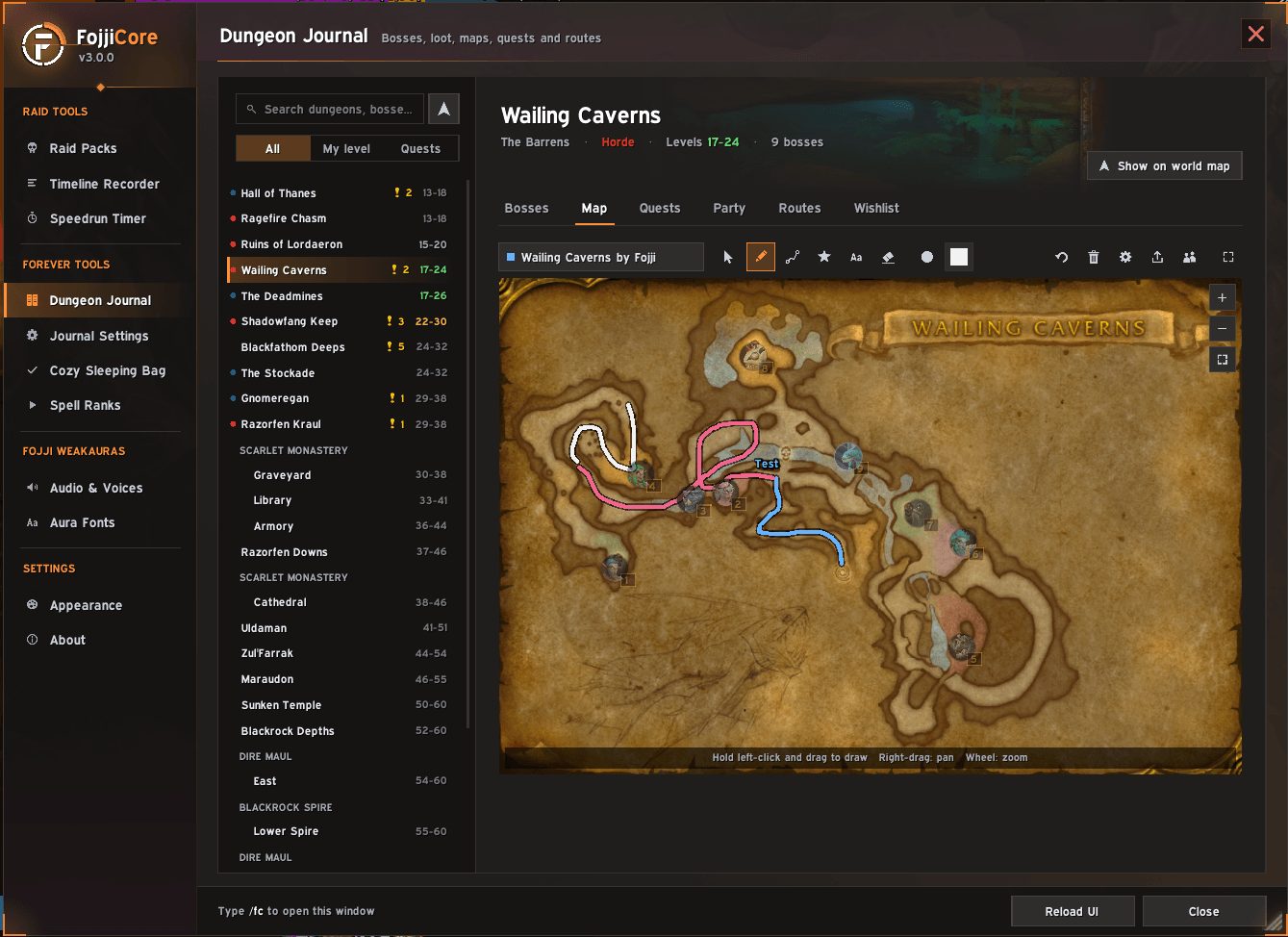
- Hand-drawn dungeon maps with boss locations, floors, zoom and pan
- Every quest for the dungeon, with who starts it, where, the XP it gives and who in your party already has it
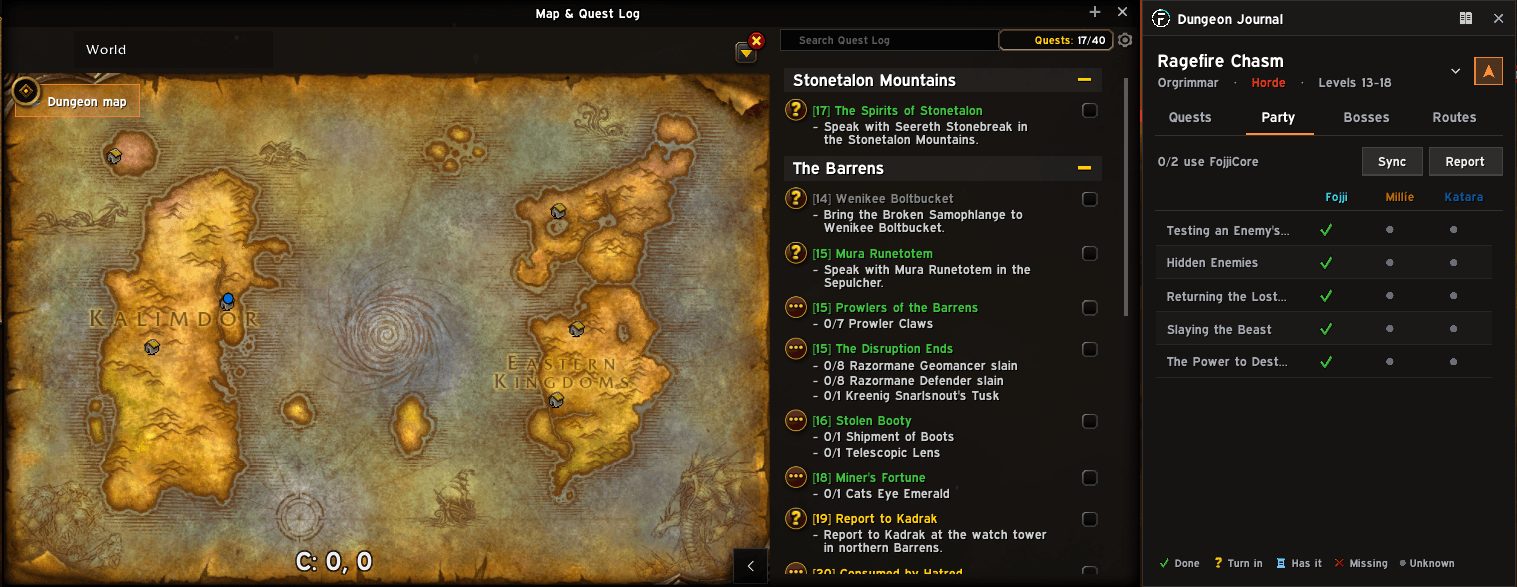
- A party view that shows at a glance who is ready, who still needs a quest and who has finished it
- A per-character wishlist - star the loot you want, and it clears itself once you have it
- Dungeons are marked Alliance or Horde, and the level range is coloured to match your level
Dungeon Maps, Anywhere
Open any dungeon's map straight from your world map - inside the dungeon or not. Dungeon entrances appear on the world map just like on retail: hover one for its level range, click it to open the map.
Routes
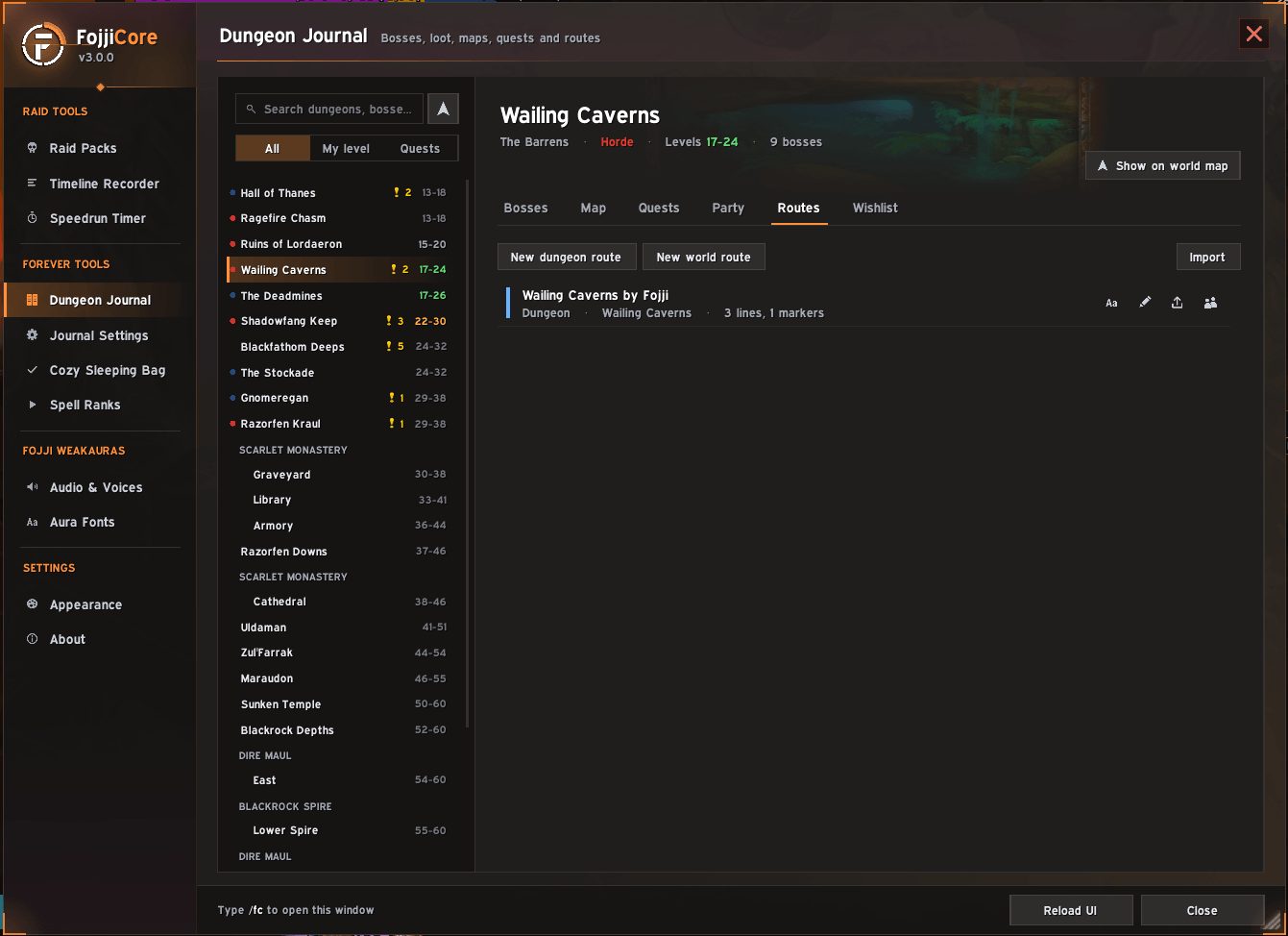
Plan your runs and your journeys, then share them.
- Draw freehand, drop numbered stops, place markers, or write text in any colour and size
- Dungeon routes for pulls, skips and boss order, drawn on the dungeon map
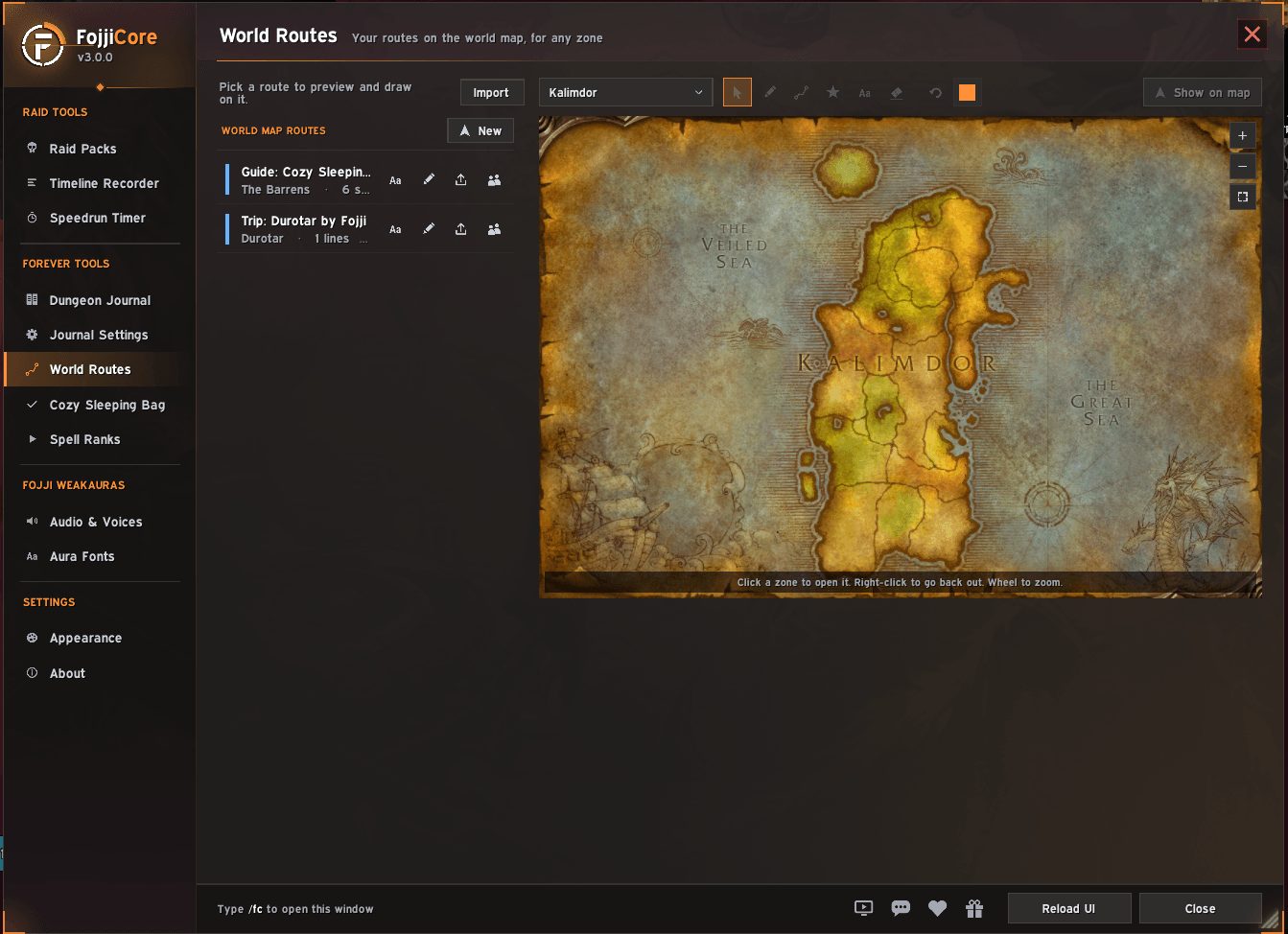
- World routes for your trips across Azeroth, with their own tab and a full map you can click into and out of, zone by zone
- Undo, recolour, rename, reverse and export any route
- Send a route to your group with one click - they get a neat popup to save it
Map Pins
Pin any quest's location and share it to chat as a real map link, so your group knows exactly where to go.
Popout Bar
A small, draggable bar that keeps the current dungeon's quests, party, bosses and routes one click away. Show it always, only when you are in a group, or never. It shrinks to fit when collapsed and remembers where you left it.
Cozy Sleeping Bag
A step-by-step guide to the hidden quest chain, with the rewards shown up front. Tick steps off as you go, pin the next one, show the whole remaining route on your map, and share it with friends.
Spell Ranks
A panel beside your spellbook that shows every rank of every spell, the level you train it and what it costs.
- Next Ranks shows what you can train now and what is coming
- Max Ranks shows your best ranks at any level you choose
- Hover any spell for its tooltip, every rank and every spell ID
Fojji WeakAuras
Audio & Voices
Choose the voice every Fojji WeakAura pack speaks with. Pick from recorded AI voice packs, use your system's text-to-speech, or favourite a few and let FojjiCore mix them up.
Install FojjiCore - Voice Packs (https://www.curseforge.com/wow/addons/fojjicore-voicepacks) for AI Voices to be available.
Aura Fonts
Change the font in every Fojji WeakAura pack at once. Automatically detects WeakAuras from Fojji, and changes all fonts with a few clicks.
Media Library
Hundreds of callouts, alert sounds, textures and class icons made for dungeons and raids, ready to use in WeakAuras, Plater and similar addons.
Themes
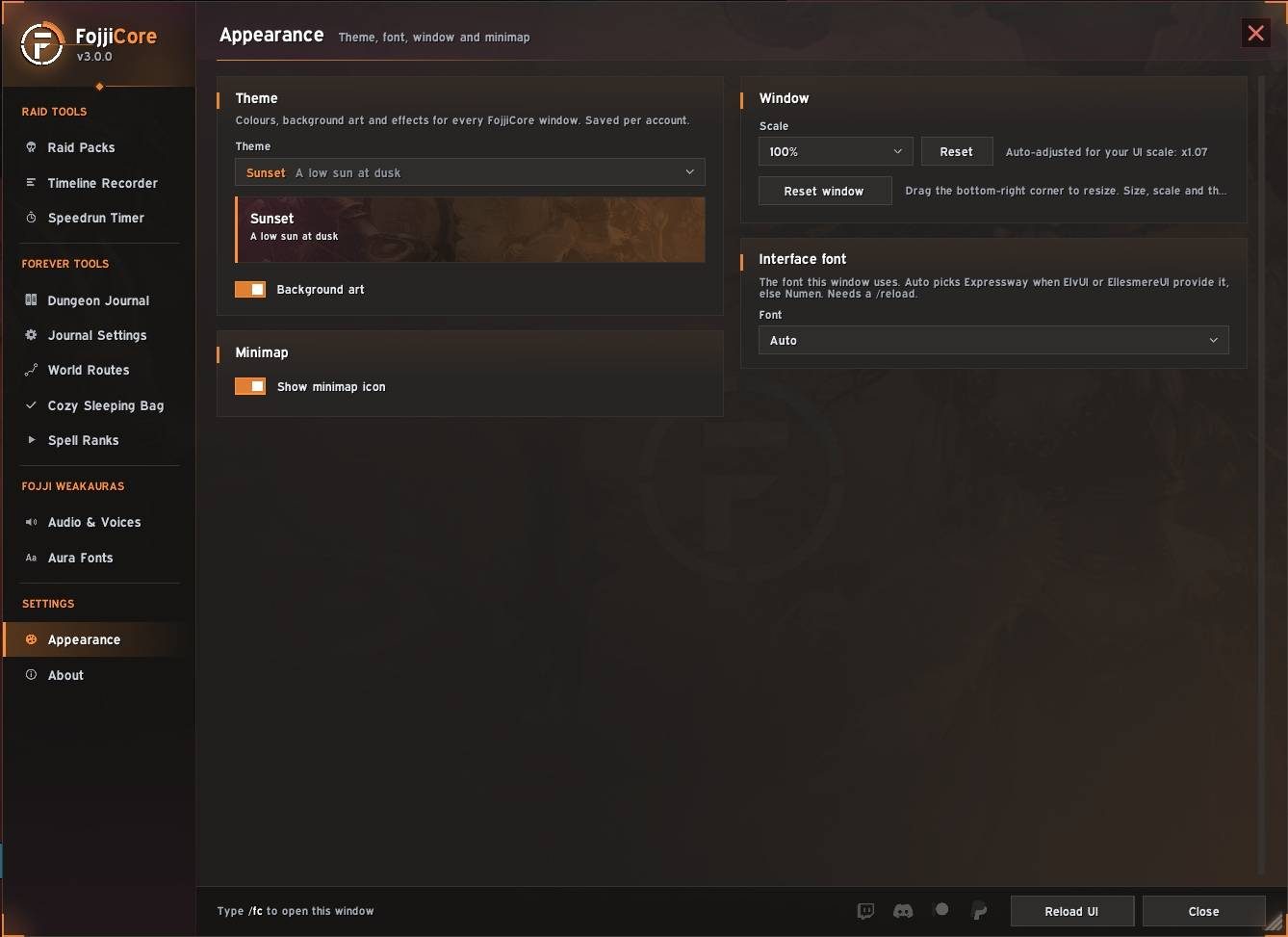
Eighteen themes, each with its own colours and subtle artwork from across Warcraft.
Type /fc in game to open the menu.
Community & Support
- Discord: discord.gg/fojjiwow
- Twitch: twitch.tv/fojjiwow
- Patreon: patreon.com/c/fojjiwow
- Donate: paypal.com/donate
Credits
Created by Fojji.
Thank you to Causese, whose retail sound work inspired the Classic sound packs, and to every community member who lent their voice to a voice pack.
This page describes FojjiCore by Fojji. The description and screenshots are the author's own, imported from their listing on CurseForge on 24 October 2026: https://www.curseforge.com/wow/addons/fojjicore
Mythiq.net hosts no files for it. The download button goes straight to the release file on edge.forgecdn.net, so you are downloading from the author's own host, not from a copy of ours.
The download count, rating and comments on this page start at zero and count Mythiq.net only. The source's own figures are not copied here — they measure a different site, and a number that cannot be checked against our own ledger is not worth printing.
Media
Untitled.jpg
image.png
image2.png
image3.png
image4.png
Requirements
Game versions
4.4.2
3.4.5
5.5.4
2.5.6
1.15.9
3.80.2
1.60.1
GAME FLAVOUR
This is a Classic build. Retail and Classic run different interface APIs, and an addon built for one throws Lua errors on the other — check you are installing into the right client folder.
INTERFACE VERSION
Built against game version 4.4.2, 3.4.5, 5.5.4, 2.5.6, 1.15.9, 3.80.2. After a patch, an addon that has not been updated is flagged out of date; most keep working, and the "Load out of date AddOns" checkbox on the character screen lets you try.
DEPENDENCIES
Some addons need a separate library addon (Ace3, LibStub and friends) that is not bundled. If the addon does not appear in the list in game, a missing dependency is the usual reason.
Installation
1. Quit World of Warcraft completely. The game reads the AddOns folder at launch and will overwrite settings for an addon added while it is running.
2. Download the archive with the button on this page and unzip it.
3. Move the folder — the one with the .toc file in it, not the zip's wrapper folder — into:
World of Warcraft\_classic_era_\Interface\AddOns (or _classic_ for the current Classic expansion)
4. Start the game. On the character selection screen, click AddOns and check that it is listed and enabled.
IF IT DOES NOT APPEAR
Nine times out of ten the folder is nested one level too deep. Interface/AddOns/Thing/Thing/Thing.toc will not load; Interface/AddOns/Thing/Thing.toc will.
UPDATING
Delete the old folder before unzipping the new one. Unzipping over the top leaves files behind that the new version no longer expects.
This release downloads from edge.forgecdn.net, not from us, so
there is no checksum to compare against. Scan the archive before you unpack it.
Version history
FojjiCore_3.8.7.zipLatest
23 Oct 2026 · 44 MB via edge.forgecdn.net · 2 downloads Download
Off-site on edge.forgecdn.net —
no checksum, because we never held this file.
Link checked by our review team on 25 Oct 2026.
Tell us if something is wrong — a file that will not work, content taken from
someone else, or anything that looks unsafe. Reports go to our review team, not
to the author.
We use cookies to ensure that we give you the best experience on our website and improve your experience. By continuing to use this site you consent to such use of cookies.