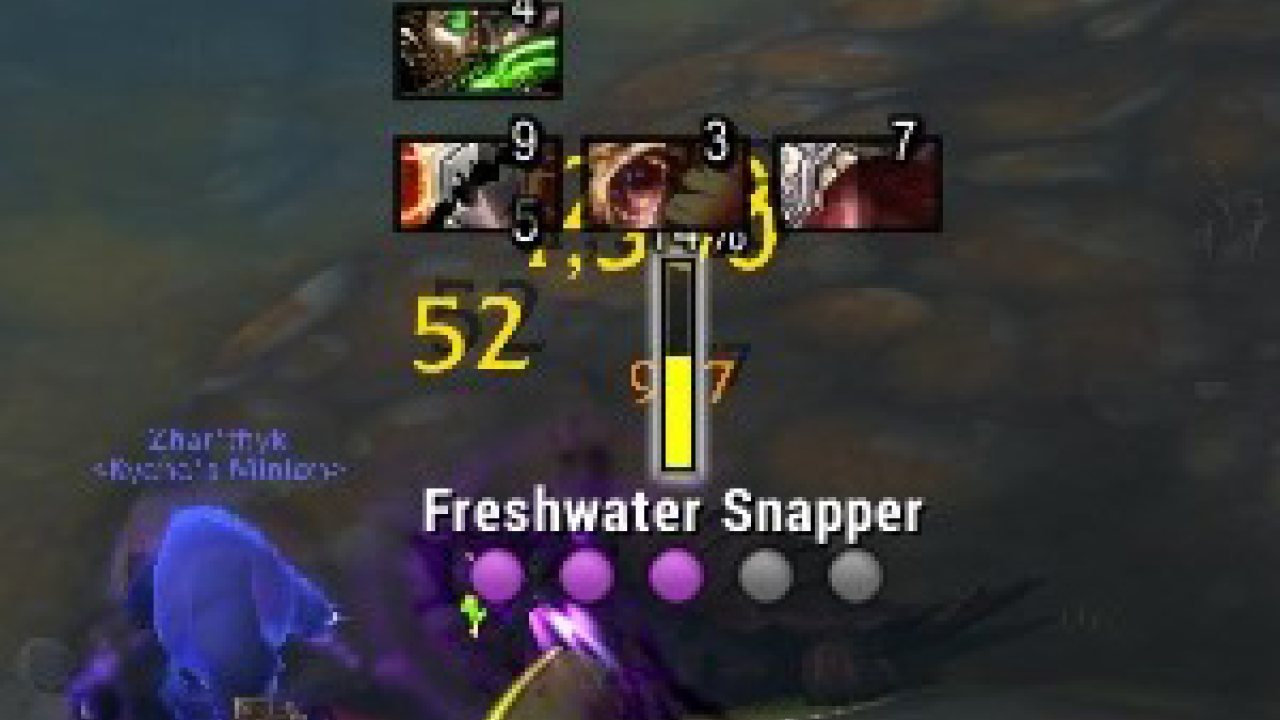
NeatPlates is a nameplate addon that works with both the Classic and Modern version of WoW
Project Status
Maintenance
What does this mean actually? In general this means I am currently not working on any new features, but that I will attempt to keep the project in a working state as much as I am able when breaking changes occur.
Basic Configuration
NeatPlates is a nameplate addon that works with both the Classic and Modern version of WoW.
Use the command, '/NeatPlates' or '/np' as a shortcut to the interface panel for Neat Plates. On that panel, you'll be able to select from a list of available themes. The theme you choose will affect both appearance and features.
Use the command, '/hub' to configure the mechanics of those included themes. If you're using a custom theme, it might have a different config tool.
Credits
This addon is based on the Tidy Plates project and was created during a period of time where said project was no longer working with the current version of the game. As such I feel it is important to credit the original authors, danltiger and CynthiaV, for all the work they put into the original addon.
Bugs
If you come across any bugs, don't hesitate to open up an issue. I highly recommend reporting issues through GitHub rather than the comments section as it is a lot easier to keep track of on GitHub, and I don't check comments as often.
Classic
The Twitch client can be a bit weird about differentiating between the Classic and BFA version, it's recommended that you make sure you are on the correct version by clicking on the Addon name(NeatPlates) in the Twitch client and then clicking on Versions and installing the latest version with 1.13.6.xx in the name. Or you can install it manually by downloading this version: 1.13.6.1
FAQ
Can I change the nameplate distance in Classic?
No, Blizzard has locked the nameplate distance to 20yds in Classic
For TBC you are once again allowed to modify the nameplate distance, so if you are on the TBC client you can find the slider for this in the CVars section of the main options.
Why do my friendly nameplates change/not work when I enter a dungeon?
Somtime in Legion, Blizzard blocked the ability to alter friendly nameplates while in dungeons and raids. This is the same for both Classic and Retail.
Can I disable castbars?
Yes, it's located in the main addon settings under Other Settings.
Can I change the default class colors?
Sadly there isn't a built in option for this, but NeatPlates does support other addons that change the default class colors such as (Class Colors and BlueShamans)
ABOUT THIS LISTING
This page describes NeatPlates by Luxie. The description and screenshots are the author's own, imported from their listing on CurseForge on 3 October 2026: https://www.curseforge.com/wow/addons/neatplates
Mythiq.net hosts no files for it. The download button goes straight to the release file on edge.forgecdn.net, so you are downloading from the author's own host, not from a copy of ours.
The download count, rating and comments on this page start at zero and count Mythiq.net only. The source's own figures are not copied here — they measure a different site, and a number that cannot be checked against our own ledger is not worth printing.
Requirements
Game versions
4.4.2
5.5.0
1.15.7
3.4.4
11.1.5
2.5.4
GAME FLAVOUR
This is a Classic build. Retail and Classic run different interface APIs, and an addon built for one throws Lua errors on the other — check you are installing into the right client folder.
INTERFACE VERSION
Built against game version 4.4.2, 5.5.0, 1.15.7, 3.4.4, 11.1.5, 2.5.4. After a patch, an addon that has not been updated is flagged out of date; most keep working, and the "Load out of date AddOns" checkbox on the character screen lets you try.
DEPENDENCIES
Some addons need a separate library addon (Ace3, LibStub and friends) that is not bundled. If the addon does not appear in the list in game, a missing dependency is the usual reason.
Installation
1. Quit World of Warcraft completely. The game reads the AddOns folder at launch and will overwrite settings for an addon added while it is running.
2. Download the archive with the button on this page and unzip it.
3. Move the folder — the one with the .toc file in it, not the zip's wrapper folder — into:
World of Warcraft\_classic_era_\Interface\AddOns (or _classic_ for the current Classic expansion)
4. Start the game. On the character selection screen, click AddOns and check that it is listed and enabled.
IF IT DOES NOT APPEAR
Nine times out of ten the folder is nested one level too deep. Interface/AddOns/Thing/Thing/Thing.toc will not load; Interface/AddOns/Thing/Thing.toc will.
UPDATING
Delete the old folder before unzipping the new one. Unzipping over the top leaves files behind that the new version no longer expects.
This release downloads from edge.forgecdn.net, not from us, so
there is no checksum to compare against. Scan the archive before you unpack it.
Tell us if something is wrong — a file that will not work, content taken from
someone else, or anything that looks unsafe. Reports go to our review team, not
to the author.
We use cookies to ensure that we give you the best experience on our website and improve your experience. By continuing to use this site you consent to such use of cookies.