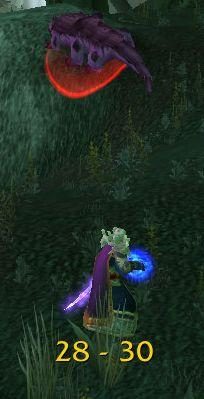
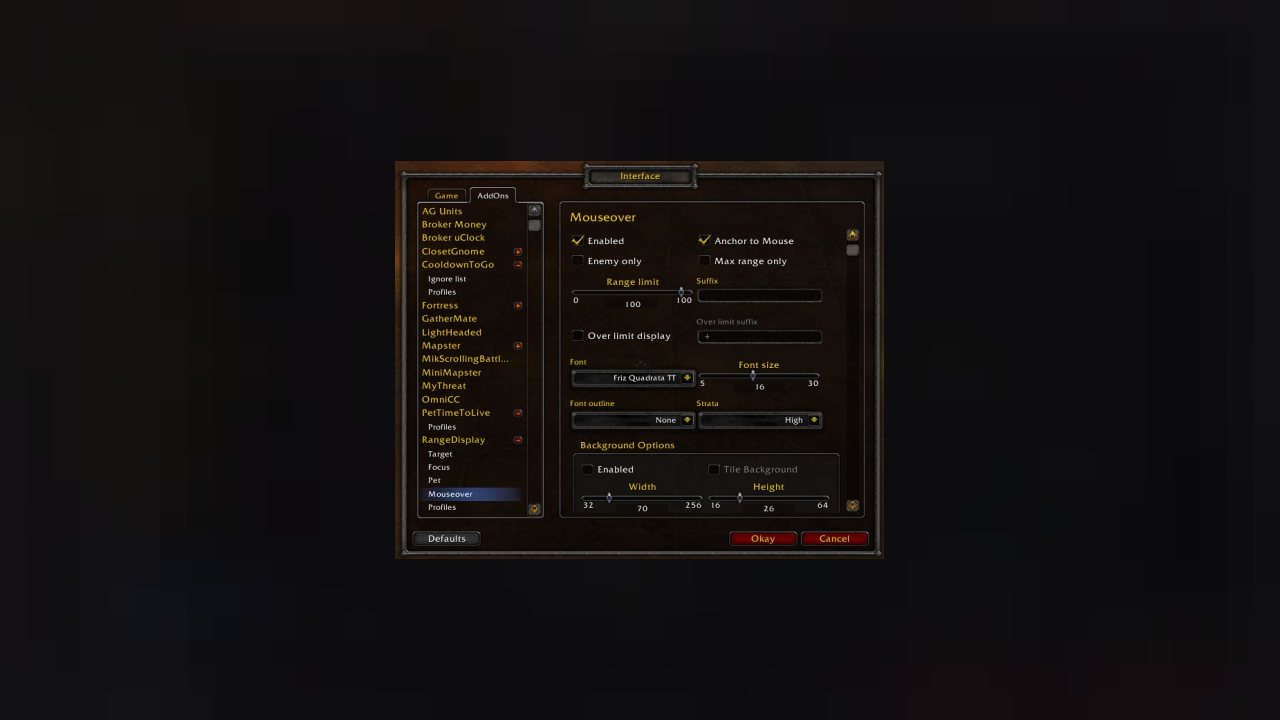
Estimated range display. Type /rangedisplay for config
Estimated range display. Type /rangedisplay for configuration or /rangedisplay locked to lock/unlock the frames.
RangeDisplay is a simple range display addon. It is using spell range, item range and interact-distance based checks to determine the approximate range to your current target. Due to the whackyness of interact-distance based checks, recent versions only use those when spell/item based checks are not possible . The display can be configured in many ways (displaying only the max range, adding border and background, etc).
Currently you can set up RangeDisplay to show your current range to your target, focus, pet and mouseover units. The mouseover unit range can be anchored to the mouse or placed at a fixed position.
New in v3.8.0: It is possible to add sound notifications to "range sections" (similar to color setting). The sound will be played when entering the section. If two sections have the same sound file attached to them, then the sound is not played again if switching between the two sections.
This sound notification is enabled by default for the target unit's close range section.
Displaying max range only: if you want to display only the maxRange, you need to set Text to "%d" and tick the Reverse option for the section(s).
ABOUT THIS LISTING
This page describes RangeDisplay by mitchnull. The description and screenshots are the author's own, imported from their listing on CurseForge on 26 October 2026: https://www.curseforge.com/wow/addons/range-display
Mythiq.net hosts no files for it. The download button goes straight to the release file on edge.forgecdn.net, so you are downloading from the author's own host, not from a copy of ours.
The download count, rating and comments on this page start at zero and count Mythiq.net only. The source's own figures are not copied here — they measure a different site, and a number that cannot be checked against our own ledger is not worth printing.
Media
rd1.jpg
Requirements
Game versions
5.5.4
12.1.0
2.5.6
1.15.9
12.1.5
1.60.1
GAME FLAVOUR
This is a Classic build. Retail and Classic run different interface APIs, and an addon built for one throws Lua errors on the other — check you are installing into the right client folder.
INTERFACE VERSION
Built against game version 5.5.4, 12.1.0, 2.5.6, 1.15.9, 12.1.5, 1.60.1. After a patch, an addon that has not been updated is flagged out of date; most keep working, and the "Load out of date AddOns" checkbox on the character screen lets you try.
DEPENDENCIES
Some addons need a separate library addon (Ace3, LibStub and friends) that is not bundled. If the addon does not appear in the list in game, a missing dependency is the usual reason.
Installation
1. Quit World of Warcraft completely. The game reads the AddOns folder at launch and will overwrite settings for an addon added while it is running.
2. Download the archive with the button on this page and unzip it.
3. Move the folder — the one with the .toc file in it, not the zip's wrapper folder — into:
World of Warcraft\_classic_era_\Interface\AddOns (or _classic_ for the current Classic expansion)
4. Start the game. On the character selection screen, click AddOns and check that it is listed and enabled.
IF IT DOES NOT APPEAR
Nine times out of ten the folder is nested one level too deep. Interface/AddOns/Thing/Thing/Thing.toc will not load; Interface/AddOns/Thing/Thing.toc will.
UPDATING
Delete the old folder before unzipping the new one. Unzipping over the top leaves files behind that the new version no longer expects.
This release downloads from edge.forgecdn.net, not from us, so
there is no checksum to compare against. Scan the archive before you unpack it.
Version history
v6.3.7Latest
3 Oct 2026 · 251 KB via edge.forgecdn.net · 0 downloads Download
Off-site on edge.forgecdn.net —
no checksum, because we never held this file.
Link checked by our review team on 26 Oct 2026.
Tell us if something is wrong — a file that will not work, content taken from
someone else, or anything that looks unsafe. Reports go to our review team, not
to the author.
We use cookies to ensure that we give you the best experience on our website and improve your experience. By continuing to use this site you consent to such use of cookies.