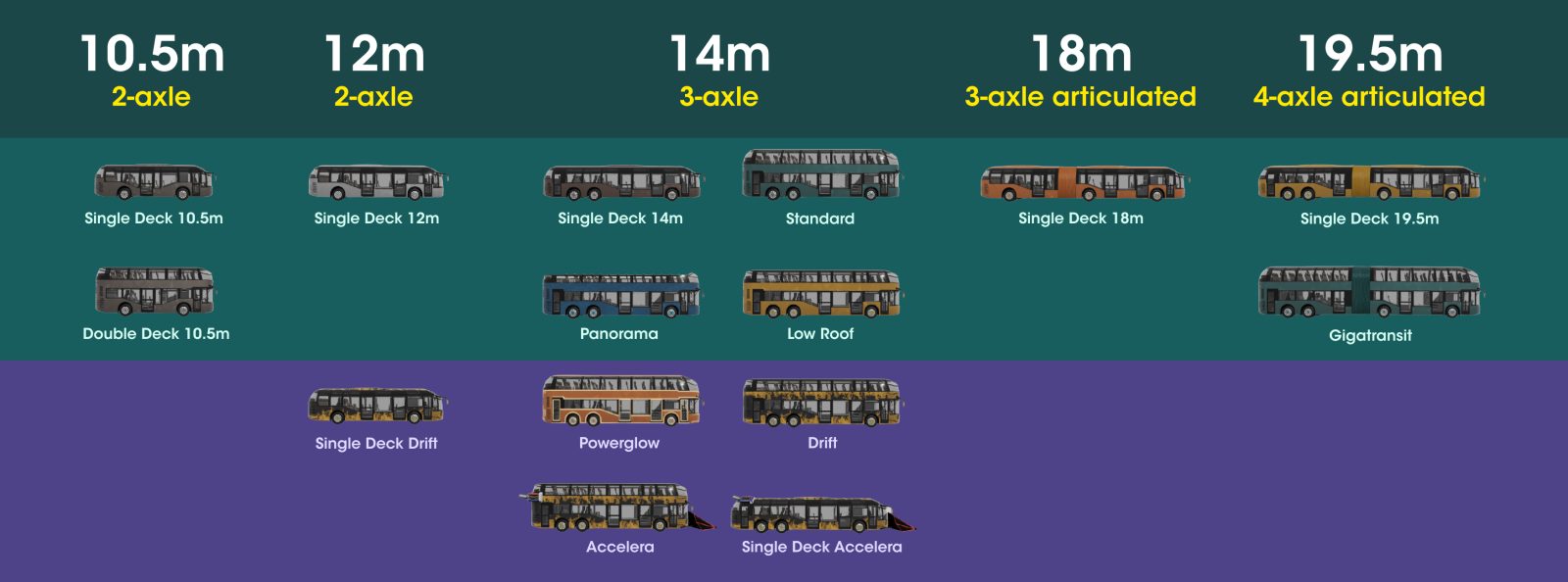
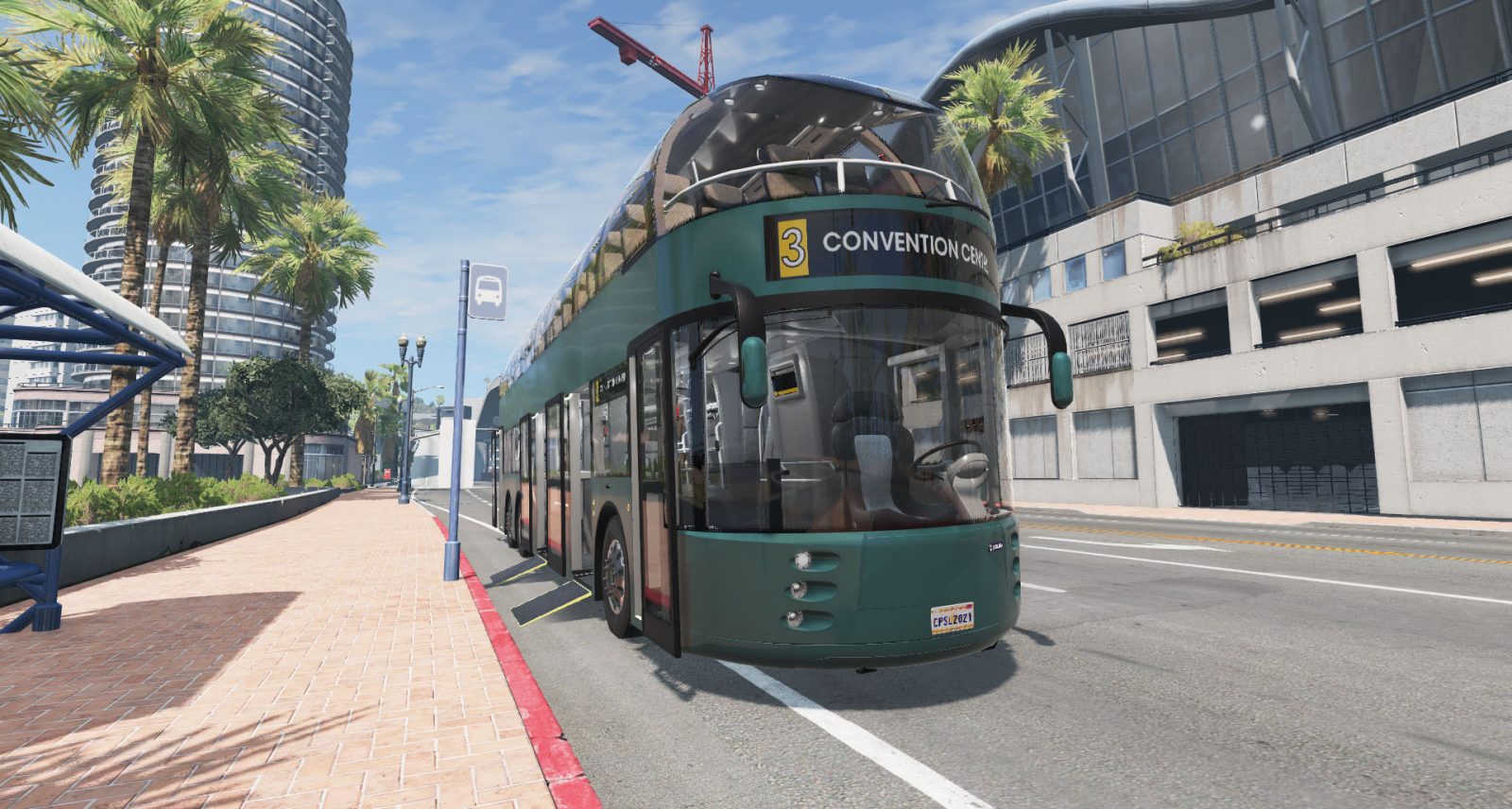
Capsule is a series of single-decker and double-decker buses with various lengths ranging from 10.5m 2-axle to 19.5m articulated 4-axle.
Available with both left-hand drive (LHD) and right-hand drive (RHD) variants.
Features:
- Colour route display
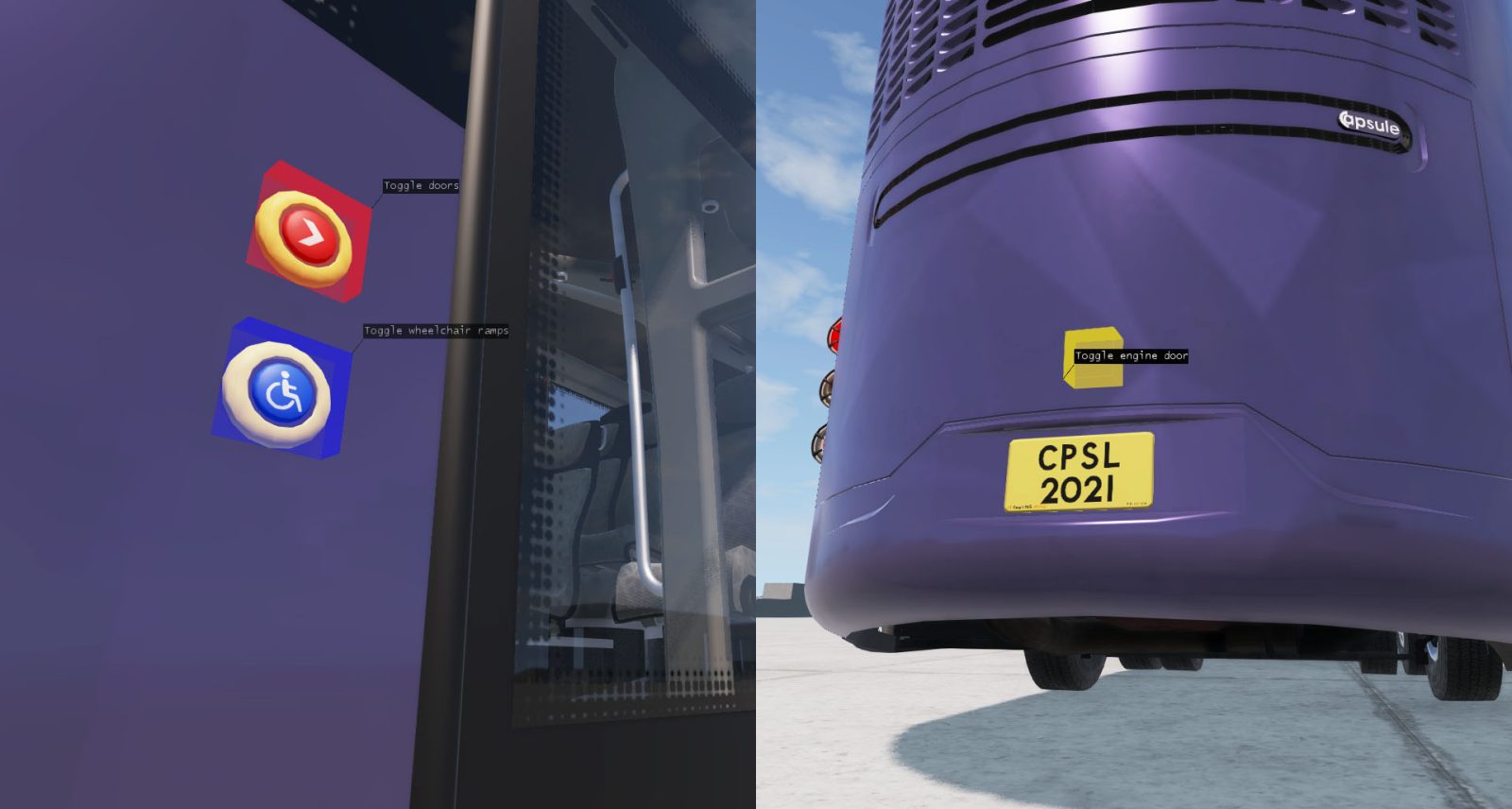
- Openable passenger doors, wheelchair ramps and engine door (can be controlled using keyboard or vehicle trigger)
- Digital gauges (go to the game UI settings to switch between metric and imperial unit)
- Head-up display (press shift+H to turn on and off)
- Interior lights (press Y to turn on and off)
- Animated wipers
- Hold \ (backslash) to activate mist mode
- Press shift+\ to cycle between intermittent, low speed and high speed mode
- Dummy driver and passengers (adjustable weight for the latter) (dummy model by @B25Mitch)
- Search "dum" in parts selector to find the dummies
(Might affect performance even though the jbeam structures for the dummy passengers are greatly simplified)
- Hybrid and electric variants
- Realistic mirrors (make sure it is enabled in graphic settings)
- Experimental dynamic decals support
Spoiler: How to use dynamic decals on Capsule
- Spawn the bus in garage mode and search "skin" in parts selector. Change paint design to "Empty" and enable dynamic textures.
- Go to skin editor
- Press F11 to open world editor, then select Window > Experimental > Dynamic Decals
- In the Dynamic Decals Tools window, scroll down to Advanced > Settings > Material and select "capsule_body"
- Press F11 to exit world editor. Now the decals can be applied to the body.
- After exporting the skin, it can be found in the Dynamic Textures slot.
Configs:
- Standard
Standard body with the length of 14m (45ft 11in), the width of 2.52m (8ft 3in) and the height of 4.45m (14ft 7in).
- Low-roof
At 4.15m (13ft 7in) high, the low-roof version is designed to meet the height restrictions, allowing them to opreate on more routes.
- Panorama
The open top version of the bus. Suitable for sightseeing services.
- Drift
Equipped with a heavily tuned engine, race turbocharger, quick ratio steering, single rear tires and welded differential.
- Powerglow
The race variant with powerglow skin. Equipped with a heavily tuned engine, race turbocharger, quick ratio steering and race tires.
The following Lightrunner tracks are doable with this bus:
Argon Curves
Krypton Raceway
Transit
- Accelera
Equipped with JATO liquid fuel rockets and a ram plow, the Accelera can reach the top speed of 710 km/h (441 mph).
- Single Deck
The single deck variant of the bus.
- Single Deck Accelera
The single deck variant equipped with JATO liquid fuel rockets and a ram plow.
- Single Deck 12m
The 12-metre 2-axle single deck variant.
- Single Deck 12m Drift
The single deck version of the Drift config.
- Single Deck 18m
The 18-metre single deck articulated variant.
- Gigatransit
The 19.5-metre 4-axle double deck articulated variant
- Single Deck 19.5m
The 19.5-metre 4-axle single deck articulated variant
- Single Deck 10.5m and Doubble Deck 10.5m
The 10.5-metre 2-axle variants
Credits:
Parts of the jbeam are based on the Wentward Pack by @Ai'Torror and @DaddelZeit
@DaddelZeit for the 4WS LUA code
Images
-
Ai'Torror and Car_Killer like this.
ABOUT THIS LISTING
This page describes Capsule by CYCJoseph. The description and screenshots are the author's own, imported from their listing on the BeamNG.drive repository on 24 October 2026: https://www.beamng.com/resources/capsule.20933/
Mythiq.net hosts no files for it. The download button goes straight to the release file on beamng.com, so you are downloading from the author's own host, not from a copy of ours.
The download count, rating and comments on this page start at zero and count Mythiq.net only. The source's own figures are not copied here — they measure a different site, and a number that cannot be checked against our own ledger is not worth printing.
Media
Requirements
BeamNG.drive on a current build. The repository lists a mod as outdated once it stops loading, but a mod written for an older release can still misbehave quietly rather than fail outright — check the resource page for the author's own compatibility note before reporting a fault.
Nothing else is required unless the author says so above. BeamNG mods are self-contained zip archives; there is no loader or framework to install first.
Installation
1. Download the archive with the button on this page. Do NOT unzip it — BeamNG loads mods as zips.
2. Put the zip in your mods folder:
Windows — Documents\BeamNG.drive\\mods
Linux — ~/.local/share/BeamNG.drive//mods
3. Start the game and open the Mod Manager from the main menu to confirm it is listed and active.
4. Vehicles appear in the vehicle selector; maps appear under Freeroam.
UPDATING
Delete the old zip before adding the new one. Two versions of the same mod in the folder is the usual cause of a vehicle appearing twice, or of parts that will not fit together.
IF SOMETHING LOOKS WRONG
Clear the cache: in the Mod Manager, use "Clear cache and restart". Most oddities after an update — missing textures, parts that vanish — are a stale cache rather than a broken mod.
This release downloads from beamng.com, not from us, so
there is no checksum to compare against. Scan the archive before you unpack it.
Tell us if something is wrong — a file that will not work, content taken from
someone else, or anything that looks unsafe. Reports go to our review team, not
to the author.
We use cookies to ensure that we give you the best experience on our website and improve your experience. By continuing to use this site you consent to such use of cookies.