FancyMenu allows you to personalize Minecraft's menus in a user-friendly way. Whether you're striving for a modern and simple style or looking to integrate advanced features such as animated or dynamic elements into your menus, FancyMenu equips you with the right tools to bring your vision to reality!
To explore FancyMenu's features and unlock its full potential, check out the official documentation. It walks you through everything, from the basics to advanced customization, making sure both new and experienced users can make the most of FancyMenu.
For support, tips, and to connect with other users, join the official Discord server.
If you experience crashes or other issues, please check the incompatibility list for mod conflicts!
What it Offers
- Visual Customization: FancyMenu empowers users to visually customize their Minecraft menus, allowing for unique and personalized in-game interfaces.
- Built-in Editor: FancyMenu features a user-friendly editor, allowing both beginners and experienced users to easily tweak layouts and customize menus.
- Client-Side Mod: FancyMenu can be used as pure client-side mod without the need to install it server-side.
- Server-Side Features: FancyMenu can be installed as optional server-side mod, enabling admins to remotely open GUIs for users with FancyMenu installed client-side.
- Animated Images: FancyMenu supports animated image formats like GIF and APNG that will breathe life into your menus.
- Dynamic Menu Designs: Advanced users can utilize features like conditional statements (aka. loading requirements), variables, and placeholders for complex and dynamic menu designs.
- Continuous Updates: FancyMenu is actively maintained, with regular updates introducing new features and improvements. FancyMenu is always available for the latest Minecraft versions, so you can always make use of Minecraft's newest features without sacrificing your beautiful menus.
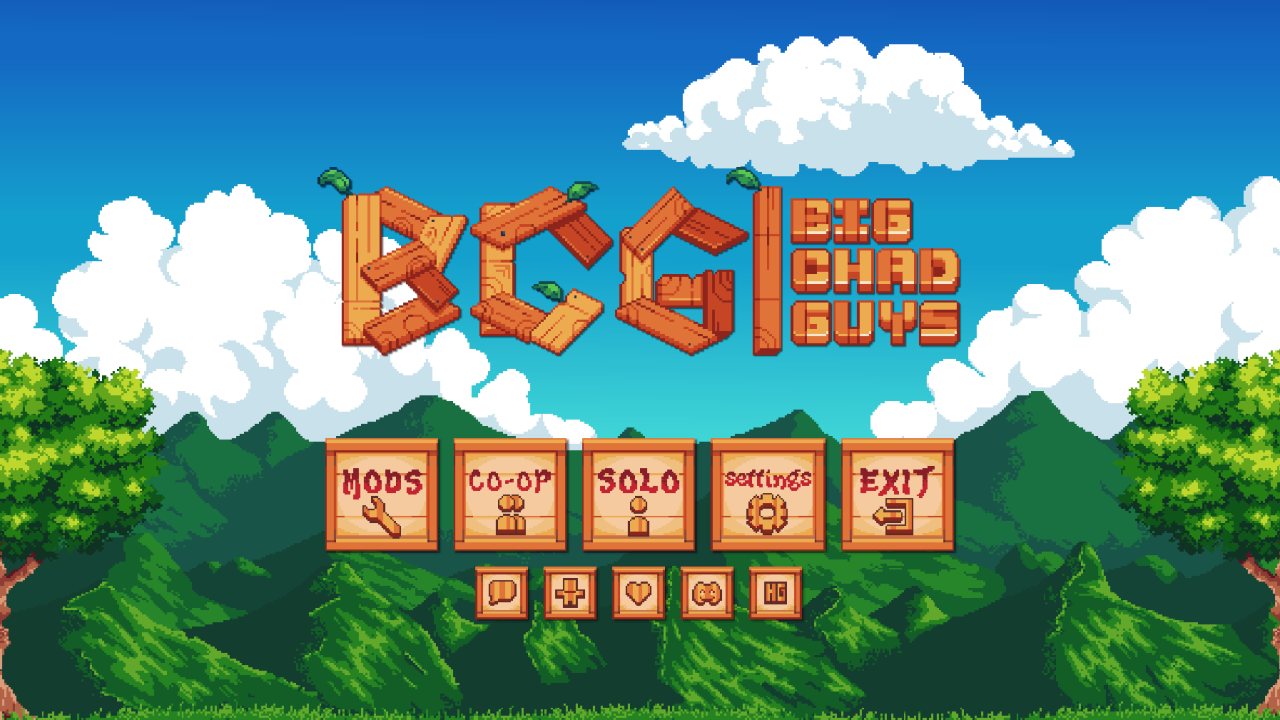
See how this menu was made
Addons and More
FancyMenu has lots of addons, plugins and other things to make it even more powerful!
Drippy Loading Screen
Drippy is an addon for FancyMenu that allows you to customize the Mojang game loading screen!
SpiffyHUD
Spiffy is an addon for FancyMenu that allows you to customize the in-game HUD like the hotbar!
FancyMenu Spigot Plugin
The Spigot plugin makes it possible to use FancyMenu's commands even without FancyMenu installed on the server. This allows you to remotely open GUIs or edit variable values for other players with FancyMenu installed client-side.
Minecraft Changelogs as FancyMenu-Compatible Markdown
There's a great GitHub project that converts Minecraft's changelogs to FancyMenu-compatible Markdown, so you can show the latest MC changelog in your menus! It updates daily to fetch new changelogs.
For example, to show the latest Minecraft changelog in a Text element, set its Source Mode to Resource and set its resource source to Web. Then use this URL as source: https://clay.is-a.dev/minecraft-changelogs-markdown/{"placeholder":"mcversion"}/fancymenu.md
Fancy Entity Renderer
This mod is an optional dependency for FancyMenu that is needed to display player entities in menus.
If you want fancy players chilling in your menus, make sure to install this great mod!
Re-packaged and improved by Roberto Tyley. Improvements licensed under the Apache-2.0 license.
Server Needed?
Looking to play Minecraft with friends but setting up a server is just too time-consuming?
No worries! Simply rent a pre-configured server and start playing _in a snap_.
Just click the image below and use code keksuccino to enjoy a 25% discount on your first month! You can also click the code itself if your ad blocker hides the banner.
ABOUT THIS LISTING
This page describes FancyMenu by Keksuccino. The description and screenshots are the author's own, imported from their listing on Modrinth on 31 August 2026: https://modrinth.com/mod/fancymenu
Mythiq.net hosts no files for it. The download button goes straight to the release file on cdn.modrinth.com, so you are downloading from the author's own host, not from a copy of ours.
The download count, rating and comments on this page start at zero and count Mythiq.net only. The source's own figures are not copied here — they measure a different site, and a number that cannot be checked against our own ledger is not worth printing.
Media
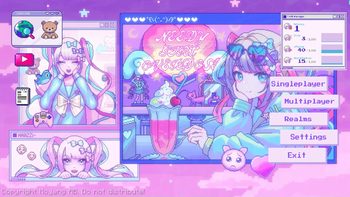
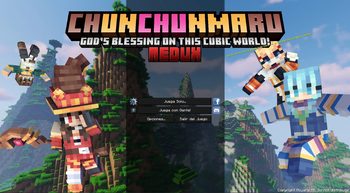
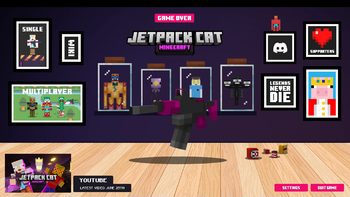
Title Screen by starrgaze_r
Title Screen by Akirawave
Title Screen by Raouldukejnr
Konosuba inspired Title Screen by Otherion
Title Screen by JetpackCat
Requirements
Game version
26.2
MOD LOADER
This release is built for Neoforge. A mod built for one loader will not load under another — Fabric mods do not run on Forge, and vice versa.
GAME VERSION
Built for Minecraft 26.2. Minecraft mods are tied to an exact version: a 1.21.4 build will refuse to load on 1.21.5.
DEPENDENCIES
Check the author's listing for required libraries before you start the game — a missing dependency shows up as a crash on launch, not as a warning.
Installation
1. Install Neoforge for the Minecraft version you play, if you have not already.
2. Download the .jar with the button on this page. Do not unzip it — a mod jar is installed as it is.
4. Launch the game with the Neoforge profile selected.
ON A SERVER
Anything that changes world generation or gameplay has to be installed on the server as well as on every client. Client-side visual and interface mods do not.
UPDATING
Replace the old .jar rather than adding the new one beside it. Two versions of the same mod in the folder is a crash on launch.
This release downloads from cdn.modrinth.com, not from us, so
there is no checksum to compare against. Scan the archive before you unpack it.
Version history
v3.9.12-26.2-neoforgeLatest
28 Aug 2026 · 25 MB via cdn.modrinth.com · 12 downloads Download
Tell us if something is wrong — a file that will not work, content taken from
someone else, or anything that looks unsafe. Reports go to our review team, not
to the author.
We use cookies to ensure that we give you the best experience on our website and improve your experience. By continuing to use this site you consent to such use of cookies.