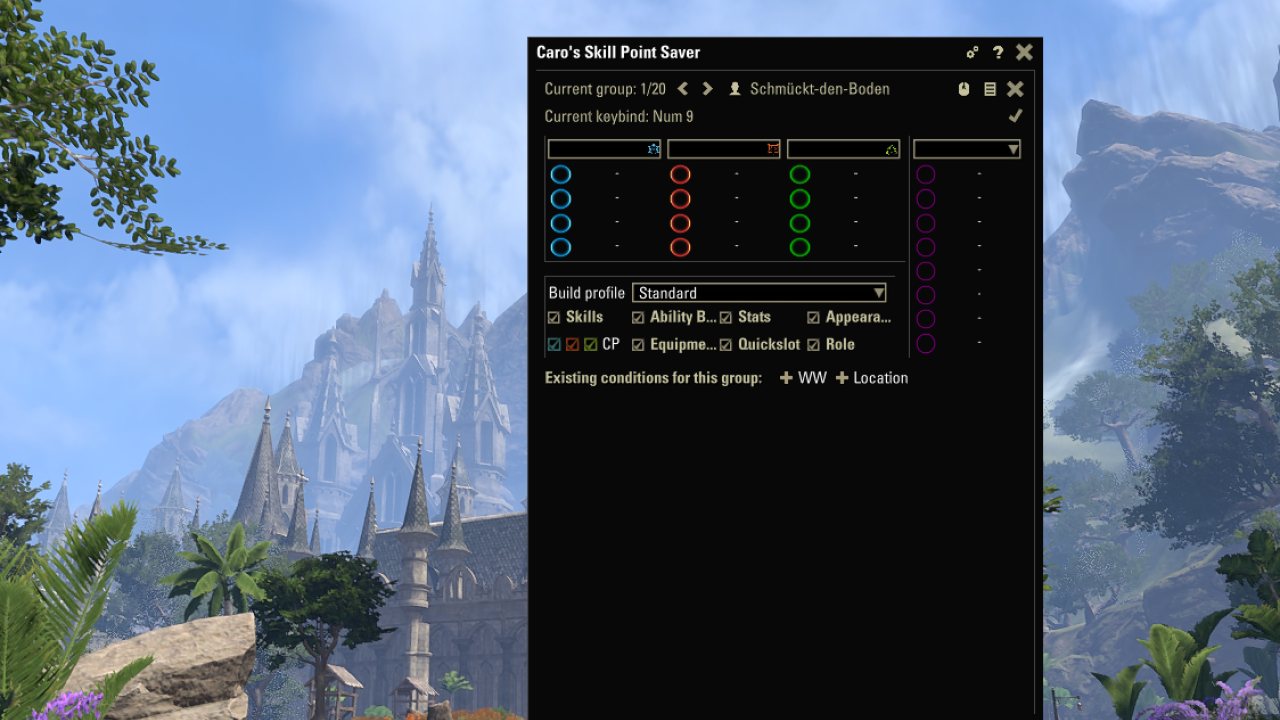
- Save your complete build for character respeccing (including gear, mundus, quickslots and appearances - LibSets is required for gear information, mundus can't be applied by the addon itself)
- Import/export your build data
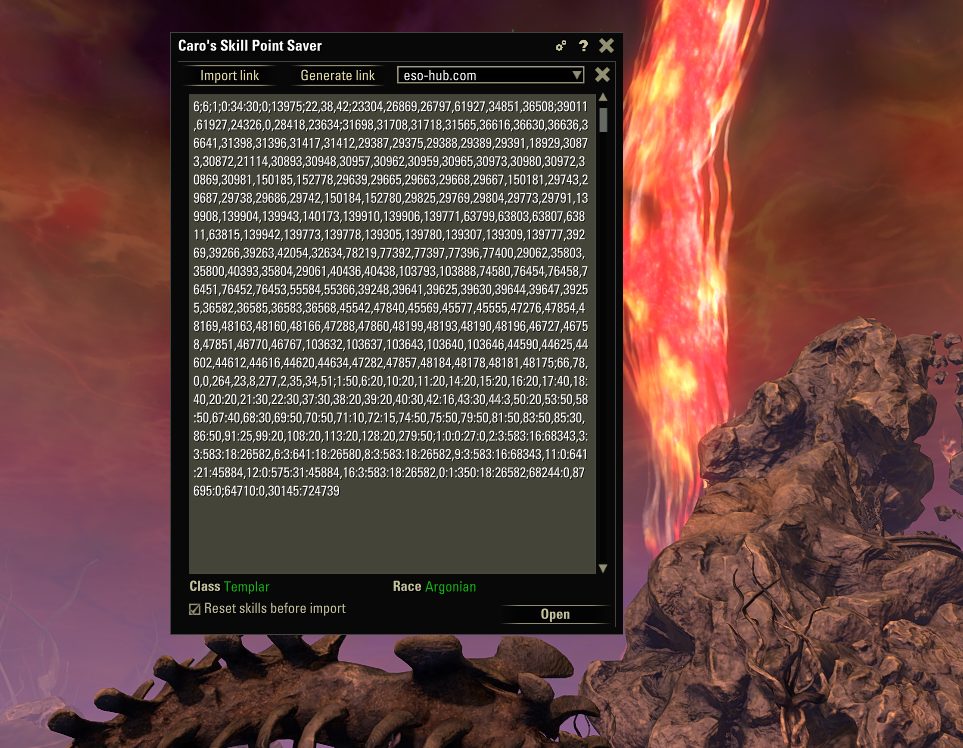
- Text-string import/export to transfer between different installations of CSPS
- Import/export to ESO-HUB
- Import from Wizard's Wardrobe
- Text-based import for champion points
- Transfer builds from different characters/accounts/servers
- Create and manage sub profiles for different categories/disciplines
- Sub-profiles can be saved for the whole account or for the current character
- Sub-profiles for champion bars and quickslots can be bound to hotkeys, to specific locations or to AlphaGear/DressingRoom/Wizard's sets
- Champion point presets included:
- DD presets by Skinny Cheeks
- Tank presets by The Tank Club
- Healer presets by Healer's Haven
- Different craft tree presets
- Rightclick on a preset to see a detailed list of skills before loading it
- Display slotted CPs on your in-game overlay (optional)
Special features:
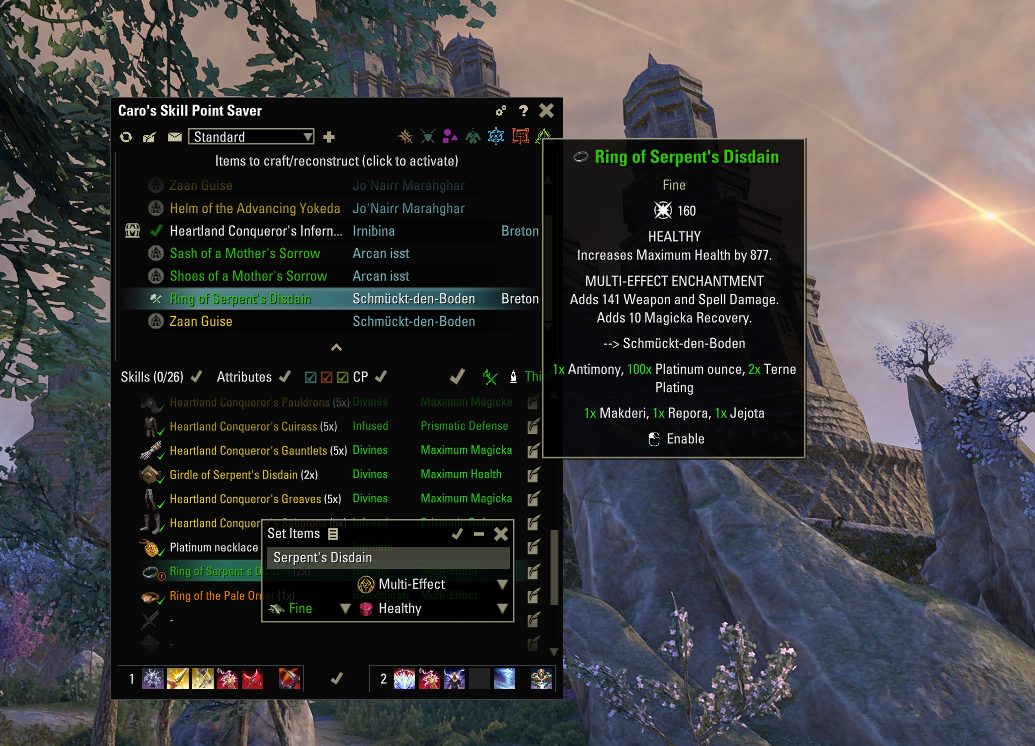
- Edit your gear-setups directly ingame
- LibSets is needed for this function to work.
- Either save the gear you're actually wearing or manually edit sets, traits, enchantments, etc.
- Manually edited gear is not connected to a specific item anymore but will apply the item in your inventory or bank that fits best.
- If LibLazyCrafting is installed you can add missing gear pieces to a crafting/reconstrution list and let the addon craft them for you.
- Text-based import for champion points
- Import any list of champion point allocations directly into the game
- Create dynamic profiles if you are still leveling (will require the list to be sorted in the order the skills should be supplied - multiple entries for the same skill are supported in this mode)
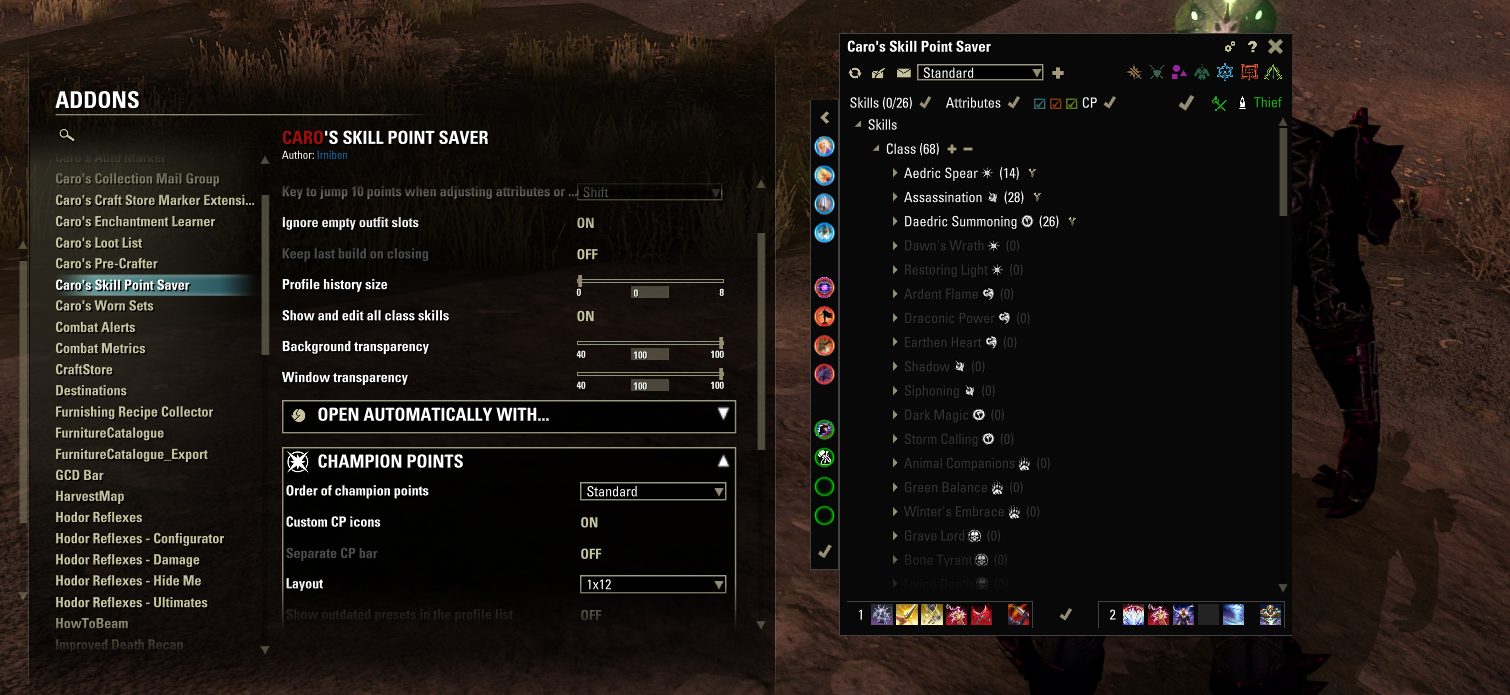
- You can choose if champion points should be sorted according to the game or alphabetically (with separate lists for active/passive cp)
- If you want a specific champion point that's not unlocked, CSPS will find the cheapest way to unlock it
Wizard's Wardrobe integration:
- Several functions are included to work best in combination with Wizard's Wardrobe
- CSPS can check WW setups for missing skills / skill lines and automatically respec when a setup is applied (you can activate this in the addon settings). Please note that this won't work in situations where respeccing is forbidden by the game itself.
- You can import WW setups directly into CSPS to make full builds based on those informations
- You can connect you CSPS builds to WW setups and apply them whenever the WW setup is loaded (via "Manage Connections")
Create profiles for respecing:
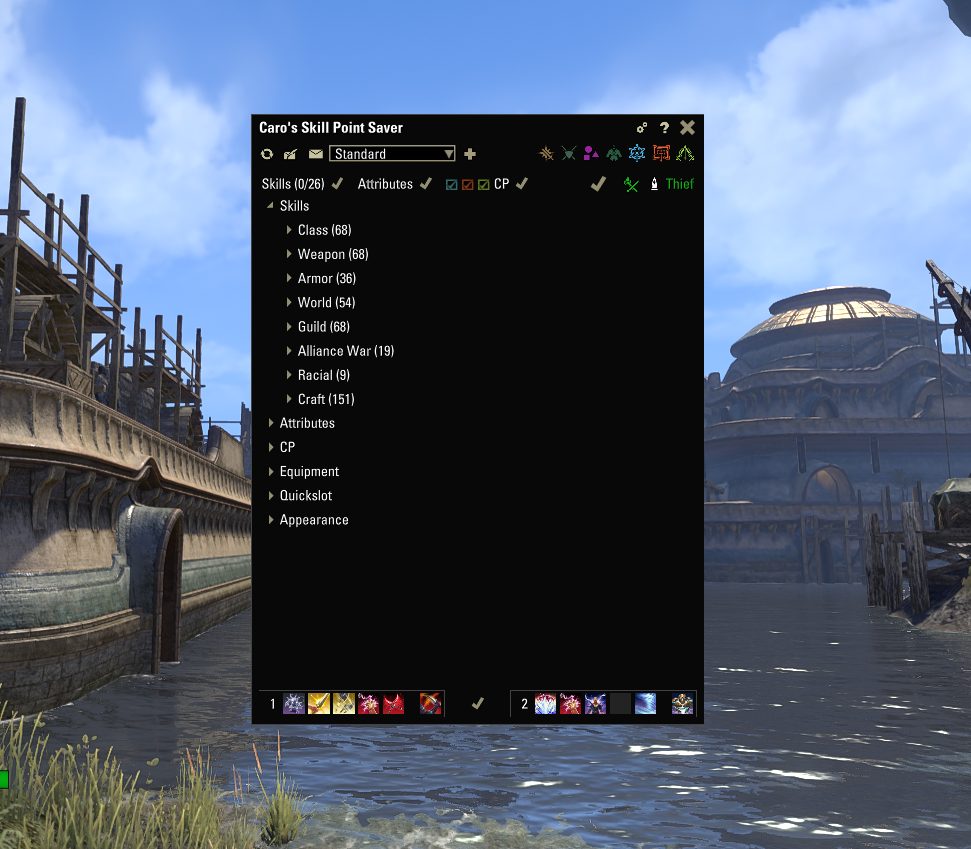
You may save your build to a standard profile or use the plus and minus right of the profile dropdown box to create/delete new profiles. Every aspect of your build can be edited in the addon.
Please note that changes made inside the addon will only affect the actual character after you use the apply button!
Section 1) These buttons are for managing the main profiles. Those include all the data of your build, including skills, attributes and champion points. You can use those to backup or respec your complete char. From left to right: "Read current build", "Save displayed build", "Load saved data", profile-dropdown and buttons to create/delete/rename profiles.
Section 2) These buttons open the sub profile menu. There you will find controls to create and edit separate sub profiles for different categories like the three champion disciplines, skills only, quickslots, outfits or gear.
Section 3) The apply section. Here you can directly apply the different categories. For champion points you have check boxes to apply only certain disciplines. Please note that gear and quickslots can be applied directly in the treeview below. You can apply your whole build via the "apply all"-button on the right (might need activation in the addons settings).
The sub profile section:
Here you can find different options to save and load profiles and presets for certain categories like champion disciplines, skills, etc.
- Select a discipline/category and if the profile should be char-based or account-wide.
- For champion points you will also find buttons for presets and bar-only-profiles.
- Click on the plus to create a new profile from the currently loaded data.
- For some categories a context-menu will open to let you select more details
- Quickslot profiles can be saved for all quickslot wheels or just one
- Skill profiles can be saved with or without action bar (or action bar only)
- Rename your new profile if you want to.
Import/export data:
- Click on the options button to open the import/export section.
- Select the platform
- Generate a link from your current displayed build and copy it to your browser (ctrl+c).
- Insert a link from your browser (ctrl+v) and import it as your new build.
- You will be able to edit the build between importing and applying it.
Import/export from/to ESO-HUB:
- You can export your build to the ESO-HUB build-editor. This function will generate a text that can be copied to the text-field in the build-editor or a link that can be directly opened in your browser.
- Every build in the ESO-HUB build database can be imported into CSPS.
- Copy the text from the text box at the bottom of the build overview on ESO-HUB.
- Insert it into the text-field in CSPS and click "import".
- If a build contains buff-food or potions, CSPS will try to import them to your existing quickslot wheel.
- Use the addon's settings to choose which slots to use for buff-food and potions.
Champion point import/export (text based):
- If you find a useful cp setup in a guide etc. you can now easily import it into the game.
- No need to manually enter your champion points - just copy them into the addon.
- As long as there is a number followed by the English name of a champion skill, the addon will automatically import the champion point distribution you copied.
- If the skills in your text are presented in the opposite order (name first, then value), you can change the reading order by activating the checkbox below the input textfield.
- To reduce the possibility of mistakes the three champion disciplines have to be imported separately.
- There are several options you can use when clicking the import button:
- Use rightclick when you click the import button to create a dynamic profile
- When holding Ctrl at the same time the created profile will be account-wide
- When holding Ctrl while doing a left-click, code for a preset will be generated
- All of these special options won't warn you when they encounter problems - so make sure the text you're importing is without typos etc. (e.g. by importing it the usual way first)
- If you are importing from a list where multiple entries for the same champion skill should be added up instead of replacing each other, hold Shift while clicking on the import button (works with any of the options above)
Current languages: English, German, French, Russian (if you would like to translate to other languages, contact me)
DependsOn:
LibAddonMenu
LibCustomMenu
Optional dependency:
LibSets (needed for gear support)
LibLazyCrafting (needed to automatically craft/reconstruct gear items)
Many thanks to Baertram for his invaluable help!
Many thanks to Keldor for allowing me to use his mappings for eso-skillfactory and for his great work with that website.
Many thanks to @jakez31 for the French translation.
Thanks to CyberOnEso for allowing me to include presets optimized for his addon 'Jack of all Trades' and in genral for his great work with that addon.
Thanks to TC Lee13 / The Tank Club for letting me include their tank cp presets.
Thanks to Duncan88 / Healer's Haven for allowing me to use their cp presets (using the healer ones).
Thanks to Skinny Cheeks for providing the cp presets for damage dealers and his helpful advice.
More thanks than I can say here to @Orejana for just being herself.
ABOUT THIS LISTING
This page describes Caro's Skill Point Saver (Respec Skill Lines, Champion Points, Gear, Quickslots, Appearances) by Irniben. The description and screenshots are the author's own, imported from their listing on ESOUI on 26 October 2026: https://www.esoui.com/downloads/info2901-CarosSkillPointSaverRespecSkillLinesChampionPointsGearQuickslotsAppearances.html
Mythiq.net hosts no files for it. The download button goes straight to the release file on cdn.esoui.com, so you are downloading from the author's own host, not from a copy of ours.
The download count, rating and comments on this page start at zero and count Mythiq.net only. The source's own figures are not copied here — they measure a different site, and a number that cannot be checked against our own ledger is not worth printing.
Media
Requirements
Game versions
12.1.0
12.0.0
API VERSION
Built for ESO API version 12.1.0, 12.0.0. After a patch the game marks add-ons built for the previous API as out of date; the "Allow out of date add-ons" checkbox in the add-on menu loads them anyway, and most work.
LIBRARIES
Many ESO add-ons depend on a shared library — LibAddonMenu-2.0 above all — which is installed separately, exactly like an add-on. A dependency that is missing shows as the add-on simply not appearing in the list.
CONSOLE
Add-ons are PC and Mac only. There is no way to load them on console.
Installation
1. Download the archive with the button on this page and unzip it.
2. Move the unzipped folder into your add-ons directory:
Windows — Documents\Elder Scrolls Online\live\AddOns
3. Start the game, and at the character select screen click Add-Ons.
4. Tick the add-on. If it is greyed out and marked out of date, tick "Allow out of date add-ons" at the top of the same panel.
5. Log in. Most add-ons need a /reloadui after they are first enabled.
UPDATING
Delete the old folder first. ESO loads everything it finds, and two copies of one add-on is the usual cause of "an add-on has produced an error" on login.
This release downloads from cdn.esoui.com, not from us, so
there is no checksum to compare against. Scan the archive before you unpack it.
- FIXED: Some problems with gear-crafting where multiple instances of the same item would be reconstructed and crafting glyphs first would lead to items not being enchanted.
- QoL: Button behind scribed skills to craft them directly when at a scribing station
- UPDATED: Updated poison options for update 101051.
- v. 6.1.6
- FIXED: Class masteries are now applied after changing skilllines to pure-class.
- FIXED: No "Change class line" button after class mastery skill lines.
- v. 6.1.5
- QoL: Color-coded skill lines with locked scribed skills
- QoL: Tooltip for skilltype entries telling you which skills/skill lines need changes or have issues
- QoL: New setting to choose how to sort your profiles
- FIXED: Scribed skills would prevent apply skills to continue to applying hotbars or trigger other apply-all-functions if they were the only changes to be made
- FIXED: CSPS-format import function did ignore hotbars
- v. 6.1.4
- NEW: outfits section now includes customized actions
- QoL: outfits section is now color-coded based on the currently applied items
- FIXED: "ignore empty outfit slots" now works for titles and monturs
- MINOR FIX: Fixed and updated some tooltips in the settings
- v. 6.1.3
- NEW: Support for Class Mastery (Update 50)
- QoL: Gear-items are now marked when they are manually added and not linked to a specific item in your inventory/bank (instead of the other way around)
- QoL: The indicator icons at gear-items telling your if the correct item is equipped or in your inventory/bank now have tooltips with more details
- QoL: If no exact match for a gear item is found you can still equip similar items via context menu from inside the addon.
- QoL: Right-click on the "Apply all"- button now let's you choose categories directly in a context-menu instead of opening the settings
- QoL: Added a tooltip to the role icon.
- QoL: Tooltips for "apply hotbar" and "apply champion bar" are now labeled according to their specific targets instead of a simple "apply"
- QoL: If you open an ESO-HUB link without generating it first the addon will now automatically generate it first.
- FIXED: Rare issue with crafted abilities that would occur after user manually changed the game's language via script
- FIXED: Opening the addon inside a vengeance campaign won't break anything anymore (but the addon still will not work in vengeance mode - because why would it)
- FIXED: ESO-HUB export could be incomplete when no passive champion points were set
- FIXED: ESO-HUB export link is now longer sent to chat on opening it.
- FIXED: Profile name is now display correctly when profiles are loaded via hotkey.
- FIXED: When connecting build profiles to hotkeys/triggers checkboxes leading to deactivated categories are now hidden.
- MINOR FIX: Expand/collapse button on the champion sidebar is now pointing in the right direction and has a dynamic tooltip.
- INTERNAL: vengeance class lines are now recognized by their rank-behaviour instead of hard-coded by skill line id
- v. 6.1.2
- FIXED: issue that came with 6.1.0 that would prevent the addon from saving subclasses
- FIXED: issue that would let you slot inactive subclass skills on action bars when "show all class skills" is active
- QoL: clicking "apply skills" now also automatically applies hotbars (can be turned off in the right-click context-menu)
- v. 6.1.0
Off-site on cdn.esoui.com —
no checksum, because we never held this file.
Link checked by our review team on 26 Oct 2026.
Tell us if something is wrong — a file that will not work, content taken from
someone else, or anything that looks unsafe. Reports go to our review team, not
to the author.
We use cookies to ensure that we give you the best experience on our website and improve your experience. By continuing to use this site you consent to such use of cookies.