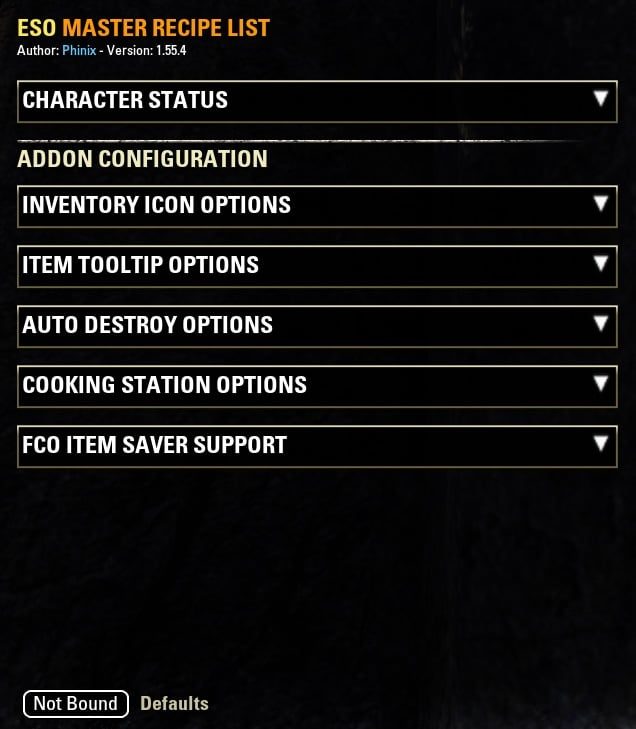
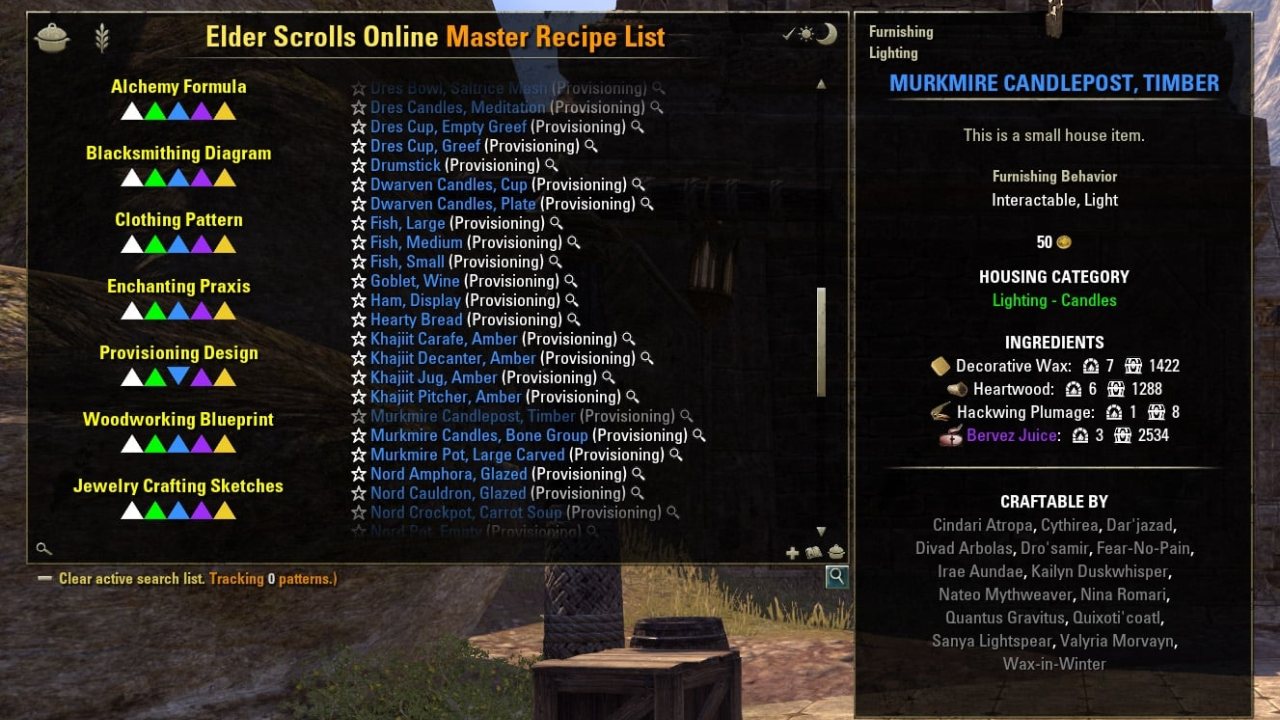
/mrl or /recipes - Opens the addon's user interface.
ESO Master Recipe List
(Click your flag to translate the page. Addon includes in-game support for all listed languages.)
REQUIRED LIBRARIES: LibAddonMenu
CHAT COMMANDS:
/mrl or /recipes - Opens the addon's user interface.
/mrl reposition - Resets GUI position if moved off screen.
/mrl update - Safe database update (see: "Try first for errors" below).
/mrlexport - Opens a GUI for exporting known/unknown recipes to text.
SEARCH OR TRACK BY IMPROVEMENT LEVEL: New in version 1.52 is the ability to show all recipes of an improvement level by clicking the numerals at the bottom right. Shift-clicking these will set all recipes of that improvement level to tracked, which is very helpful when leveling your cooking as you can quickly add tracking icons to only the recipes you need in the search results at guild stores.
TEXT SEARCH OPTION: To search for a recipe you can hover your mouse over the bottom right of the window and click in the search box, and type the name. You can also search for all recipes of a certain level range by typing a number in the search box. For CP levels type "cp" (without quote) followed by a number. Additionally, typing "cp1" (no quotes) will show all recipes that scale from 1 to max level.
Older furniture update video / Video showing earlier updates / (Follow-up video)
Big thanks to Daveh for maintaining the ESO Data pages and to all who contribute to the ESOUI AddOn Wiki
ADDON FEATURES:
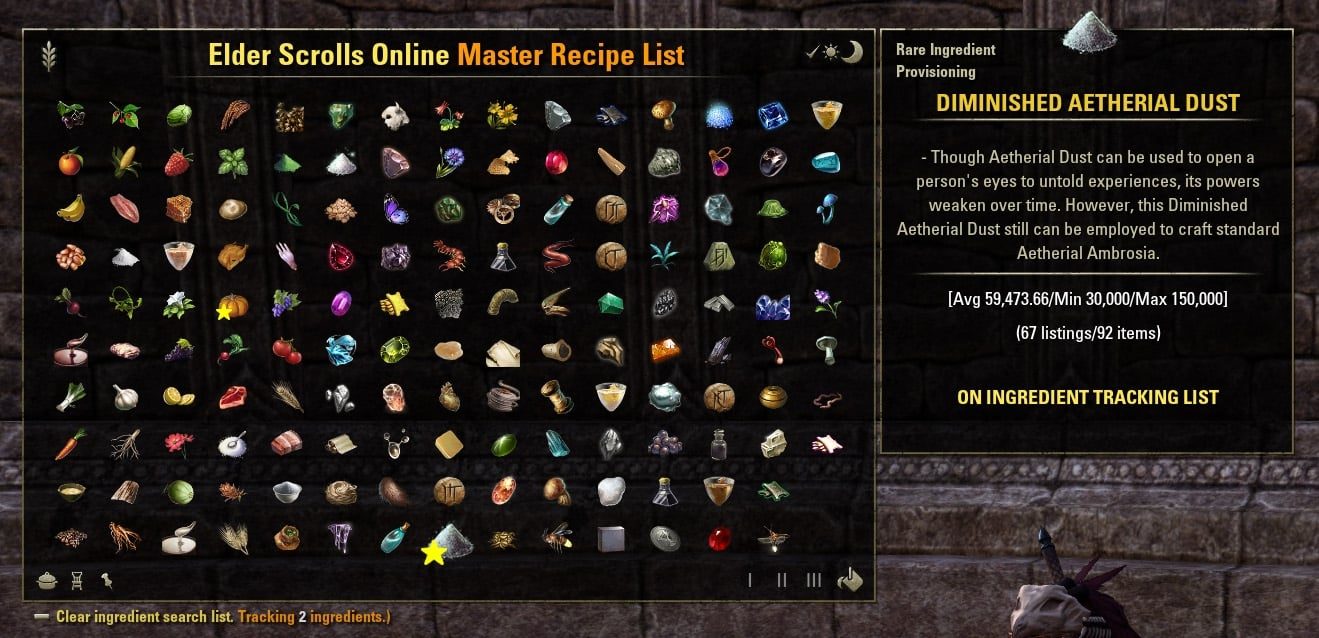
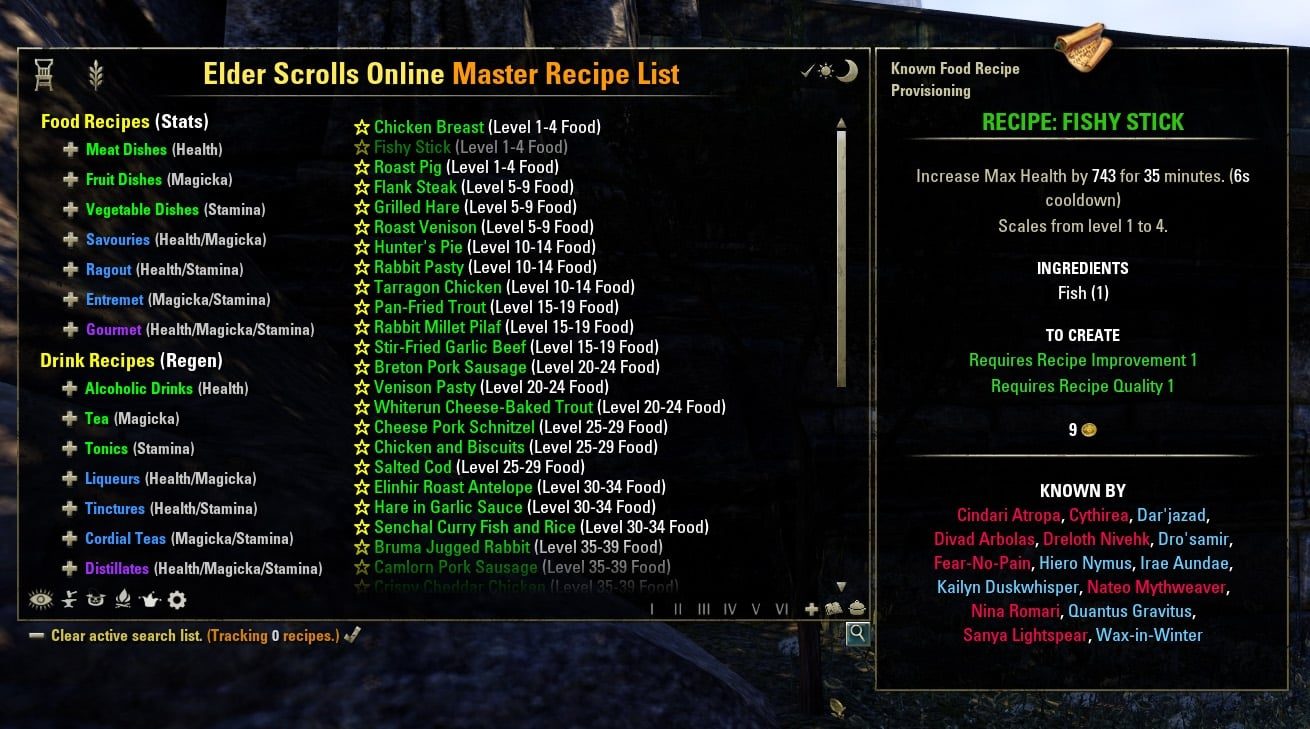
- Master Recipe List window with all cooking and furniture recipes in ESO.
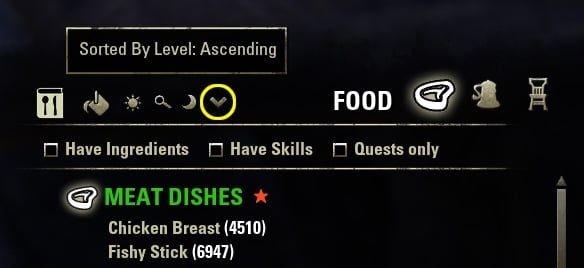
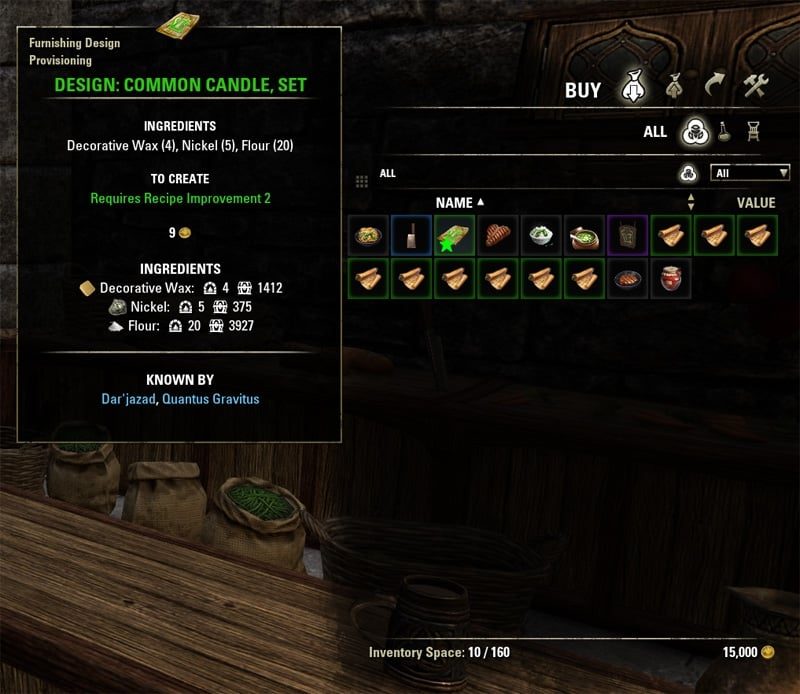
- Browse labeled and quality color-coded categories or text search for recipes at cooking stations.
- Single-click search for all recipes required for current writ (now works in non-English!).
- Options to show list of characters that know the recipe or that can make a food item in the tooltip.
- Scroll list shows which recipes are known, unknown, writ-required, or tracking.
- Adds additional tooltip info for tracked ingredients and recipes (and those needed by writs).
- Bind a show/hide key under ESO Master Recipe List in control settings.
- Slash commands available: /mrl and /recipes will both show/hide the window.
- Track individual ingredients.
- Auto-mark all ingredients needed by all currently tracked recipes combined.
- Popup tooltips for all list items (can be toggled between recipe and created food tooltips).
- Shift-click any item to link in chat.
- Inventory and guild store icons for tracked/known/unknown (optional) recipes and ingredients.
- Sliders to customize the positioning of the inventory icons globally.
- Added new recipe configuration panel (click the book icon to toggle)!
- All characters that know any recipes and are tracking show in the above list.
- Delete any character from your tracking database (useful for deleted characters.)
- Select all recipes as tracked with a single click.
- Select as tracked all recipes NOT known by the currently selected character.
- Select all recipes in a tier (left side navigation) as tracked by shift-clicking nav button.
- Set up per-character filters to auto-junk or auto-delete untracked recipes and ingredients when looting.
- Save/load tracked ingredient selection to global ingredient profile.
- Added option to show ingredients in craftable food item tooltips.
- Added option to ignore stolen items when auto junk/delete is on.
- Full Cooking Station integration!
- Food and Drink categories are now color-coded by the quality of food or drink they produce.
- Optionally add stat icons to each category showing which stats their created food or drinks will buff.
- New writ tracking system! Categories show gold check, recipes highlighted gold.
- Added "needed by current writ" to the created food tooltips that show in the provisioning station.
- Added button to open/close MRL from the provisioning station.
- Added button to toggle showing blue check by categories containing known tracked recipes, and highlight these in blue.
- Added button to show/hide the created food tooltip at the cooking station.
- Implemented new "alt tracking mode" for inventory icons.
- Added support for the Psijic Ambrosia recipe and items.
- Allows opening/closing any category (or multiple categories) at the cooking station.
- Added new Orsinium recipes as well as all event recipes.
- Search for all recipes that use all selected ingredients.
- Writ tracking for ingredients and food items!
- Support for all Homestead craftable furniture items!
- Added new "Reset Navigation" button (moon icon) at cooking station to collapse all categories.
- Can now choose a different characters for food and furniture when tracking unknown recipes with inventory icons.
- Can now click to navigate or shift click to track all recipes by improvement level.
- Added option (plus sign at bottom right) to set all recipes currently showing in the list to tracked.
- NEW: New filters to only show known/unknown recipes in result lists.
- NEW: Made crafting station tooltips movable (except enchanting/alchemy).
- NEW: Added new option under Cooking Station Options: "Automatically Craft Writs." It will do as it says when you visit a cooking station with active provisioning writs then exit the station when done, similar to Dolgubon Lazy Writ Crafter. If debug is enabled, will warn if not enough ingredients to craft or if you don't know a writ recipe.
- NEW: Added new export feature. Type "/mrlexport" in chat without quotes and hit enter to open the Export UI. Select options (Furniture or Food recipes, Known or Unknown), then click in the result field, press Ctrl+A on your keyboard to select all results, and then press Ctrl+C to copy. You can then paste these results in the editor of your choice. NOTE: Due to game caps on text box characters you may see the results spread over more than one page, in which case just do the copy paste for each page one at a time, remembering to click in the results field each time before you Ctrl+A/Ctrl+C.
Addon is rebuilt to be automated and self-updating with no more need to reset saved variables for characters after this release.
- Log in with any character, and type "/mrl update" in chat (without quotes) and hit enter.
- When you see the message the update is done type "/reloadui" and hit enter.
- This is safe to do at any time and will not reset saved variables.
RESET INSTRUCTIONS:
The new Greymoor release represents a near complete rebuild of the core addon mechanics and saved variable structure and therefor, it is possible that upgrades will not always go perfectly. In testing you should be able to update to the new version, log in, wait until you see the message that MRL is updated, then reload the UI, and all should be well.
If however you experience any problems with the installation/upgrade, please follow these steps to start from a clean install of the latest version:
- Exit the game.
- Uninstall MasterRecipeListAltFormat (not part of this addon and while maintained by the author, is no longer necessary as the functionality is built-in to this addon now).
- Go to \Documents\Elder Scrolls Online\live\SavedVariables\ folder and manually delete the MasterRecipeList.lua saved variables file.
- Go to \Documents\Elder Scrolls Online\live\AddOns\ and manually delete the MasterRecipeList folder.
- Go to \Documents\Elder Scrolls Online\live\AddOns\ and manually delete the LibPhinixFunctions folder.
- Re-download and install ESO Master Recipe List and LibPhinixFunctions.
- Start the game and log in to any character.
- Wait until you see the message in chat that the MRL database is updated. (IMPORTANT)
- Type '/reloadui' in chat (without the quotes) and hit enter to finalize the install.
Also at any time to do a full database reset you can type '/mrl update' otherwise it will happen automatically when game client version number changes.
FEATURE FOR ADDON DEVELOPERS:
You can now easily check if Master Recipe List is tracking a given recipe or ingredient. For example, in your code you could check if Master Recipe List is running and pass it the itemLink of a recipe or ingredient to check if that item is currently being tracked using this simple implementation:
Click here to view my other addons.
ABOUT THIS LISTING
This page describes ESO Master Recipe List by Phinix. The description and screenshots are the author's own, imported from their listing on ESOUI on 3 October 2026: https://www.esoui.com/downloads/info1043-ESOMasterRecipeList.html
Mythiq.net hosts no files for it. The download button goes straight to the release file on cdn.esoui.com, so you are downloading from the author's own host, not from a copy of ours.
The download count, rating and comments on this page start at zero and count Mythiq.net only. The source's own figures are not copied here — they measure a different site, and a number that cannot be checked against our own ledger is not worth printing.
Media
Requirements
Game versions
10.2.0
10.1.0
API VERSION
Built for ESO API version 10.2.0, 10.1.0. After a patch the game marks add-ons built for the previous API as out of date; the "Allow out of date add-ons" checkbox in the add-on menu loads them anyway, and most work.
LIBRARIES
Many ESO add-ons depend on a shared library — LibAddonMenu-2.0 above all — which is installed separately, exactly like an add-on. A dependency that is missing shows as the add-on simply not appearing in the list.
CONSOLE
Add-ons are PC and Mac only. There is no way to load them on console.
Installation
1. Download the archive with the button on this page and unzip it.
2. Move the unzipped folder into your add-ons directory:
Windows — Documents\Elder Scrolls Online\live\AddOns
3. Start the game, and at the character select screen click Add-Ons.
4. Tick the add-on. If it is greyed out and marked out of date, tick "Allow out of date add-ons" at the top of the same panel.
5. Log in. Most add-ons need a /reloadui after they are first enabled.
UPDATING
Delete the old folder first. ESO loads everything it finds, and two copies of one add-on is the usual cause of "an add-on has produced an error" on login.
This release downloads from cdn.esoui.com, not from us, so
there is no checksum to compare against. Scan the archive before you unpack it.
Version history
v1.56.76Latest
23 Nov 2024 · 172 KB via cdn.esoui.com · 0 downloads Download
Version 1.56.76:
- Updated API for u44.
Version 1.56.75:
- Updated for Gold Road.
- Fixed missing newer recipes after update (NOTE: Type "/mrl update" in chat (without the quotes) to rebuild after this update).
Version 1.56.74:
- Added safety check to address reported error crafting furniture.
Version 1.56.73:
- Changed the way writ quest journal data is read and internal variables are generated. Should account for situations where one or both writ requirements already exist in your bags at the time you pick up the quest, and eliminate errors that could occur in these instances.
Version 1.56.72:
- RE-UPLOAD: Last update mistakenly uploaded the previous version so no fixes were included!
- Fixed (hopefully for real this time) auto-crafting writs.
- Fixed cooking station not auto-exiting after writ completion.
- Re-write writ detection core functions with new methods not depending on text matching. Should eliminate client language quirks as lookup is now by item ID which is universal.
- Fixed colors for writ items in the MRL GUI.
- Fixed needed by writ text missing from popup recipe/item tooltips.
- NEW: Added option to select the default cooking station tab to show under Station Options.
- NEW: Fixed fillet sound (or no sound) playing when auto-crafting.
- NEW: Made it so the station switches to the tab of the writ item being auto-crafted automatically.
Version 1.56.71:
- Slightly modified auto-crafting writs function to (hopefully) resolve not crafting due to missing ingredients when ingredients are available in craft bag.
Version 1.56.70:
- Fixed notifications when auto-crafting of provisioning writs is enabled. You will now be properly informed what item failed to craft and if it was due to lack of knowledge or not enough ingredients.
- Improved writ tracking: Orange inventory icons will now show for required food items in your inventory and bank. Also, the writ tracking system will now properly update when you sell/delete required items as the quest does, and you will still be able to search for writ requirements in MRL's interface even after crafting the required items or having them in your bags.
- Other improvements and code maintenance. Please report any issues!
Version 1.56.69:
- Updated for Necrom.
- Added ability to move the MRL controls at crafting stations (and have it remember position). Drag the book icon to move the entire bar.
- Fixed broken functionality to move the recipe popup tooltip at crafting stations and remember position on a per-station basis.
- Fixed detection of Enchanting station Praxis tab broken by patch change.
- Verified auto-crafting writs is working. Make sure the option to auto-craft is actually checked. PLEASE NOTE: There is currently a bug where the addon doesn't warn you if crafting writs fails due to missing ingredients/knowledge so make sure this is not the case. While I look into this you can still see the marks for categories containing writs at the station and opening that category will take you to the item to check ingredients. Also missing marks means you don't know the recipe. You can also click the check mark next to the search box in the main MRL window to check if you know the required writ recipes.
Version 1.56.68:
- Updated for Scribes of Fate.
- Re-uploaded with error fix, testing other reported issues.
Version 1.56.67:
- Minor PTS update.
- EDIT: Removed some testing functions.
Version 1.56.66:
- Fixed ingredients panel icons extending beyond addon window frame.
- Updated API for High Isles and verified functionality on current PTS.
Version 1.56.65:
- Removed dependency on LibPhinixFunctions (too many libs).
- Minor code maintenance.
Version 1.56.64:
- Updated API for Ascending Tide.
- Changed database update automation to no longer auto-reload the UI. Now it just warns you to.
Version 1.56.63:
Off-site on cdn.esoui.com —
no checksum, because we never held this file.
Link checked by our review team on 3 Oct 2026.
Tell us if something is wrong — a file that will not work, content taken from
someone else, or anything that looks unsafe. Reports go to our review team, not
to the author.
We use cookies to ensure that we give you the best experience on our website and improve your experience. By continuing to use this site you consent to such use of cookies.