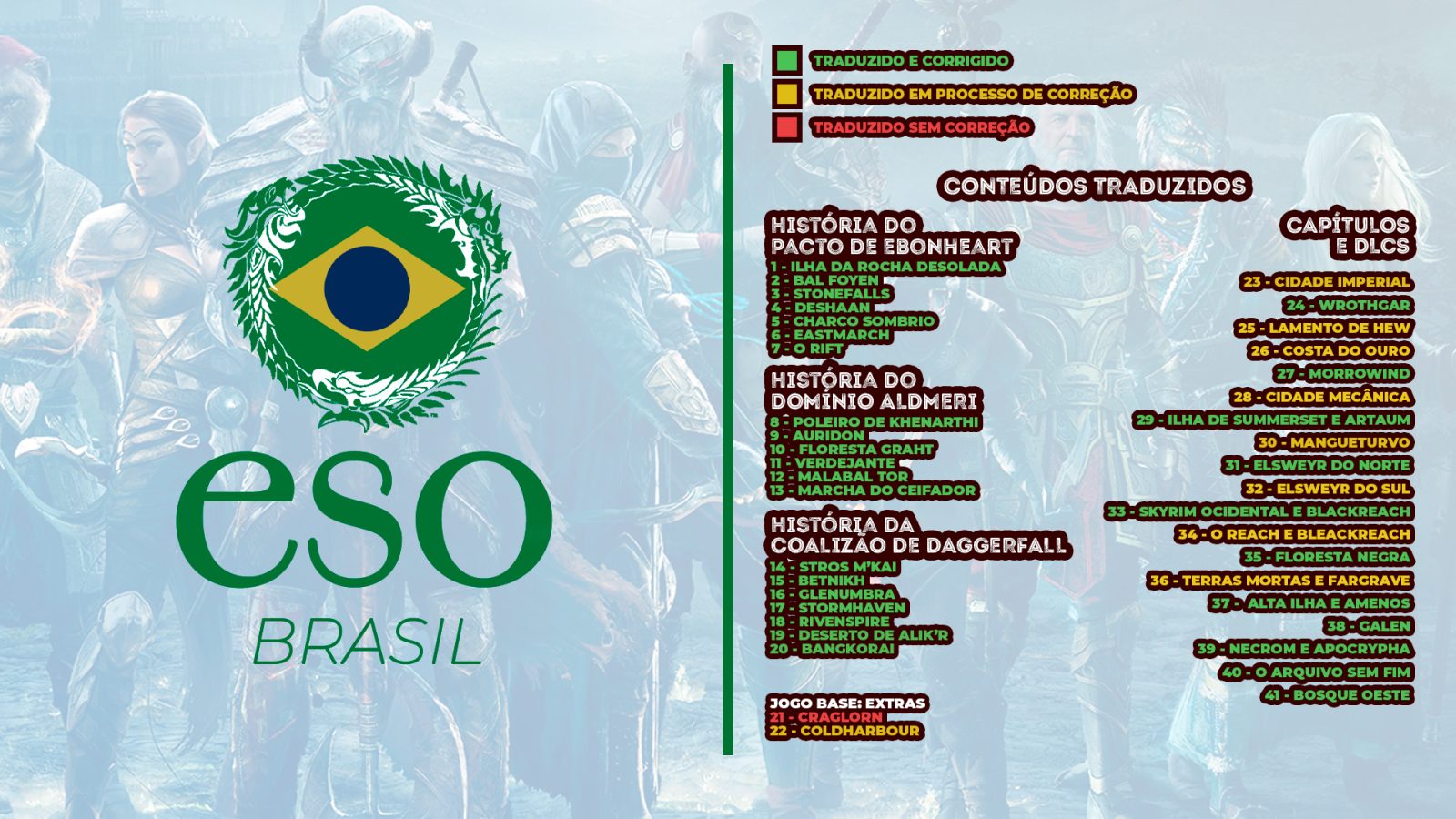
An unofficial portuguese translation for The Elder Scrolls Online. 100% of the game is translated.
Dependencies:
- LibAddonMenu-2.0
**O addon foi reformulado com uma ferramenta bilíngue nova por Hawke e terá um guia atualizado disponibilizado em breve. Os menus estão de fácil entendimento, e não é mais necessário usar patches de compatibilidade, basta ativar as opções desejadas no menu do addon.
-
EsoBR
An unofficial portuguese translation for The Elder Scrolls Online. 100% of the game is translated.
Compatible with Update 51
Compatible with Steam®
An especial thanks to Cervanteso for his translation tool, and Hawke for bilingual tool.
For Portuguese speakers:
Neste momento estamos com 100% do jogo traduzido, porém em fase de revisão e correção, garantindo maior precisão, coesão e fidelidade ao universo original, aprimorando a experiência dos jogadores lusófonos.
ATENÇÃO: Após instalar ou atualizar o addon, vá na opção "Atualizar Banco de Dados" no menu:
ESC > Opções > Addons > ESOBR
Isso é necessário para que a pesquisa com nomes duplos na biblioteca de conjuntos e mapas novos funcione corretamente.
Guia de Instalação:
Assista ao vídeo do Mestre Frooke ensinando a instalar a tradução: clique aqui
Certifique-se de ter as LIBS extras instaladas: LibAddonMenu 2.0
Mantenha sempre a tradução atualizada. Quando não está com a última versão instalada, podem ocorrer erros (por exemplo, missões e NPCs novos aparecerem sem texto).
VERSÃO ATUAL: Update 49 (lançado em Fev 2026)
Os conflitos conhecidos do addon foram solucionados nas melhorias recentes de qualidade de vida.
Veja os patch notes da tradução em: Patch Notes
Solução de Problemas:
Não consigo localizar a pasta Elder Scrolls Online em Documentos:
Abra o jogo e logue com um personagem pelo menos uma vez
Crie uma exceção no antivírus para o jogo
Verifique se a pasta não está em outro diretório:
• C:\Users\Public\Documents
• C:\Users[Seu nome de usuário]\Documents
• Pasta raiz de instalação: C:\Program Files (x86)\Steam\steamapps\common\Zenimax Online\The Elder Scrolls Online
Entro no jogo, o addon aparece instalado, mas fica vermelho:
• Certifique-se de ter a biblioteca LibAddonMenu-2.0 instalada
• Aceite o EULA dos addons: "View EULA" no canto inferior da tela de Addons, na seleção de personagem
Instalei o addon, mas o jogo continua em inglês:
• Quando logado, aperte ESC e clique na bandeira do Brasil no canto inferior direito da tela. Se não existir a bandeira, tente clicar assim mesmo
• Com o jogo fechado, vá em: Documentos/Elder Scrolls Online/live
• Localize o arquivo "UserSettings.txt" e abra com o Bloco de Notas
Altere "en" para "br" nas seguintes linhas:
SET LastPlatformLanguage "br"
SET LastValidLanguage "br"
(O comando Ctrl + F pode ajudar a localizar as linhas)
Bugs Conhecidos: Clique aqui
Para mais informações acesse:
Discord da Taverna do Mestre
universoeso.com.br
Comandos de slash
/esobr_clearcache — limpa o cache de busca dos mercadores de guilda
Créditos da tradução: @mestrefrooke & @FabresFour
Código e arquitetura: Hawke
ABOUT THIS LISTING
This page describes EsoBR - Tradução Português - v2026 by rodrigo. The description and screenshots are the author's own, imported from their listing on ESOUI on 26 October 2026: https://www.esoui.com/downloads/info2256-EsoBR-TraduoPortugus-v2026.html
Mythiq.net hosts no files for it. The download button goes straight to the release file on cdn.esoui.com, so you are downloading from the author's own host, not from a copy of ours.
The download count, rating and comments on this page start at zero and count Mythiq.net only. The source's own figures are not copied here — they measure a different site, and a number that cannot be checked against our own ledger is not worth printing.
Media
Requirements
Game version
12.1.0
API VERSION
Built for ESO API version 12.1.0. After a patch the game marks add-ons built for the previous API as out of date; the "Allow out of date add-ons" checkbox in the add-on menu loads them anyway, and most work.
LIBRARIES
Many ESO add-ons depend on a shared library — LibAddonMenu-2.0 above all — which is installed separately, exactly like an add-on. A dependency that is missing shows as the add-on simply not appearing in the list.
CONSOLE
Add-ons are PC and Mac only. There is no way to load them on console.
Installation
1. Download the archive with the button on this page and unzip it.
2. Move the unzipped folder into your add-ons directory:
Windows — Documents\Elder Scrolls Online\live\AddOns
3. Start the game, and at the character select screen click Add-Ons.
4. Tick the add-on. If it is greyed out and marked out of date, tick "Allow out of date add-ons" at the top of the same panel.
5. Log in. Most add-ons need a /reloadui after they are first enabled.
UPDATING
Delete the old folder first. ESO loads everything it finds, and two copies of one add-on is the usual cause of "an add-on has produced an error" on login.
This release downloads from cdn.esoui.com, not from us, so
there is no checksum to compare against. Scan the archive before you unpack it.
Version history
v1.3.1Latest
4 Oct 2026 · 28 MB via cdn.esoui.com · 0 downloads Download
None
Off-site on cdn.esoui.com —
no checksum, because we never held this file.
Link checked by our review team on 26 Oct 2026.
Tell us if something is wrong — a file that will not work, content taken from
someone else, or anything that looks unsafe. Reports go to our review team, not
to the author.
We use cookies to ensure that we give you the best experience on our website and improve your experience. By continuing to use this site you consent to such use of cookies.