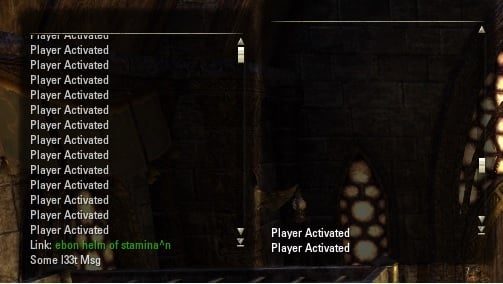
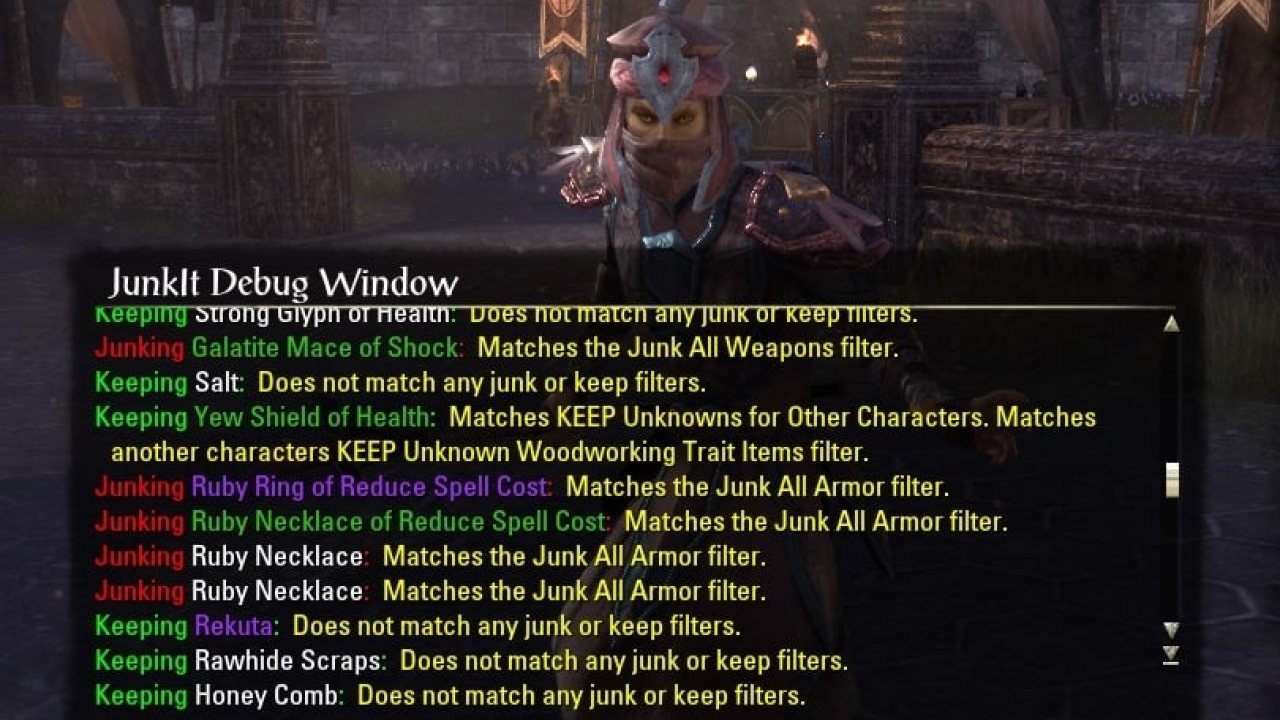
Allows the easy creation/use of a simple message window that mimics the look of the regular chat window, is scrollable, handles link clicks, and slaps an easy access AddText(..), ChangeFade(..), & ClearText() function on it. It also has a label at the top you can assign a value to if you wish to…
What does it do?
Allows the easy creation/use of a simple message window that mimics the look of the regular chat window, is scrollable, handles link clicks, and slaps an easy access AddText(..), ChangeFade(..), & ClearText() function on it. It also has a label at the top you can assign a value to if you wish to label your window. The fade is only for the text, the background does not fade, but still useful if you want to hide the background & set the text to fade out.
I wrote this just to use for debugging messages & other random things and thought someone else might be interested in having a message window they can add messages to...that they don't have to write themselves...so here it is.
Function...yeah there is only one
For ease of use, the TopLevelControl returned by libmw:CreateMsgWindow(...) has the following functions:
Instructions
Add LibMsgWin-1.0 as a dependency in your addon.txt file:
Add this line to the top of every code file you want to use it in:
Start using it.
Examples of Use:
The code can be found on github: https://github.com/sirinsidiator/ESO-LibMsgWin
ABOUT THIS LISTING
This page describes LibMsgWin by sirinsidiator. The description and screenshots are the author's own, imported from their listing on ESOUI on 24 October 2026: https://www.esoui.com/downloads/info802-LibMsgWin.html
Mythiq.net hosts no files for it. The download button goes straight to the release file on cdn.esoui.com, so you are downloading from the author's own host, not from a copy of ours.
The download count, rating and comments on this page start at zero and count Mythiq.net only. The source's own figures are not copied here — they measure a different site, and a number that cannot be checked against our own ledger is not worth printing.
Media
Requirements
Game version
6.0.5
API VERSION
Built for ESO API version 6.0.5. After a patch the game marks add-ons built for the previous API as out of date; the "Allow out of date add-ons" checkbox in the add-on menu loads them anyway, and most work.
LIBRARIES
Many ESO add-ons depend on a shared library — LibAddonMenu-2.0 above all — which is installed separately, exactly like an add-on. A dependency that is missing shows as the add-on simply not appearing in the list.
CONSOLE
Add-ons are PC and Mac only. There is no way to load them on console.
Installation
1. Download the archive with the button on this page and unzip it.
2. Move the unzipped folder into your add-ons directory:
Windows — Documents\Elder Scrolls Online\live\AddOns
3. Start the game, and at the character select screen click Add-Ons.
4. Tick the add-on. If it is greyed out and marked out of date, tick "Allow out of date add-ons" at the top of the same panel.
5. Log in. Most add-ons need a /reloadui after they are first enabled.
UPDATING
Delete the old folder first. ESO loads everything it finds, and two copies of one add-on is the usual cause of "an add-on has produced an error" on login.
This release downloads from cdn.esoui.com, not from us, so
there is no checksum to compare against. Scan the archive before you unpack it.
Version history
v1.0 r11Latest
29 May 2020 · 6.5 KB via cdn.esoui.com · 0 downloads Download
Version 1.0 r11 ~ sirinsidiator
- Added LICENSE and put the code on github
Version 1.0 r10 ~ sirinsidiator
- Updated for Harrowstorm and Greymoor
- Made LibStub usage optional and removed embedded copy
Version 1.0 r9 ~ sirinsidiator
- Updated for Elsweyr
- Added global variable LibMsgWin for access without LibStub
Version 1.0_R8 -- Requested Feature
Window Fade Added the ability to fade the window. It defaults to the same FadeDelay & FadeTime you were passing in for the text fade (so their the same) and will also default to 0 (no fade) if no values are passed in. But if you want them to have different fadeDelay/fadeTime's you can change it by using:
Accessible from the control returned to you when you create the window. All times are in milliseconds.
Text Fade Change Due to the addition of the window fading option/function I thought it would be best to clarify the function used to change the text fade so I changed its name, it is now called:
All times are in milliseconds.
Fade In Not an animation, but the window & text will both automatically reset to an alpha value of 1:
When text is added to the window using
or OnMouseEnter for the text buffer control (the window)
The window & text will both begin their fadeDelay then fadeTime as soon as the text has been entered or OnMouseExit of the text buffer control (window).
Time Storage In case you need to access the fadeDelay/fadeTime for the window or text I stored it in the control that is returned to you when you create the window for easy access:
Version 1.0_R7 -- Oops
A Default Color Would Be Nice: I forgot to set a default color if one was not passed in, caught it as soon as I uploaded R6.
Version 1.0_R6 -- Requested Change
Code Change: Small code change for how the slider starts to move when the buffer is full & text is added to the window. Changed it from a hard coded 200 (the default number of MaxHistoryLines) to grabbing the current maxHistoryLines which will allow users to change the default number of MaxHistoryLines if they wish.
Version 1.0_R5 -- Requested Feature
Text In Color: Added parameters to the AddText function to allow you to pass through colors for the text:
Version 1.0_R4 --
Reverse Scroll: Apparently the window scrolled in the wrong direction. It scrolled the opposite direction of the original chat window. It has been fixed.
Scroll Visiblity: Fixed the slider so it now only becomes visible when there are enough lines of text to scroll off of the screen.
Known Issue: If you resize the window and there becomes enough space for all lines of text the slider does not hide itself until the user scrolls the window or another line of text is added to the window (instead of hiding itself immediately upon resizing). I can not get the OnResizeStop handler to work, will fix as soon as I figure it out, or find a way around using OnResizeStop.
Version 1.0_R3 --
Window Heading Label: I Added a label control to the window that can be used to add text to the top of the window.
WARNING: Due to adding the window heading label I needed to add an extra parameter to the function. It is the second parameter and the fade parameters are now third & fourth.
Version 1.0_R2B --
Added LibStub: I forgot to include LibStub in the previous update zip file. It is now included, no other changes.
Version 1.0_R2 --
cntrl:ClearText(): Added an easily accessible ClearText() function to clear the text from the buffer, so you don't have to mess with getting the buffer control. You can just call it on the main control returned by CreateMsgWindow(..), Yeah I'm that lazy.
Off-site on cdn.esoui.com —
no checksum, because we never held this file.
Link checked by our review team on 25 Oct 2026.
Tell us if something is wrong — a file that will not work, content taken from
someone else, or anything that looks unsafe. Reports go to our review team, not
to the author.
We use cookies to ensure that we give you the best experience on our website and improve your experience. By continuing to use this site you consent to such use of cookies.