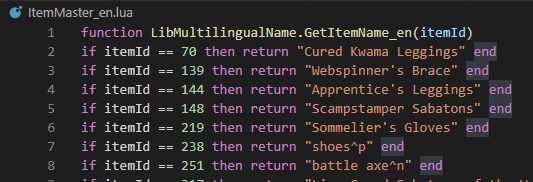
InGame-Name-Data files for languages.(en, de, fr, jp, ru, es, zh), and PowerShell script file that build them from your ESO client.
InGame-Name-Data files for languages.(en, de, fr, jp, ru, es, zh), and PowerShell script file that build them from your ESO client.
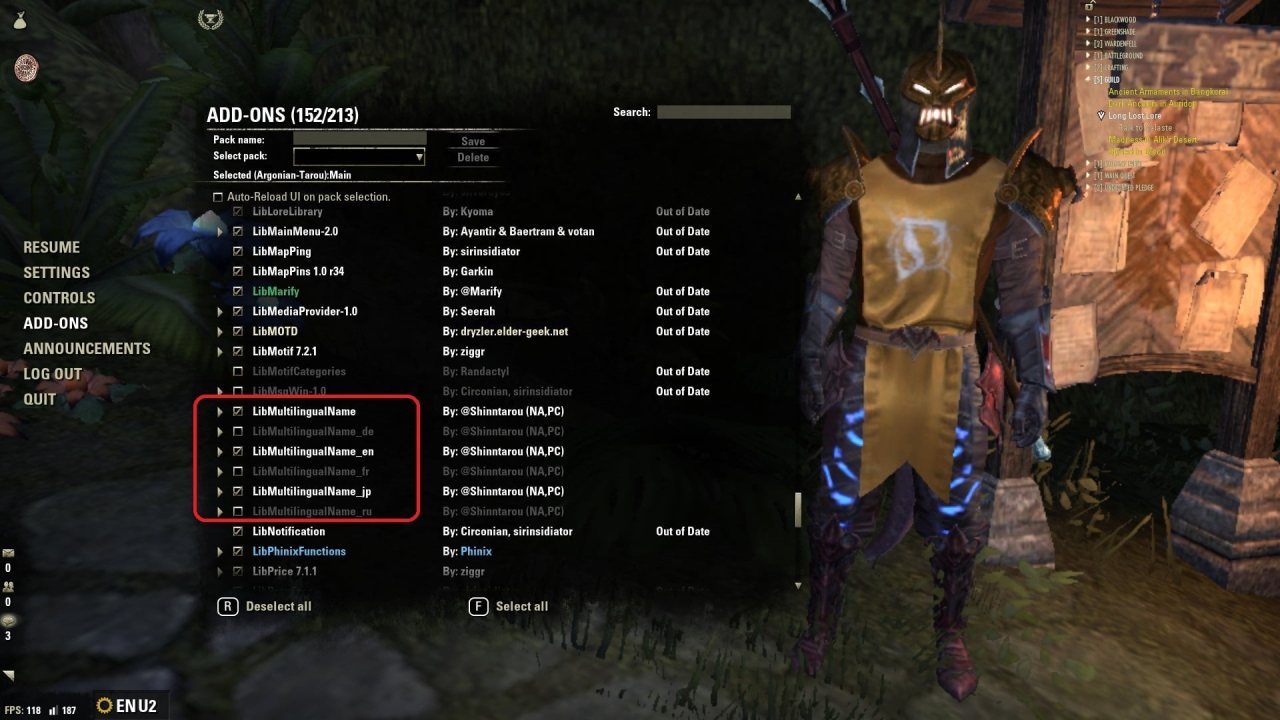
Please choose languages what you need at in-game "ADD-ONS" menu.
Your client's current language of the LIB for the language is required in a few cases.
(It means if you are English player, please activate LibMultilingual_en at least.)
The Lib is a simple huge LUA table files created by dump data from EsoExtractData.
You can create and update dump files manually using setup.ps1 in the lib directory.
Get**** methods just only to get from the table.
Search**** methods have own data processing.
Correctness of these results are not guaranteed, especially Search**** methods.
methods overview
ItemName
SetItemName
SkillName(abilityName)
AbilityDescription
QuestName
QuestTaskName
ZoneName
SetItemIDtoAbilityID (not dumped data. manually created and tweaked.)
usage
The LIB has two interface pattern.
1. GetRaw****Name(langCode, id)
it simply return "gamedata/**.csv"'s value as-is including special chars.
if NotFound, parameter is Invalid, then return bool false.
2. Get****Name(langCode, id)
(I wish) it return formatted value depending on what value it is.
If NotFound etc, then return some strings by any means possible.
1. the AddOn search abilities which has same name as the set gears. (It's \Raw\SetItemIdToAbilityIds.lua)
2. itemLink has a correct description.(but, It's in your current langCode)
3. SearchMethod compares 1 with 2. if matched, then return the matched abilities.
4. if not matched, SearchMethod return all abilities (= 1), and also return itMatched is FALSE as secound returned value.
Powershell Scripts
setup.ps1
For addon developers and players having fair knowledge of PowerShell.
This one build up all GetRaw****_**.lua files.
please read console message so it is a dialogue script.
fakeLang.ps1
to create ESO user-defined language code(files) from existing lang code.
a user-defined lang code can be used in game.
e.g) /script SetCVar('language.2','ja')
addonLangFilesReproducer.ps1
to copy new langFiles from your existing add-ons.
e.g) if there is a file Addons/SomeAddon/en.lua , the batch reproduce Addons/SomeAddon/jp.lua from en.lua.
# ESO - Japanese Localization (reference data)
# @see https://www.esoui.com/downloads/info2154-ESO-JapaneseLocalization.html
ABOUT THIS LISTING
This page describes LibMultilingualName by Shinntarou. The description and screenshots are the author's own, imported from their listing on ESOUI on 24 October 2026: https://www.esoui.com/downloads/info2666-LibMultilingualName.html
Mythiq.net hosts no files for it. The download button goes straight to the release file on cdn.esoui.com, so you are downloading from the author's own host, not from a copy of ours.
The download count, rating and comments on this page start at zero and count Mythiq.net only. The source's own figures are not copied here — they measure a different site, and a number that cannot be checked against our own ledger is not worth printing.
Media
Requirements
Game versions
12.0.0
11.3.0
11.2.0
11.1.0
11.0.0
10.3.5
API VERSION
Built for ESO API version 12.0.0, 11.3.0, 11.2.0, 11.1.0, 11.0.0. After a patch the game marks add-ons built for the previous API as out of date; the "Allow out of date add-ons" checkbox in the add-on menu loads them anyway, and most work.
LIBRARIES
Many ESO add-ons depend on a shared library — LibAddonMenu-2.0 above all — which is installed separately, exactly like an add-on. A dependency that is missing shows as the add-on simply not appearing in the list.
CONSOLE
Add-ons are PC and Mac only. There is no way to load them on console.
Installation
1. Download the archive with the button on this page and unzip it.
2. Move the unzipped folder into your add-ons directory:
Windows — Documents\Elder Scrolls Online\live\AddOns
3. Start the game, and at the character select screen click Add-Ons.
4. Tick the add-on. If it is greyed out and marked out of date, tick "Allow out of date add-ons" at the top of the same panel.
5. Log in. Most add-ons need a /reloadui after they are first enabled.
UPDATING
Delete the old folder first. ESO loads everything it finds, and two copies of one add-on is the usual cause of "an add-on has produced an error" on login.
This release downloads from cdn.esoui.com, not from us, so
there is no checksum to compare against. Scan the archive before you unpack it.
Version history
v1.2.48Latest
30 Jun 2026 · 21 MB via cdn.esoui.com · 0 downloads Download
v1.2.48
update for 2026-06-29 RIP Signet&WW
v1.2.47
update for 2026-06-09 Class Mastery
v1.2.46
update for 2026-03-10 DK renewal
v1.2.45
update for 2025-12-03
v1.2.44
update for 2025-11-10
v1.2.43
update for 2025-10-27
v1.2.42
update for (about)2025-10-01 mistlanslations?
v1.2.41
update for 2025-08-20 Feast of Shadows
v1.2.40
update for 2025-06-03 wormcult1
v1.2.39
update for 2025-03-12
v1.2.38
update for 2024-12-18
v1.2.37
update for 2024-10-30?
v1.2.36
update for 2024-09-?? (display for infinite archive's new set gears at tooltip. I forgot updating)
v1.2.35
update for 2024-08-20 (piercing cold nerf)
v1.2.34
EsoExtractData update, bugfix?(setitem data update)
Tell us if something is wrong — a file that will not work, content taken from
someone else, or anything that looks unsafe. Reports go to our review team, not
to the author.
We use cookies to ensure that we give you the best experience on our website and improve your experience. By continuing to use this site you consent to such use of cookies.