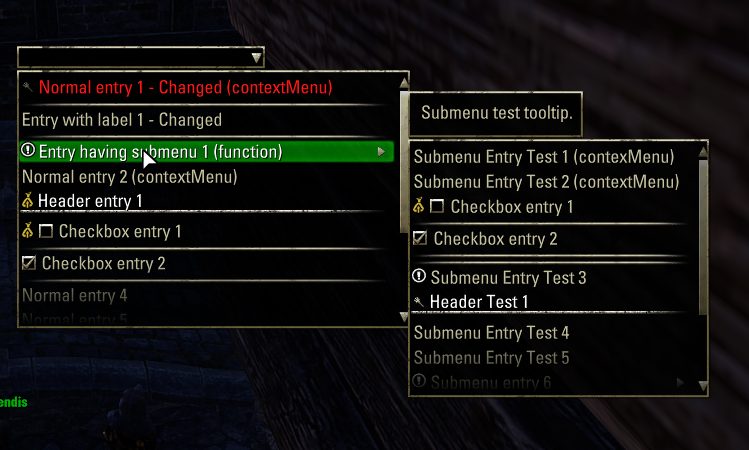
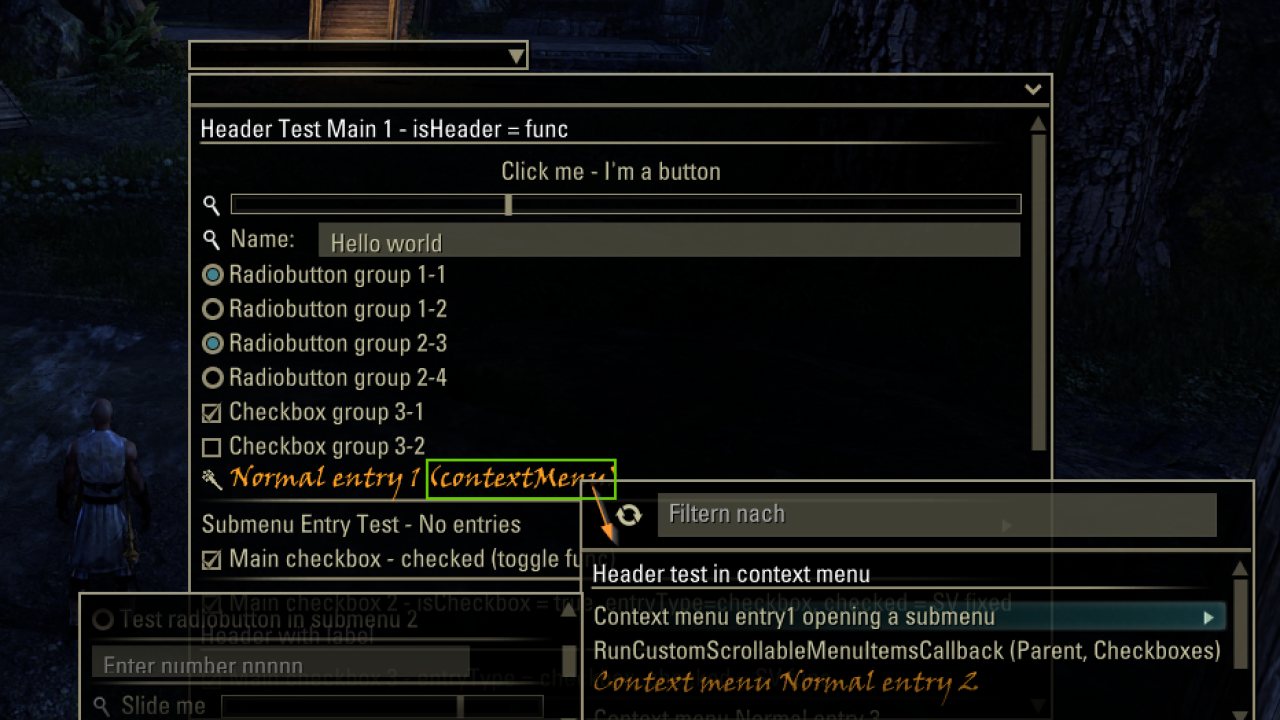
Library for scrollable menus and nested submenus at ComboBoxes.
LibScrollableMenu (Short: LSM)
Library for scrollable menus and nested submenus at ComboBoxes.
Originally developed by Kyoma for Kyoma's Titlizer, now updated by IsJustaGhost, Baertram and tomstock1337.
Example addons using this library: Improved Titleizer, AddonSelector, AdvancedFilters, merTorchbug updated.
LSM features:
- Scrollable menus at comboBoxes, or any other control (context menu)
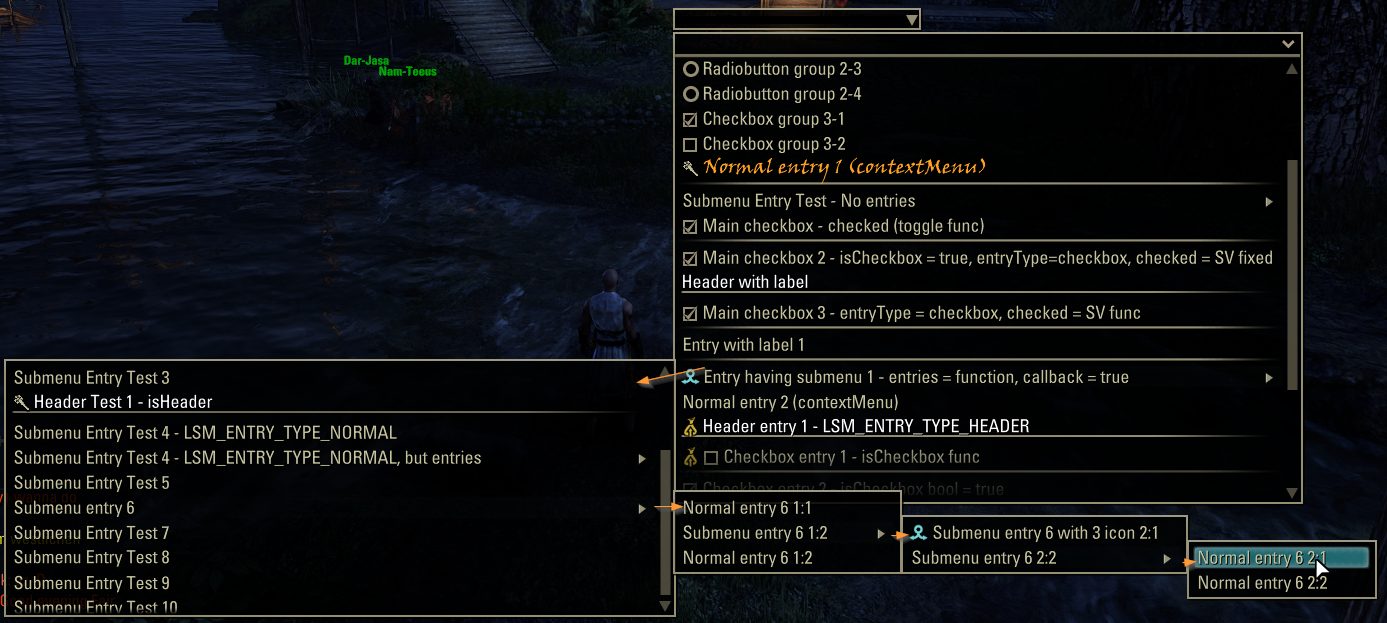
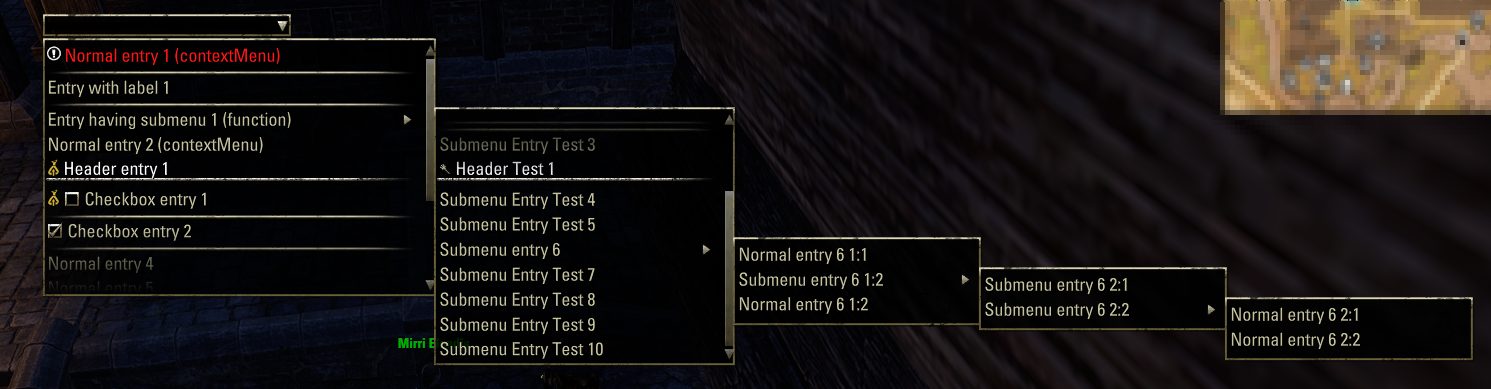
- (Nested) submenus
- Menu header collapsible (with a default collapsed state and saved state to SavedVariables) with custom title, subtitle and search/filter editbox (with an optional custom filterFunction), sort buttons and options -> all optional per menu, controlled via the options
- Custom options for each scrollable menu (maximum height, number of visible rows, menu header, search/filter enabled, custom XML row templates, narration callback functions, ...)
- Header entry
- Divider entry
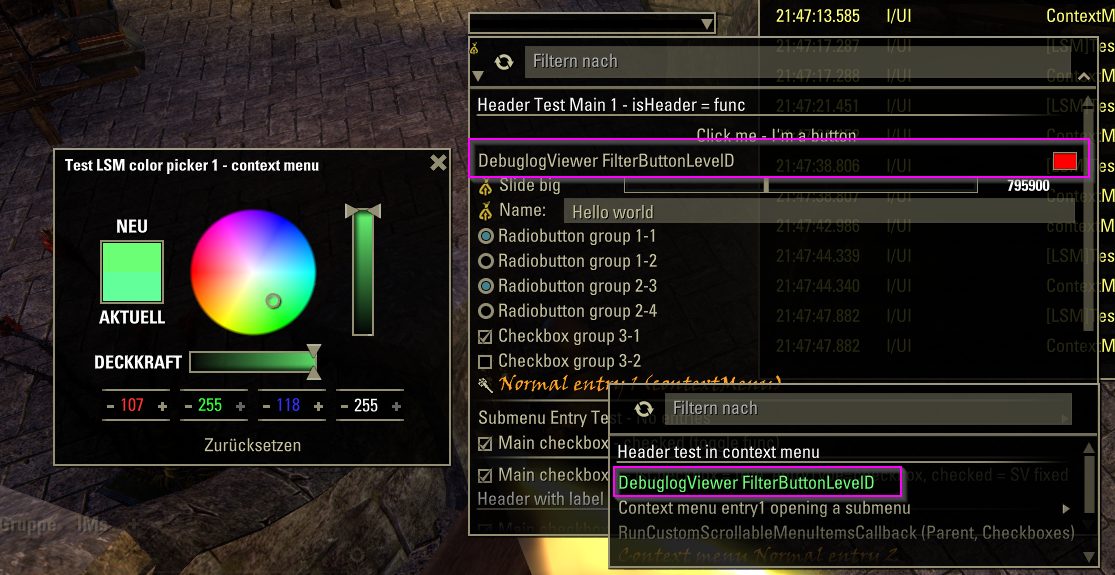
- Checkbox entry (can be added to a button group, which shows a default context menu to "Select all", "Deselect all", "Invert selection")
- Radio button entries (at least 2 are needed and must be added to a buttonGroup)
- Button entry
- Edit box entry
- Slider entry
- Color Picker entry (opens the colorpicker in a movable extra UI popup; clicks close the LSM menu -> It's not implementable differently, like keeping the menus opened does not work)
- Multiselection
- Scrollable context menu (again with nested submenus) at any entry. Checkboxes in a group even got a default context menu to select all/deselect all/invert selection
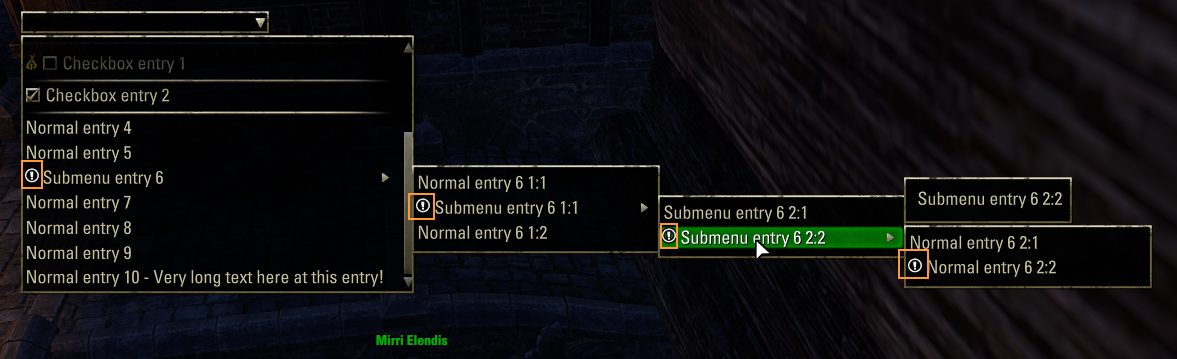
- MultiIcon at entries (multiple icons, looping through)
- "Is new" state icon (to show a changed/new entry)
- Several options e.g. to change teh maximum width, height, rows shown, submenu rows shown, the XML templates of the entry trypes, or the highlight rows, etc.
- Multiselection can be enaabled with custom texts, and showing the selected entries in submenus via the "arrow" icons' color (breadcrumbs)
- Callbacks fired at menu created (manipulate options), menu open/close, submenu open/close, contextmenu open/closeentry mouse enter, entry mouse exit, entry selected, checkbox checked state change, isNew state change
- API functions to build, show, hide and help looping entries at context menus
- Narration: Call custom function of addon to narrate or return a string to be narrated via the ESO accessibility mode UI narration feature
Radiobutons, checkboxes and buttons normally keep the dropdown opened if clicked. All other entryTypes (depending on if enabled and selectible) will close the dropdowns.
Important information - Context menus
LSM cannot work in combination with normal context menus created via ZO_Menu, as this is not scrollable.
As for example all inventory context menus use ZO_Menu you cannot use LSM there, only LibCustomMenu (which is based on ZO_Menu).
You can use LSM as scrollHelper on a ZO_ComboBox control, or as new context menu at any custom control, or at least any control where another context menu via ZO_Menu wasn't added yet. Both cannot be used in combination!
What you can do though is replace your LCM implementation with LSM so you remove ZO_Menu context menus and make them scrollable.
But using both on the same control in combination won't work.
-> It's planned to make it compatible in the future
Known Issues
--#2026_01 After a LSM contextMenu was shown and a checkbox was clicked (on the checkbox's label, not the icon!), the next opened contextMenu's checkbox label
is not changing the checkbox state (as if the first click is not accepted?), only the 2nd click does. (noticed during BMU LCM -> LSM changes at 2026-01-25)
Developer reference
Read the Github readme file and check file LSM_test.lua for example code, and the LSM_API.lua file please.
Example: https://wiki.esoui.com/How_to_create_a_scrollable_context_menu
Add a scrolhelper (dropdown scrollable) to a ZO_ComboBox:
API syntax:
Added new API functions to create the scrollable (nested) context menus at any control,like LibCustomMenu does.
API syntax:
Callbacks fired by the library where you can register via LibScrollableMenu:RegisterForCallback(callbackName, func) to
You can basically search & replace the first few params (text, entryType) of AddCustomMenuItem and AddCustomSubMenuItem with the
LibScrollableMenu's API functions AddCustomScrollableMenuEntry and AddCustomScrollableSubMenuEntry
-> Attention: Not all parameters are the same! EntryType needs to be one of LSM_ENTRY_TYPE* constants and other optiops like font, normalColor, hghlightColor etc. must be added to the parameter "additionalData" as a table!
Planned features
-Support for LibCustomMenu (replace it and ZO_Menu e.g. at inventory rows)
ABOUT THIS LISTING
This page describes LibScrollableMenu by tomstock. The description and screenshots are the author's own, imported from their listing on ESOUI on 24 October 2026: https://www.esoui.com/downloads/info3546-LibScrollableMenu.html
Mythiq.net hosts no files for it. The download button goes straight to the release file on cdn.esoui.com, so you are downloading from the author's own host, not from a copy of ours.
The download count, rating and comments on this page start at zero and count Mythiq.net only. The source's own figures are not copied here — they measure a different site, and a number that cannot be checked against our own ledger is not worth printing.
Media
Requirements
Game versions
12.1.0
12.0.0
11.3.0
11.2.0
11.1.0
11.0.0
API VERSION
Built for ESO API version 12.1.0, 12.0.0, 11.3.0, 11.2.0, 11.1.0. After a patch the game marks add-ons built for the previous API as out of date; the "Allow out of date add-ons" checkbox in the add-on menu loads them anyway, and most work.
LIBRARIES
Many ESO add-ons depend on a shared library — LibAddonMenu-2.0 above all — which is installed separately, exactly like an add-on. A dependency that is missing shows as the add-on simply not appearing in the list.
CONSOLE
Add-ons are PC and Mac only. There is no way to load them on console.
Installation
1. Download the archive with the button on this page and unzip it.
2. Move the unzipped folder into your add-ons directory:
Windows — Documents\Elder Scrolls Online\live\AddOns
3. Start the game, and at the character select screen click Add-Ons.
4. Tick the add-on. If it is greyed out and marked out of date, tick "Allow out of date add-ons" at the top of the same panel.
5. Log in. Most add-ons need a /reloadui after they are first enabled.
UPDATING
Delete the old folder first. ESO loads everything it finds, and two copies of one add-on is the usual cause of "an add-on has produced an error" on login.
This release downloads from cdn.esoui.com, not from us, so
there is no checksum to compare against. Scan the archive before you unpack it.
Version history
v2.47Latest
7 Oct 2026 · 163 KB via cdn.esoui.com · 0 downloads Download
LSM v2.47 - 2026-10-06
-- ColorPicker closes if any non-colorPicker raising entry is clicked, a contextMenu is opened, etc.
--Added parameter "comboBox, colorPickerData" to the API function colorPickerData.OnColorUpdateFunc signature: OnColorUpdateFunc(comboBox, r, g, b, a, colorPickerData)
--Added new possible values to colorPickerData table:
-- previewControl = userdata:control, --optional control or function(comboBox, LSMEntryControl, colorPickerData) returning the control that should be colorized as the color is chosen in the color picker, and shows the preview of the color. By default this is the LSM entry's previewControl but you can specify any you want, including the LSM label of the entry e.g.
-- OnColorGetFunc = function(colorPickerData) return r, g, b, a end, --optional function(comboBox, colorPickerData) returning the r, g, b, a values of the current color e.g. from SavedVariables -> Will only be used if no controlToColorize was provided where that could be read from automatically
-- defaultColor = { r=1, g=1, b=1, a=1 }, --optional color table or function(colorPickerData) returning a color table: The default color that the colorPicker should reset to
-- hidePreview = false, --optional boolean or function(colorPickerData) returning a boolean: Hide the previewControl (texture) that shows the current color
-- title = "Text here", --optional string or function(colorPickerData) returning a string for the color picker title. If not specified the title will be the label of the LSM entry clicked on to open the colorpicker. That entry label text is present in colorPickerData.LSMEntryLabel (once the entry was clicked) and can be used that way in your title callback function!
-- snapToOpeningControl = false, --optional boolean or function(colorPickerData) returning a boolean: Snap the color picker UI to the LSM entry that opened it? Default: true
LSM v2.46 - 2026-10-05
--#2026_21 Add color picker entry type
--Added new API function AddCustomScrollableMenuColorPicker
--Adds a color picker to the context menu entries -> The entry opens the stand-alone movable colorpicker. Menu will close
----once the color picker is used (on any click outside of the menu, as usual)
----Existing context menu entries will be kept (until ClearCustomScrollableMenu will be called)
---->Clicking the line does call the callback AFTER the colorPicker has been opened!
---->The colorPickerData table needs to either specify a control via controlToColorize, or a OnColorUpdateFunc function(r, g, b, a)
---->which is called as the color picker's color is updated (to e.g. write the r,g,b,a values to the SavedVariables).
-----> returns nilable:number indexOfNewAddedEntry, nilable:table newEntryData
--function AddCustomScrollableMenuColorPicker(text, callback, colorPickerData, additionalData)
LSM v2.45 - 2026-08-10
--#2026_15 Add support at RefreshCustomScrollableMenu for existing comboBoxes where AddCustomScrollableComboBoxDropdownMenu added the LSM
--#2026_18 Clicking on a checkbox in a submenu (the [ ], not the name label!) the refresh of the e.g. enabled state of other entries in the same submenu did not work
--#2026_19 Debugging functions did not work, debugging ON/OFF chat messages did not show, and some messages got not enough/too many parameters
Off-site on cdn.esoui.com —
no checksum, because we never held this file.
Link checked by our review team on 25 Oct 2026.
Tell us if something is wrong — a file that will not work, content taken from
someone else, or anything that looks unsafe. Reports go to our review team, not
to the author.
We use cookies to ensure that we give you the best experience on our website and improve your experience. By continuing to use this site you consent to such use of cookies.