The ESOUI Administrators have kindly allowed me to step in to maintain this valuable addon! You can once again expect to see updates and improvements to PvpAlerts!
The ESOUI Administrators have kindly allowed me to step in to maintain this valuable addon! You can once again expect to see updates and improvements to PvpAlerts!
This add-on requires the separate installation of these libraries:
This addon provides a plethora of useful features to display various pvp-related information in a convenient way.
When the addon starts you will see all addon windows unlocked and movable on your screen. You can drag them individually until satisfied with their position. Then you go to the addon options (or use /pvpmenu command) and lock them is place. The addon is ready.
Key features:
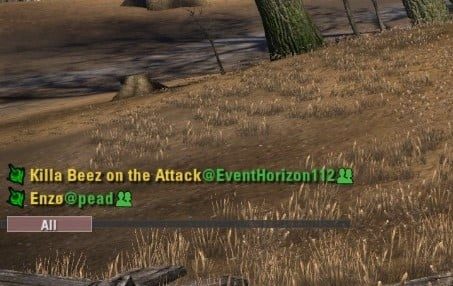
1. Counter of players you encounter. Provides the numbers of players that attacked/buffed/healed you or get attack/buffed/healed by you or those you mouseovered within the last 10 seconds cetegorized by factions. You can mouseover the colored number and as long as it's not zero you will get a list of all affected players of the corresponding faction. Alternatively you can use the keybinds to show/hide the lists for each faction separately.
2. Kill Feed. As long as somebody you attacked/healed before dies nearby it provides a line of text on the screen with the name of the player who died and the ability that killed him. The feed is also saved into a separate chat tab for later examination. This now operates as an enhanced version of the ZOS KillFeed with additional information about players that have been previously encountered.
The feed distinguishes between your killing blows and all other kills.
Since 3.22 the kills in the feed has amounts of AP you gained from each particular kill and how much AP did you get from offensive/defensive ticks.
3. KOS/COOL system. This feature allows you to add a person to KOS list and to get notified if this person attacked you or you mouseovered him on any character of his account.
Additionally the KOS list shows friends and guildmates who are nearby.
As a separate feature KOS window shows people on your your COOL list. People added to this list (through context menu, keybind) are treated as friends throughout the addon. Think about a second friend list for cool people who didn't make it into you real friend list.
KOS window has 4 distinct modes. In 'All' mode both friends and KOS targets are shown. In "Allies" mode only friends/COOLs and KOS targets of the same faction as the player are shown. In "Enemies" mode the list will only have KOS targets who are not from the same faction as the player. And lastly in "Setup" mode you will see a scrollable list of all the players you added to the KOS list.
The modes are switched by dragging a slider below the list.
You can add players to the KOS list using any of the following ways (NOTE: the player has to be the your database before you can add him to KOS list. See below.):
- right click his name in zone/guild/group/whisper chat or attackers frame/Kill Feed(window and chat tab) and choose "Add to KOS" option from the context menu.
- use console command /who and right-click names there (see below)
- use a special keybind. You will need to mouseover the player and press the keybind.
To remove a player from KOS list you right-click his name in chats/stealthed list/kill feed or KOS list itself and choose "Remove from KOS" option from the context menu.
Version 3.9.7 (U41) adds a new slash command /pvpnote that saves per-account notes about players in the KOS/COOL lists and displays them alongside the character name in the KOS/COOL UI frame. Currently a player must be on your KOS/COOL/Friends list for a note to display.
Player Notes are managed through the right click menu UI (Version 3.9.9) on player/account names or as follows:
Add a note:
- /pvpnote add @name Whatever note you want to display
Remove a note:
- /pvpnote delete @name
Print a specific player's note to the chatbox:
- /pvpnote show @name
Print all notes to the chatbox:
- /pvpnote list
Delete all saved notes:
- /pvpnote clear
4. Players database search. While playing the game with this addon on, it will remember all players you encounter. This feature allows you to search throughout your database of players.
- "Who is this?" item in the context menu will output the list of all other known characters of that person.
- /who charname - slash command will try to find the char name provided and output other chars on that account.
- /who @accountname - slash command to lookup account name
The /who commands will strip the provided names from speceial characters and decapitalize them. So in most cases you should be able to look up a fancy name with a simpler version of it.
Additionally, /who charname looks up loose matches for the input name. Example /who heals will return 'Heals-for-life' or 'healsnot' in addition to 'Heals'.
All account and charracter names returned by /who are fully interactable with mouse buttons.
5. List of recent attackers. When you attack somebody or anybody attacks you their names will appear in that list. The icons are:
- red reticle - they attacked you, but you never attacked them
- crossswords - you attacked them
- skull - they died
- white flag - they released
6. Players spec detection. The addon will try to detect specs of players you interact with in Cyrodiil. The result of the detection is indicated by the color of their class icon in the addon.
Meaning of the colors:
- gray color - no spec have been detected yet.
- green color - stamina spec
- blue color - magicka spec
- red color - hybrid/weird spec
7. Nearby forward camp and pvp buffs frame.
If you're in the range of a friendly forward camp you will have a camp icon light up in the frame. The colors of the icon denote the distance to the closest forward camp in range.
- 'Green' - you're within 0-65% of the camp radius;
- 'Yellow' - you're within 66-89% of the camp radius;
- 'Red' - you're within 90-100% of the camp radius;
So if the icon goes red - you're almost out of the camp's range.
Additionally there're sound notifications when you get in range of a friendly forward camp and when you get out of its range.
Position of the frame can be changed from the options.
The frame also contains icons for 3 pvp specific buffs:
- Continuous Attack (center);
- Ayleid Health Bonus (left);
- Blessing of War (right);
Each of the buff icons has 3 states:
- grayed out - the buff is absent;
- white - the buff is on;
- yellow/green - the buff will expire soon;
- red - the buff almost expired.
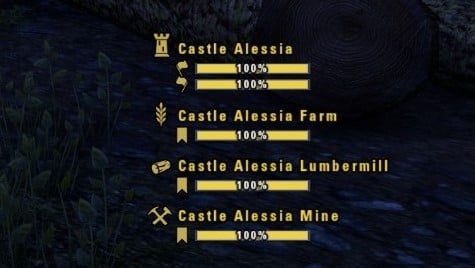
8. Capture frame for nearby objectives. When near a pvp objective (keep, outpost, resource, ic district) you will see a frame with the information about this objective status along with % of capture of its flags.
There're 2 modes of operation of the Capture frame:
1. 'Neighboring capture frame' option is OFF. You will only see the status information for the objective you're in range of.
2. 'Neighboring capture frame' option is ON (default mode). You will see information about other objective related to the one you're in range of. For the keeps you will see all their resources status. For the resources the keep and other resources, for the ic districts - you will see the status of all districts at once. The objective you're in range of will have a backdrop around it.
9. Target Name Frame. You will have a draggable frame with the name of the player you're targeting. The name will have alliance rank/class/spec/kos/friend/cool/group/attackers icons added to it.
You can change the frame's scale, transparency, text alignment and fadeout delay from the addon options.
10. Death screen additions. If you die to a player in pvp you will have 2 additional options in your death screen:
- 'Respawn at Forward camp' - if you're in range of a friendly forward camp this option with appear on your screen. Note, you will still have this option even if you're on camp respawn cooldown. The default keybind is 'Q' or use quickslot.
- 'Respawn at KEEPNAME' - the addon finds the nearest keep of your faction that you can respawn at and puts its name into this option. The default keybind is 'Y' or Stack All items key.
11. Integration to vanilla target frame. If you use vanilla target frame, the name of the player there will have the icon with his spec color to the left of his name and friend/cool/kos etc icon to the right of his name.
12. Sound notifications. Different sounds were implemented to play when:
- you make a killing blow on an enemy player
- you make a killing blow on an enemy player from your KOS list
- AP tick obtained
- a friend apprears nearby
- an enemy KOS appears nearby
- in the range of a friendly camp
- obtained Continuos Attack buff
13. 3D icons for objectives and map pings!
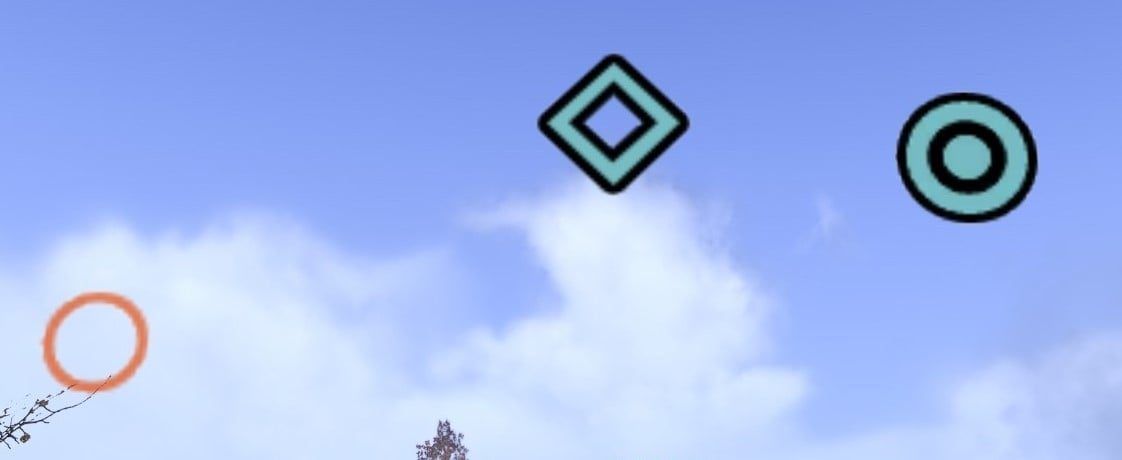
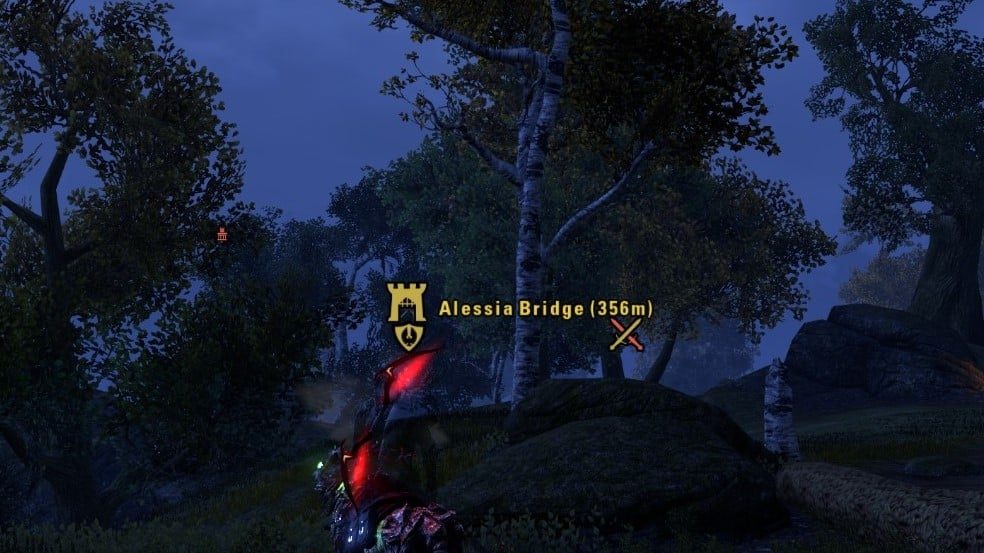
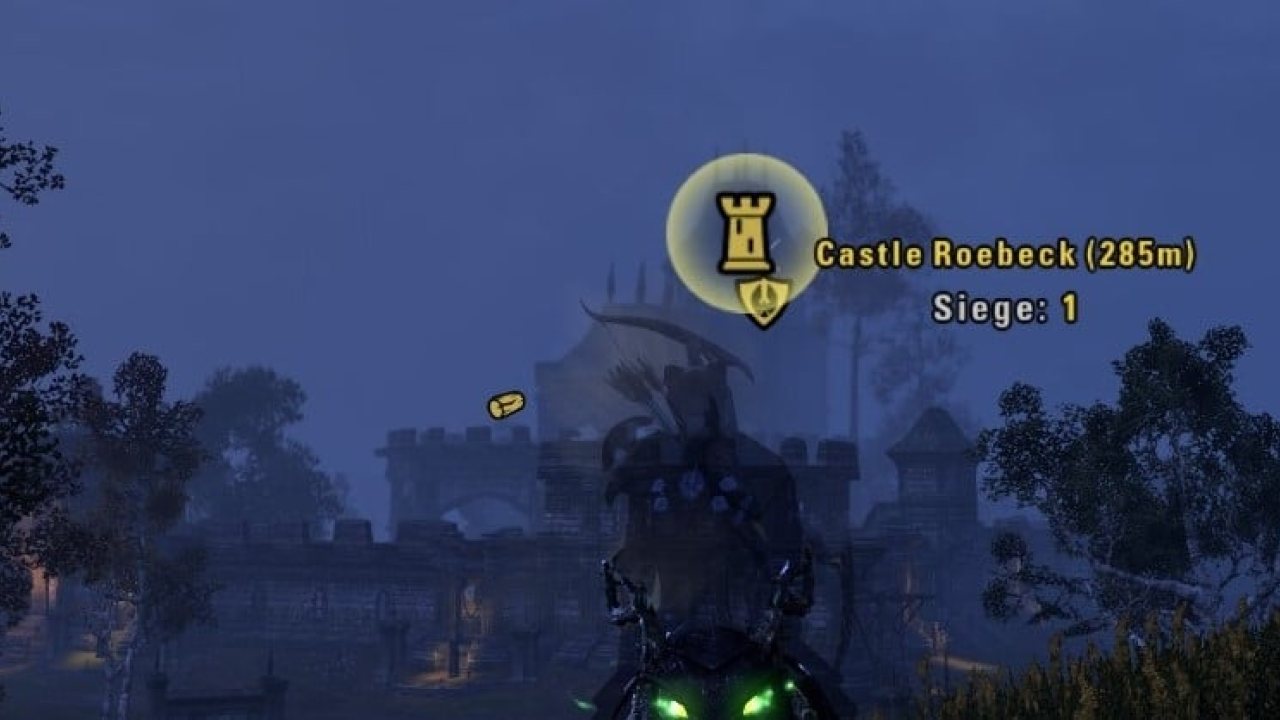
All pvp objectives (keeps, resources, towns, ic districts) as well as various locations on the map (Ayleid wells, delves, camps, crossswords, bridges, milegates, elder scrolls, daedric artifacts) now have 3d icons in the gameworld on top of them. Each battleground has 3d icons for its objectives and team bases.
The icon shows faction owning the objective, its under attack status, number of sieges status and its capture status.
You can mouseover the icons to see the name of the objective, your distance from it and exact number of sieges near it.
Map pings (player waypoint, rally point, players' pings) will also have 3d icons in the gameworld at their location.
As a side feature, if you're in a group and place player waypoint on the map the addon automatically places your ping at the same position (the ping will disappear in a few seconds). Pings have unique colors depending on group index of the player setting the ping. Additionally there's a keybind that allows setting waypoints/rally by mouseovering a 3dicon.
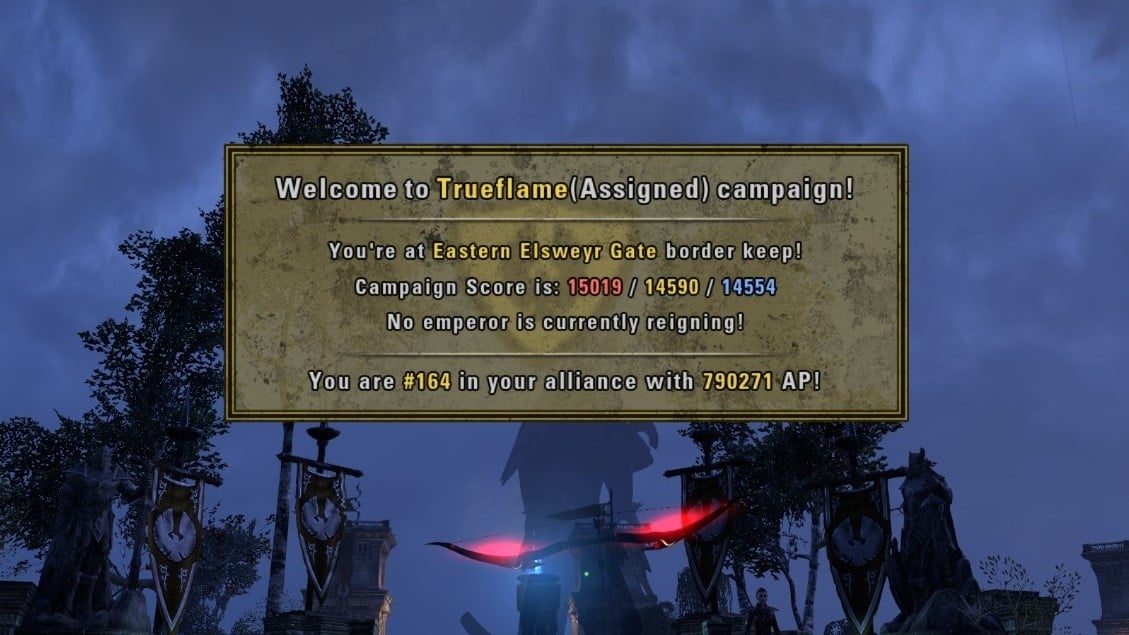
While at your faction gates you will see a special icons. If you mouseover it a frame with current campaign information (campaign name, current score, emperor status and your position in the campaign) will appear.
All 3d icons can be seen through by the terrain, just like ZOS quest\group markers.
As beta features there are group members 3d icons and compass directions 3d letters.
Important information:
1. Most player-related features of the addon will NOT work until you build a database of players. To do so you will need to mouseover (look at) everybody you see in Cyrodiil. The more players you 'remember' this way the more accurate the numbers and kill feed will be.
You will NOT be able to add anybody to KOS list until you have them in the database.
You can enable an option in the addon's settings to show the number of characters and accounts stored in your database(if this option is on the addon will output the number of stored players to your chat each 2 min).
2. The addon will NOT work AT ALL outside of Cyrodiil/Imperial City/Sewers/Cyrodiil delves/battlegrounds. None of the windows will show up. The addon will NOT build the database of players outside of PVP as well.
Note: The current release contains a function that is used to help clean up old characters and users from increasingly massive player databases. If a character has not been encountered in a year it is purged from the player database unless it has been added to the KOS or COOL lists. This behavior change is necessary to prevent saved variables files reaching sizes that cause issues with game loading and unloading.
PvpAlerts will also now report account (@name) changes for characters that have been previously logged under a different account name.
Note 2: Mentions of the incoming projectiles notification feature that has been intentionally disabled by ZOS have been removed from this features list.
Thanks and shoutouts:
Huge thanks for beta testing and being awesome to Enzo, Mizaru, Killabees, Ahchoo and Reddington James!
Additionally:
- @MichaelOfHouseBolton for powerleveling my ep bank mule to 10 to get into ep starting cyro zones!
- CaptainBlagbird for sieged keeps textures! Check the source addon here - SiegedKeeps
- Shinni for Lib3D as a source of inspiration:)
ABOUT THIS LISTING
This page describes Miat's PVP Alerts by dorrino. The description and screenshots are the author's own, imported from their listing on ESOUI on 26 October 2026: https://www.esoui.com/downloads/info1545-MiatsPVPAlerts.html
Mythiq.net hosts no files for it. The download button goes straight to the release file on cdn.esoui.com, so you are downloading from the author's own host, not from a copy of ours.
The download count, rating and comments on this page start at zero and count Mythiq.net only. The source's own figures are not copied here — they measure a different site, and a number that cannot be checked against our own ledger is not worth printing.
Media
Requirements
Game version
11.2.0
API VERSION
Built for ESO API version 11.2.0. After a patch the game marks add-ons built for the previous API as out of date; the "Allow out of date add-ons" checkbox in the add-on menu loads them anyway, and most work.
LIBRARIES
Many ESO add-ons depend on a shared library — LibAddonMenu-2.0 above all — which is installed separately, exactly like an add-on. A dependency that is missing shows as the add-on simply not appearing in the list.
CONSOLE
Add-ons are PC and Mac only. There is no way to load them on console.
Installation
1. Download the archive with the button on this page and unzip it.
2. Move the unzipped folder into your add-ons directory:
Windows — Documents\Elder Scrolls Online\live\AddOns
3. Start the game, and at the character select screen click Add-Ons.
4. Tick the add-on. If it is greyed out and marked out of date, tick "Allow out of date add-ons" at the top of the same panel.
5. Log in. Most add-ons need a /reloadui after they are first enabled.
UPDATING
Delete the old folder first. ESO loads everything it finds, and two copies of one add-on is the usual cause of "an add-on has produced an error" on login.
This release downloads from cdn.esoui.com, not from us, so
there is no checksum to compare against. Scan the archive before you unpack it.
Version history
v3.18.0Latest
5 Feb 2026 · 2.5 MB via cdn.esoui.com · 0 downloads Download
3.18.0 - Overhaul nearby players and attacking players list UI elements and add context menu support.
3.17.0 - Added a new "scoreboard" for Cyrodiil generated from Killfeed events. Enable this scoreboard by setting keybinds in ESO's addon keybinds section for PvpAlerts. By default, the scoreboard will not log any events until manually enabled at the start of each session. Supports guild/group member filters, and per-player stat exclusions. Tentative fix for missing new attacker name UI element.
3.16.7 - Removed unsupported AgonyWarning networking for U46 due to ZOS API restrictions. Subclassing fix for Shadow Image. Precache guild names in initial database construction.
3.16.6.1 - Bugfix Guildmate detection
3.16.6 - Improvements to markers for scrolls/volendrung
3.16.5.1 - Fix reporting cached AP earnings in Vengeance
3.16.5 - Attempt Bugfix for Battlegrounds Error
3.16.4 - Bugfixes for api changes and compat aliases update
3.16.3 - Bugfix for rare issue with missing camera height
3.16.2 - Fix issue with caching guildmate lookups outside pvp zones
3.16.1 - Bugfix recalculation of scroll position
3.16.0 - Add 3D Marker for Volendrung. Add carrying player name to scroll/hammer 3D marker tooltips. Dynamic height adjustment/smoothing for 3D POI markers
3.15.8.1 - Remove accidental debug
3.15.8 - Add toggle for Piercing Marks (Off by default)
3.15.7 - Fix Important Attack Sound and add menu toggle. Refactor some more functions
3.15.6 - Undefined globals cleanup and bugfixes from LUA Diagnostics
3.15.4/5 - Try fix UI error
3.15.3 - Fix botched logic in reticle buffer refresh
3.15.2 - Fix UI Unlock error
3.15.1 - Fixed a bug that could cause a stuck notification
3.15.0 - Major refactoring of multiple core code blocks. Integrated AgonyWarning and support networking with AgonyWarning users.
3.14.5 - Try fix error populating battlegrounds scoreboard data, fix issue with attacker name formatting, fix issue populating some player counts
3.14.4 - Try fix error getting team colors in battlegrounds
3.14.3 - Fix Missing abilityName passthrough
3.14.2 - Fix Missing Reticleover tooltips in 3D system
3.14.1 - Fix broken control handler in 3D system, stage 2 of refactor
3.14.0 - Lots of code refactoring to try to claw back some performance impact. Please report any errors.
3.13.3 - Small bugfixes to player database update caching
3.13.2 - Bugfix for UI error with KOS system, and with /who command with @names.
3.13.1 - Bugfix for UI Error in Battlegrounds. PLEASE REPORT ANY UI ERRORS. There were substantial changes to the API for Battlegrounds and it is likely things may not work properly.
3.13.0 - Adopt API Changes for U44 Battlegrounds Rework
3.12.2 - Bugfix for Potential UI error (again)
3.12.0 - Bugfixes and Performance Optimizations
Switched to using ZOS's cached math and string functions wherever possible.
Reworked parts of the 3D system to reduce performance impact
3.11.0 - GuildMate Detection
Support showing Guildmates in the KOS/COOL list. This works like the previous behavior for showing players on your friends list.
This option and the behavior to show friends is toggleable from the Miat's Pvp Alerts Addon Menu settings under KOS Frame Options.
Also added the ability to disable showing player notes in the KOS frame.
Note that Showing GuildMates may have some minor performance impact, if this is not acceptable I recommend toggling the behavior to OFF.
3.10.1 - Bugfix
Fix construction issue with PlayerNote management dialogue box
3.10.0 - Gold Road U42 API
It is recommended to backup your saved variables before installing this release!
Off-site on cdn.esoui.com —
no checksum, because we never held this file.
Link checked by our review team on 26 Oct 2026.
Tell us if something is wrong — a file that will not work, content taken from
someone else, or anything that looks unsafe. Reports go to our review team, not
to the author.
We use cookies to ensure that we give you the best experience on our website and improve your experience. By continuing to use this site you consent to such use of cookies.